How to Transfer Outlook Email from Mac to Windows PST File on Mac?
Are you moving from Mac to Windows and in-between wondering how to transfer Ou9tlook email from Mac to Windows PST file on Mac? Continuously struggling with the right solution to implement the necessary task? Not to worry, read the article till the end and you will encounter a solution that will convert OLM to PST and help you to successfully transfer Outlook email from Mac to Windows PST file on Mac effortlessly.
Microsoft Outlook is a popular email client that many users mostly use to manage day-to-day email messages, contacts, calendars, and other items. Initially, the email application was first introduced for Windows and later for Mac operating system. That is why; a lot of users prefer Outlook when they move from Mac to Windows or vice versa.
Reasons to Transfer Outlook Email from Mac to Windows PST File
PST is a supported file format of Windows Outlook. It is created when users export some of the essential data items from their email account such as emails, contacts, calendars, journals, tasks, etc. In the same way, Microsoft Outlook for Mac generates OLM file format.
Quick Note. Make use of MacMister’s PST Converter for Mac which is useful in converting Windows PST files into 15+ saving options. It is effective, safe, and highly recommended by experts. The tool supports the following saving options – PDF, MSG, EML, CSV, HTML, DOC, TXT, Yahoo Mail, Gmail, Office 365, IMAP, and more.
The only main reason why users face issues while they try to access Outlook for Mac into Windows Outlook is due to the difference of file formats. In order to view OLM file in Windows Outlook, one must convert OLM to PST. Once the conversion is done, then users will be able to easily access Outlook email from Mac in Windows Outlook.
But how to transfer Outlook email from Mac to Windows PST files, let’s check the process in detail.
How to Transfer Outlook Email from Mac to Windows PST File on Mac?
The most secure way to transfer Outlook email from Mac to Windows PST file on Mac is MacMister OLM Converter for Mac & Windows. The tool allows users to batch convert Outlook for Mac OLM files folders to PST on Mac at once. It is designed with a user-friendly and intuitive environment so that any user can effortlessly operate it and easily perform the conversion with accurate outcome. Even, the application has limited steps which will save the time and efforts of users.
Moreover, the software is programmed with a lot of remarkable features which are useful in getting the desired and precise results in minimum time. However, you can also download the freeware version of the tool to check the working steps for free.
Working Steps to Transfer Outlook Email from Mac to Windows PST File on Mac
Step 1. Download and run MacMister OLM Converter on your Mac.
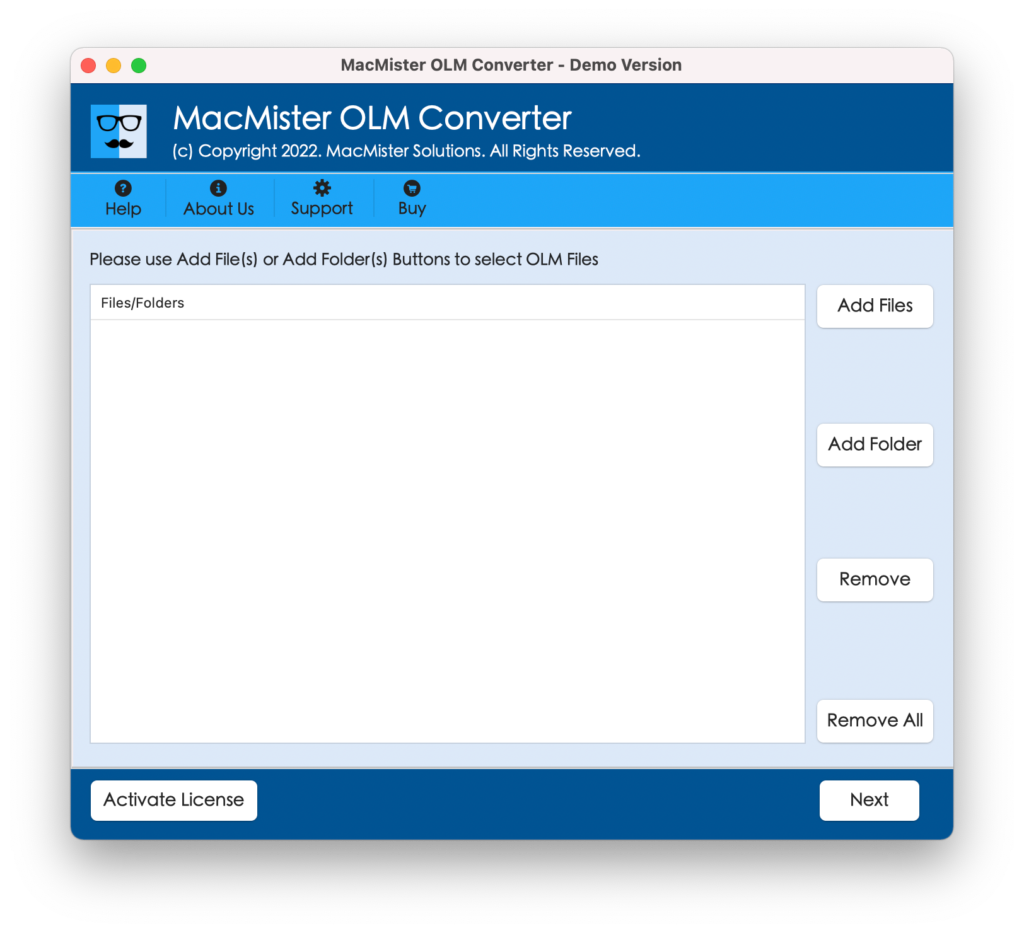
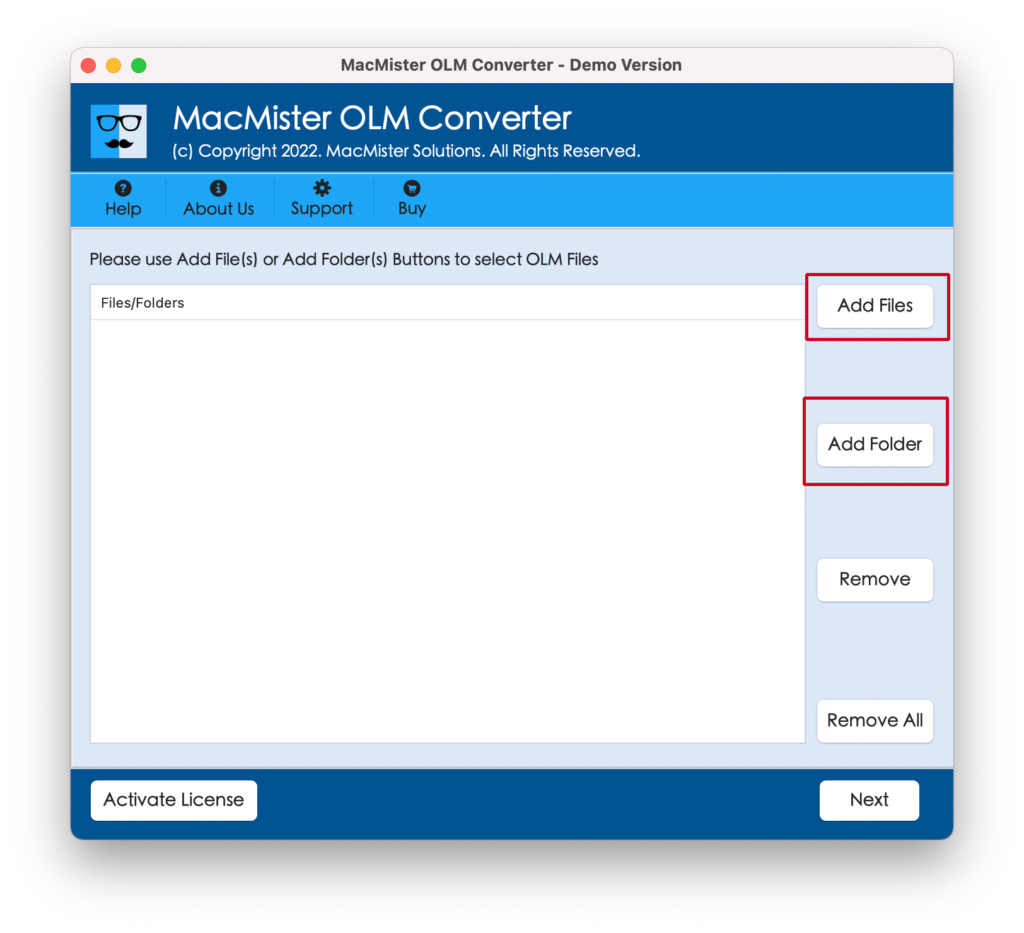
Step 2. Select Add File(s) option to add few OLM files on the tool or you can use Add Folder option if you have a folder containing multiple OLM files on the tool for batch conversion. Click Next to continue.
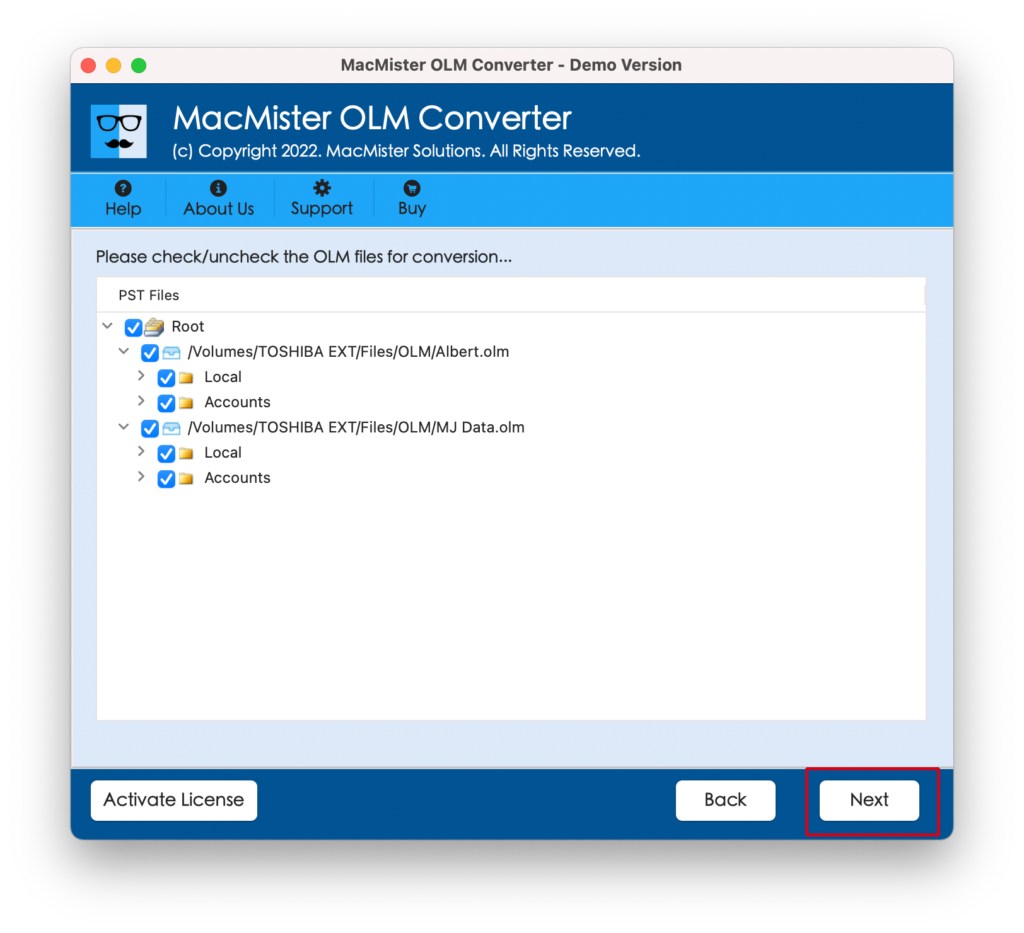
Step 3. The software now immediately starts displaying OLM files with selected checkboxes one-by-one. You can deselect them and select again as per your requirements to transfer selected Outlook for Mac OLM files into PST, if needed. Click Next to continue.
Step 4. Now, click on Select Saving Options and select PST file format from the menu.
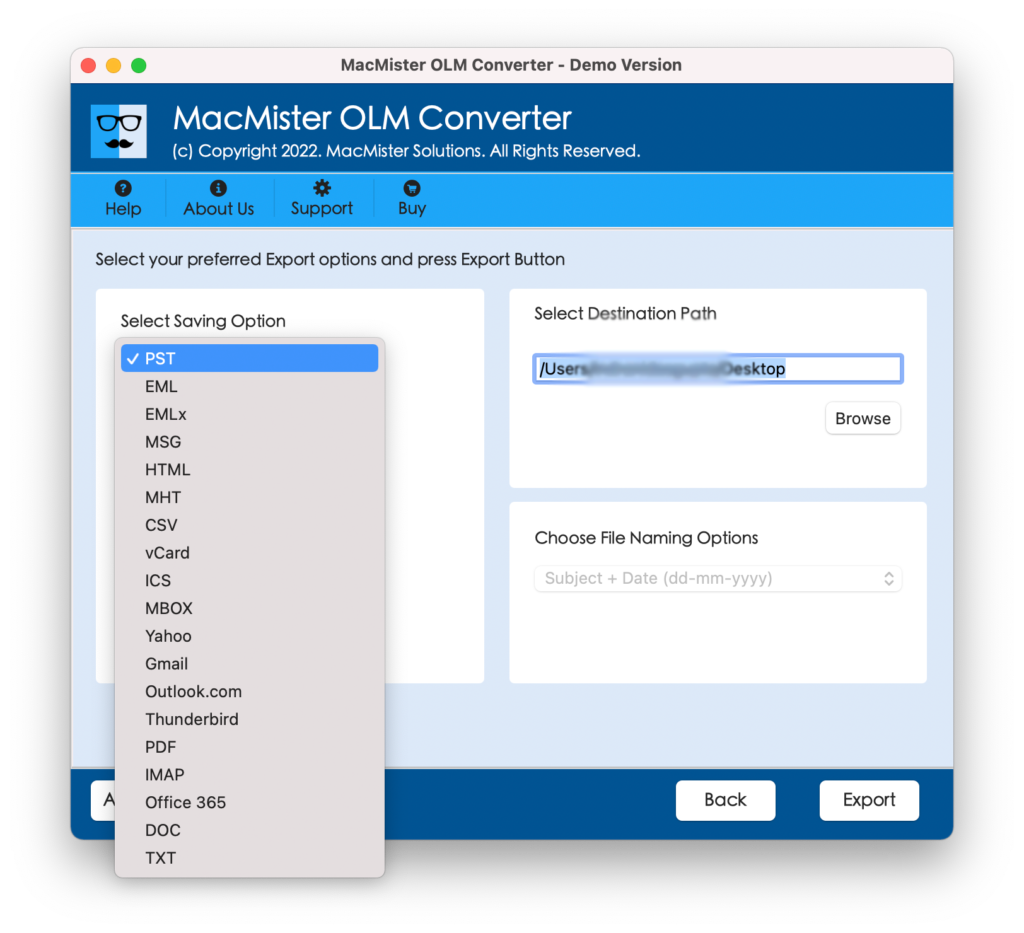
Step 5. You may now set sub-options of PST as per your requirements and click on Export button to start the conversion of OLM files.
Step 6. The conversion starts quickly and a Live Conversion Window will appear which shows the running conversion progress of OLM files.
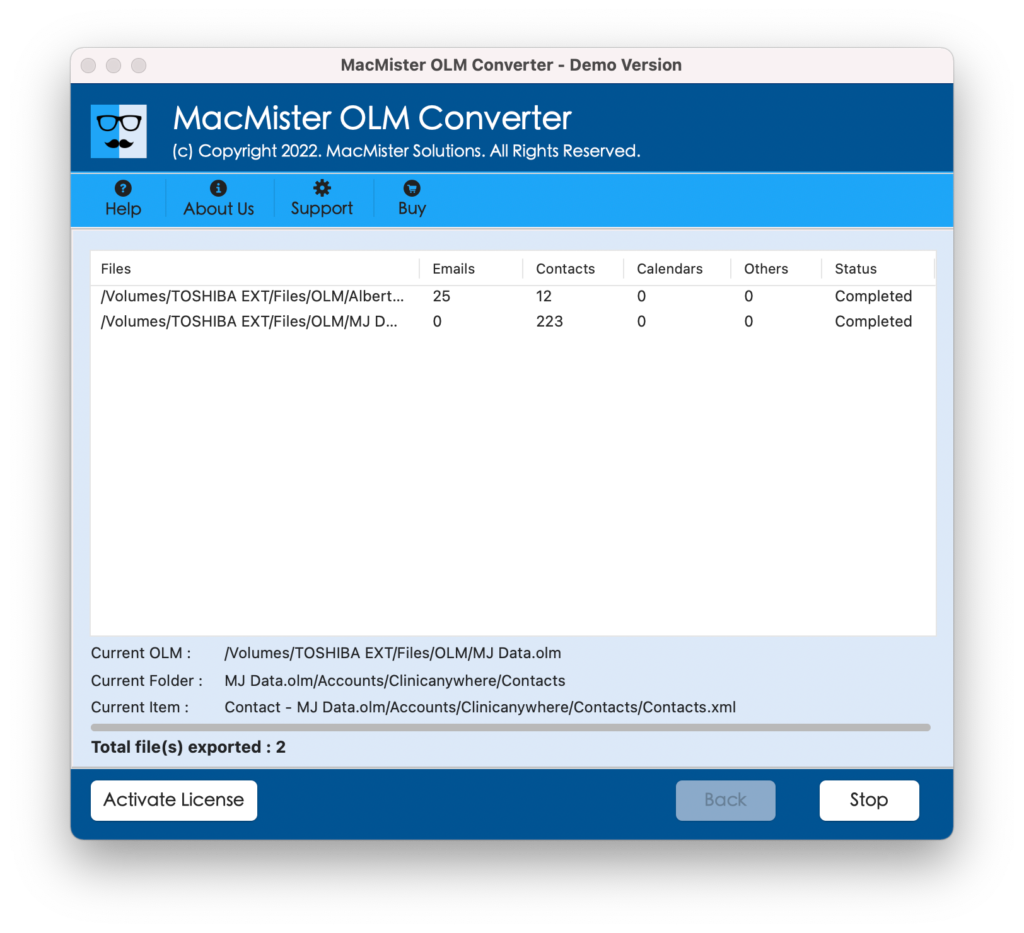
The process will immediately end and then “Conversion Completed” message will appear which conveys that the conversion of OLM files is successfully finished. Click on OK and now transfer all the converted PST files into Windows and import them into your Outlook account.
What are the benefits of using MacMister OLM Converter Tool?
MacMister OLM Converter for Mac has many beneficial features which makes the process easier and desirable. We have discussed some of them here –
- Capable to batch transfer Outlook emails from Mac to Windows PST file at once.
- Easily perform the conversion of OLM files with emails, contacts, calendars, and other items.
- Built with a user-friendly interface which is easily operable by all types of users easily for conversion.
- Able to transfer Outlook for Mac emails to Windows PST file with correct folder structure.
- Keeps the content, layout, and formatting properties intact while converting OLM files into PST.
- Allows users to choose destination path as per need to save the resultant PST files at desired location.
- Supports two options to load OLM files such as Add File(s) and Add Folders.
- Apart from PST, also equipped with other saving options such as PDF, MSG, EML, EMLx, MHT, MBOX, IMAP, Office 365, Thunderbird, Gmail, G Suite, and more.
- Easy-to-run on all Mac OS versions including Mac OS Sonoma, Ventura, Monterey, etc.
Epilogue
In the write-up, we have explained an outstanding approach to fix “how to transfer Outlook emails from Mac to Windows PST file” with all the data items. The solution mentioned above has a lot of features that help users to execute the conversion process as per their specific preferences. However, the tool is highly recommended if you are looking for a safe and quick conversion of OLM files. Moreover, it guarantees the accurate outcome in minimum time. You can check the whole process by downloading the free demo version. It also allows transferring first 25 Outlook emails from Mac to Windows PST file for free.