Transfer Thunderbird to Apple Mail / Mac Mail with Entire Details
Overview: Desired to know the actual and easiest method to transfer Thunderbird data to Apple (Mac Mail) location, then you are just in a right place, as in this article we are going to explain “how to transfer Thunderbird to Apple Mail / Mac Mail?”. So let’s start and know the method in brief.
Mozilla Thunderbird is a commonly used desktop-based email application, it is available in Windows, Mac, or Linux OS versions. But one of the drawbacks is, it doesn’t support the direct transferring method of Thunderbird data into Mac Mail location.
Then again, Apple (Mail Mail) is a complete Mac-based email client. It was a standard email client of Mac OS / OS X in the early days. Though if you are looking for a solution to import/transfer Thunderbird to Apple Mail then just read the blog carefully.
Import Thunderbird to Mac Mail – Easy Methodical
Transfer Thunderbird files to Apple Mail by using the MacMister Thunderbird Converter Mac software. This application is effortlessly built with an easy-to-use interface to allow users to transfer Thunderbird to Apple Mail / Mac Mail with entire details for example; emails, contacts, calendar items, etc. It keeps your complete Thunderbird profile data safe and secure throughout the process of the email data conversion method. Here are a few easy steps to transfer Thunderbird to the Mac Mail location, just follow the steps below –

How to Use Thunderbird Converter for Mac Tool
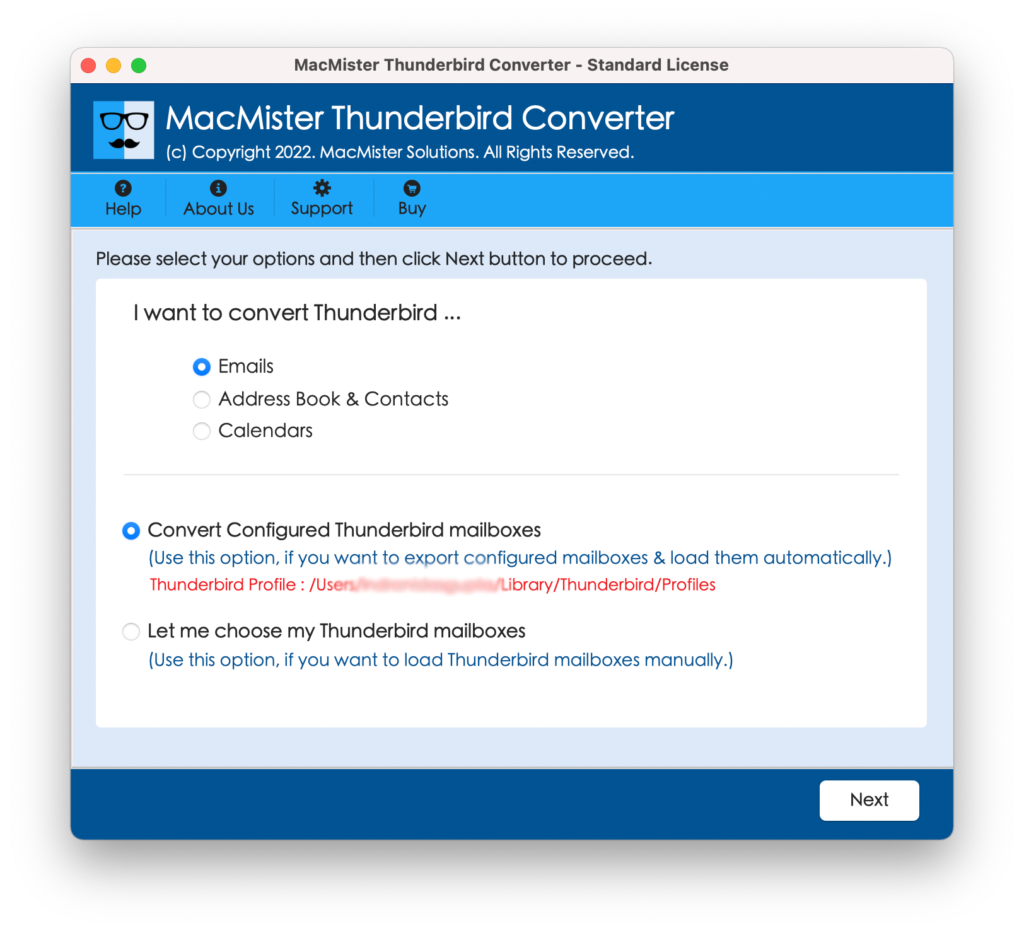
Step1. Download and Start the software, and select the given options to convert and transfer “Emails, Contacts & Calendars”.
Step2. Select “Convert Configured Thunderbird mailbox files” or “Let me choose my Thunderbird mailboxes manually”.
Step3. Upload or Add Thunderbird files using the dual options “Add Files” or “Add Folders”, if you have decided to add mailboxes data manually.
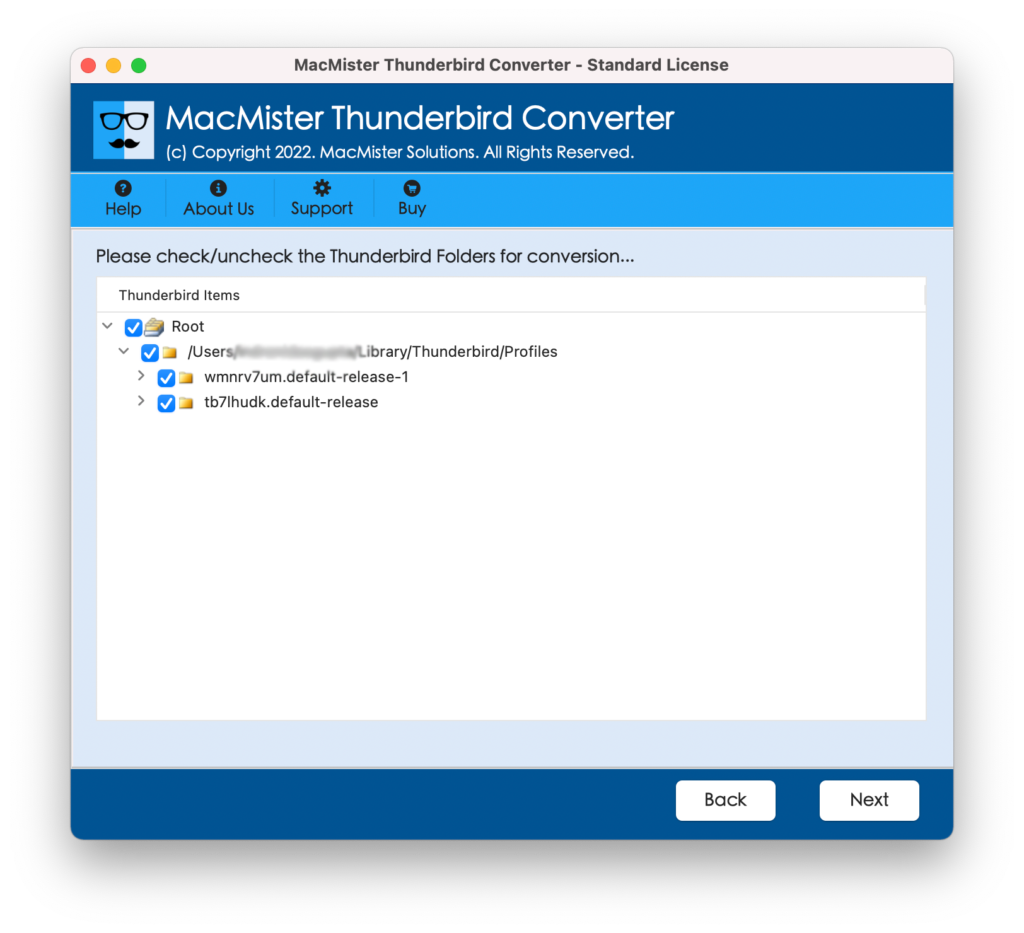
Step4. Now the software will start listing your selected files. “Checkboxes” are available, you can select your files. Click “Next” for further process.
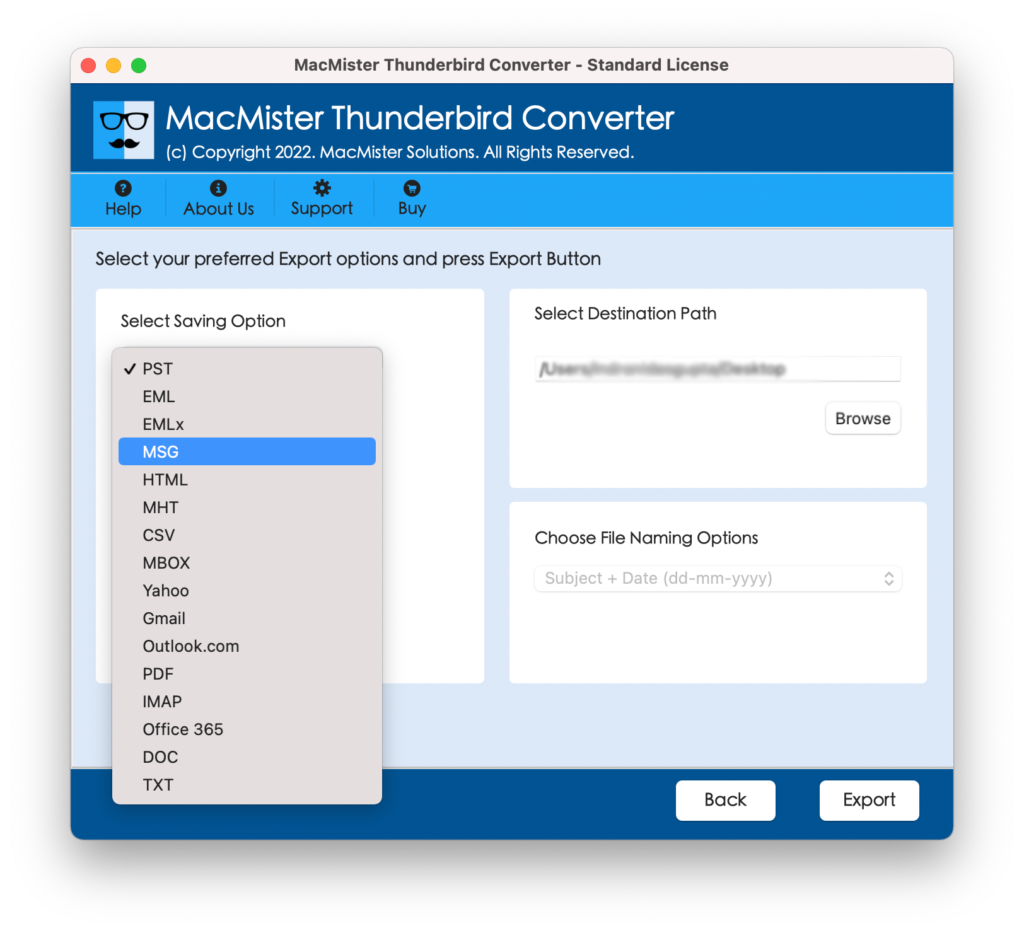
Step5. Further, selected the preferred file from the “File Saving Menu” and click “Browse” to save the desired file location. Press the “Export” button.
Step6. After the complete file transferring method, the software will show you a “Complete Conversion” message. Click “Ok” to complete the process finally.
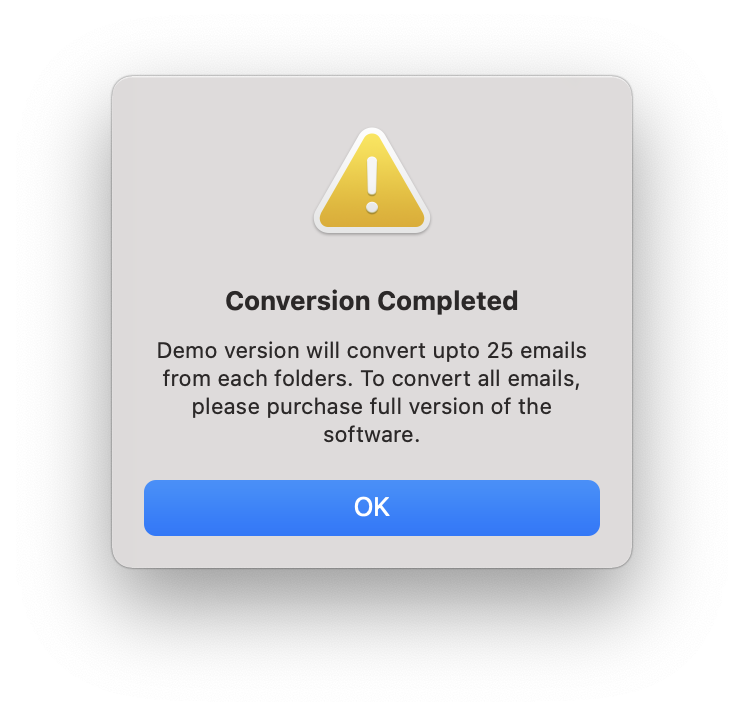
*Note – Free DEMO is available, download the Mac Thunderbird Converter free tool to test its working ability and to understand the actual working method. Freeware tool supports importing 20+ files at a time.
Import Thunderbird MBOX to Mac Mail
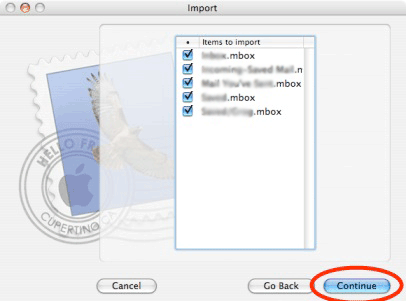
Time to import the saved MBOX files to Apple (Mac Mail) all along with the attached data. So follow the step-by-step procedure to transfer Thunderbird files to Apple Mail.
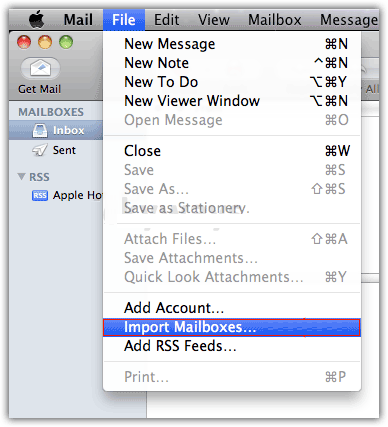
Start the Apple Mail application, and choose File>>Import Mailboxes. As shown below.
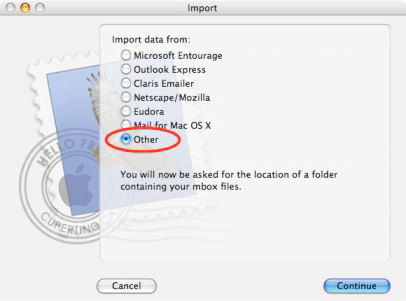
Now it will request, “Import data” from here and choose other choices to continue.
Choose the file in “MBOX” format from the option and press continue.
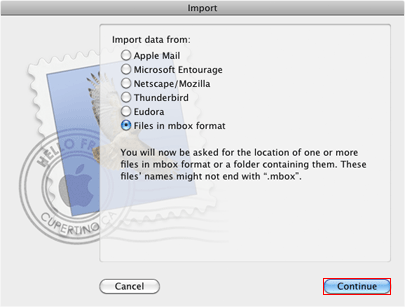
Lastly browse, the converted MBOX file from the saving location, and the press continues.
Specifications of Thunderbird Converter for Mac Tool –
- Batch file conversion is possible, it supports importing multiple Thunderbird files to Apple Mac in minimal time.
- Designed with Easy-to-Understand graphical interface to support Users or Organizations to transfer files in a hassle-free manner.
- More file-saving options are included such as; EML, PST, Office 365, IMAP, Gmail, PDF, MSG, CSV, HTML, and more.
- Save resultant files according to your need is possible, as you can save your converted files as per your requirement.
- Dual options are available to upload Thunderbird files or folders by using Add File(s) and Add Folder(s) options easily.
- Supports importing total Thunderbird profile data such as; Email, Address Book, and Calendar items in an unproblematic manner.
- The software works with all Mac OS / OS X versions for example; macOS Ventura, macOS Catalina, OS X El Capitan, Mac OS X Snow Leopard, and other available versions.
Final Conclusion –
In this above write-up, we have completely explained the process to transfer Thunderbird to Apple Mail / Mac Mail by using the all-new MacMister Thunderbird Converter for Mac tool. Also, we have explained the process to import MBOX to Mac Mail. So, a free download of this application is available. Download Thunderbird Converter free tool to test its working functionality on your MacBook Air, MacBook Pro, iMac, Mac Desktop, and other available devices.