Directly Transfer Files from Yandex to Google Drive in an Easiest Way
Do you want to move important files from Yandex to Google Drive? Looking for a safe approach to transfer Yandex files to Google Drive on Mac and Windows? If yes, then no need to go anywhere because MacMister here will provide an approach that is direct, quick, and quickly send all necessary data from Yandex to Google Drive without data loss.
Yandex is a popular Russian webmail service that was developed by Yandex itself. The first release of Yandex was 26th June, 2000 and became highly popular after Runet, Gmail, and Mail.ru. Its automatic spam filtering, antivirus software, and email translator have given Yandex a unique identity. Moreover, functions such as reminders, message templates, keyboard shortcuts, and e-cards make webmail one of the most widely used among IT professionals.
Undoubtedly, Yandex services are quite amazing and due to this many organizations as well as individuals prefer to work with it. But, at times, it suddenly went for a shutdown that disturbs the ongoing workflow of users. Not only this, Yandex users sometimes don’t get the red alarm when anything malicious happens. Therefore, they think about the alternative beforehand that could help them keep important data safe and protected. And, so, Google Drive comes here to play its role.
Why to Transfer Files from Yandex to Google Drive?
Google Drive is a free data storage service that offers 15GB of free storage capacity to those who want to upload their important documents, images, software, etc. to the cloud. The clever cloud technology stores the user’s data on one of the Google servers so that one can easily access it from anywhere across the world. It is handy and it has become very useful during the pandemic when everyone was working from home. It is one of its main benefits but there are plenty of other advantages as well.
- Many companies have a central server where many shared documents are stored but at times it becomes very complicated and unsafe. Especially, when there are many sensitive files such as staff reviews.
- It is password protected and so it is a perfect alternative to store confidential files.
- Anyone can easily share important files with colleagues in real time. Moreover, one can set the permission accordingly like edit, comment, and view.
- Files are easy to access whenever users are at a distance from the computer. Its app is also available that one can use on any smartphone.
- An excellent way to open and edit files of different formats.
How to Transfer Files from Yandex to Google Drive?
Yandex Backup Tool is one of the best Email Backup Software for Mac & Windows solution to transfer unlimited Yandex files to Google Drive directly without data loss. The software is cost-effective, reliable, and securely handles batch migration in minimum time. Even, the GUI of the application is simple and any technical and novice user can manage effortlessly and move files from Yandex to G-Drive without effort. Also, the safe processing will assure users that their accounts remain protected throughout the process.
Moreover, the application has many wonderful features which users can set according to their specific requirements. However, if someone wants to test the process for free, then a free demo is available which will help in getting the experience of a practical process free of cost.
Working Steps to Transfer Files from Yandex to Google Drive
Step 1. Download and open Yandex Backup Tool for Mac on macOS.
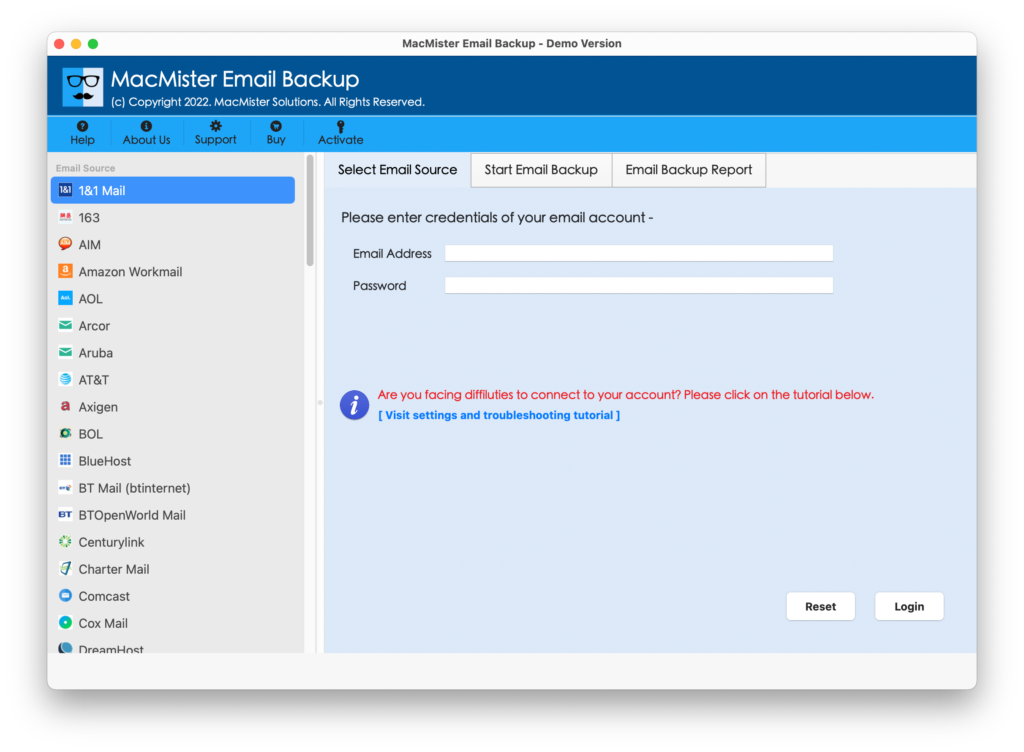
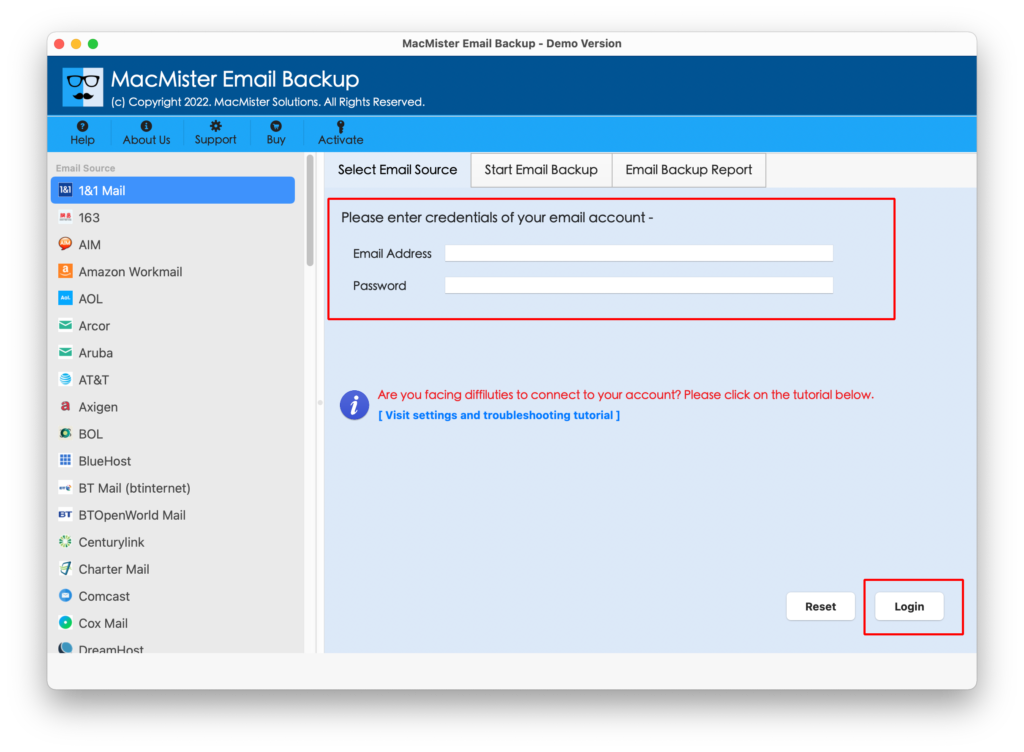
Step 2. Add Yandex credentials in the required fields and hit the Login button.
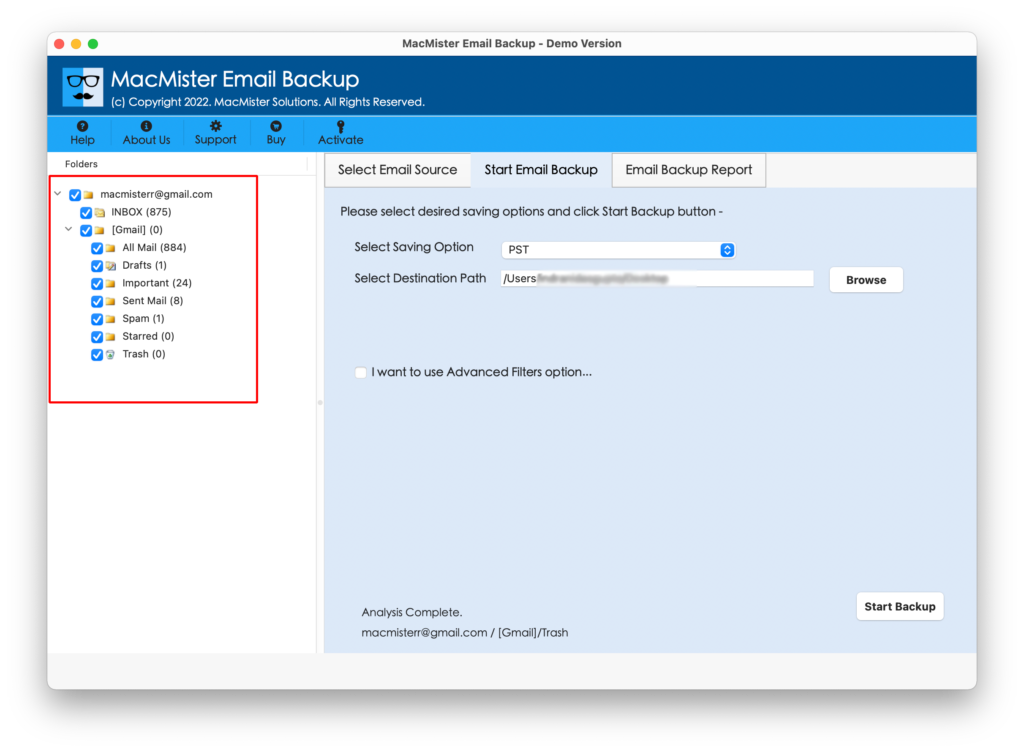
Step 3. The Yandex account will get connected with the application and shows the entire list of Yandex account items on the tool.
Step 4. Go to Select Saving Options and select the Google Drive option from the menu.
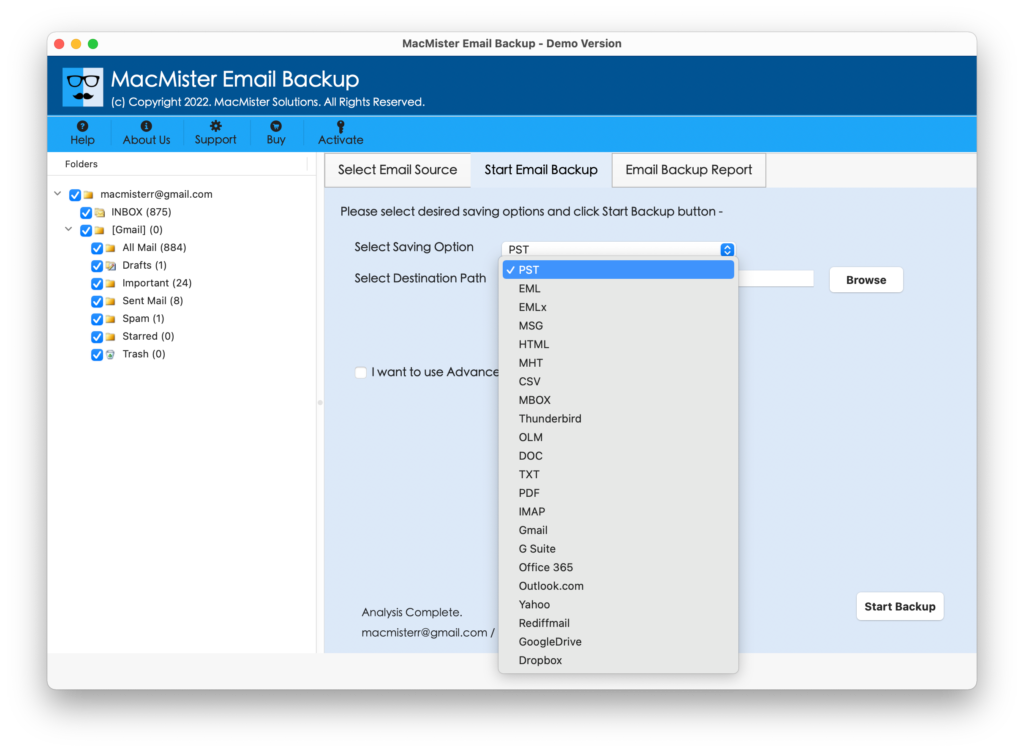
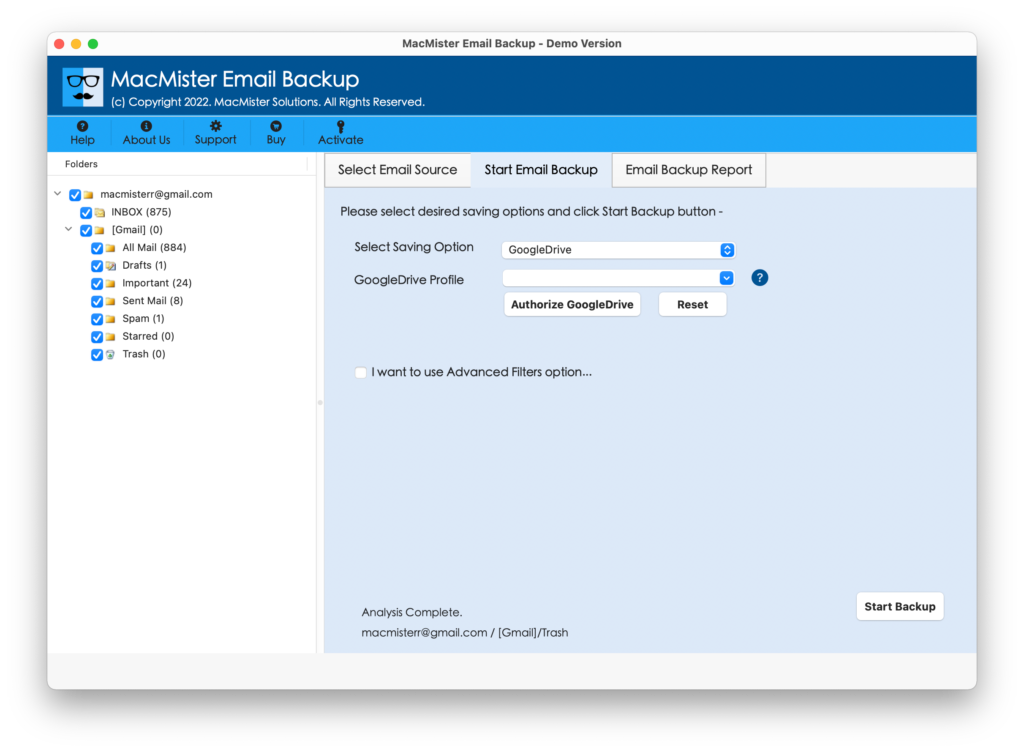
Step 5. Provide the required details and you can use Filters as well if you want to transfer specific Yandex files to G-Drive. Last, press Start Backup button.
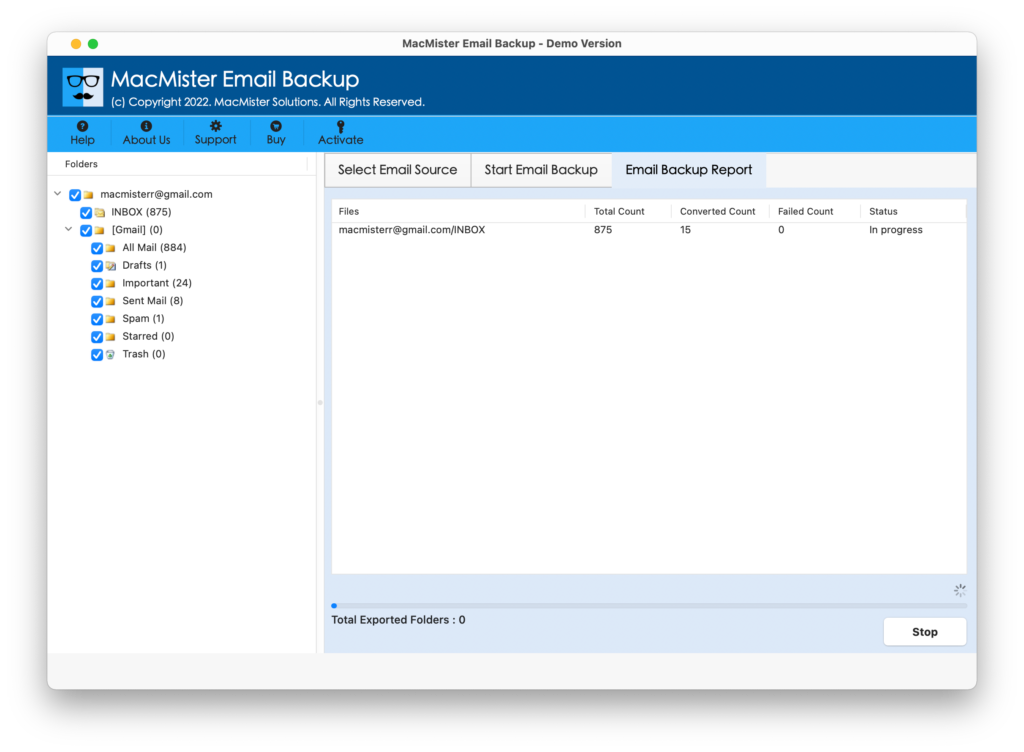
Step 6. The process will start instantly and show the ongoing transfer status of Yandex files on the Email Backup Report.
The complete migration will end within seconds and later confirm the process termination through the message “Process Completed’. Click OK and go to your Google Drive account to check the resultant files. The procedure will be smooth and the output will be shown without data alteration.
Why to Choose MacMister Yandex to Google Drive Tool?
There are many reasons for choosing Yandex to Google Drive application and some of them are highlighted here:
Directly Transfer Yandex Files to Google Drive
The application has the ability to transfer Yandex files to Google Drive directly on Mac and Windows. The tool only requires the account details of Yandex and Google Drive and then it will directly move all files from Yandex to G-Drive within seconds without any difficulty.
Multiple Filters are Available for Selective Transfer
The utility offers multiple Advance Filters section that includes date range, to, from, subject, etc. Users can set or apply them according to their necessity and then transfer specific Yandex files to G-Drive in a few seconds.
Simple Interface with Easy Operable Environment
The tool is equipped with an interface that is easy to manage and operate. Any user whether technical and non-technical can effortlessly handle the application and successfully transfer all critical files from Yandex to Google Drive.
Maintains Data Originality & Integrity during Process
The task of the application is not only to implement the migration of Yandex to Google Drive but also make sure to maintain the data originality and integrity throughout the process. So, the tool can transfer Yandex files to Google Drive without altering content, font style, image, hyperlinks, etc.
All Windows and Mac OS Versions are Supported
The software is capable to transfer Yandex files to Google Drive on all Mac OS and Windows OS versions. The tool has the ability to perform the desired task on macOS Ventura, Monterey, Big Sur, Catalina, etc. Moreover, one can download and use Windows edition on Windows 11, 10, 8.1, and all previous versions.
Note. You can download a free demo to know more about software features and options.
Epilogue
The complete write-up has explained a method that is trouble-free and able to securely transfer files from Yandex to Google Drive in a few minutes. The application is verified and recommended by experts for every Mac user who is seeking a safe solution to transfer crucial Yandex files to Google Drive. However, it has a trial edition that will help those who want to test the process for free. It allows to move the first 25 Yandex files to Google Drive free of cost. In case of any help, you can contact MacMister Support.