
Document Important Conversations
Save important email conversations as PDF for business documentation and future reference.
Convert OLM files to PDF while preserving email content, formatting, attachments, and other essential details with Mac OLM to PDF Converter.
Get the Advance Solution and Convert OLM File to PDF in a Bulk in Three Easy Steps
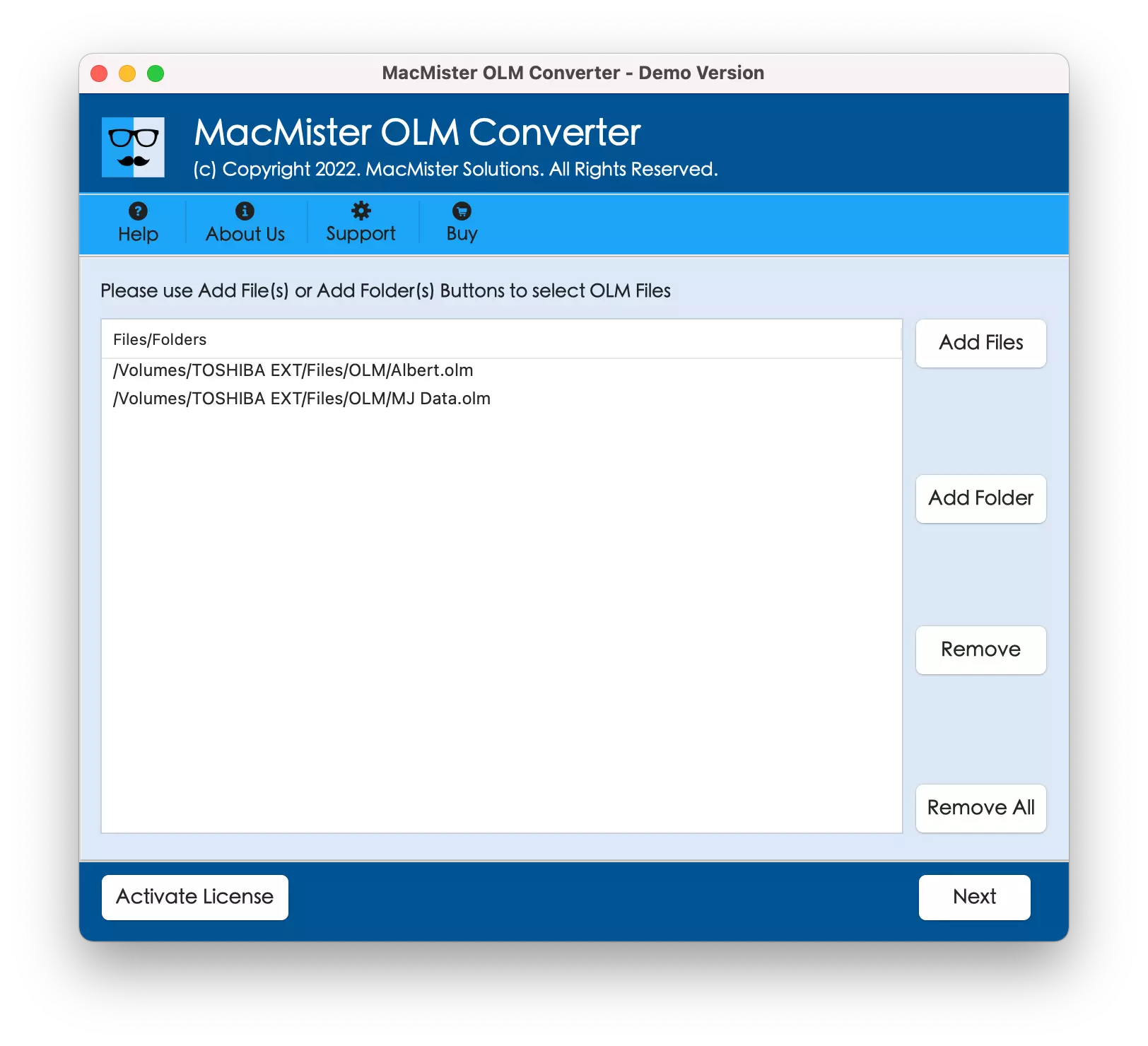
Download and launch MacMister OLM to PDF App on Mac OS X. Get the help of Add File(s) and Add Folder buttons to load the required OLM email files or folder on the tool for conversion into PDF and click Next.
Check the listed OLM files that appear on the tool in hierarchical structure. Now, from Select Saving Option property, choose the PDF option to save OLM file as PDF. Set PDF options according to requirements and click Export.
Tool will show the live conversion status of OLM files to PDF. After the complete conversion of OLM files, a message of “Conversion Completed” will appear on the screen confirming that process successfully completed with 100% accurate result.
Convert Outlook OLM emails into PDF documents for easy sharing, printing, documentation, and long-term access.
Save important email conversations as PDF for business documentation and future reference.
Share email content as PDF without requiring Outlook or another email application.
Convert emails into printable PDF documents for reports, records, or offline use.
Keep important email conversations in a convenient document format for easy access whenever needed.
Explore the key features designed to convert OLM files to PDF with Mac OLM to PDF Converter.
Batch OLM File to PDF Conversion
The OLM to PDF Software is equipped with the option of Add Folder button. Users can use the option for executing the batch conversion of OLM files to PDF. And, in order to do this, simply create a new folder and add the necessary OLM files in the same. After that, upload it on the tool by using the Add Folder button. Once this is done, the tool will then allow to convert the entire folder to PDF in a single time.
Multiple Saving Options for Attachments
The application has added different options with PDF saving type. So, when users will choose PDF as a saving option, they will see that different properties will quickly appear on the screen. And, one of them is Save Attachments. Under that, users will find two different options i.e. Embed Attachments to PDF and Extract Attachments to Separate Folder. By applying them accordingly, users can save OLM attachments as per their needs.
Use Dual Options to Load OLM Files
The OLM to PDF Converter Tool includes multiple options to load OLM files on the tool i.e. Add File(s) and Add Folder button. By using the Add File(s) option, one will be able to upload the required OLM files on the tool. And, the Add Folder button will help users to add the entire folder of OLM folders and sub-folders on the software for conversion.
Adaptable GUI with Three Easy Steps
The GUI of the tool is easy to operate and programmed with a user-friendly algorithm. The IT and non-IT users can access the application and convert OLM file to PDF without any support. Moreover, there are just three basic steps of conversion i.e. Load, Select and Export. It will save the time of users and help in carrying out the desirable result in less time.
Choose File Naming Option Property
The OLM to PDF application provide Choose File Naming option after the users selects PDF as a saving type. The property include different file naming combinations of from, subject and date. So, when a user clicks the option, they will get list in the following way - Subject + Date, From + Subject + Date, Date + From + Subject, Date, etc.
Save Resultant PDF at Desired Location
The software offers “Set Destination Path” property with Browse button as well. However, by clicking the Browse button, one will get the choice of selecting the desired location to save the resultant output. By doing this, users will be able to easily navigate to the resultant file destination path easily after the conversion process.
Preserves the Accuracy of OLM File Data
After the OLM to PDF Converter has completed the process, users can go to the location where they have saved the resultant file. And, opening them will give users the breath of a fresh air. Because the converted data formatting properties, the content styling and every little detail of OLM file will be original and in an exact form.
Convert OLM to PDF on Any Mac OS Version
With the help of the tool, users can convert OLM files to PDF on any Mac OS version. The application allow users to convert OLM to PDF on Mac OS Ventura, Monterey, Big Sur, Catalina, High Sierra and all earlier Mac OS versions. Moreover, the tool is 100% secure and safe for Mac operating system.
Follow the simple working steps to convert Outlook for Mac (.olm) mailbox data on macOS.
Review system requirements and demo limitations before installing OLM to PDF Converter for Mac.
The Free OLM to PDF Tool download version is available for users who need to check the working steps and features of the application. It will allow them to convert first 25 emails with attachments from OLM folder to PDF free of cost.
Explore the Difference Between Trial and Full Version of the Application
| Features | Trial Version | Full Version |
|---|---|---|
| Load Multiple OLM Files and Folders | 25 Items / Folder | Unlimited |
| Batch Export Mac Outlook OLM Files | ||
| Support Selective Files Conversion | ||
| Preserves Email Formatting & Metadata | ||
| Maintains Folder Hierarchy | ||
| Export Large OLM Files | ||
| Supports all Mac OS Versions | ||
| 24*7 Free Technical Support | ||
| Technical Service on Priority | ||
| Price | Free | $29 |
| Download Now | Buy Now |
Check step-by-step working of the software to save OLM as PDF on Mac OS.
Find helpful answers about OLM Converter for Mac, supported data, demo restrictions, and software features.
Verified Software Reviews of Mac OLM to PDF Converter Tool
The OLM to PDF Software for Mac is a marvellous technique because not only it supported me in dropping the baggage of worriedness but also delivered an impressive result. I am simply amazed by the tool.
I have no words for MacMister OLM to PDF application. The tool is so easy and I will surely recommend it to those who want to convert their so many OLM files to PDF without wasting their time. I did bulk conversion and received precise result.
I am giving a complete 5 stars to the solution. At first, I was like should I trust it or not. Then, I connect to the technical team and cleared all my doubts. The team is very cooperative and they also helped me out in converting OLM files to PDF so easily.
Download the free demo of the Mac OLM to PDF Converter software and evaluate the conversion output before purchasing the full version.