How to Add QQ Mail to Outlook on Mac-Compatible Platforms?

Did you move your email account to Outlook from QQ Mail? Now struggling with how do I add QQ email to the Outlook email client in a precise way. Searching for a quick and safe approach to add QQ mail to Outlook on Mac effortlessly? If yes, then the segment will definitely resolve the issue and help you to access QQ email in the Outlook email application with 100% accuracy.
People living in North America and Europe have never heard of QQ Mail, yet it is one of the biggest email services in the entire world as compared to Yahoo. There are so many websites that are taken for granted and so are blocked in China. Still, there’s no choice left but to introduce the alternatives that are permitted by the government.
However, QQ Mail is not only for China, it has become popular in other countries as well such as Japan and Korea. And, as more and more European and North American companies started working with Asian companies, it became increasingly evident that qqmail accounts made these interactions easier.
Basically, everyone who regularly communicates with people in China for personal or professional reasons would benefit from a free QQ Mail account whether it is for personal or professional reason. For example, if you’re trying to learn Mandarin in China, getting a qqmail email address is an excellent first step to be able to contact people there.
Why to Add QQ Email to Outlook?
There are many reasons behind the migration of QQ Mail to Outlook. Some of them are mentioned here:
- Transferring QQ Mail to Outlook allows consolidating of email accounts in a single platform. Outlook email client works as a central hub as it gives users the opportunity to manage multiple email accounts from different providers in one place.
- Outlook provides a wide range of advanced features and functionality that is unavailable in QQ Mail. This includes more robust email organization, integrated calendar and task management, advanced search capabilities, customizable email filters and rules, and the ability to connect and integrate with other Microsoft Services and applications.
- Delivers different types of tools for seamless workflow and collaboration.
- Offers offline access to emails, calendars, and contacts, allowing users to work with the email even without an internet connection. It also provides synchronization across multiple devices, ensuring that changes made on one device are reflected across all devices.
- Equipped with robust security measures such as threat protection, multi-factor authentication, encryption, spam filtering, and more.
Here, we have discussed a few potential reasons why someone might choose to add QQ Mail to Outlook. But, the challenging part is how to add QQ Mail to Outlook. Let’s check this out!
How to Add QQ Mail to Outlook on Mac & Windows?
With the help of MacMister Email Backup Software for Mac & Windows, users can directly add QQ Mail to Outlook on Mac & Windows. The software provides PST and OLM as a saving options that users can select as per requirements and perform the process accordingly. The GUI is simple and user-friendly. Even, no technical skills are required to operate the app. Anyone can manage it on their own and add QQ Mail email to Outlook-supported saving options with attachments without losing a single piece of data.
Moreover, the application is programmed with features that allow users to add QQ Mail to Outlook according to their requirements. However, the free demo of the tool is available through which users can check the working of the tool for free.
Working Steps to Add QQ Mail to Outlook on Mac
Step 1. Download and run QQ Mail to PST Converter for Mac on a macOS.
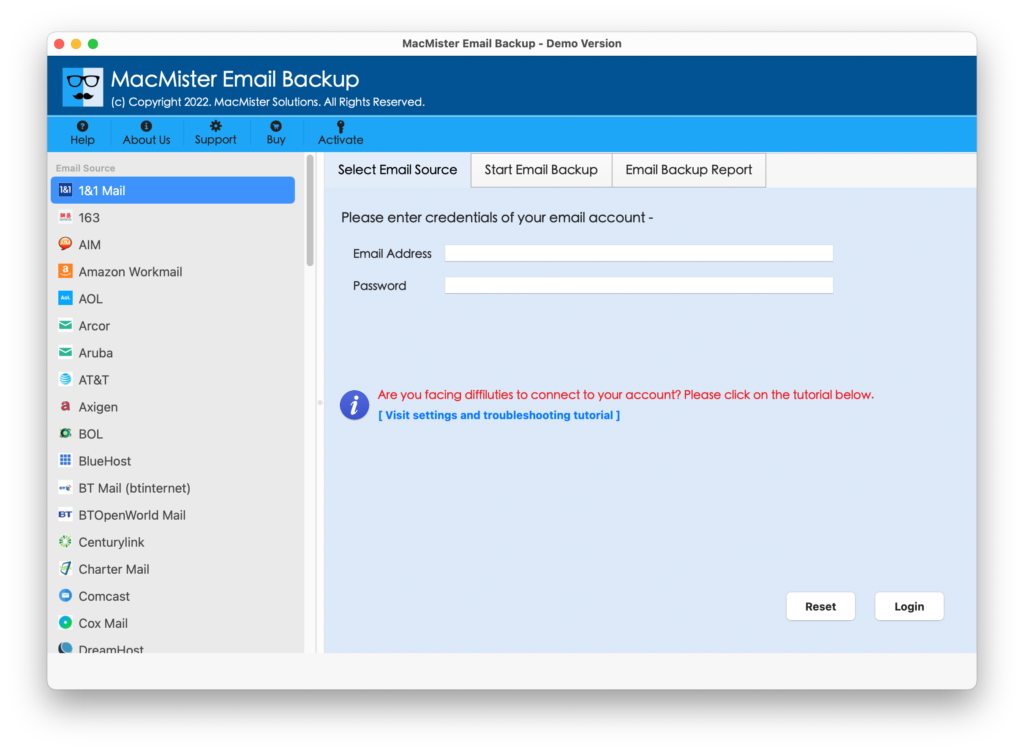
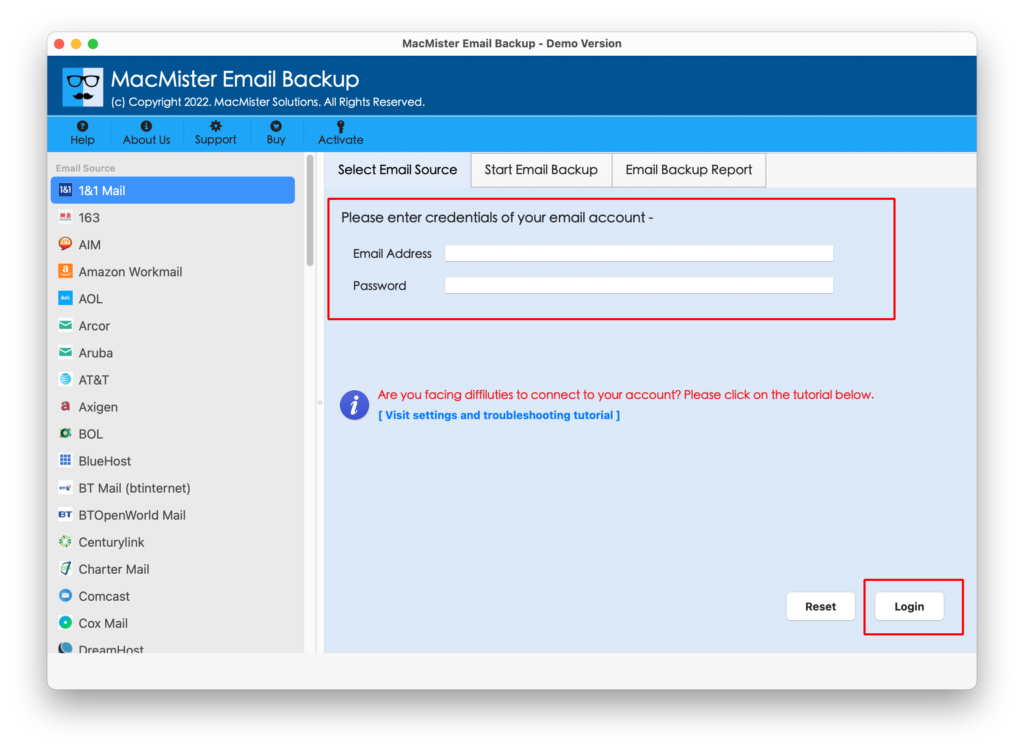
Step 2. Select the QQ Mail option from the left and enter its associated credentials in the required fields. Click the Login button.
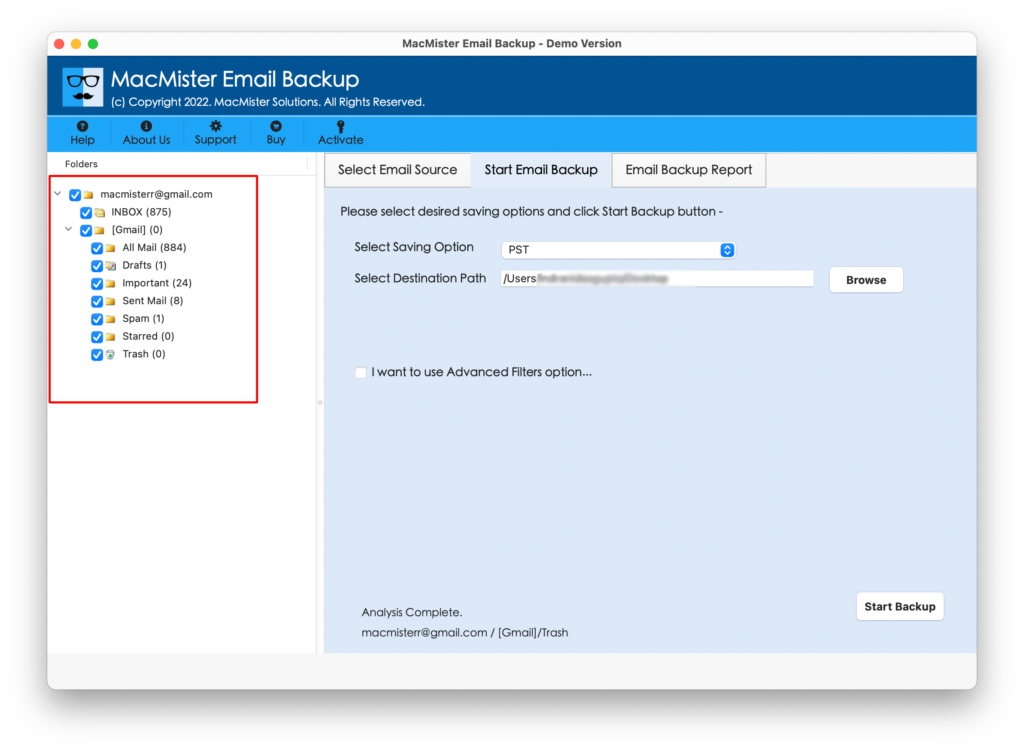
Step 3. The tool will create a connection with a specified QQ Mail account and start listing QQ Mail account mailboxes on the software.
Step 4. Go to Select Saving Options and select PST/OLM from the saving options list.
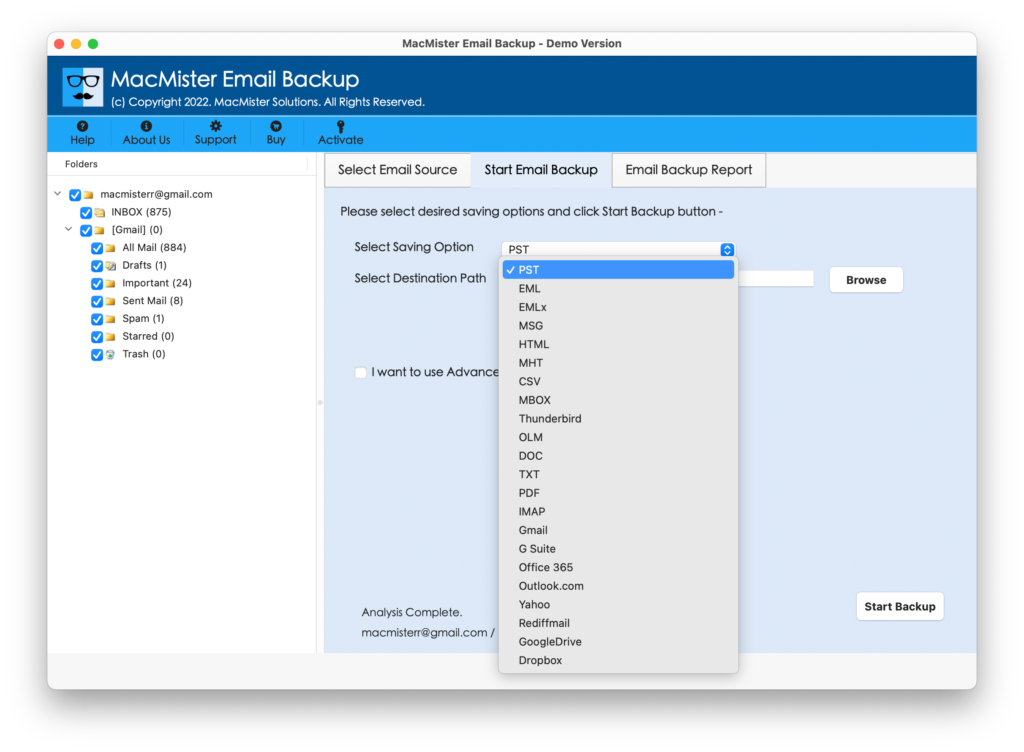
Step 5. Set the sub-options of PST or OLM as per requirements and then click on the Start Backup button to start the conversion of QQ Mail emails to Outlook-supported saving option.
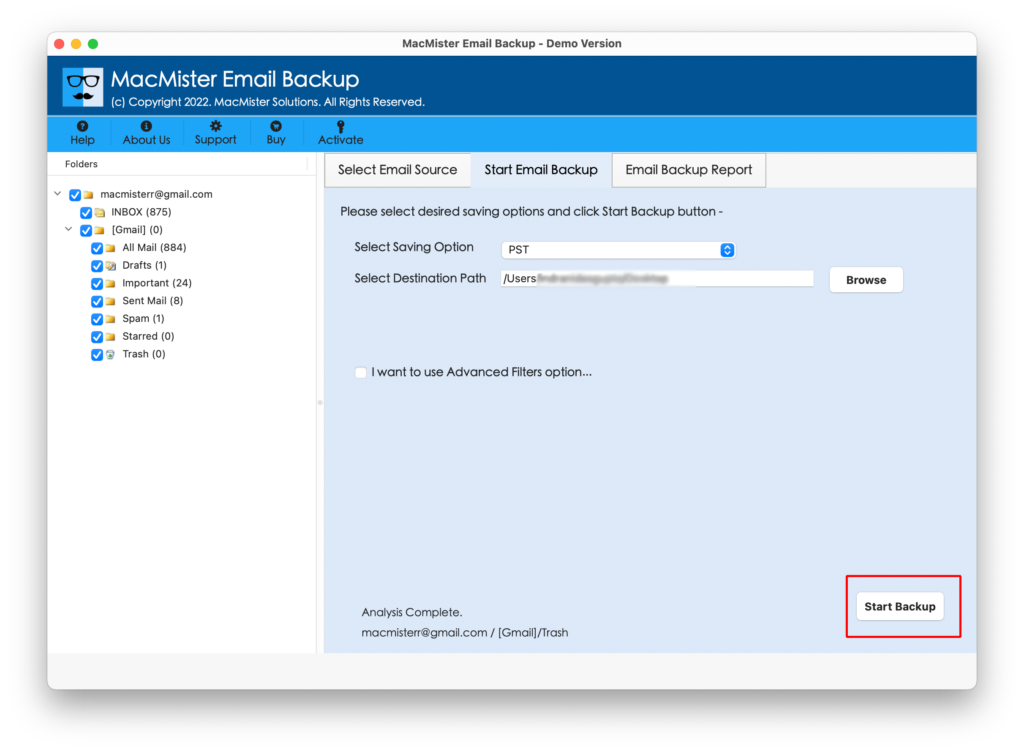
Step 6. The process will start and the Email Backup Report window will appear on the screen that will show the ongoing migration status of QQ Mail emails.
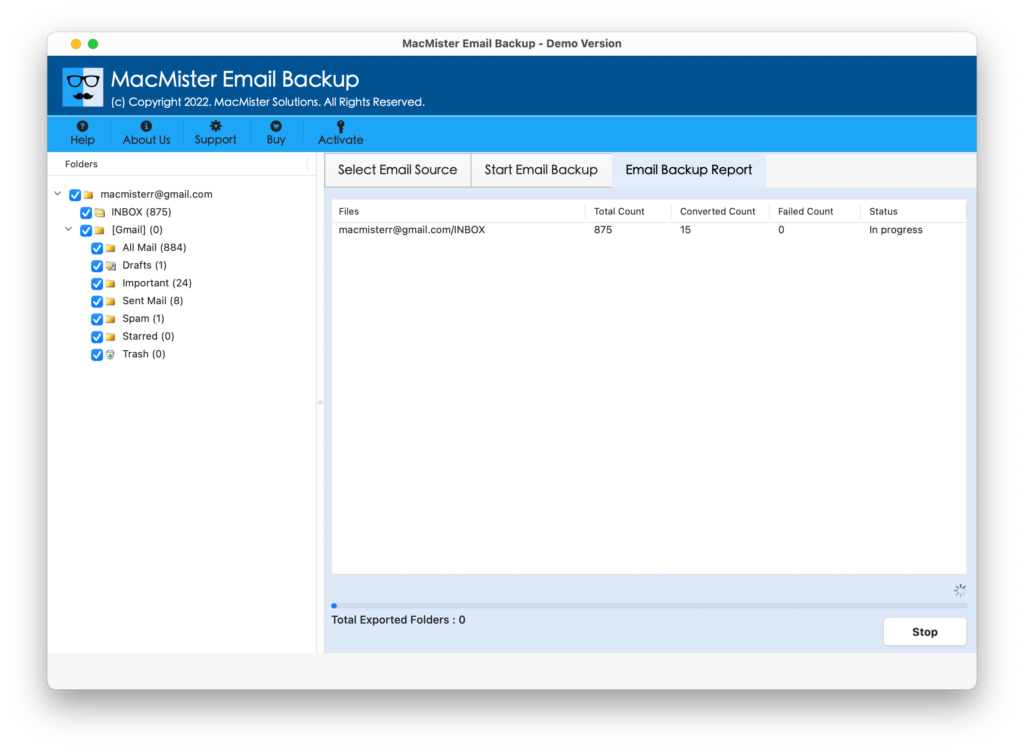
The complete procedure will finish in a few seconds and the tool will then display a Process Completed message that will confirm that all emails of the QQ Mail account are successfully converted to Outlook-supported saving options. Click on OK and go to the location where the resultant PST/OLM files are saved. You can send them to the required client or import the same into Outlook for Mac email application.
Step-by-Step Guide to Import PST & OLM in Outlook for Mac Email Account
Step 1. Open Outlook for Mac email account on a macOS system.
Step 2. Click on Tools and tap the Import option.
Step 3. An import window will appear. You can choose Outlook for Windows archive file (.pst) option to import PST files. Or, select Outlook for Mac archive file (.olm) to import the OLM file. Click Continue.
Step 4. Go to the location where PST/OLM files are saved. Select them and click on Import.
Step 5. The import process will immediately start and will be completed within seconds. After this, the imported items will appear on the left navigation pane under On My Computer.
You can now access the necessary file and check the output. However, you will see that the content and formatting properties of all the emails is accurate. No alteration will be done by the tool during the process. The output will be 100% original and precise.
Quick Note. Perform QQ Mail migration into 15+ saving options other than PST & OLM. Download the app to add QQ Mail to Gmail, G Suite, IMAP, Thunderbird, Office 365, MHT, HTML, TXT, CSV, PDF, EML, EMLx, and more.
Epilogue
The write-up has explained an ultimate methodology to resolve how do I add QQ email to Outlook in an easy and effective way. The MacMister QQ Mail to OLM Converter for Mac is a trouble-free solution that possesses fast processing and a simple platform. No expert’s help is necessary to operate the app. Download the trial edition now and know how to add QQ Mail to Outlook in three steps. Also, add first 25 emails from QQ Mail account to Outlook-supported formats free of cost. This will help you to analyze and evaluate the complete working of the tool for free.