How to Connect Bluehost Email to Yahoo on Mac & Windows?
Are you migrating to Yahoo platform from Bluehost and thus wondering how to connect Bluehost email to Yahoo safely? Searching for an effective and secure solution for the same? No worries, go through the write-up and you will encounter a method that will help you to connect Bluehost email to Yahoo without much effort.
Emails have transformed into essential component these days, so having a professional email address @yourdomain.com is important. Bluehost is a cloud-based service and in order to access the emails stored in the account require internet connection.
Bluehost is generally a web-hosting company that provide variety of services to its users. It is a top-rated web-hosting provider that deliver budget-friendly and reliable plans for website hosting with easy-to-use tools.
Some of the Advantages of using Bluehost Email Service
- It is easy-to-use and no setup needed.
- Its emails are easily accessible from anywhere anytime.
- Emails are stored online and thus save your system space.
- Supports Roundcube and Horde as email service providers.
But there are two sides of every coin. With advantages, there are some disadvantages as well that users frequently face while using Bluehost email service.
Disadvantages of using Bluehost Email Service
- It does not allow to use both https and SiteLock CDN.
- Emails in Bluehost are flagged as spam most of the times.
- Need to close Ad/Promotion windows appearing in the dashboard.
- No monthly plans are available, users have to purchase long-term plan.
- It does not include Money-back guarantee.
- Supports only 3 backups whereas other email providers offer more than 20 backups.
- High-performance is available only with Pro plan.
Why to Connect Bluehost Email to Yahoo?
Yahoo, on the other hand is another widely used email service provider. Many Bluehost users are attracted to it because it is free to use and comes with 1 TB of storage space. It has plentiful advantages such as –
- It is free to use but also available with a monthly fee for additional features.
- Simplified interface that easily manage unlimited incoming and outgoing emails.
- Allows to organize emails by tags, folders, search filters, making easier to search and manage emails.
- Includes multiple security options such as two-factor authentication, encryption, etc., preventing the account from hacking and unrecognized access.
- Advanced search option help in searching the necessary emails immediately.
- Yahoo Spam Protection will block malicious emails, putting them in a spam folder automatically.
- Supports integration with multiple desktop-supported email applications.
How to Connect Bluehost Email to Yahoo on Mac & Windows?
The easy and simple way to connect Bluehost email to Yahoo on Mac is MacMister Email Backup Software for Mac & Windows. The software will ask to specify their credentials and then by just clicking Start Backup button, the entire list of Bluehost emails start moving to specified Yahoo account with accurate emails and attachments. Its user-friendly interface is easily accessible by all technical and non-technical users.
Moreover, the application has variety of exceptional features which can be used to get the desired results. However, the trial edition of the application is available with the help of users can experience the entire working for free.
Working Steps to Connect Bluehost Email to Yahoo on Mac
Step 1. Download and run Bluehost to Yahoo Backup Tool for Mac on Mac OS.
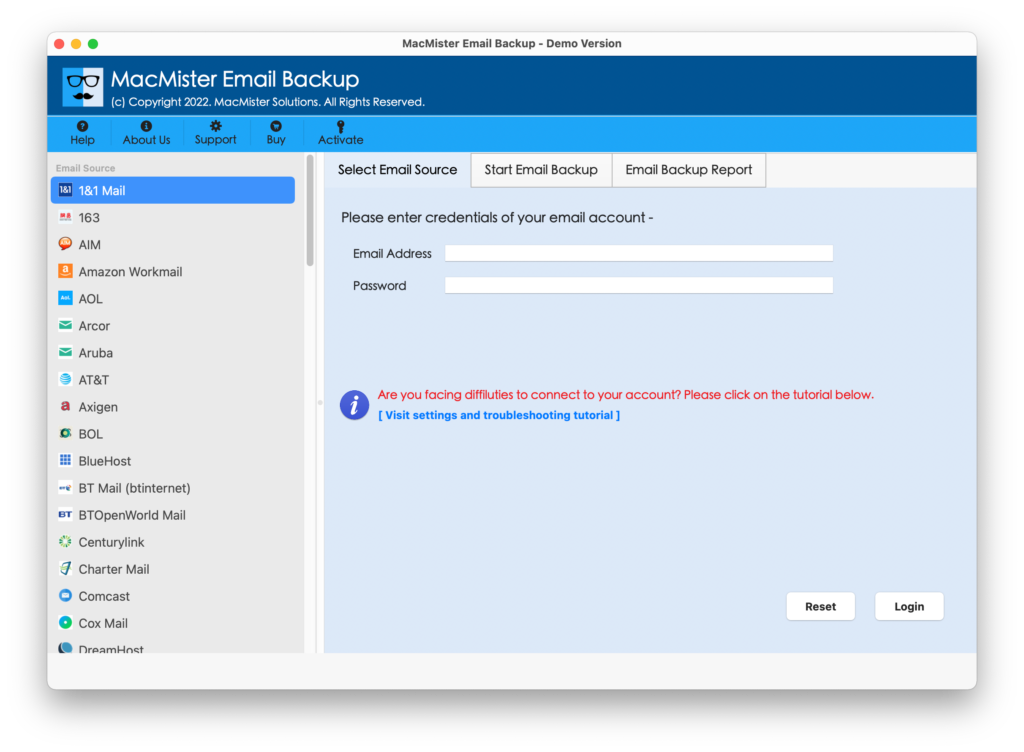
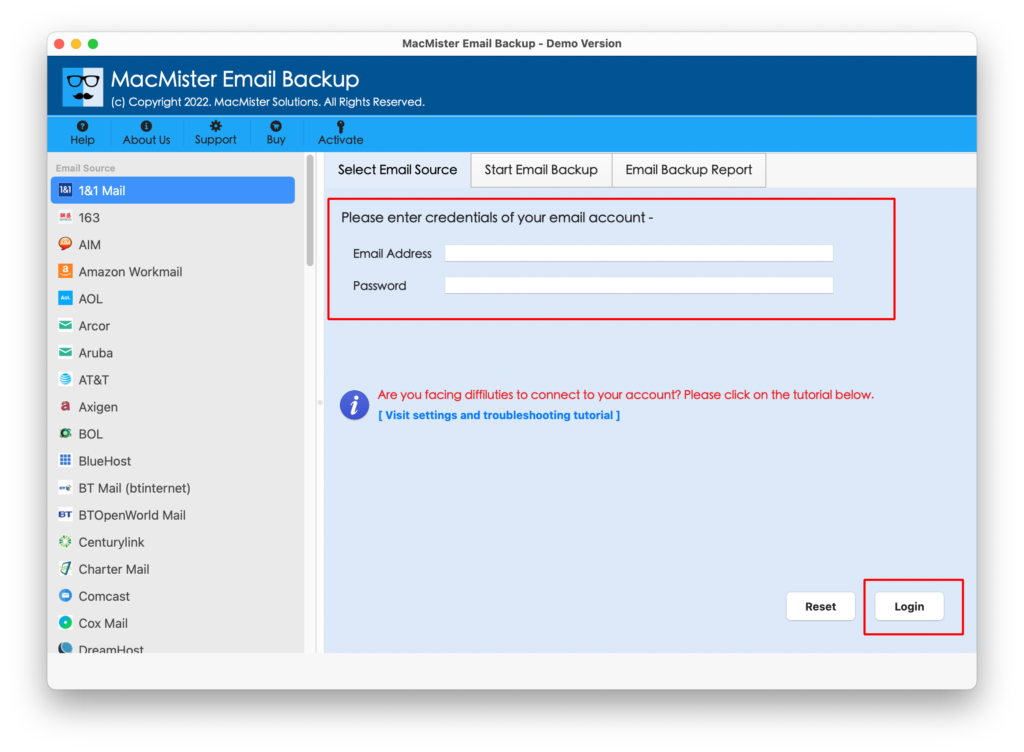
Step 2. Choose Bluehost option from the left. Provide Bluehost login details. Tap Login button.
Step 3. The Bluehost account will connect to Yahoo account and its entire list of mailboxes start appear on the application.
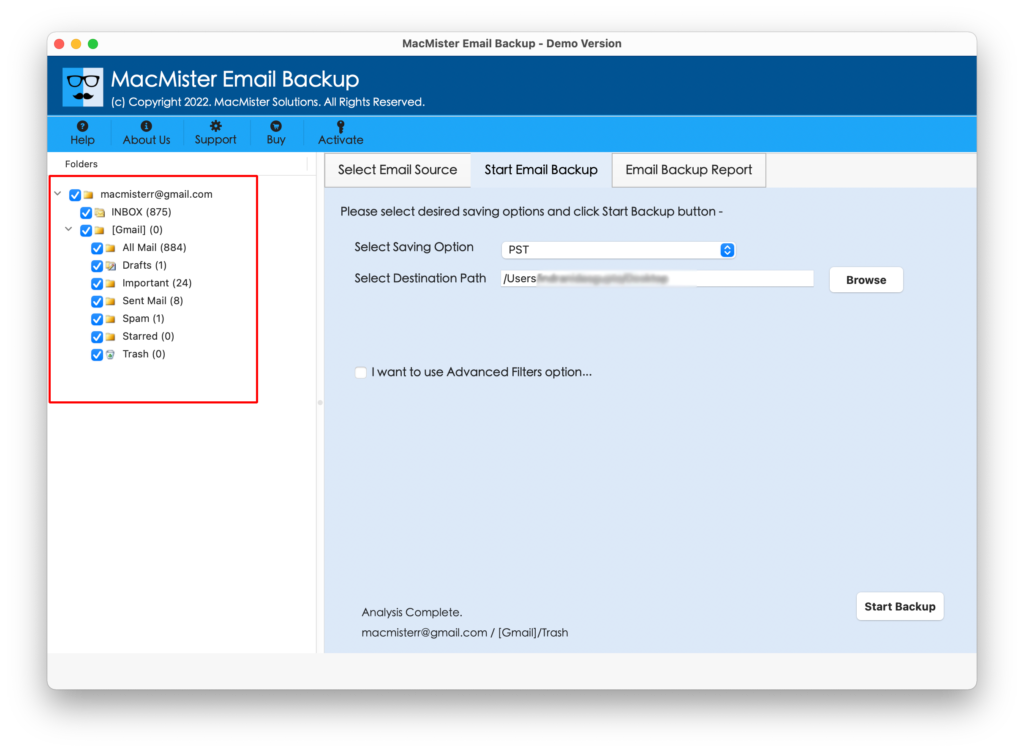
Step 4. Go to right-side of the app, click Select Saving Options, and choose Yahoo from the list.
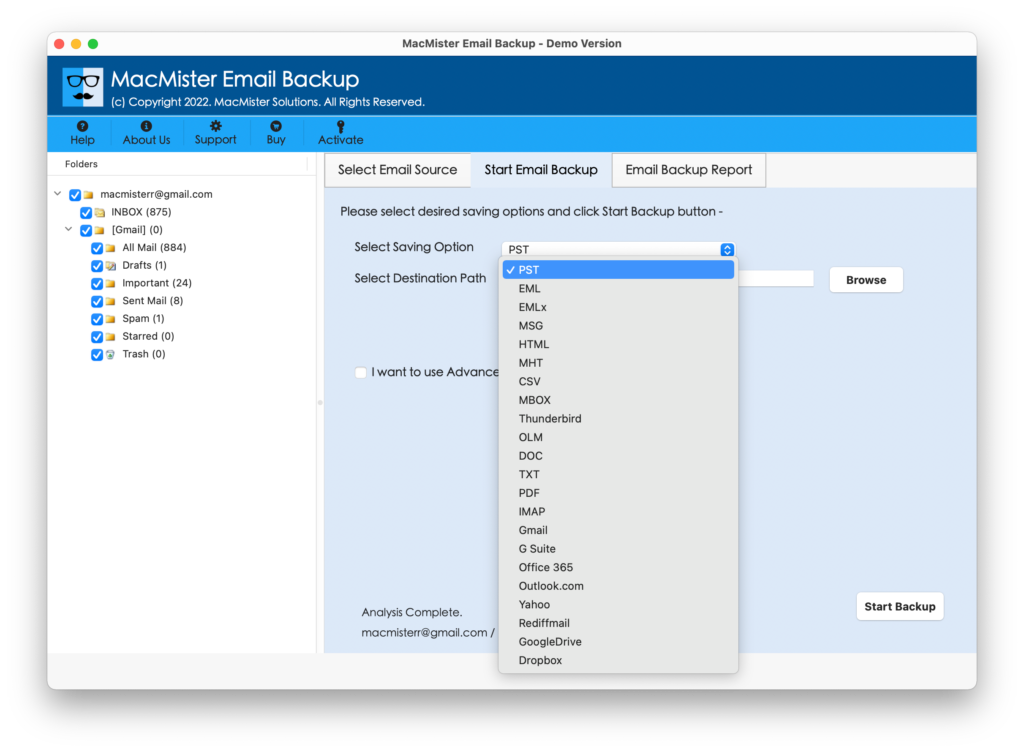
Step 5. Enter Yahoo Mail details (email address and app password). Set Filters if you want to connect necessary Bluehost emails to Yahoo account. Last, click Start Backup button.
Step 6. The tool will show Email Backup Report that display the details of ongoing migration progress of Bluehost emails.
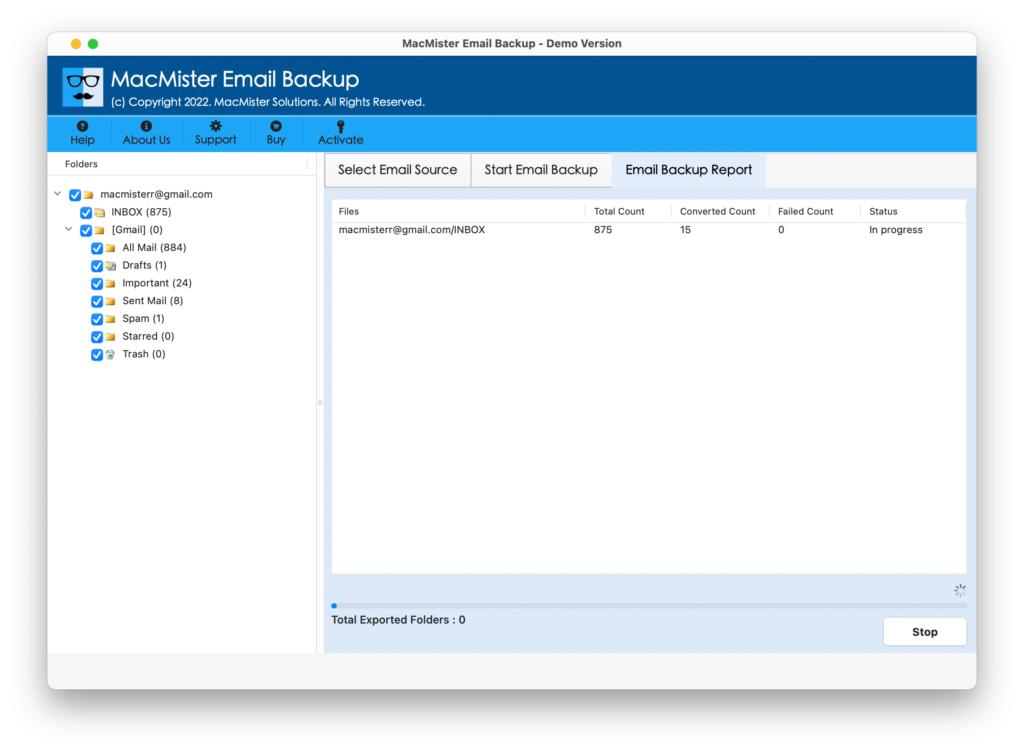
The complete process takes few seconds to finish the whole process and then the users will receive “Process Completed” pop-up confirming that Bluehost emails are successfully moved to Yahoo account. After this, click OK button and then login to Yahoo account to check the resultant files. However, you will see that the emails are transferred without any alteration and they will appear with original layout and formatting properties.
Why to Choose Bluehost to Yahoo Tool for Mac?
MacMister Bluehost to Yahoo is a prominent solution to connect Bluehost email to Yahoo account. It offers many beneficial features and options that ease the process and help users in obtaining the required results in minimum time.
- Directly connect Bluehost email to Yahoo on Mac & Windows without data loss.
- Delivers different Filters such as date range, subject, from, to, etc. to connect specific Bluehost emails to Yahoo.
- Capable to connect entire Bluehost INBOX folder to Yahoo in single go.
- Maintains the folder structure and formatting properties during the process.
- Keeps the content safe and original while transferring Bluehost unlimited emails.
- Includes user-friendly interface that is accessible by all types of users effortlessly.
- Also provides 15+ saving options other than Yahoo such as PST, OLM, PDF, MSG, EML, EMLx, MHT, HTML, DOC, CSV, IMAP, Thunderbird, Office 365, and more.
- Protects the credentials of Bluehost and Yahoo throughout process.
- Show live migration progress report of Bluehost emails so that users can track the count of files that are migrated, files left for migration, and migration status.
- Able to run on both Mac & Windows OS and also supports their entire range of editions.
Epilogue
The write-up here delivered the best way to connect Bluehost email to Yahoo Mail on Mac & Windows. The application is straightforward. It simply add Bluehost email account, then allows to choose Yahoo as a saving option, ask to set Filters if someone wants to and then by hitting Start Backup button, it will directly transfer all Bluehost emails to Yahoo account. The results will appear with 100% accuracy. However, anyone can use the solution and its entire functionality can be tested by downloading its free demo version. It allows to connect first 25 Bluehost emails to Yahoo account free of cost.