How to Add AOL Email to Zoho Mail on Mac & Windows?

Are you moving to Zoho Mail environment from AOL and wondering how to add AOL email to Zoho Mail safely? Looking for a simplified and trouble-free solution to implement the necessary task? Searching for an outstanding approach to export AOL emails to Zoho Mail with attachments? No worries because in the segment we have discussed an approach that will directly add AOL to Zoho Mail.
AOL Mail is a free web-based email service provider which was introduced by AOL itself, a division of Verizon Communications. It has a simple interface which is useful for creating and managing email accounts for a personal and professional use with ease. The email platform supports variety of features that not only helps in keeping your account safe but also provides smooth functioning of your AOL account such as Privacy Controls, Virus Protection, Message preview pane, Integrated Calendar, Theme & Color options, Inbox space customization, and more.
Zoho Mail is another secure business-oriented webmail service which delivers collaboration and communication features to its users. It has combined classic email with modern tools such as comments, likes, and sharing. The email service provider can fulfill both personal and professional requirements and also built with features that make the business work easier. It includes Email Suite, Security and Privacy, Custom Domain, Secure Access, Threat Protection, Control Panel, Email Groups, Email Retention, Secure Access, Organization Security and more.
Why to Add AOL Email to Zoho Mail?
Both AOL Mail and Zoho Mail are known for their advanced features and operation. Stil, some users wants to add AOL to Zoho Mail because:
- Zoho Mail has a more simplified interface than AOL Mail.
- The Zoho Mail email service provider offers wide range of features and tools.
- The webmail service is secure as it is equipped with robust security measures such as 2FA, S/MIME, EAR, and TLS.
- Zoho Mail includes collaborative business communication with features such as comments, sharing, and likes.
- Supports complete data encryption and does not sell it to advertisers.
But how to add AOL Mail to Zoho Mail, check out the process in detail!
How to Add AOL Email to Zoho Mail on Mac & Windows?
The instant and easy way to add AOL email to Zoho Mail on Mac & Windows is MacMister AOL Backup Tool for Mac & Windows. The software is user-friendly and introduced with Mac & Windows OS version so that Mac & Windows users can download it on their respective platforms and directly add all AOL emails to Zoho Mail at once. Any professional and non-professional user can operate it effortlessly and perform the task with no challenges. It even has a three-step procedure which allows users to add AOL unlimited emails to Zoho Mail at once.
Moreover, the advanced professional tool is built with many features which can be applied to get the desired results. However, you can experience the whole process of the software by downloading its trial edition.
Working Steps to Export AOL Mail to Zoho Mail on Mac
Step 1. Download and run MacMister AOL to Zoho Email Backup Software for Mac on Mac OS.
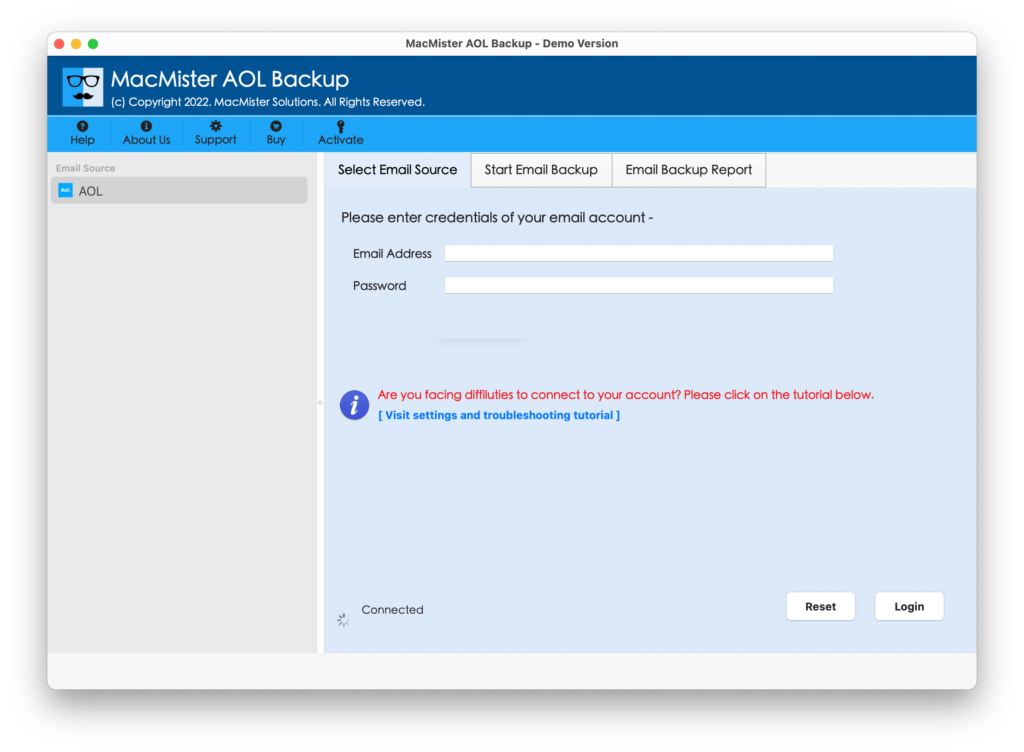
Step 2. Specify AOL Mail details in email ID and password fields and click Login button.
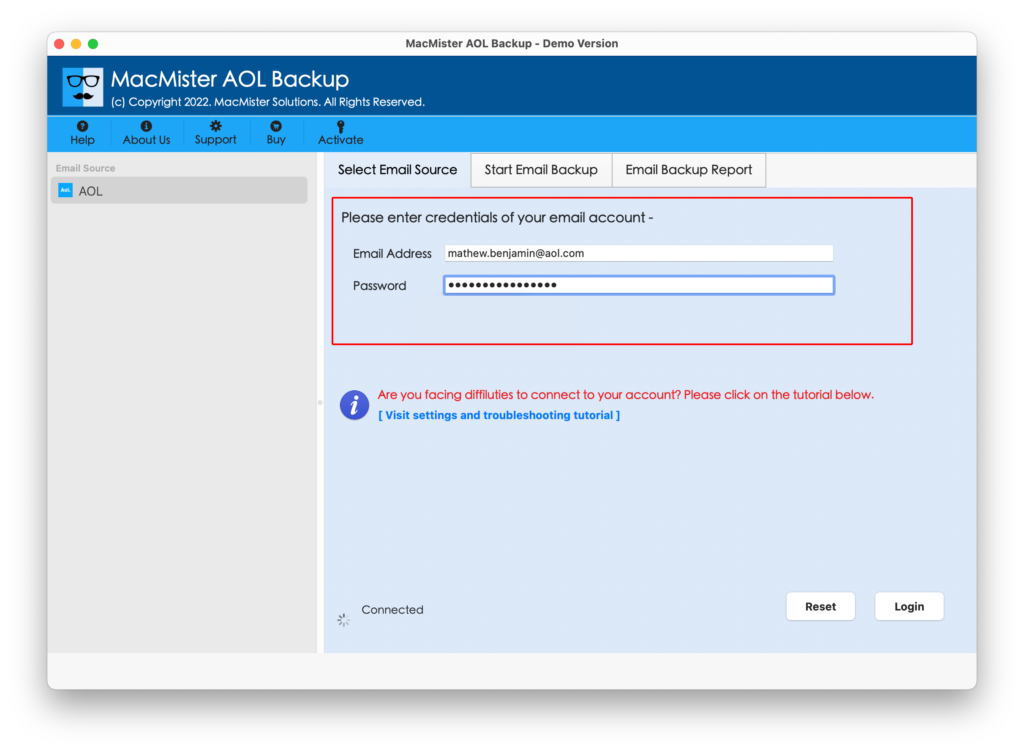
Step 3. The software will authenticate specified details and list all AOL Mail mailboxes on the left pane.
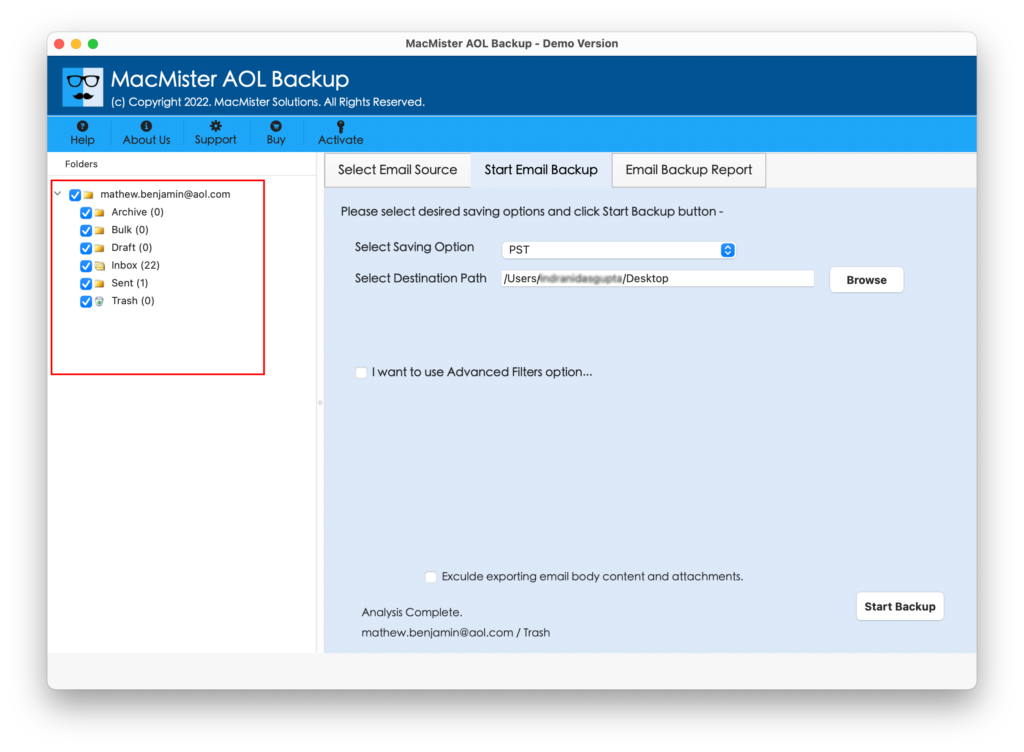
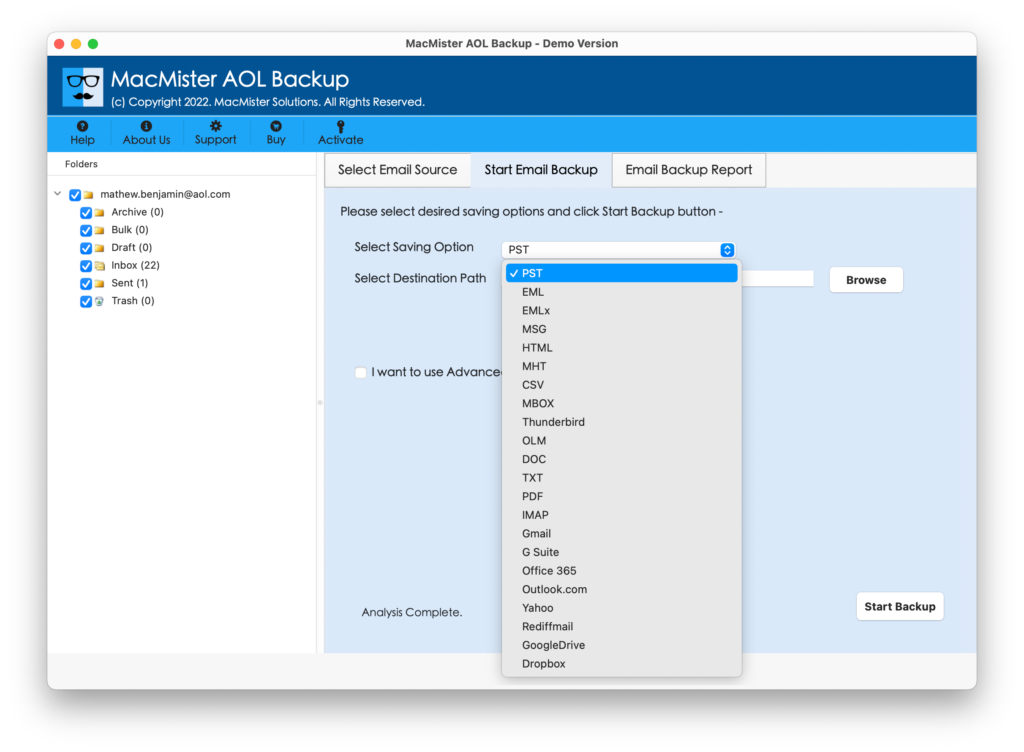
Step 4. Go towards right-side and from Select Saving Options property, choose IMAP option.
Step 5. Set the details of Zoho Mail accordingly. Apply Filters if you want to add AOL Mail emails to Zoho Mail as per particular date, month, subject, etc. Then, click on Start Backup button.

Step 6. The process will take place and the app will show Email Backup Report on the screen from which you can track the migration status of AOL emails.
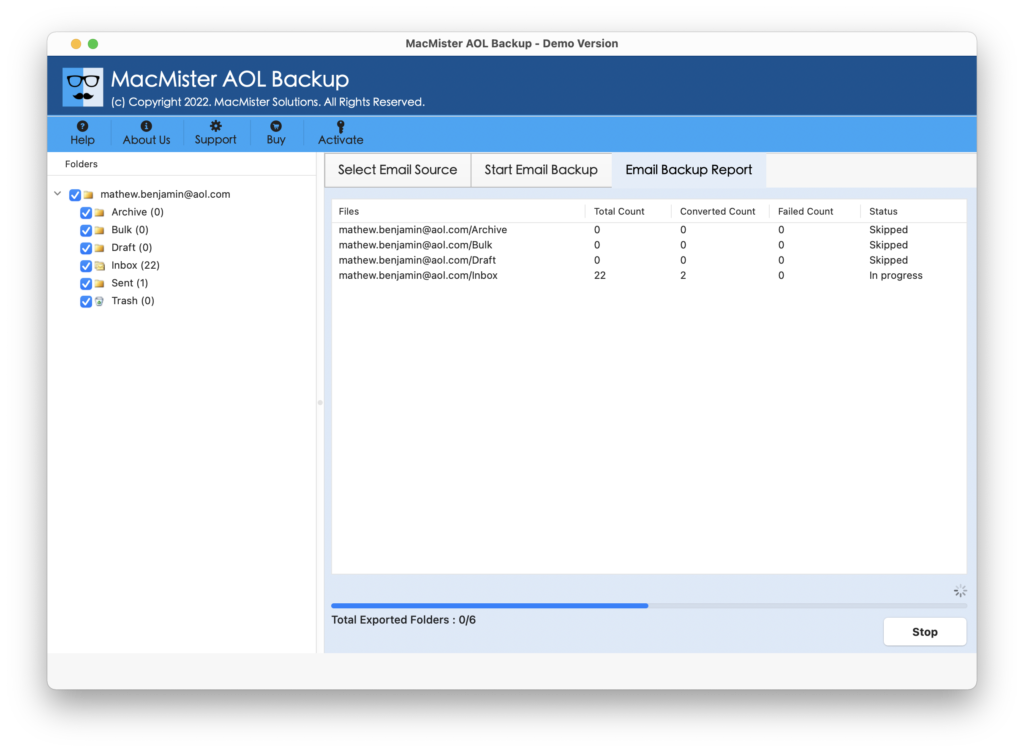
The entire task will finish in few seconds and then the application will display a message confirming that the process is ended successfully. Tap OK button and login to Zoho Mail account to check your resultant files. However, you will see that all your emails are accurately appearing. Their content is completely correct and the formatting properties are also precise.
Why MacMister AOL Mail to Zoho Mail is a Recommended Tool?
MacMister AOL to Zoho Mail is a perfect solution to opt. It is a secure solution that handles the direct migration of AOL emails to Zoho Mail account without any issues. The application is programmed with plentiful beneficial features, some of them are:
Directly Export AOL to Zoho Mail
The software has the ability to directly transfer all AOL emails to Zoho Mail environment. The tool will only ask to provide the credentials of both the email service providers and then click Start Backup button. After this, entire list of AOL emails will successfully move to Zoho Mail account.
Protects Email Account Login Details
The application not only export AOL emails to Zoho Mail but also safeguard the important account details of AOL account. It will only want you to enter the app password of AOL account instead of the main password. By doing this, the original details will remain protected.
Supports 15+ Saving Options other than IMAP
The tool precisely adds AOL emails to Zoho Mail by choosing IMAP as a saving option. But the software is not limited here. Users will find 15+ more saving options other than IMAP such as PST, PDF, OLM, MSG, EML, EMLx, MHT, HTML, DOC, CSV, Outlook.com, Office 365, and more.
Utilize Filters to Export Specific AOL Emails
AOL to Zoho Mail Tool is introduced with Advanced Filters section. It has options such as date range, to, from, subject, etc. Users can apply them as per their necessities and access only the necessary AOL emails into Zoho Mail account.
Compatible with Both Mac & Windows OS
The software has two versions – one for Mac and another for Windows. Mac users can download and utilize the application on any Mac OS versions including Mac OS Sonoma. And Windows users can download and use the software on all Windows OS versions including Windows 11.
Quick Note – Download FREE DEMO to explore more software features and options.
Epilogue
The blog mainly focused on offering solution to fix “how do add AOL email to Zoho Mail”. The above discussed method is highly recommended by experts because it is a tested solution and has the ability to securely export AOL emails to Zoho Mail in bulk at once. Even, the results will be 100% accurate. You can download the application for free and save first 25 AOL emails to Zoho Mail on Mac or Windows free of cost.