How to Export Mailfence Emails using Different Methods?
Want to deactivate Mailfence email account and before that wanting to save all its emails appropriately and thereby wondering how to export Mailfence emails in an appropriate way with ease? If yes, then not to get worried anymore as in the write-up we have explained different solutions that will help users exporting Mailfence emails locally or into different email accounts and file formats.
Mailfence is a safe email and collaborative platform that delivers end-to-end encryption including digital signatures and privacy-centric features. It prevents users’ database from unauthorized access while guaranteeing the integrity and authenticity of communications. Mailfence is built with encrypted email, documents, contact, calendar, and group. Users with Mailfence account have access to numerous dependable options for privacy and encryption.
Why to Export Mailfence Emails on Mac?
There are several reasons responsible behind why exporting emails from Mailfence email server is beneficial sometimes, some of them are listed here –
- Exporting protects users’ data from accidental loss or deletion.
- Safeguard users’ emails from hacking and security breaches.
- Allow users storing emails locally and access them offline.
- Maintains important information at a safer place.
- Archive necessary and essential Mailfence emails.
How to Export Mailfence Emails on Mac using Different Ways?
Exporting emails from Mailfence email server can be performed in two ways –
- Using Manual Method
- Automated Tool
Method 1. Export Mailfence Emails Manually
Follow the manual steps below to export Mailfence emails –
Step 1 – Open Mailfence email account.
Step 2. Navigate to Settings to download Mailfence emails.
Step 3. Tap Account.
Step 4. Click Backup.
Step 5. Select the elements.
Step 6. Press Export.
Note. The free version of Mailfence account does not allow exporting emails.
Method 2. Export Mailfence Emails Directly
The direct method to export Mailfence emails is MacMister IMAP Backup Tool Mac & Windows. With the help of the application, users can establish the connection with Mailfence account and export all its emails directly into 15+ saving types such as PST, PDF, MSG, EML, HTML, DOC, IMAP, Yahoo, Office 365, Gmail, and more. Its interface is effective and user-friendly. It is even programmed with an intuitive environment that eases the export process for both professional and non-professional users.
Furthermore, the tool is designed with incredible features with the help of users can export Mailfence emails according to their requirements. However, download its freeware version and know the in-depth process of how to export Mailfence emails on Mac for free.
Step-by-Step Software Working to Export Mailfence Emails Directly on Mac
Step 1. Download and launch MacMister IMAP Email Backup Software Mac on Mac OS.
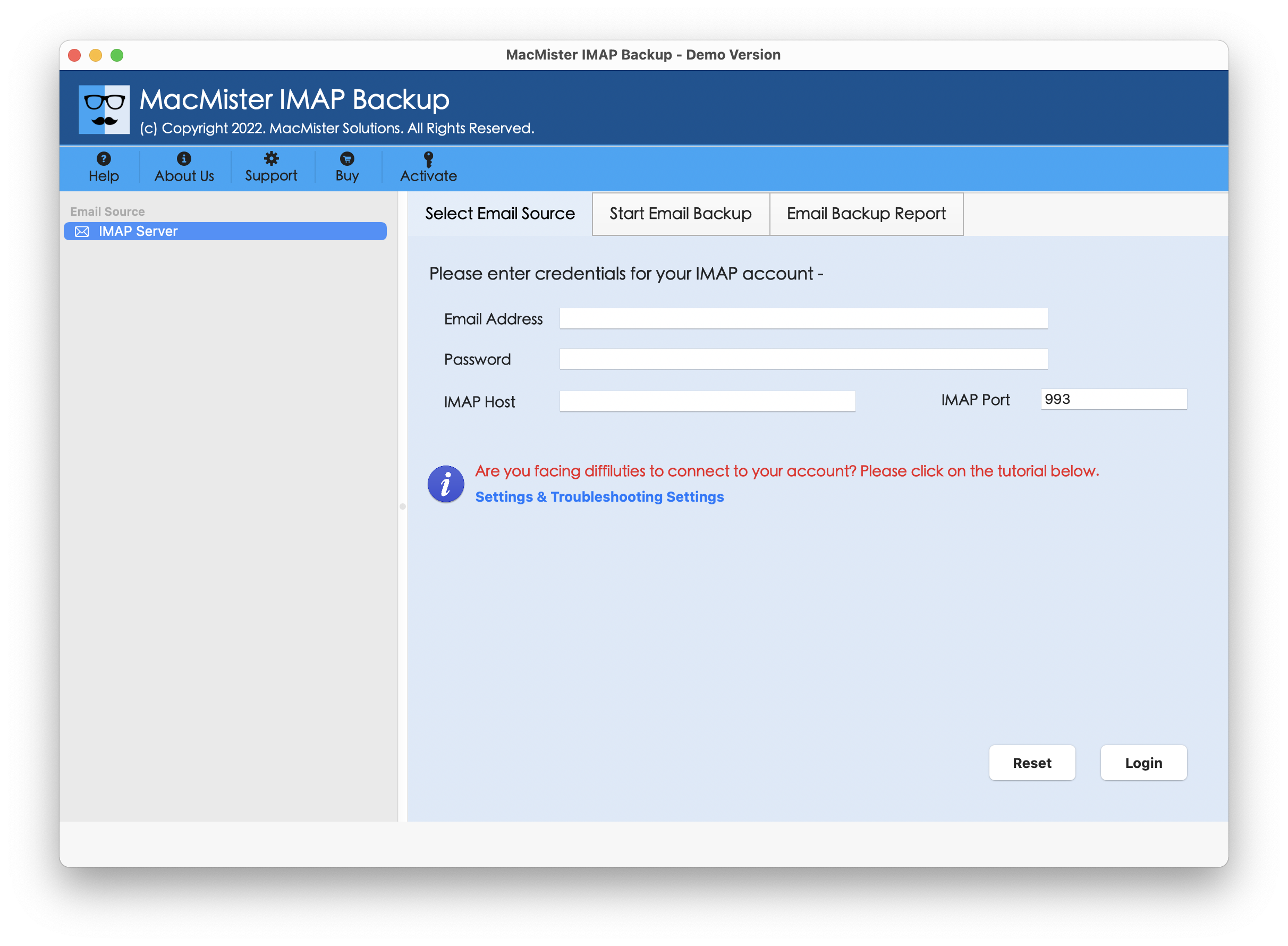
Step 2. Add Mailfence credentials with IMAP host and Port number in required fields. Then, click Login button.
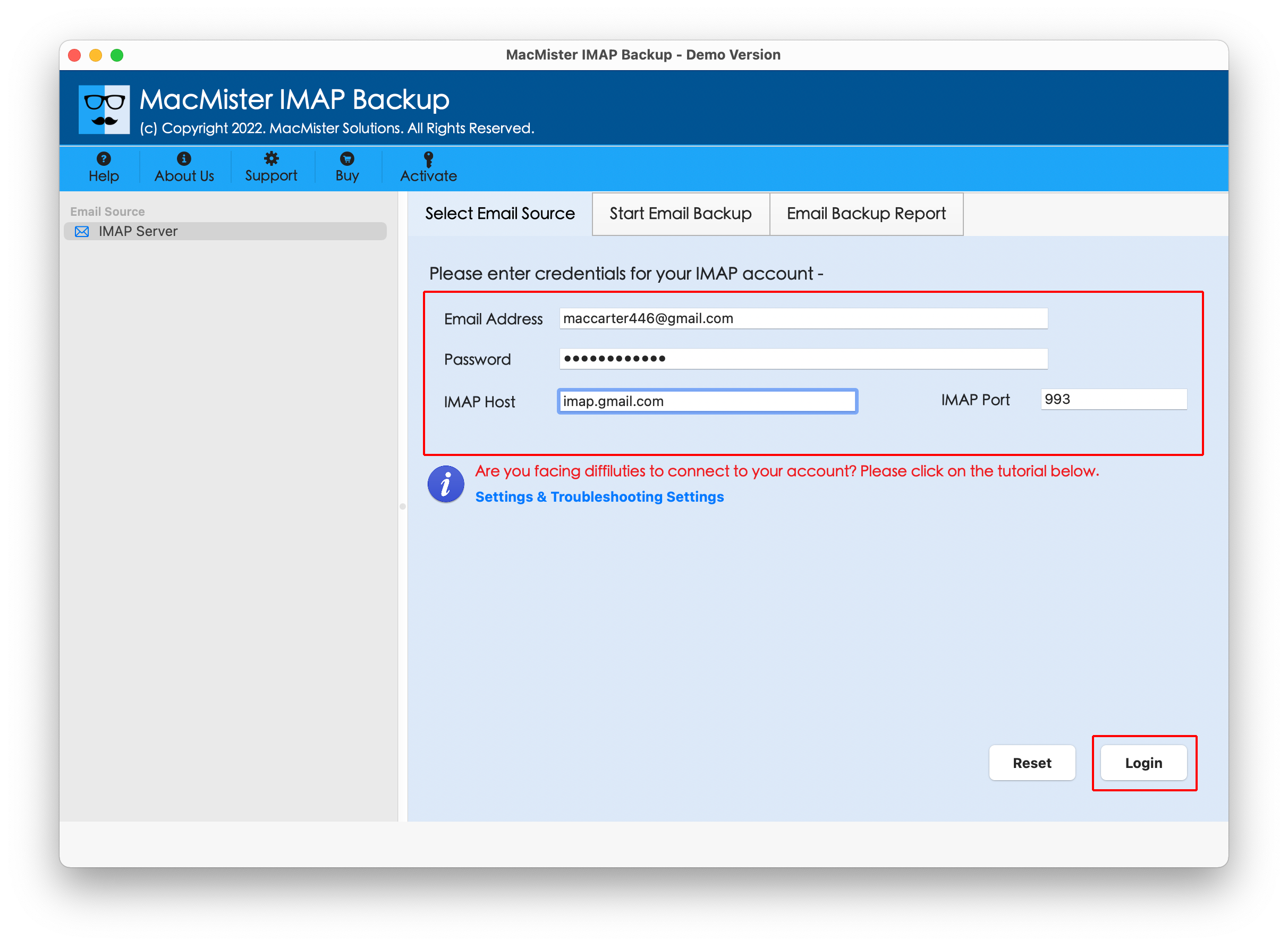
Step 3. After the account is connected, the tool start listing Mailfence mailboxes on the left pane of the tool.
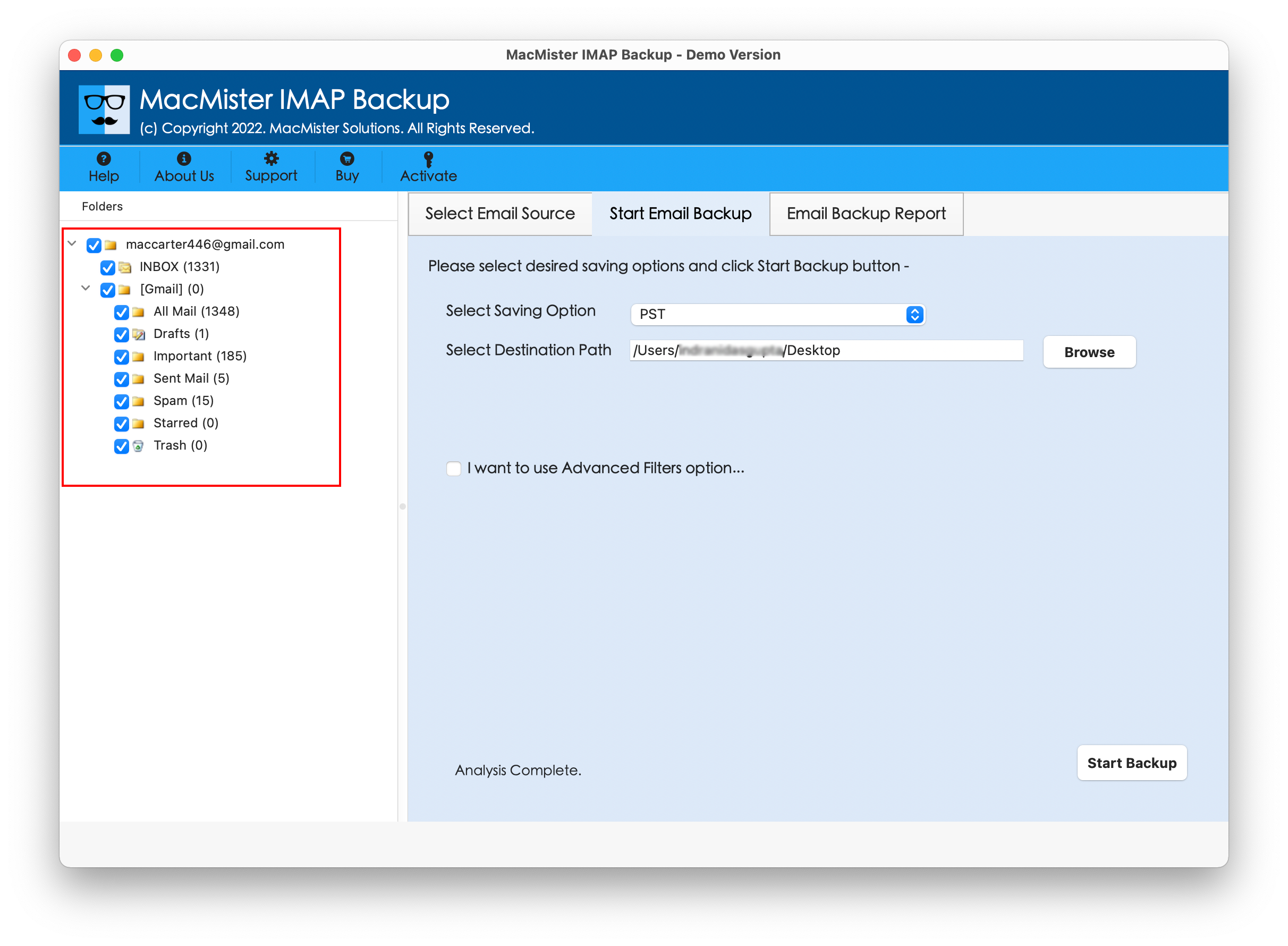
Step 4. Go to the right software screen, click Select Saving Options, and select required saving type from the menu.

Step 5. Set sub-options according to the requirements, apply filtering (if required) and then tap Start Backup button.
Step 6. The tool will open Email Backup Report that displays the live export status of Mailfence emails to users.
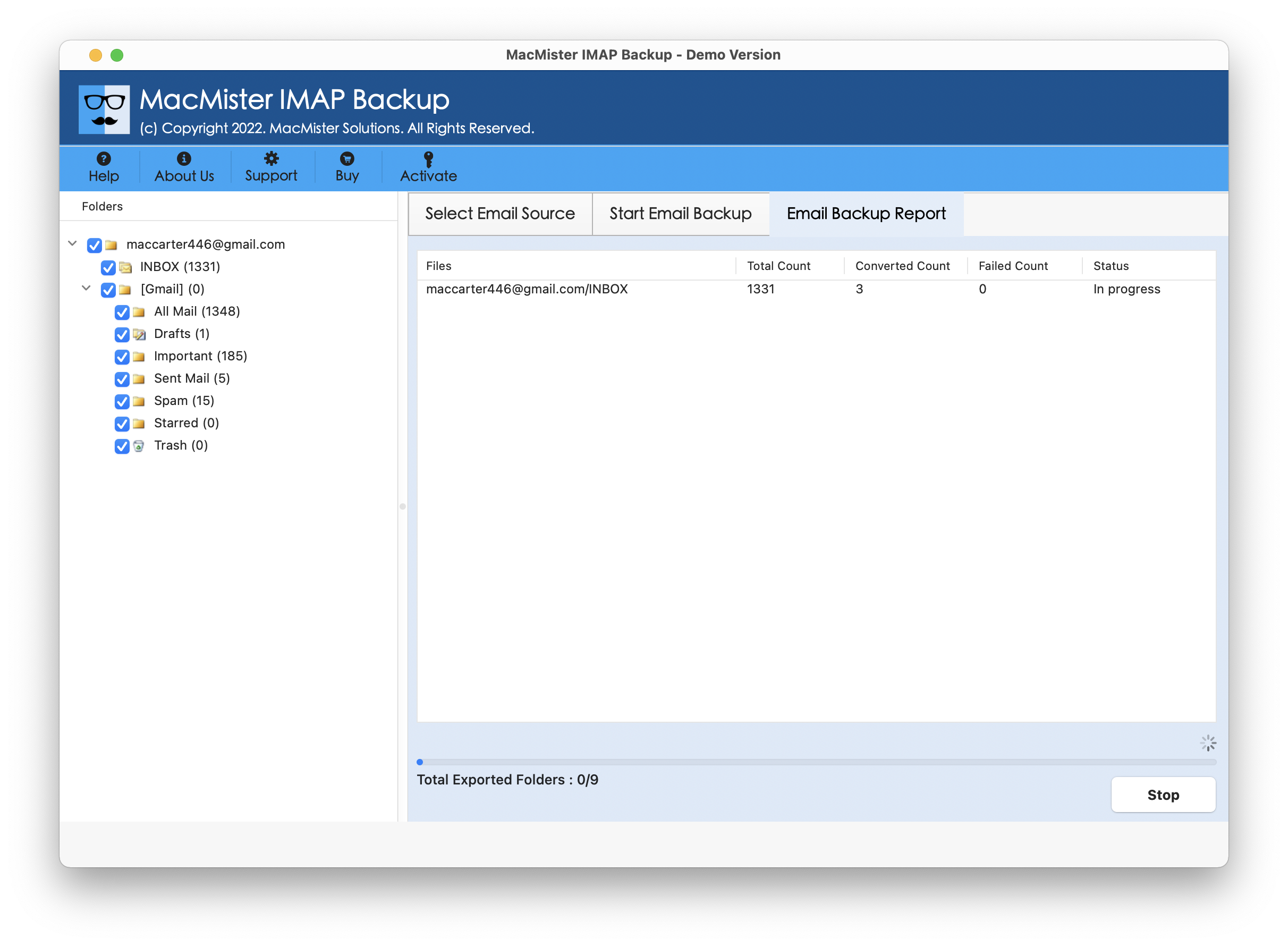
In few seconds, the task will complete and then “Process Completed” notification will appear on the screen. Click OK to close the dialogue box and then go to the specified location where resultant files are saved. Now, open the required resultant file to cross-check the content. However, you will see that the tool has correctly and precisely handled the whole operation. The original email text, layout, and metadata properties of Mailfence emails will display with 100% accuracy in specified saving option after the process.
Main Benefits of the Application
The tool delivers many benefits, some of them are mentioned below –
- Directly export Mailfence emails on Mac with attachments.
- Allow users to export Mailfence emails to 15+ saving options such as PST, PDF, MSG, EML, HTML, DOC, IMAP, Yahoo, Office 365, and more.
- Supports friendly interface that is operable easily by all types of users effortlessly.
- Preserves the original text of Mailfence emails during export.
- Integration with multiple filter options such as date range, to, subject, and more to export specific emails from Mailfence account.
- Enable users exporting Mailfence emails on Mac OS Sequoia and earlier versions.
Epilogue
The write-up here highlighted multiple ways to resolve how to export Mailfence emails on Mac. The first method is free to use but requires knowledge of Mailfence email server. The second method is direct, safe to operate, and time-saving. All users can utilize it without any trouble and export Mailfence emails within seconds. It even includes different filter options that allow users exporting specific Mailfence emails with attachments on Mac. Also, one can download its free demo on any Mac OS and export 25 Mailfence emails for free.