Save MBOX Files as PDF for Forensic Investigation
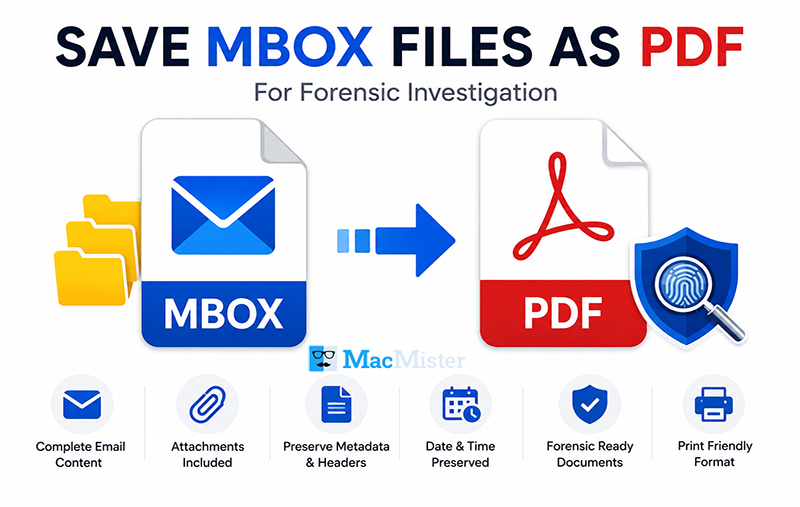
Searching for a secure and accurate method to save MBOX files as PDF documents? A professional MBOX Converter can simplify the entire process and help investigators preserve email evidence in a readable and court-acceptable format.
Importance of Emails in Digital Communication
Email communication has become an essential part of daily life for individuals, businesses, organizations, and government agencies. People regularly use electronic mail services to exchange messages, documents, reports, and confidential information across different locations.
Today, numerous email applications are available for various operating systems such as Windows, macOS, and UNIX. Different email clients support different mailbox formats depending on their platform compatibility and storage structure.
Role of Emails in Forensic Investigation
In modern digital investigations, electronic communication often serves as critical evidence. Law enforcement agencies and forensic experts frequently analyze email records to collect information related to legal cases and cyber investigations.
Most email evidence is commonly stored in MBOX file format, which is supported by several email clients, including:
- Mozilla Thunderbird
- Apple Mail
- Eudora
- Entourage
- Opera Mail
- Netscape
- The Bat!
During forensic analysis, investigators first locate MBOX files from the target system. In many situations, these files remain hidden within system directories, making identification difficult.
Step-by-Step Process to Make MBOX Files Visible
Follow these instructions to locate hidden MBOX files on a Windows system:
- Open the Control Panel.
- Select Appearance and Personalization.
- Click on Folder Options.
- A new window will appear. Open the View tab.
- Uncheck the option labeled Hide empty drives.
- Apply the settings and continue searching for MBOX files.
After locating the mailbox files, investigators can use a professional conversion solution to save MBOX emails into PDF format for detailed analysis and documentation.
Main Components of an MBOX File
An MBOX mailbox generally contains three important elements:
- Header information
- Email body content
- Attachments
These components are essential during forensic examination because they contain metadata, sender information, timestamps, and conversation records.
Why Convert MBOX Files into PDF Format?
While many applications can open and read MBOX files, only a limited number provide proper export functionality. In forensic investigations and legal procedures, evidence must often be presented in a universally accessible and non-editable format such as PDF.
PDF documents provide several advantages:
- Easy readability across platforms
- Better document preservation
- Secure sharing and printing
- Convenient legal documentation
- Organized storage of email evidence
This is why investigators and legal professionals commonly prefer converting MBOX emails into PDF format.
Professional MBOX File to PDF Conversion Solution
MBOX to PDF Converter is considered one of the most effective solutions for converting MBOX mailbox data into PDF format. The software helps users analyze and preserve email evidence accurately without modifying the original content.
The tool supports advanced searching options that help investigators quickly locate emails using keywords, phrases, sender details, subjects, or dates. This significantly reduces the effort involved in manual searching during investigations.
Advanced Features of the MBOX to PDF Tool
Some major features of the software include:
- Reliable and time-efficient conversion process
- User-friendly graphical interface suitable for technical and non-technical users
- Useful for legal experts, investigators, and forensic professionals
- Converts emails along with attachments into PDF format
- Supports multiple file naming conventions for better document organization
- Provides options to export individual MBOX files or complete folders
- Maintains email formatting, metadata, and rich-text properties during conversion
- Compatible with all major MBOX-supported email applications
- Supports all Windows operating system editions, including Windows 10 and later versions
Free Trial Version Available
Users can also try the demo edition of the MBOX File to PDF Converter before purchasing the licensed version. The free trial version allows conversion of the first 25 emails from each MBOX mailbox into PDF format along with attachments. This helps users evaluate the software’s functionality, performance, and conversion accuracy before proceeding with full-scale migration. After verifying the results, users can upgrade to the licensed version for unlimited bulk conversion of MBOX files into PDF documents.