View MBOX Folder Data in Outlook – Reliable and Secure Method
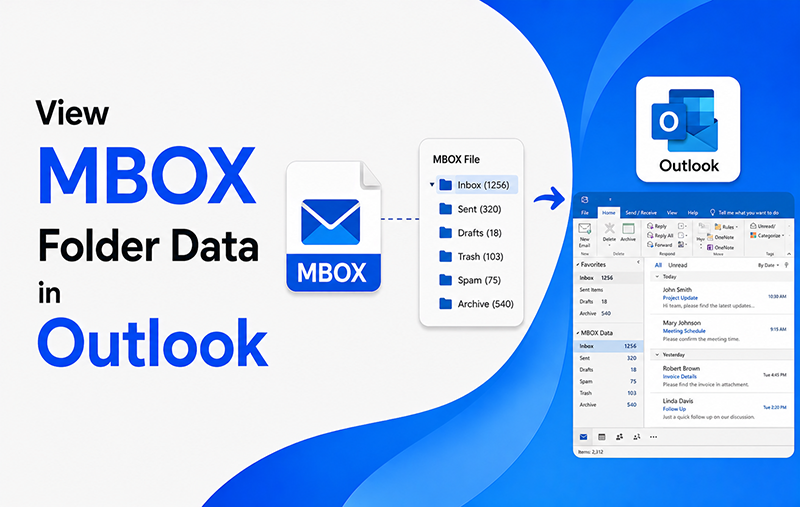
Summary: In this article, we will explain a secure and effective solution to view MBOX folder data in Outlook PST format, which is fully compatible with Microsoft Outlook. This method helps users transfer complete MBOX mailbox data into Outlook without affecting the original folder hierarchy or email properties.
Using this process, you can easily move MBOX files from different email applications such as Mozilla Thunderbird, Apple Mail, Gmail, Google Takeout, Eudora, Postbox, Entourage, Earthlink, and many other email platforms into Outlook PST format.
The procedure uses MacMister MBOX Converter, which offers a simple and user-friendly interface along with advanced conversion options. Even users without technical knowledge can easily perform the migration process through its guided steps.
The software also includes advanced filter settings that allow users to export only selected MBOX files or folders based on parameters like date range, sender, recipient, and subject.
Common User Queries – View MBOX Folder Data in Outlook
Query 1
“I want to transfer my Apple Mail mailbox data into PST format, but I cannot find a proper solution. Is there any safe method to open MBOX folder data in Outlook PST format while maintaining the original folder structure?”
Query 2
“I have a large collection of MBOX files saved on my system, and now I need to import all of them into Outlook so I can manage emails in one place. Which method can perform this conversion safely without losing any information?”
Steps to View MBOX Folder Data in Outlook PST
Follow the step-by-step process below to view MBOX folder data in Outlook PST format:
- Download and install the MacMister MBOX to PST Converter on your Windows computer.
- Launch the software and use the Add Files or Add Folder option from the main panel to upload MBOX files or folders containing multiple MBOX databases.
- Once the loading process is completed, the software displays all selected files in the preview panel so you can verify the data before conversion.
- Click on the Export option and choose PST as the saving format to convert and access MBOX mailbox data in Outlook.
- Use additional options such as email filters, destination path settings, and selective conversion features according to your requirements.
- Finally, click the Export button to start the migration process.
After completing these steps, the converted PST file can be opened directly in Microsoft Outlook. The software supports multiple MBOX-based file extensions including .mbox, .mbx, and related mailbox formats without causing any data loss.
Free Solution to Convert MBOX Files into PST
Many users only need to transfer a limited number of MBOX emails into PST format. For such cases, the demo edition of the software can be used at no cost.
The free trial version allows users to convert up to 25 email files from MBOX mail to PST format during a single process. It also supports large-sized mailbox files, helping users evaluate the software’s performance before purchasing the licensed edition.
The demo version is useful for understanding the working process, testing conversion accuracy, and checking software compatibility with different MBOX email clients.
Export MBOX Emails into Multiple File Formats
Besides PST conversion, MacMister MBOX File Converter also supports exporting MBOX emails into several other formats, including: PDF, EML, MSG, RTF, TGZ, HTML, MHTML, etc. Users can additionally migrate mailbox data directly to cloud-based email services and servers such as: Microsoft 365, Exchange Server, Gmail, Yahoo Mail, and Outlook.com. The software also supports batch conversion, making it easier to process multiple MBOX files simultaneously while preserving email formatting, metadata, attachments, and folder structure.
Conclusion
In this article, we discussed both manual and automated solutions to view MBOX folder data in Outlook PST format. Although the manual approach is available, it often becomes difficult and time-consuming for users due to its lengthy steps and technical limitations.
After analyzing both methods, it is clear that MBOX File to PST Converter is a more practical and efficient solution for users who want to open MBOX mailbox data in Outlook PST format without complications. The software ensures accurate conversion while preserving email properties, attachments, metadata, and folder hierarchy.
The tool also offers a free demo edition that allows users to convert a limited number of MBOX emails into PST format compatible with Outlook 2019, 2016, 2013, 2010, and other versions. For unlimited batch migration of MBOX files, users can choose the licensed version of the software.
Important Note: If you also need to export MBOX files into PDF format, you can use a professional MBOX to PDF Converter. This solution helps users convert complete MBOX mailbox data into PDF document format safely while maintaining email formatting and attachments.