How to Import Gmail Emails to Thunderbird on Mac & Windows?
Are you thinking about moving to Thunderbird email client from Gmail on Mac platform? Having some important emails stored on a Gmail account that you want to import into Mozilla Thunderbird email client? Wondering how to import Gmail emails to Thunderbird with attachments? Searching a trouble-free approach that can help to implement the task directly without data loss? Not to worry, simply go through the following section discussed here which will help you to import Gmail emails to Thunderbird with 100% accuracy.
Detailed Overview of Google Mail
Gmail or Google Mail is one of the popular webmail service that many individuals and organizations use for email management. The service is directly accessible through a web-browser and can be operated anytime, from any location and from any device. It was launch in 2004 by Google itself and provide users the support of IMAP and POP through which users can access its mailboxes on desktop-based email applications. However, every year it gets updated with wonderful features and productivity utilities that helps in easing the workflow of the organization. One of its most used service is Google Drive. It is cloud-based and offers 15GB free storage capacity on which users can upload their important documents, photos, videos, spreadsheets, etc.
Without a doubt, Google Mail is a marvellous personal information manager but there is also the hard truth behind this. It is a cloud-supported service and so users will find it easy-to-use. But, cloud-based applications, especially the famous ones sometimes becomes the target of hackers. They unexpectedly attack the account and steal all the critical information of users. This puts them into a situation where they unable to understand what to do next. Therefore, most of the IT professionals prefer desktop-based email application like Thunderbird.
Why to Import Gmail Emails to Thunderbird Email Account?
There are several users who prefer Thunderbird email application over cloud-based webmail service. Mozilla Thunderbird is a free, open-source, and cross-platform email application which is popular as personal information manager among professionals. It is program that perfectly manages user’s email, news feed, and newsgroup and also supports multiple identities within the accounts. It is a feature-rich email client and its important advantages are highlighted here:
- Offers features for managing messages like quick search, advanced message filtering, saved search folders, message grouping, and tags will help in managing and finding the required messages. Also, it provides the basic support for system-specific new email notifications which can be extended with the advanced notification support with the help of add-on.
- Incorporates a Bayesian spam filter, a whitelist based on the address book included in an email client which can understand classifications via server-based filters like SpamAssassin.
- Provides plenty of extensions and themes through which users can synchronize their account mailboxes with other apps or change the profile theme according to their suitability.
- Equipped with the standard support like POP, IMAP, LDAP, S/MIME, and open PGP.
- Supports popular operating systems such as Linux, Windows, and Mac OS.
- Includes security features like TLS/SSL connections for IMAP and SMTP servers.
How to Import Mail from Gmail to Thunderbird on Mac & Windows?
By utilizing MacMister Gmail Backup Tool for Mac & Windows, users can effortlessly and directly import mail from Gmail to a Thunderbird account. The software is easy-to-use and offers a friendly environment that any technical and novice user can operate to import mail from Gmail to Thunderbird without any difficulty. Its steps are also non-typical and help users to implement the complete task in minimum time.
Moreover, the application has a number of remarkable features as well with the help of which users can import Gmail emails to Thunderbird as per their own requirements. However, the trial edition would be an additional benefit for those who want to test the working steps for free.
Working Steps to Import Mail from Gmail to Thunderbird on Mac
Step 1. Download and open Gmail to Thunderbird Converter for Mac on macOS.
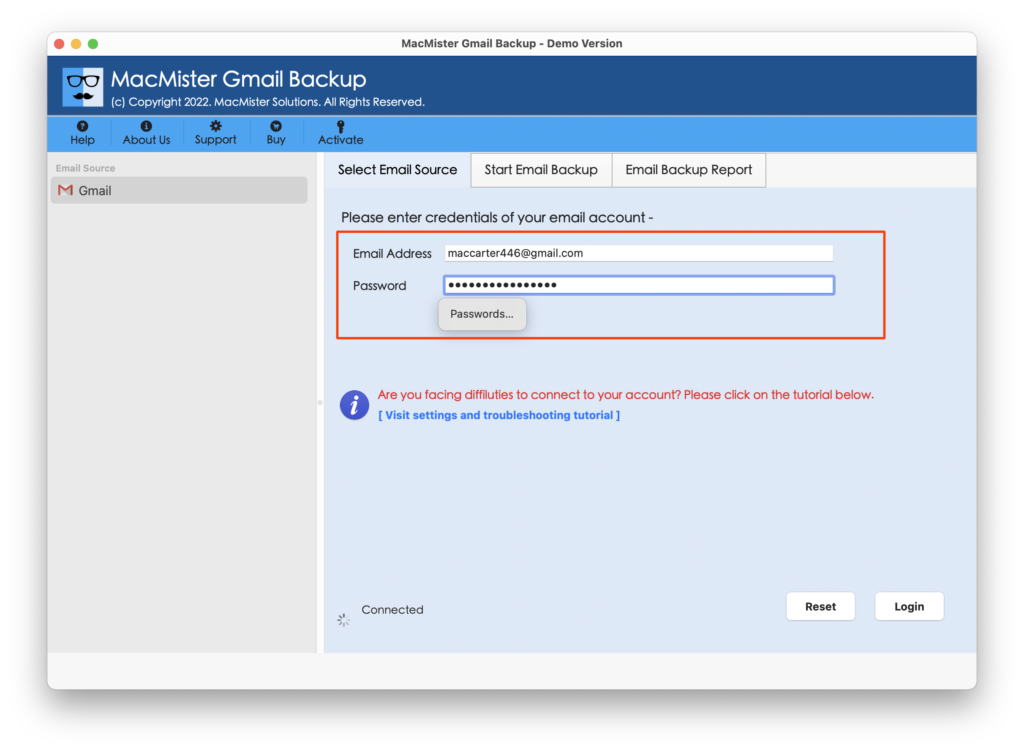
Step 2. Enter Gmail details in required fields i.e. Email ID and App Password. Click Login.
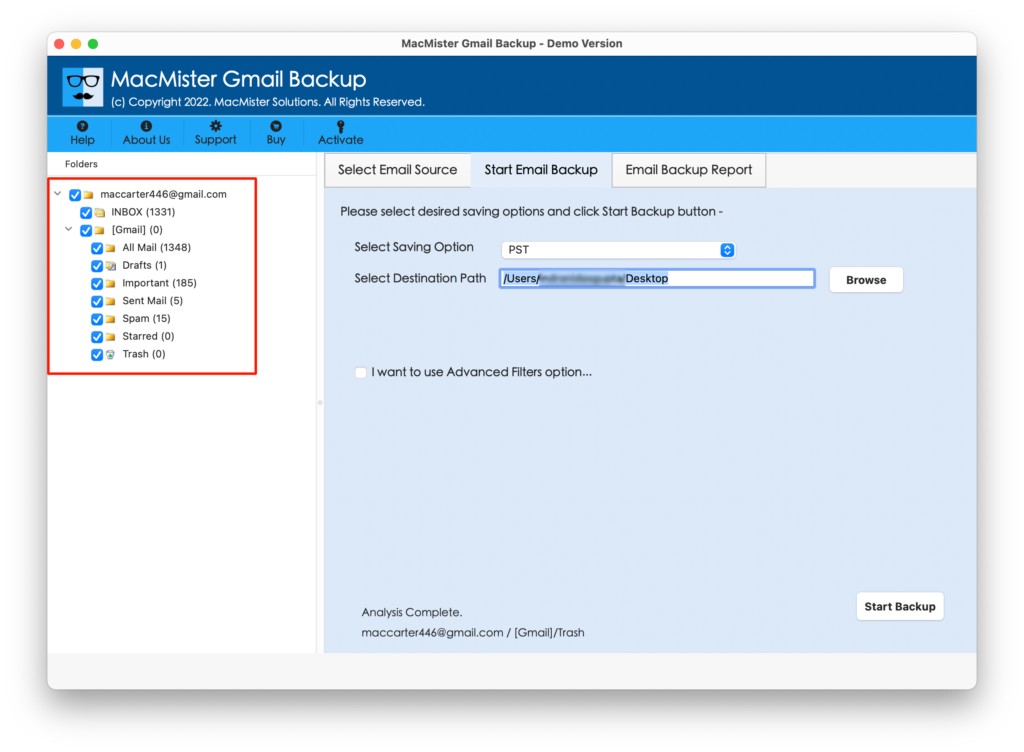
Step 3. The Gmail account mailboxes will start to list on the software pane. Go through the same and verify the listed items.
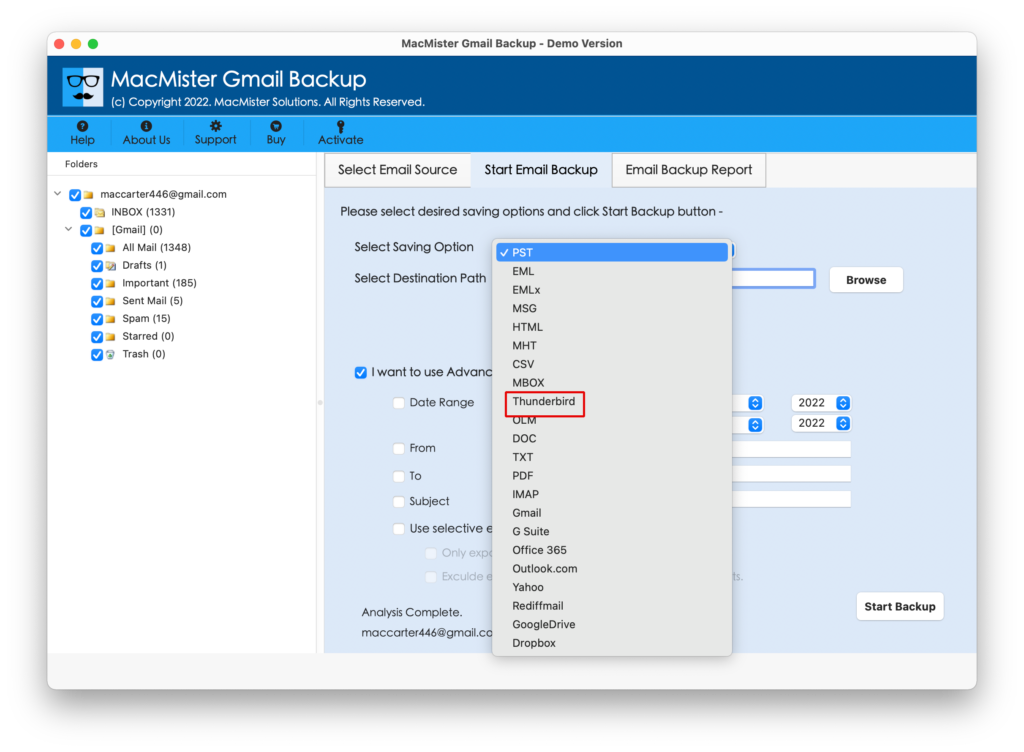
Step 4. Navigate to Select Saving Options and select the Thunderbird option from the list.
Step 5. Set the Thunderbird sub-options and then click on Start Backup button to start the migration of Gmail to Thunderbird.
Step 6. Now, check the live process of Gmail emails to Thunderbird and track the migration status that will appear on Email Backup Report.
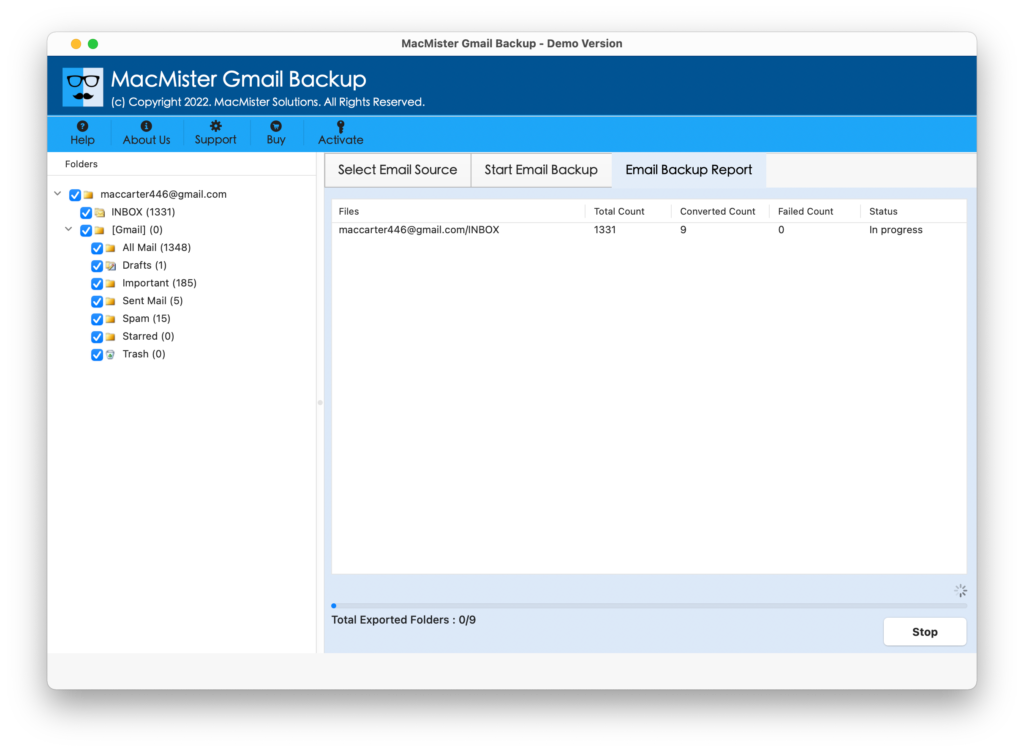
The entire procedure will take few minutes and then show “Process Completed” pop-up to users. Click on OK and go to the Thunderbird profile location. You can view the same in Thunderbird account and check the output. However, you will see that all the emails are accurate and they are appearing with precise formatting properties.
Why MacMister Gmail to Thunderbird Solution is Beneficial?
There are many reasons for choosing MacMister Gmail to Thunderbird app and some of them are:
- Directly import Gmail emails to Thunderbird with attachments.
- Offers Filters section which will help users to import specific Gmail emails to Thunderbird.
- Keeps the content and email components of Gmail emails intact throughout process.
- Designed with two download versions i.e. Mac & Windows.
- Protects the original Gmail account details by asking to provide the app password instead of the main password.
- In-built GUI and time-saving three-step process will help users to implement the process quickly and get the desired results within seconds.
- Displays Email Backup Report from which users can track the live import status of Gmail emails.
- Able to import mail from Gmail to Thunderbird on macOS Ventura, Monterey, Big Sur, etc.
Epilogue
The write-up has offered a direct methodology to import Gmail emails to Thunderbird on Mac & Windows with attachments. The MacMister Gmail Email Backup Software for Mac & Windows is reliable and offers secure functioning. Anyone can utilize the solution and perform the process without dealing with any issue. However, it has a trial edition also with the help of which users can check the working steps of the tool for free. Moreover, they can import first 25 Gmail emails to Thunderbird with attachments free of cost.