How to Import MBOX to Outlook 365 Mac with Ease?
Are you moving to Outlook 365 platform from desktop-supported email application? Having plentiful Apple Mail MBOX files that you need to urgently access in Outlook 365 without alteration? Wondering how to import MBOX to Outlook 365 Mac effortlessly? Looking for a simplified and trouble-free solution for the same? Not to worry, simply read the article and you will discover a method that will help you to import MBOX to Outlook 365 Mac with precise emails and attachments.
There are several Mac users who make use of Apple Mail email client for sending daily emails. It is a pre-installed email application which is why many users find ease in utilizing its services as they do not need to download email client separately as Apple Mail is easy to set up and configure.
Nowadays, cloud services are in use by businesses and individuals for data management because of the flexibility and portability they deliver. Outlook 365 is one of them. It is a part of Office 365 which is popular as Outlook Web App (OWA). It is a web-based email client whose task is to allow users to send/receive emails, manage contacts and calendar events online.
To access the same, follow the steps:
- Open Web Browser and navigate to https://outlook.office.com.
- Specify necessary email address and password.
- Click Sign-in.
By implement few simple steps; anyone can easily access all the services of Outlook 365.
Outlook 365 is known for offering countless benefits and some of them are:
- Allow users to search old emails quickly.
- Manage spam email settings.
- Easy to use anywhere, anytime, and on any device.
- Effectively send email messages and share files with others for collaboration.
- Offers suggestion while sending emails which will save the user’s time.
Why it is difficult to import MBOX to Outlook 365 on Mac?
MBOX is a file format of numerous desktop-based email applications. Apple Mail is one of them. Several Mac users make use of Apple Mail email client because it can be configured easily. It is free email platform which provide the support of POP, IMAP, and SMTP email servers to users for integration with different applications. Additionally, it is known for its clean and friendly interface.
Apple Mail is a trouble-free platform for email management but sometimes the change in their environment whether it is changing the employment or changing the organization requires the change of email platform. So whenever users move onto a different platform, they take the backup of essential files from old email client.
Apple Mail is an application that supports MBOX file format. It acts as a container as it holds the list of users account emails in ASCII text and attachments in encrypted form. Many times user tries to transfer MBOX files directly in Outlook 365 which is not possible for sure. It is must to opt a secure approach to migrate MBOX files into Outlook 365 environment.
How to Import MBOX to Outlook 365 Mac with Ease?
The easiest and effective way to import MBOX to Outlook 365 Mac is MacMister MBOX Converter for Mac Tool. It is a cost-effective, tested, and safe application which is built-up with a simplified interface that is accessible by anyone effortlessly. It’s easy and limited operational steps will save the time and efforts of users, helping them to finish the migration quickly and accurately.

Moreover, the application contains wide ranging features that are helpful to users in attaining the desirable results. Also, a freeware version of the software is available which allows users to explore the working of the software for free.
Working Steps to Import MBOX to Outlook 365 Mac
Step 1. Download and run MBOX to Outlook 365 Migration Tool for Mac on a Mac system.
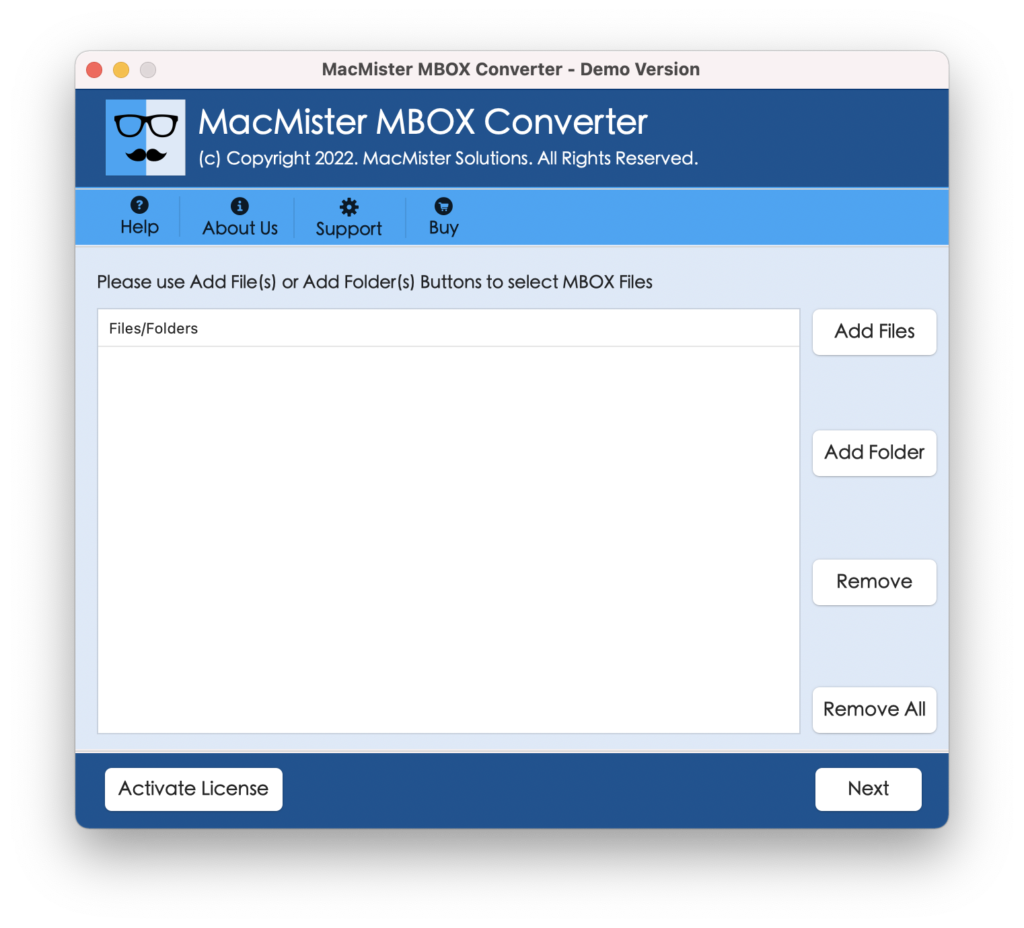
Step 2. Swiftly upload necessary MBOX files and folder on the application by utilizing dual buttons i.e. Add File(s)/Add Folder. If you have few MBOX files then add them on the tool using Add File(s) button. If you have unlimited files, then transfer them into a single folder and upload the same on the tool with the help of Add Folder button. Click Next.
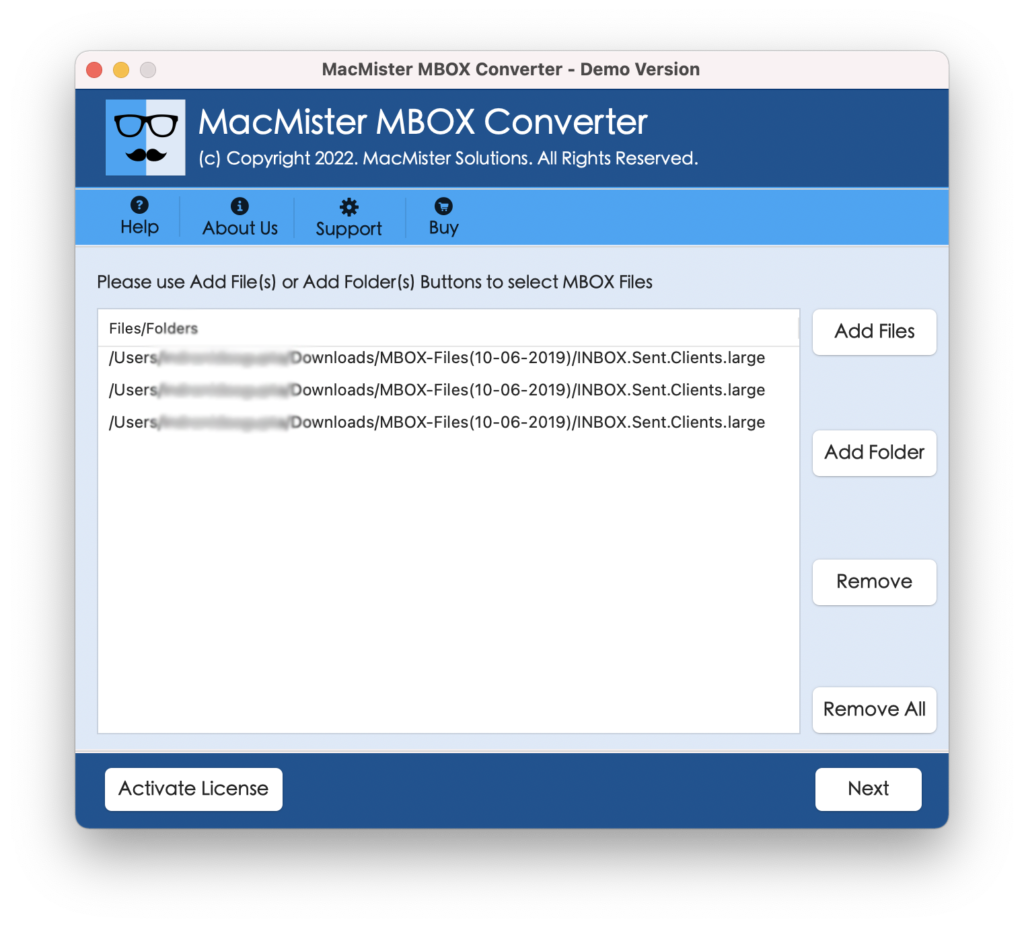
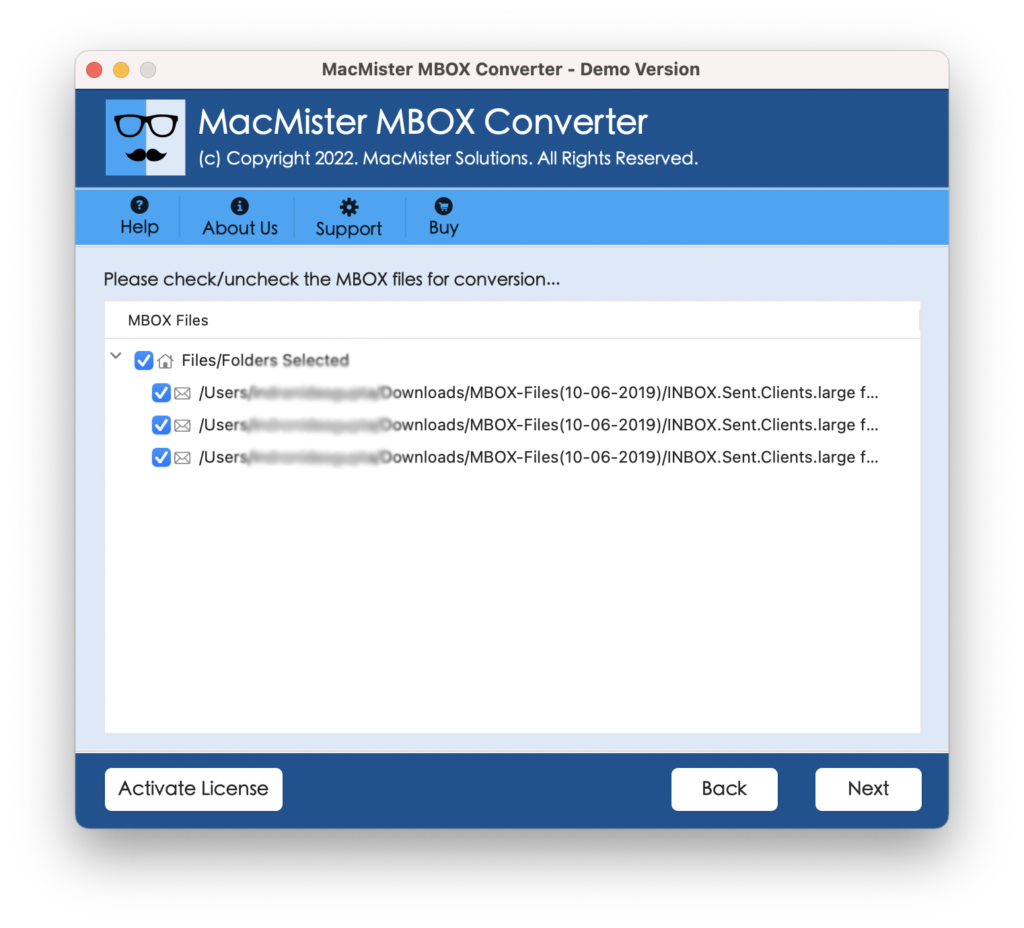
Step 3. The software instantly starts displaying the list of MBOX files with checkboxes. By default all are selected but you can deselect them and select them as per your requirements if you want to import selective MBOX files to Outlook 365. Click Next to continue.
Step 4. Click Select Saving Options and select Outlook.com option from the menu.
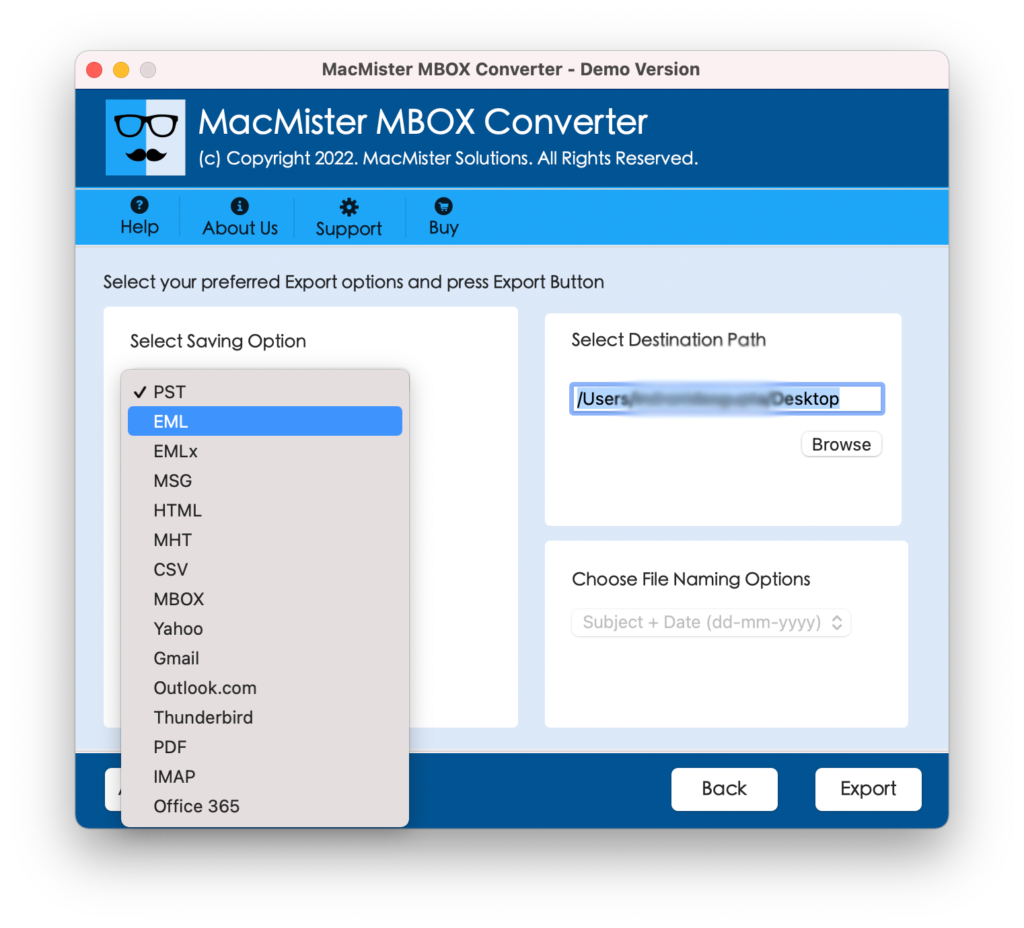
Step 5. Provide Outlook.com credentials and click Export to start the migration process.
Step 6. Now, view the Live Conversion Screen to track the ongoing import progress of MBOX files.
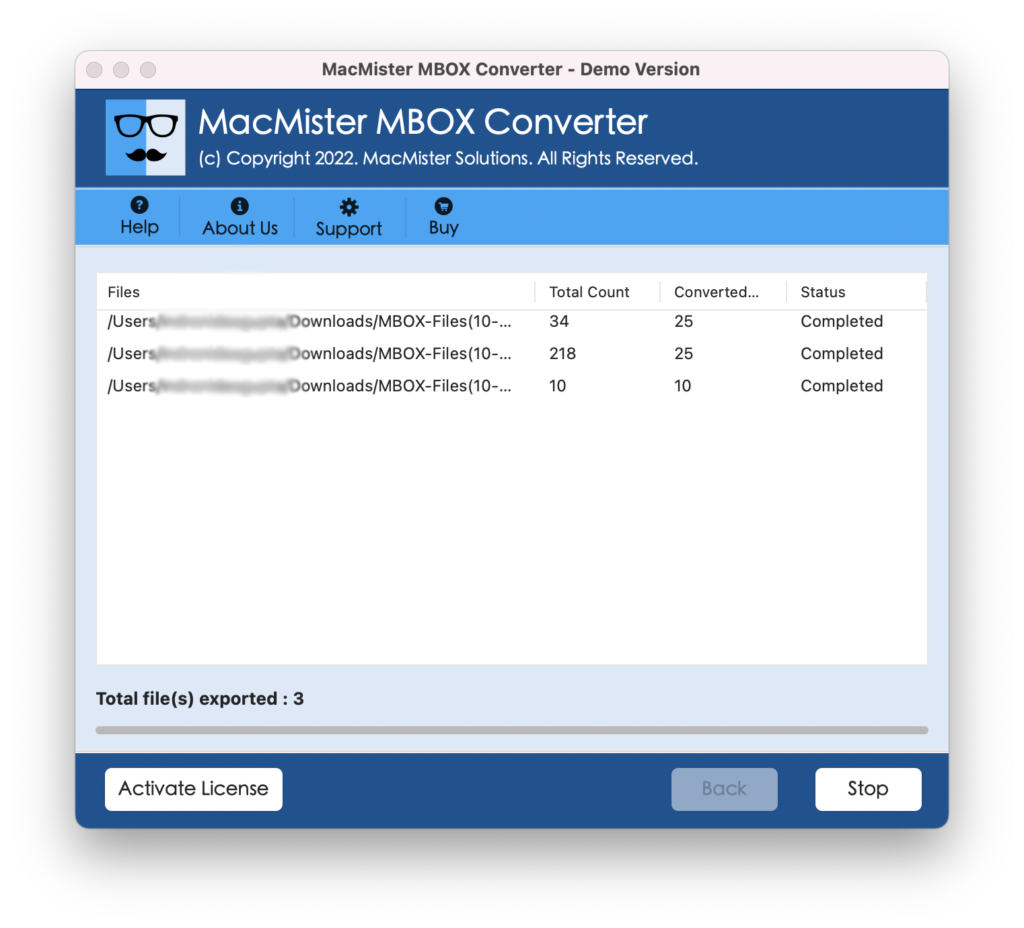
The entire procedure successfully ends with a message “Conversion Completed”. Click on OK and then go to Outlook.com account to check imported MBOX files. You can select the required email message to check the result and you will see that the content of all the email messages are accurate and the formatting properties are also showing up without alteration.
Why to Use MacMister MBOX to Outlook 365 Mac Solution?
MacMister MBOX to Outlook 365 Mac application is an exceptional solution for importing unlimited MBOX files to Outlook 365 Mac at once. It has many benefits and some of them are:
- Directly import MBOX files to Outlook 365 Mac with emails and attachments.
- Provides dual modes such as Add File(s)/Add Folder buttons for adding necessary MBOX files folder on the application.
- Capable to batch import MBOX to Outlook 365 Mac at once without data loss.
- Preserves the accuracy of email messages and formatting properties throughout the process.
- Protects Outlook 365 credentials while importing MBOX files to Outlook 365.
- Handles the large amount of import process during the process.
- Displays Live Conversion Report to track the live import progress of MBOX files.
- Able to import MBOX to Outlook 365 Mac on Mac OS Sonoma, Ventura, Monterey, Big Sur, etc.
Epilogue
In the write-up, we have highlighted the safe approach to import MBOX to Outlook 365 Mac with emails and attachments. The above-mentioned software is a powerful solution which takes care of the migration smoothly and ensures the accurate outcome within seconds. The application is recommended by experts because it is certified and tested. Mac users will find the solution suitable for the process. They can utilize its trial edition if they want to experience its working and features as it allows importing first 25 MBOX emails and attachments to Outlook 365 Mac free of cost.
Quick Note. Use the same to check the process of MBOX file import into 15+ other saving options such as MBOX to PST, PDF, MSG, EML, EMLx, MHT, HTML, DOC, IMAP, Thunderbird, Gmail, Yahoo, and more.