Why Is My Mac Mail Unable to Verify Account or Password?
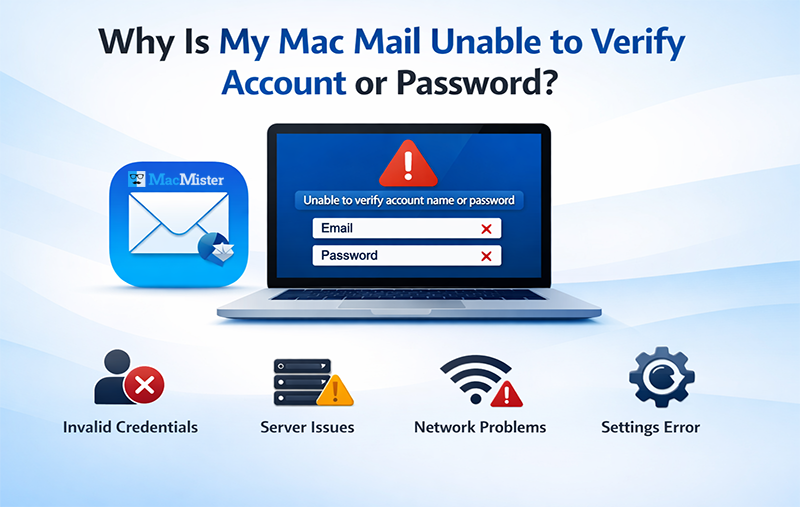
If you’re facing the issue of Mac Mail unable to verify account or password, you’re not alone. Many users encounter this problem while setting up or accessing their email accounts in Apple Mail. Verifying an account is a crucial step, as it acts like a gateway that allows seamless communication between the Mail app and email servers.
When Apple Mail fails to verify your account or password, it can interrupt your email access and prevent you from reading or sending messages. This issue may arise due to incorrect credentials, server problems, or configuration errors.
In this tutorial, we will explain the common reasons behind why your Apple Mail is unable to verify your account or password and provide easy troubleshooting methods to fix the issue manually.
How Does Mac Mail Verify an Email Account?
Before learning how to fix the “Apple Mail unable to verify account or password” error, it’s important to understand how the verification process works in Apple Mail.
Verifying an account on Mac Mail is a simple process where users need to enter the correct email address and password. Along with this, selecting the appropriate account type (IMAP, POP, or Exchange) helps the Mail app fetch the correct server settings automatically.
Why Verification Fails in Apple Mail?
In most cases, account verification fails due to incorrect configuration or login issues. When Apple Mail is unable to verify your account or password, it prevents access to your mailbox, making it difficult to send, receive, or read emails.
This issue can affect both beginners and advanced users, often leading to confusion and concerns about data accessibility. Therefore, understanding the root cause is essential to resolve the problem effectively.
Why Is My Mac Mail Unable to Verify Account or Password? – Common Reasons
If you’re repeatedly facing the error “Apple Mail unable to verify account or password,” it can occur due to several underlying issues. In most cases, the problem is related to incorrect login details or misconfigured mail settings. Below are the most common causes:
1. Incorrect Login Credentials
Entering the wrong email address or password is one of the primary reasons for this issue. Always double-check your login details before attempting to sign in again.
2. Incorrect Outgoing Server Settings
Issues with IMAP or SMTP configuration can trigger verification errors. This includes incorrect port numbers or security settings like SSL/TLS, which prevent proper server communication.
3. Network Connectivity Issues
Unstable internet connections, firewalls, or VPN settings can block Apple Mail from connecting to the server, resulting in verification failure.
4. Software Conflicts or Outdated Versions
Using an outdated version of Mac Mail or macOS can lead to compatibility issues. Make sure both your system and Mail app are updated to the latest version.
5. Mail Server Downtime
Sometimes, the issue may be due to server outages or temporary maintenance. During such times, account verification may fail automatically.
In short, these are the key reasons behind the issue of Mac Mail not verifying account credentials. This problem can disrupt email access and prevent users from sending or receiving messages.
Now, let’s move forward to understand the impact of this issue and how to fix it effectively.
What Happens If Mac Mail Is Not Accepting Your Email Account?
If you are facing the issue of “Mac Mail unable to verify account or password,” it can have a negative impact on your overall email experience. This problem not only restricts access but also affects daily communication. Below are some major consequences:
- You may miss important emails or face delays in receiving messages
- Users often spend a lot of time trying different troubleshooting methods
- It can lead to synchronization issues across devices
- There is a potential risk of data inaccessibility or loss
- Continuous errors can cause frustration and disrupt workflow
After understanding the impact of this issue, it becomes essential to find a reliable solution. If you’re looking for ways to fix Apple Mail verification errors, move ahead to explore the best troubleshooting methods.
Quick and Basic Troubleshooting Tips
Before trying advanced ways, start with these simple steps:
- Use correct and updated login credentials for your Mac Mail account
- Ensure you have a stable and active internet connection
7 Proven Ways to Fix “Mac Mail Unable to Verify Account or Password”
To resolve the Mail app login issue, users should follow reliable troubleshooting methods. Below are some simple yet effective solutions to fix the “unable to verify account name or password Mac Mail” error.
Quick Overview of Methods:
- Reset Mac Mail App
- Update macOS System
- Force Quit Mail App
- Remove & Re-add Mail Account
- Delete Old Email Password
- Disable & Re-enable Account
- Try Logging in from Another Device
Now, let’s explore each method in detail.
1: Reset Mac Mail Preferences
Resetting the Mail app can help eliminate corrupted preference files that may be causing the issue.
- Force quit the Mail app
- Open Finder > Go > Go to Folder
- Enter: ~/Library/Preferences/
- Press Enter
- Locate com.apple.mail.plist and move it to Trash
- Restart your Mac
- Reconfigure your email account
2: Update macOS to the Latest Version
An outdated macOS can lead to compatibility issues with the Mail app.
- Open System Settings (Preferences)
- Click on Software Update
- Install available updates
3: Force Quit the Mail App
Force quitting can fix temporary glitches affecting the Mail app.
- Press Option + Command + Esc
- Select Mail
- Click on Force Quit
4: Remove and Re-add Your Email Account
Re-adding the account can fix configuration-related issues.
- Go to Settings > Mail
- Select the problematic account
- Click Delete Account
- Re-add the account using the + icon
5: Delete Saved Email Password (Keychain)
Old or incorrect passwords stored in Keychain can cause verification failures.
- Open Applications > Utilities > Keychain Access
- Select Login keychain
- Search for your email account
- Right-click and delete saved credentials
- Restart and re-enter password
6: Disable and Re-enable the Account
Refreshing the account can help resolve syncing and verification issues.
- Open Mail Settings
- Select your account
- Uncheck Enable this Account
- Wait a few seconds and enable it again
7: Try Logging in from Another Device
If the issue persists, try accessing your email from another device.
This helps identify whether the issue is related to your Mac system or the Mail app itself. Also, ensure your internet connection is stable during login.
Simple Solution: Apple Mail Converter for Mac
If you are still facing the issue of Mac Apple Mail unable to verify account or password, then using a professional tool can help simplify the process. MacMister Mac Apple Mail Converter is a reliable solution that allows users to convert Apple Mail data into multiple file formats. The tool supports various output options such as PST, EML, MBOX, PDF, CSV, IMAP, Office 365, Thunderbird, and more, making it easier to access your email data across different platforms. Try the free demo today and manage your Apple Mail data without any hassle.
Apple Mail Unable to Verify Account – Frequently Asked Questions
Q1. Why can’t Mac Mail verify my account?
There can be several reasons why Mac Mail is unable to verify your account:
- Incorrect login credentials
- Poor or unstable internet connection
- Temporary server glitches
- Outdated macOS or Mail app
- Incorrect outgoing server settings
Q2. Why is Apple Mail not accepting my correct password?
Even if your password is correct, this issue may occur due to:
- Network connectivity issues
- Incorrectly saved credentials in Keychain
- Server-related problems
- Login verification issues on the Mail app
Q3. How do I fix “Apple Mail unable to verify account or password”?
You can fix this problem by following these steps:
- Use a stable internet connection
- Force quit and restart the Mail app
- Clear Mail preferences
- Reset Mac Mail settings
- Restart your Mac system
Q4. Can outdated macOS cause verification issues in Apple Mail?
Yes, using an outdated macOS version can create compatibility issues with Apple Mail, leading to account verification errors. Updating your system can help fix this problem.
Q5. How do I check if the issue is with my email account or Mac Mail?
Try logging into your email account using a web browser or another device. If it works there, the issue is likely with your Mac Mail settings or application.
Last Verdict
Dealing with the issue of Mac Mail unable to verify account or password can be frustrating and disrupt your email communication. However, by following the above troubleshooting methods, most users can resolve the problem quickly and restore access to their Mail app.
If the issue still persists even after trying all the techniques, it’s suggested to contact Apple Support for advanced technical assistance and further guidance.