Directly Migrate DreamHost to Office 365 on Mac & Windows
Are you moving to Office 365 from DreamHost? Thinking about transferring emails from the DreamHost account to Office 365 on MacBook? Looking for a quick and secure approach to migrate DreamHost to Office 365? If yes, then do not worry, just go through the section here which will provide a solution that will precisely perform the migration and delivers accurate results within seconds. But, first, let us understand the main reasons that pressurize users to perform the required task.
Why to Migrate DreamHost to Office 365?
DreamHost is known for providing affordable hosting plans to required clients. It delivers, fast, secure, and high-availability services. The simplified control panel and a feature-rich tool suite make DreamHost the ideal solution for those who have basic web hosting requirements. But, as the business extends, one requires more enhanced features and control than what the basic email service available with their domain hosting plan provides. And, there are some other users who adapt Office 365 for a business upgrade while leaving the website hosted with DreamHost.
Office 365, on the other hand, is a highly advanced cloud-based application and is built up with numerous powerful functionalities that benefit large organizations a lot. It is equipped with all the applications that are present in Microsoft Office Suite desktops such as Word, Excel, Spreadsheet, OneNote, and more. However, the biggest advantage of using Office 365 is that it is cloud service and so it eliminates the maintenance of IT companies like patching and the cost of infrastructure support. And, another advantage that end users will get would be the ability to use Office 365 offerings with the help of any device using internet connectivity. It is designed with different subscription plans so that users and organizations can utilize it according to their current organization requirements. Some of its most common features are mentioned here.
Common Reasons to Migrate DreamHost Webmail to Office 365
Office 365 has plenty of remarkable and solid features. Some of them are discussed below-
- The entire activities are performed on the cloud and so users can access the required data from Office 365 directly anytime from any device and location.
- Includes robust security measures like two-factor authentication that guarantees the safety of users’ account data.
- Offers Skype and Outlook apps that help in keeping communication centralized and direct.
- Yammer is another feature that acts as a social network for the organization.
- The cost of a license depends on the functionality level that users need for the business.
- Regular backup of stored files on the cloud will save users’ data from sudden & unexpected disasters.
- Word, Excel, and Outlook are directly accessible through the cloud and do not require any installation.
- Collaborative tools will help in sharing calendars, mailboxes, and contacts. Even, editing the required document in real time is also possible.
How to Migrate DreamHost to Office 365 on Mac & Windows?
MacMister Email Backup Software for Mac & Windows is one of the safest and most powerful solutions to directly migrate DreamHost to Office 365 with emails and attachments. The application is simple, user-friendly, and cost-effective. Any technical and non-technical users can operate the app without facing difficulty and perform the migration of DreamHost webmail to Office 365. Even, the operational steps are not complicated. One can quickly implement the process as per the necessity and receive desired as well as accurate output within seconds.
Moreover, the software is equipped with features that help in delivering the outcome according to specific preferences. And, one of its signification features is that it has a freeware version with the help of which users can check the whole task without paying a single dollar.
Working Steps to Migrate DreamHost to Office 365
Step 1. Download, and run DreamHost to Office 365 Backup Tool for Mac on macOS.
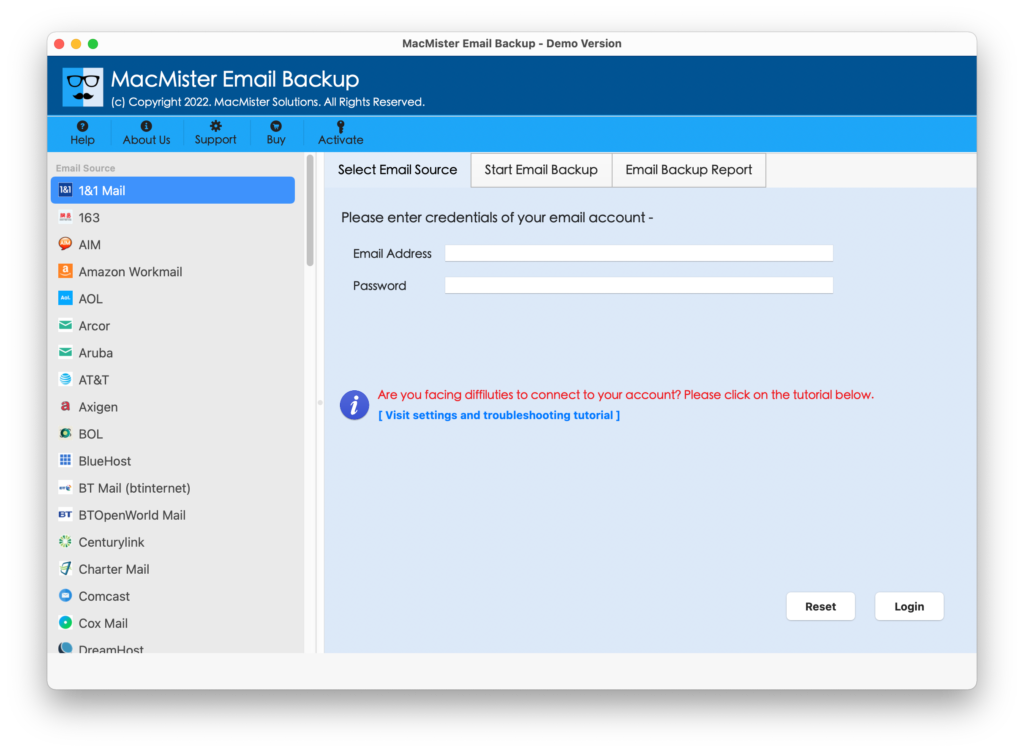
Step 2. Choose the DreamHost option from the left. Enter the credentials accordingly and click on the Login button.
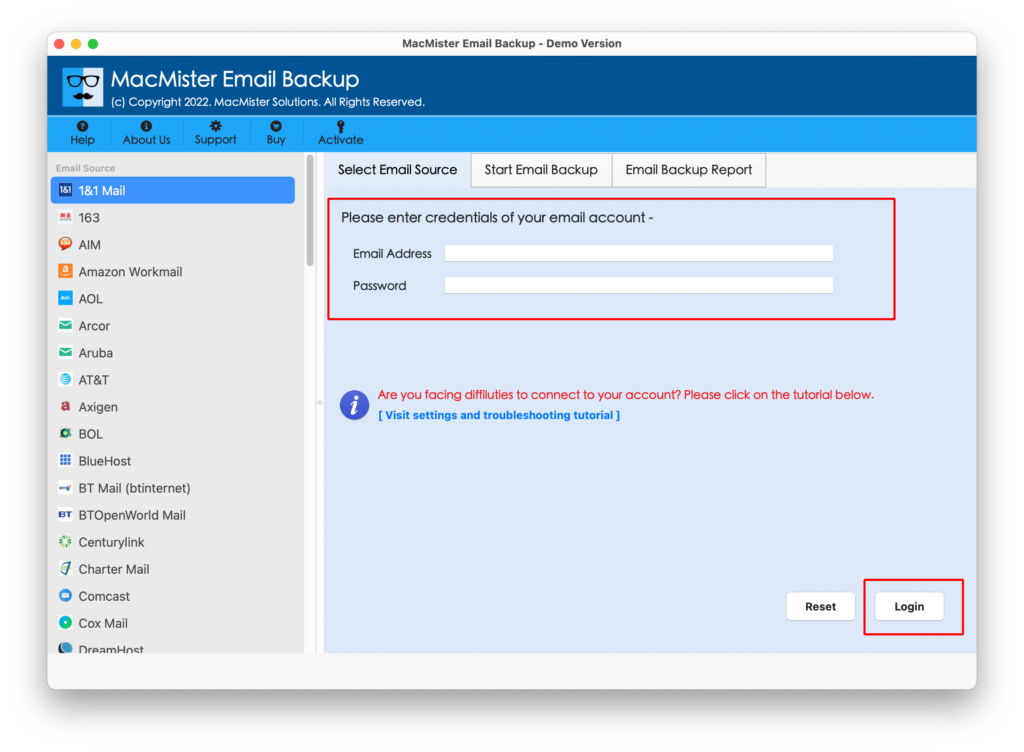
Step 3. The DreamHost account will connect with the app and its associated mailboxes will start to list on the software.
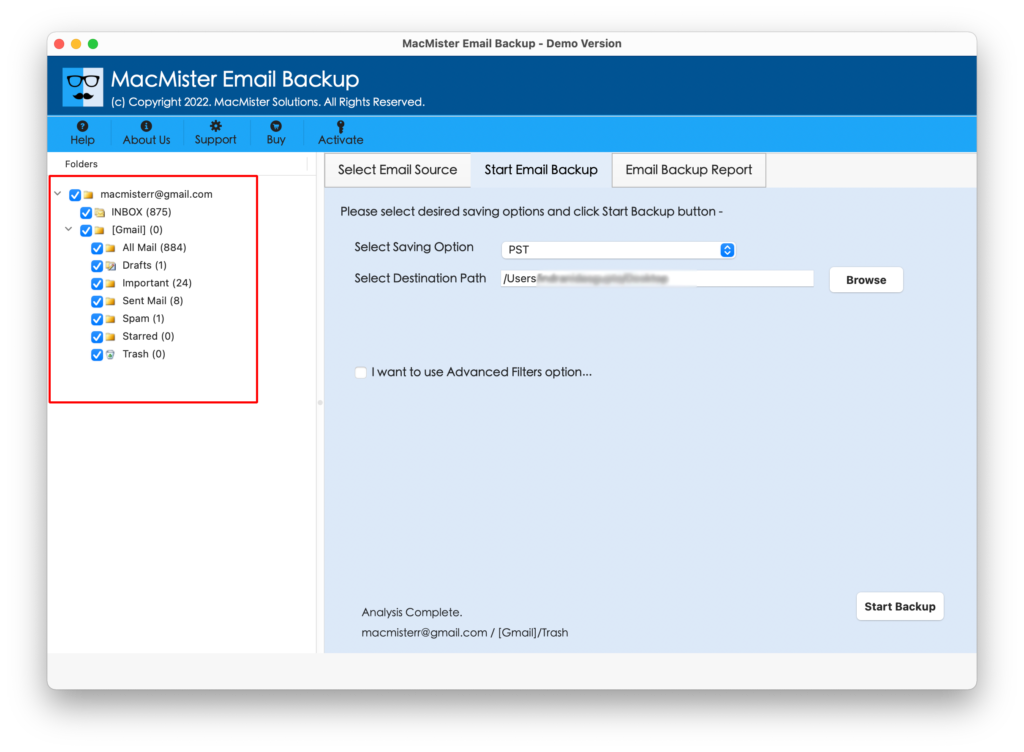
Step 4. Click Select Saving Options and select Office 365 from the list.
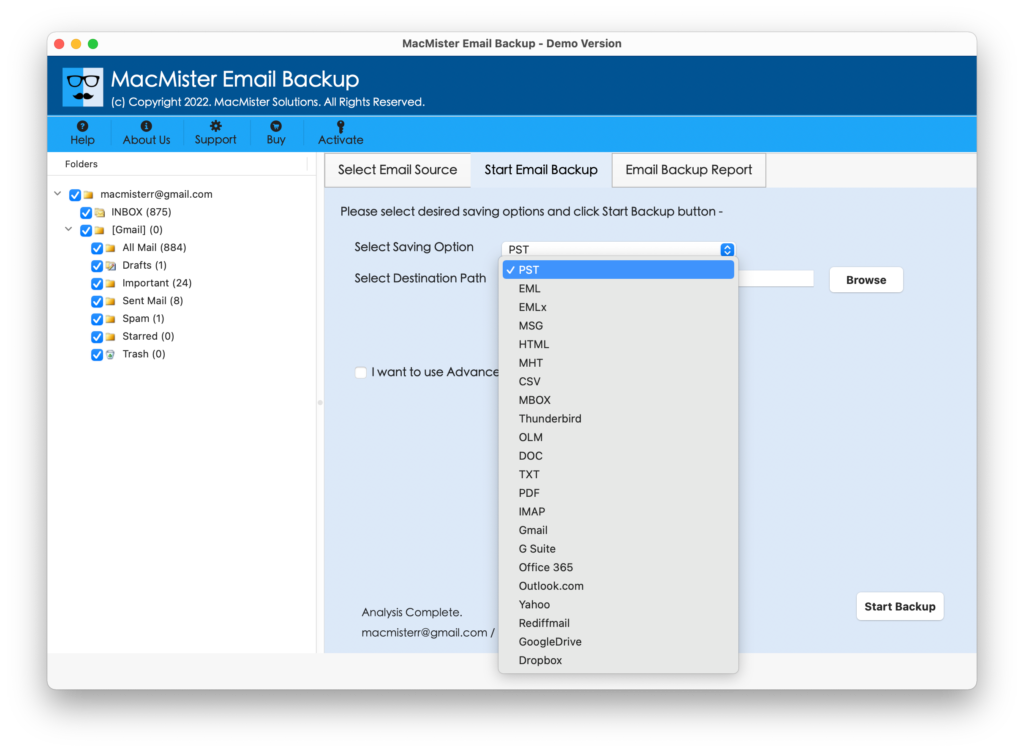
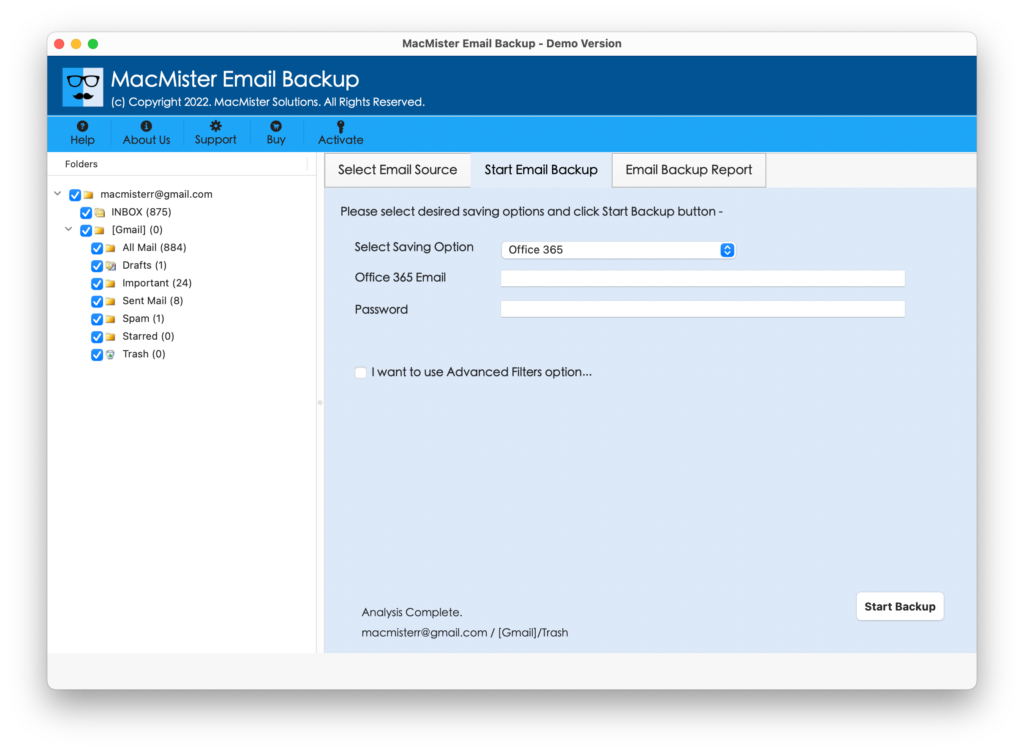
Step 5. Enter Office 365 account details in which you want to migrate DreamHost to Office 365. You can also use Filters if you want to migrate specific emails from DreamHost to Microsoft. Last, hit the Start Backup button.
Step 6. The process will start and the ongoing status will appear on Email Backup Report window.
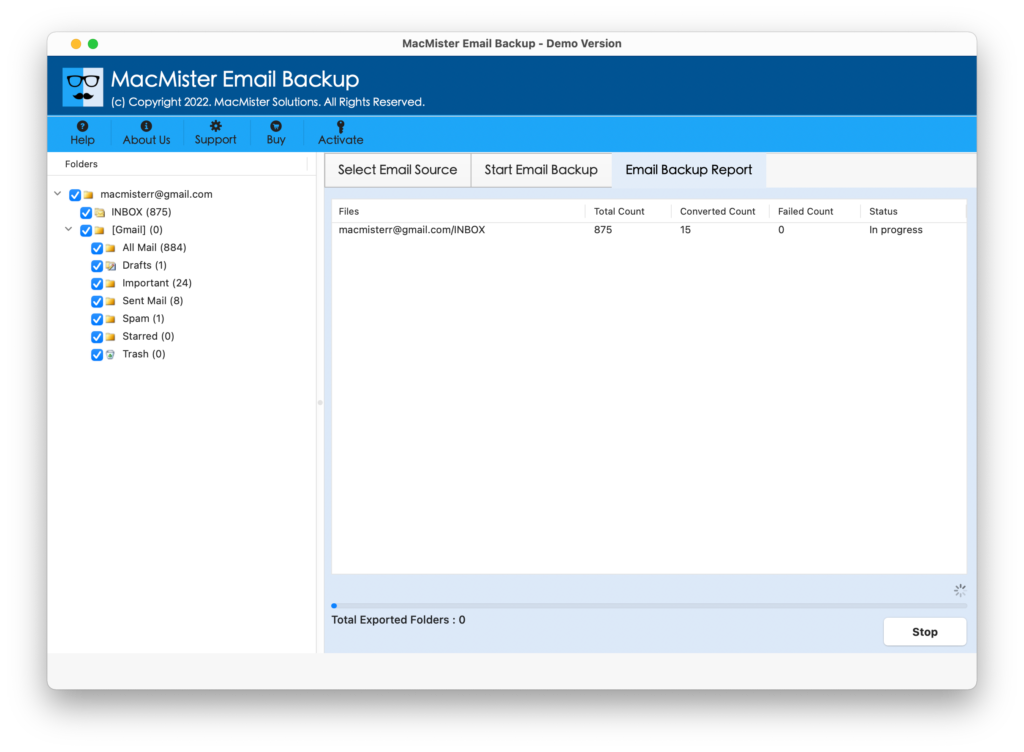
The entire task will take a few minutes and complete the process by displaying the “Process Completed” message on the screen. Click OK and go to Office 365 profile to check the results. However, you will see that the migrated data is accurate and appears without a single change.
Why MacMister DreamHost to Office 365 is a Preferable Solution?
There are plenty of reasons for choosing the solution and some are:
Direct Migration from DreamHost to Microsoft 365
The software supports the direct migration of DreamHost emails to Office 365. To do this, first, choose DreamHost from the left and provide the credentials. Second, cross-check the DreamHost Account mailboxes, then go to Select Saving Options to select O365. Third, enter O365 details, apply its sub-options, and then click on Start Backup to start the direct process.
Utilize Filters to Migrate Specific DreamHost Mails
The application has a section of Filter’s through which one can migrate specific DreamHost emails to an Office 365 account. It has a date range, from, subject, to, and uses selective export settings for mail folders. Users can set the required filter as per their specific needs and migrate necessary emails from DreamHost webmail to Office 365.
Provides User-Friendly Interface & Simple Steps
The utility is programmed with a user-friendly interface and simple steps. Anyone can handle the software independently and perform the required task without encountering any trouble. No skilled professional support would be necessary to migrate DreamHost emails to Microsoft Outlook. Moreover, the simplified steps will take a few seconds & quickly complete the entire task.
Protects Users Account Privacy during Process
The software allows direct migration but it also makes sure that users’ account details remain preserved during the process. And so, one can rely completely on the tool without any fear. The account details of both webmails will not be saved which ensures safe and secure migration of DreamHost emails.
Migrate DreamHost to O365 on all Mac & Win OS
The tool has the ability to migrate DreamHost mailboxes to Office 365 on both Mac & Windows OS. Mac users can download the Mac version of the app and implement the migration on Mac Ventura, Monterey, Big Sur, etc. Windows users can download the Windows version and migrate DreamHost to O365 on Win 11, 10, 8.1, etc.
Quick Note. Download the FREE DEMO to find out more software features & options.
Epilogue
The complete blog has offered a procedure through which users can directly migrate DreamHost emails to Office 365 on Mac & Windows. The DreamHost Backup Tool for Mac is highly recommended to all those who want smooth, safe, and accurate migration. And, the best thing about the tool is that it is easily accessible by all types of users. However, the free demo of the tool is available with the help of which users can experience the entire working of the software. It allows the migration of the first 25 DreamHost emails to Office 365 with attachments free of cost. For any queries, you can drop a mail at MacMister Support.