How to Migrate Roundcube to Office 365 on Mac & Windows?
If you are moving to Office 365 account from Roundcube email service provider but not confident of the right process to pursue, thereby wondering how to migrate Roundcube to Office 365 precisely with emails and attachments? Searching for a secure and efficient method to complete the task successfully? If yes then no need to worry, simply read the following segment and you will discover an impeccable solution that will effectively migrate all emails from Roundcube to Office 365 at once. But at first, let us take a brief look at the reasons responsible behind the migration process.
Why Migrate Email to Office 365 from Roundcube?
Roundcube is a web-based multilingual IMAP email service with the support of application-like user interface. It delivers full functionality just like any other email client including folder manipulation, message searching, MIME support, spell checking, and message searching. It is free and open-source webmail platform that is easy-to-install and configure and runs on standard LAMPP server.
Office 365, on the other hand is an advance cloud version of desktop MS Office Suite. A user can opt necessary subscription and manage multiple/unlimited user account database of an organization. One can view, edit and read the data stored in Office 365 environment from any place at anytime. Some of the main benefits of Office 365 application are listed below:
- Delivers variety of security options for account protection such as threat analysis, email encryption etc.
- Includes applications such as Word, PowerPoint, OneNote, Excel, and more to manage data online.
- Offer services such as OWA, Online Portals, Email and Integrated Messaging, Web Apps, Web Conferencing and more.
- Also supports OneDrive with 1 TB of storage capacity.
- No extra cost needed for updating software to latest version.
- Automatic data backup will prevent users from unexpected occurrence of disastrous situation.
- Provide multiple services for technical support like Live Chat, Email, Telephonic and more.
Therefore, these days many individuals and organizations prefer Office 365 services over Roundcube email service because its productivity tools are easing the work for users, helping them to do their jobs more effectively in their sector.
How to Migrate Roundcube to Office 365 on Mac & Windows?
The direct and cost-effective way to migrate Roundcube to Office 365 is MacMister Roundcube Email Backup Software for Mac & Windows. The application is built with a simplified environment and intuitive interface so that any user can utilize it effortlessly and perform the migration of Roundcube emails with ease. Even, it includes three-step process that will save users time, allowing them to migrate Roundcube emails to Office 365 with attachments in few seconds.
Moreover, the software contains many features with the help of users can migrate all emails from Roundcube to Microsoft 365 according to their requirements. However, the tool also possesses freeware version so that users can easily understand the entire working of the application for free.
Working Steps to Migrate Roundcube to Office 365 on Mac
Step 1. Download and run MacMister Roundcube to Office 365 Migration Tool for Mac on Mac OS.
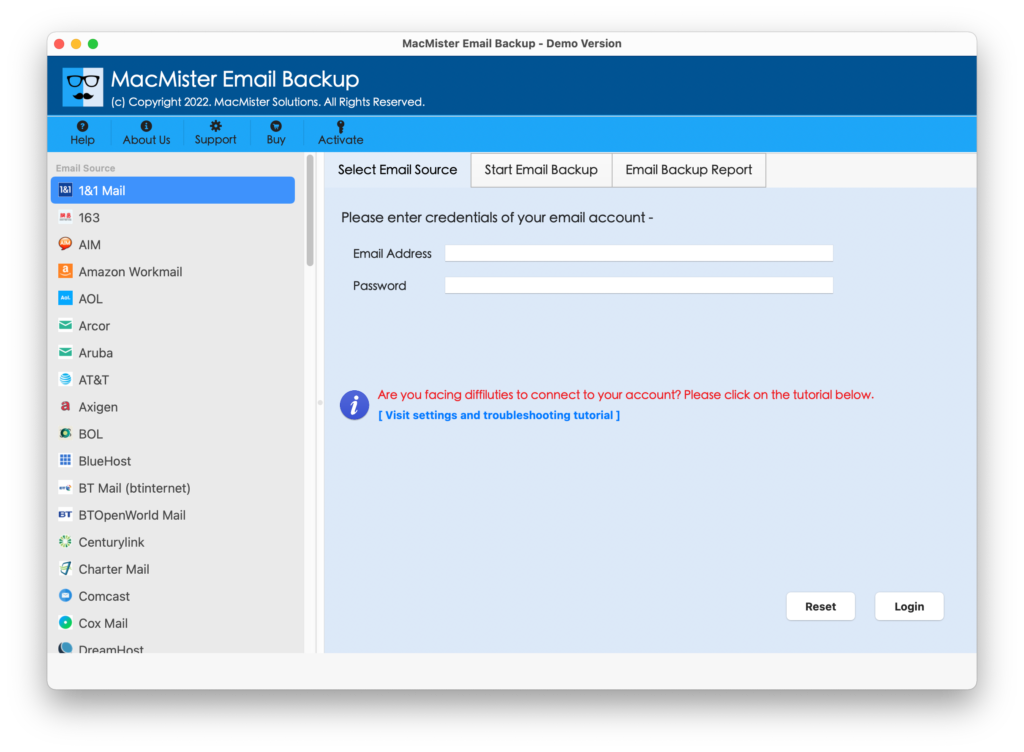
Step 2. Select Roundcube option from the left. Enter Roundcube details. And, click Login button.
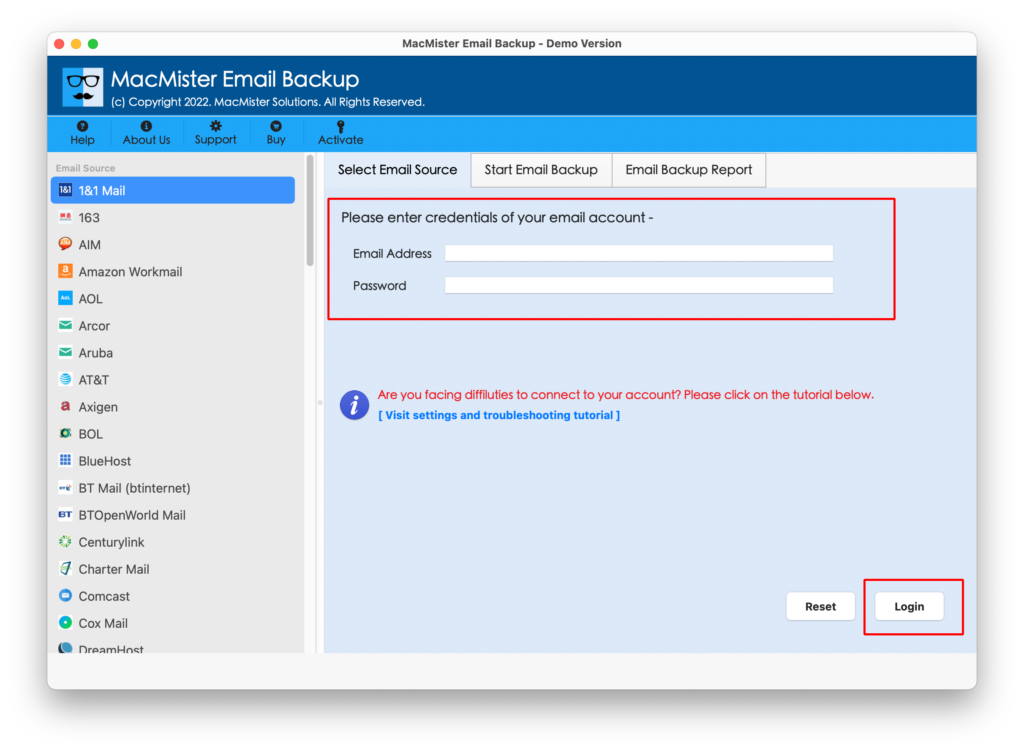
Step 3. The tool will authorize Roundcube account and list all its mailboxes one-by-one on the left pane.
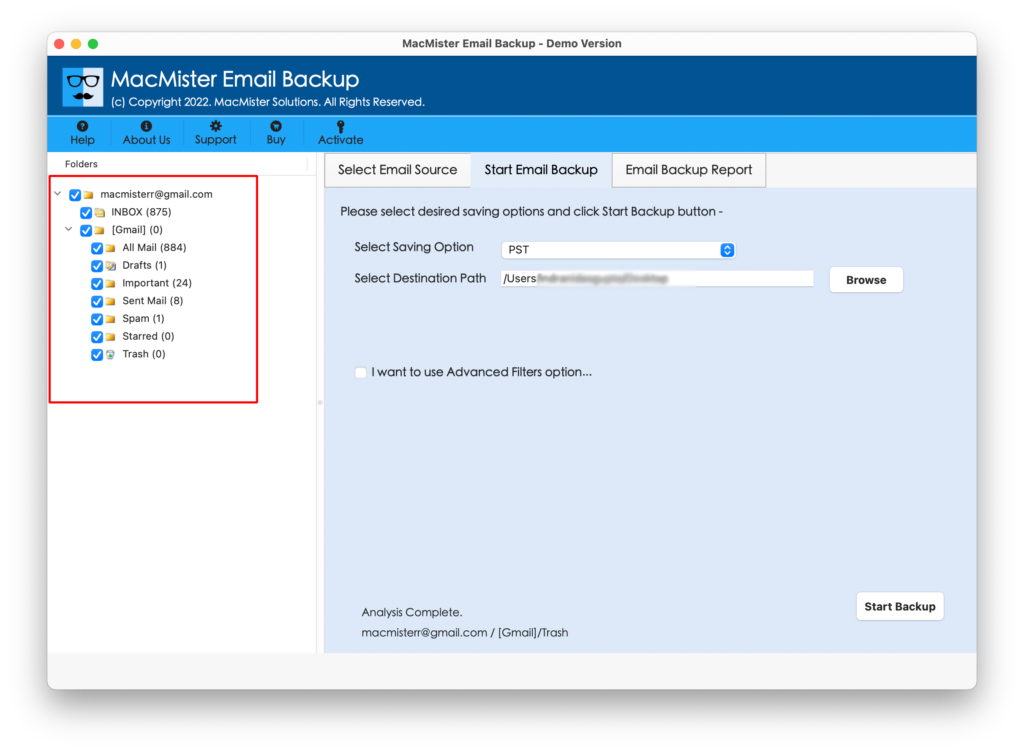
Step 4. Move toward right-side of the application, click on the Select Saving Options, and select Office 365 option from the menu.
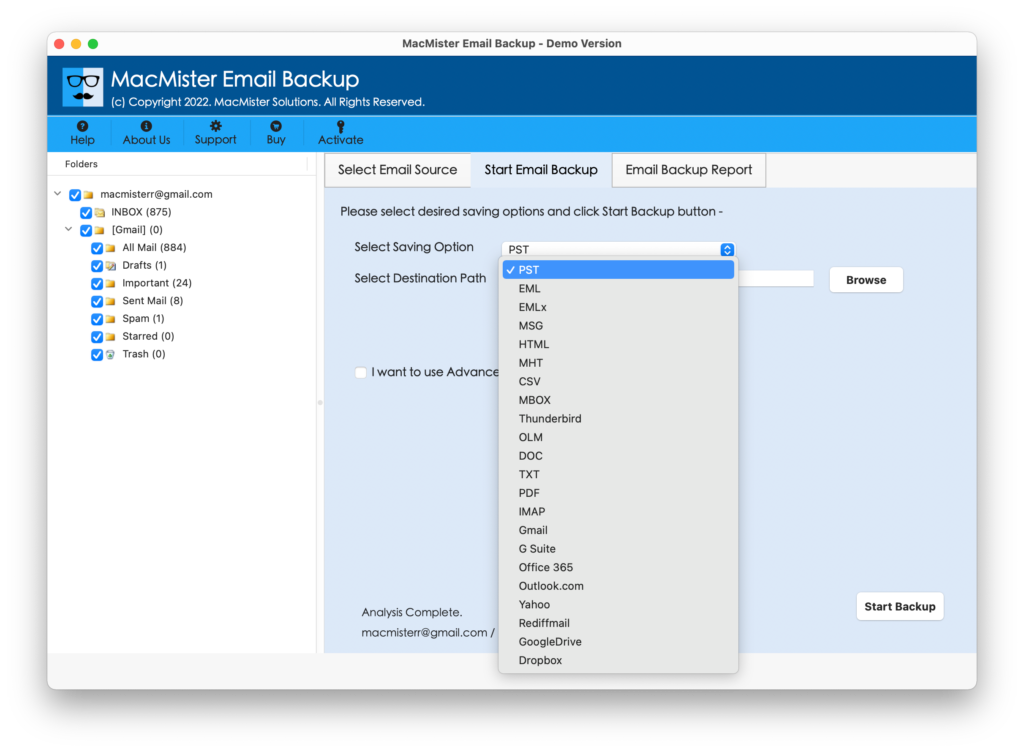
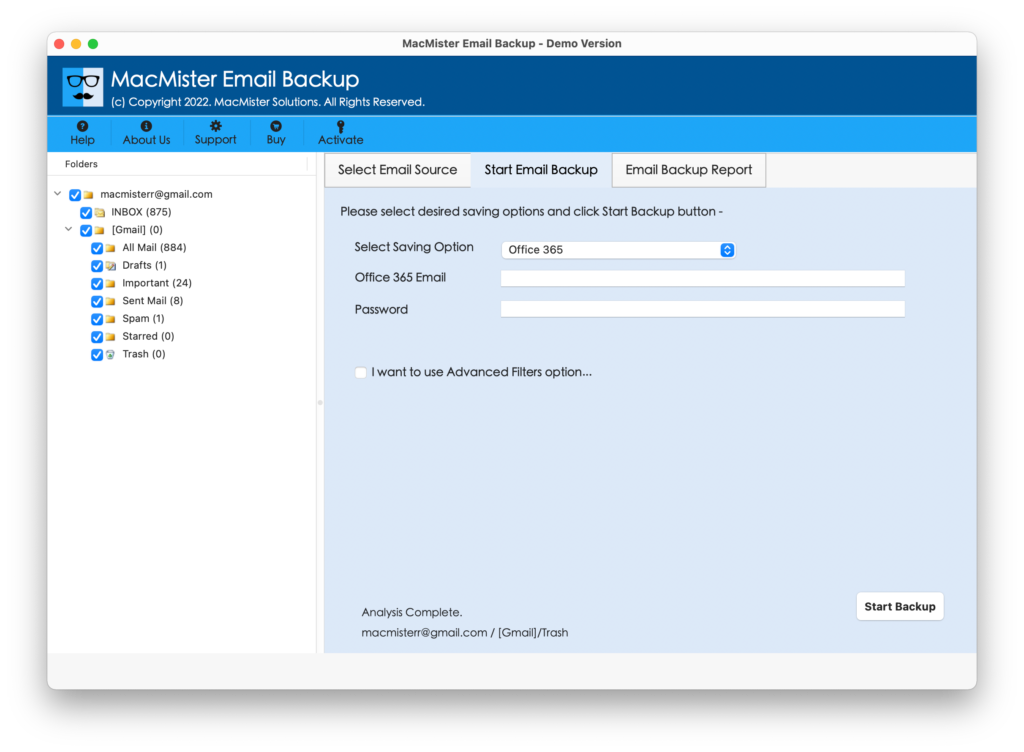
Step 5. Specify Office 365 credentials and simultaneously set Filters as per requirements if users’ wants to migrate selected Roundcube email messages to Office 365 account. Last, click Export button.
Step 6. The application will show Email Backup Report that displays the ongoing migration details of Roundcube emails and attachments.
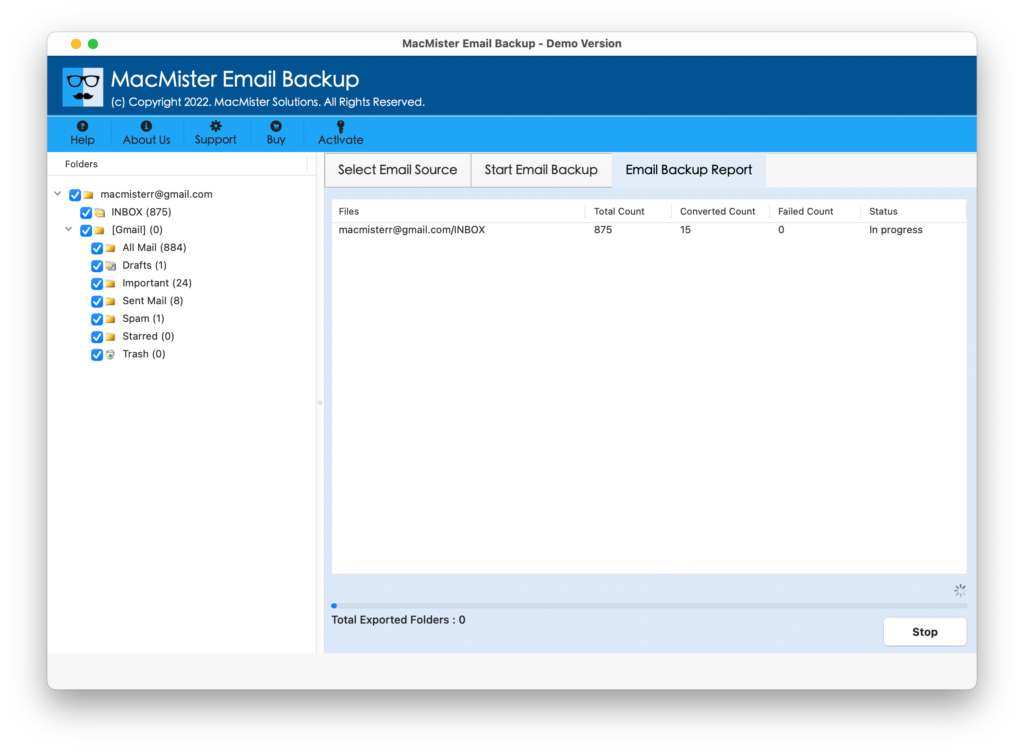
The complete task will finish in few seconds with a message confirming that the migration is completed successfully. After this, tap OK button and login to Office 365 account to check migrated files. Users can open the required email to see if the content or layout is correctly appearing or not.
Why to choose MacMister Roundcube to Office 365 Tool?
MacMister Roundcube to Office 365 is a unique and recommended solution for migrating Roundcube emails to Office 365 account. the application not only move files from one email account to another but also ensures their safety and preciseness throughout process. So, here we have discussed some of its benefits that users can go through and examine software in brief.
- Directly migrate Roundcube emails to Office 365 with attachments in few seconds.
- Provides a separate section of Filters that include options such as date range, subject, to, from, and more. Users can apply them as per their requirements and migrate specific Roundcube emails to Office 365 easily.
- Also supports 15+ more saving options other than Office 365 such as PST, PDF, MSG, EMLx, MHT, HTML, DOC, Gmail, G Suite, IMAP, Thunderbird, Yahoo, and more.
- Maintains the originality of emails and metadata properties throughout process.
- Includes user-friendly and simple interface so that any user can utilize the app and perform the migration effortlessly.
- Capable to migrate entire Roundcube INBOX folder to Office 365 at once.
- Displays Email Backup Report that helps in tracking the ongoing process of Roundcube emails.
- Comes in both Mac & Windows OS versions, supporting their entire range of editions.
Epilogue
The entire post has discussed a powerful method to migrate Roundcube to Office 365 with emails and attachments on Mac & Windows. The solution is 100% safe and simple to use. It has the ability to batch migrate Roundcube emails to Office 365 with attachments in single go with accurate outcome. The application also delivers countless features that are useful in obtaining the necessary results in a short span of time.
Moreover, there is a trial edition available so that users can explore the software process for free and also migrate first 25 Roundcube emails to Office 365 free of cost.
Quick Note. Try MacMister IMAP Backup Tool for Mac to migrate IMAP-supported webmail services into 15+ saving options. It offers PST, PDF, OLM, MSG, EML, MBOX, Thunderbird, Gmail, G Suite, Office 365, Yahoo, and more. Download free demo and backup first 25 IMAP emails and attachments for free.