How do I Import Emails from Yandex to Gmail on Mac & Windows?

Are you moving to Gmail from Yandex account? Wanting to import emails from Yandex to Gmail on Mac safely? If yes, then continue reading the entire section because in the following article, MacMister has discussed a technique that will securely import all emails from Yandex to Gmail with attachments without data alteration.
Yandex Mail is a free Russian email communication service which was developed by Yandex itself. The launching date was June 26, 2000. It is one of the three largest email services in Runet after Gmail and Mail.ru. Many organizations and individual utilize its services due to the options that safeguard their private data. The webmail service make use of automatic spam filtering as well as check for viruses through antivirus software offered by Dr.Web and email translator. However, there is no doubt that Yandex is not an amazing webmail source but it has some drawbacks due to which most of the users need to move their accounts to Gmail such as:
- Large amount of content distracts the attention of a user.
- Show mismatched results.
- It does not share criticism.
- Web page is not properly set.
Why to Import Emails from Yandex to Gmail?
Gmail is one of the most used webmail source these days. Every year it gets updated with more powerful options and features that are quite useful for both professional and personal use. Undoubtedly, Yandex is a wonderful emailing platform but Gmail is 10k better. It contains many advanced options and beneficial features that enhanced the workflow of organization. Some of the main benefits of choosing Gmail over Yandex are:
- Offers 25GB of storage space that is plenty for an organization to manage large amount of data.
- Gmail is a cloud-based webmail and so user’s data is managed on cloud. So, one can access the necessary files anytime from any device and any location.
- Includes many advanced productivity apps such as Google Drive, Google Hangout, Google Meet, Google Spreadsheet and more.
- Provide feature that allow users to instantly and effectively organize emails as per subject matter and importance.
- Data is transferred through secure SSL encrypted connection. Moreover, there are multiple account protection features which are useful in apply strict security to Gmail profile.
How to Import Emails from Yandex to Gmail on Mac and Windows?
MacMister Yandex Email Backup Software Mac and Windows is a direct, cost-effective, and secure utility. It allow users to safely import Yandex emails to Gmail with attachments on macOS and Windows. The software has a friendly GUI and simple operational steps that technical and novice users can easily utilize and operate to import Yandex emails to Gmail account. The steps are non-typical as well. Anyone will be able to operate them without struggle and import Yandex emails to Gmail effortlessly.
Moreover, the utility is equipped with advanced features that help users to import Yandex emails and attachments to Gmail as per requirements. However, you can download the free demo of the software and experience the process to import Yandex emails to Gmail for free.
Working Steps to Import Emails from Yandex to Gmail
Step 1. Download and open Yandex Backup Tool on Mac.
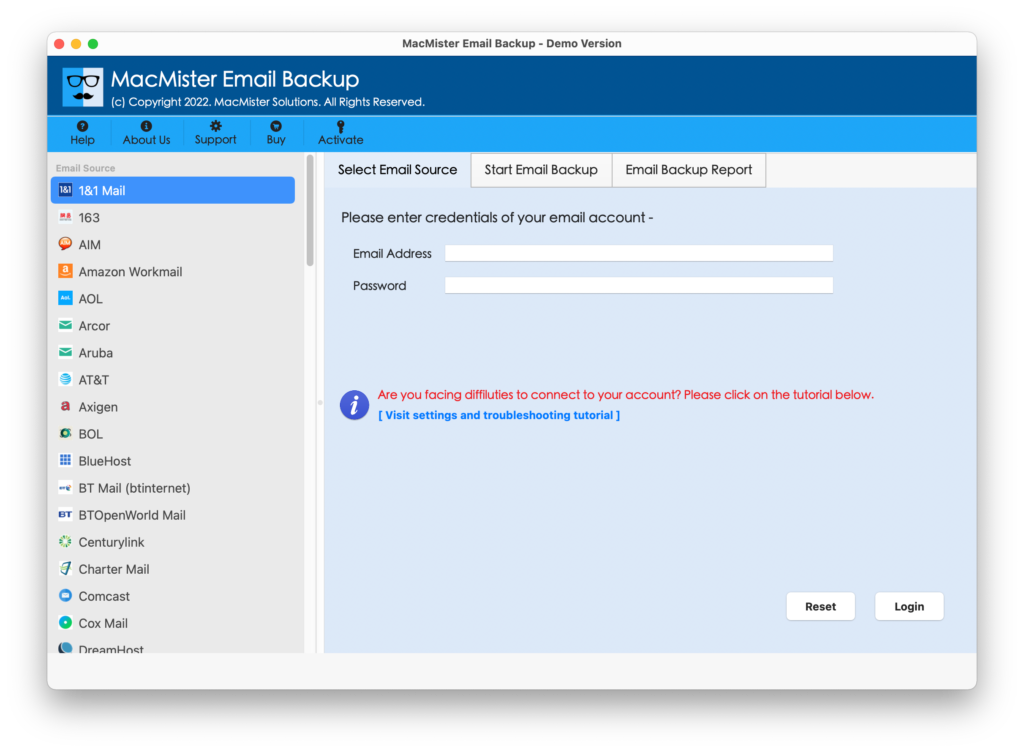
Step 2. Select Yandex option from the left and enter Yandex credentials. Click Login.
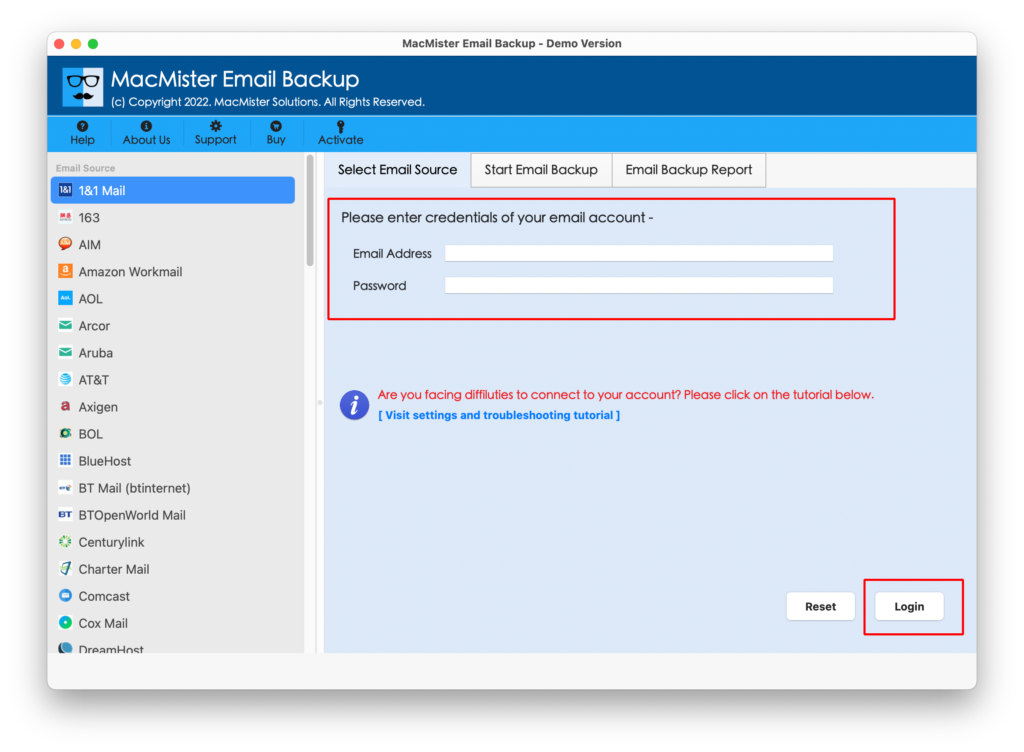
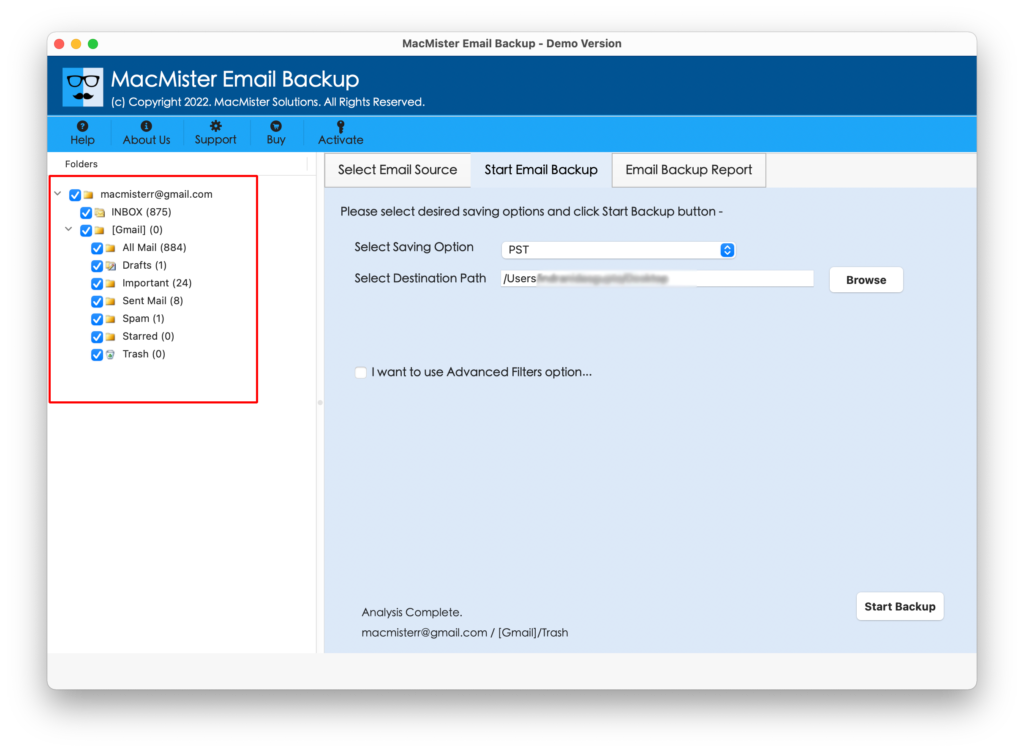
Step 3. The Yandex account will connect with the tool and the Yandex mailboxes will appear on the software.
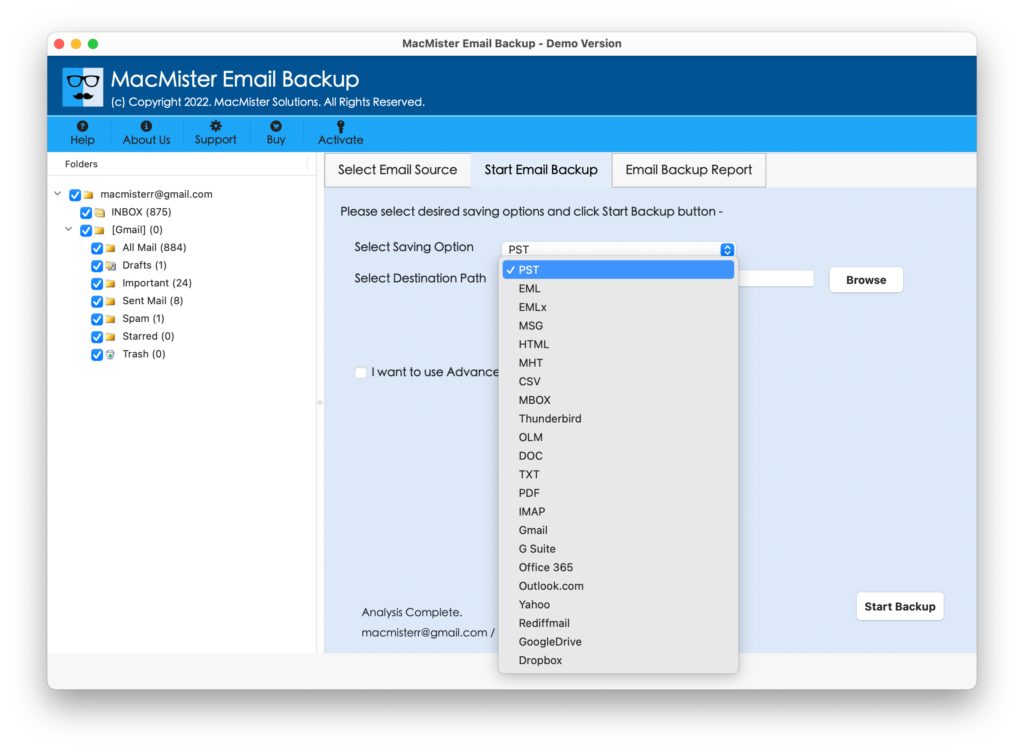
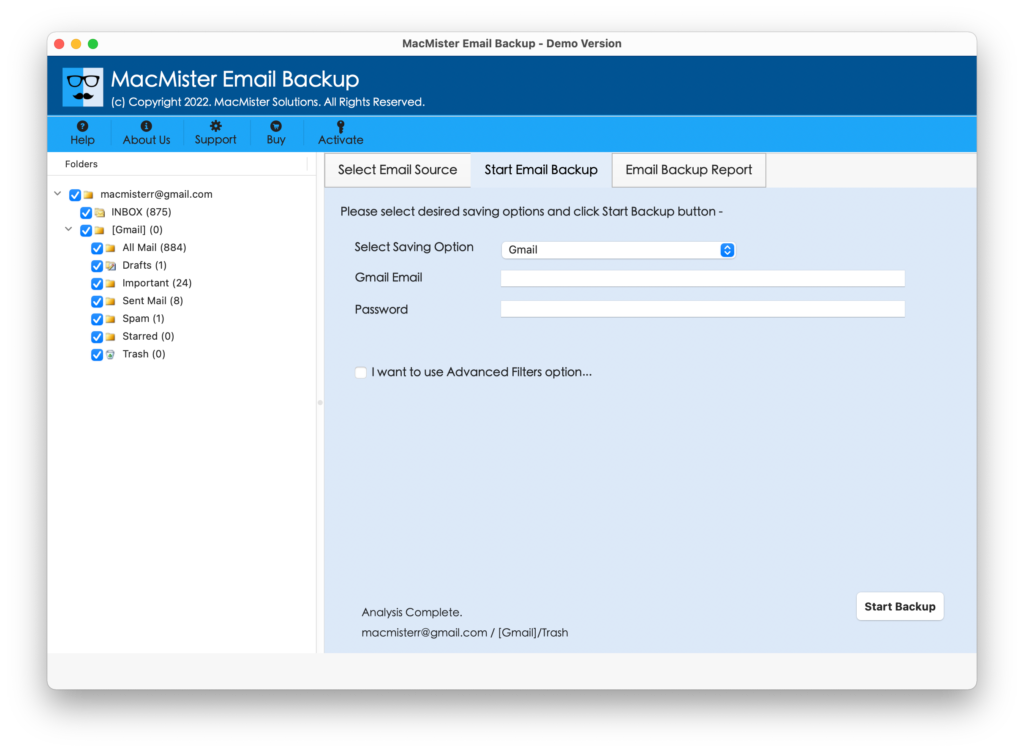
Step 4. Go to Select Saving Options and select Gmail option from the same.
Step 5. Enter Gmail email address and app password. However, you can use the Filters option if you want to import selective Yandex emails to Gmail. Last, click on Start Backup button.
Step 6. Now, check the live import process of Yandex to Gmail that is appearing on the Email Backup Report screen as shown below-
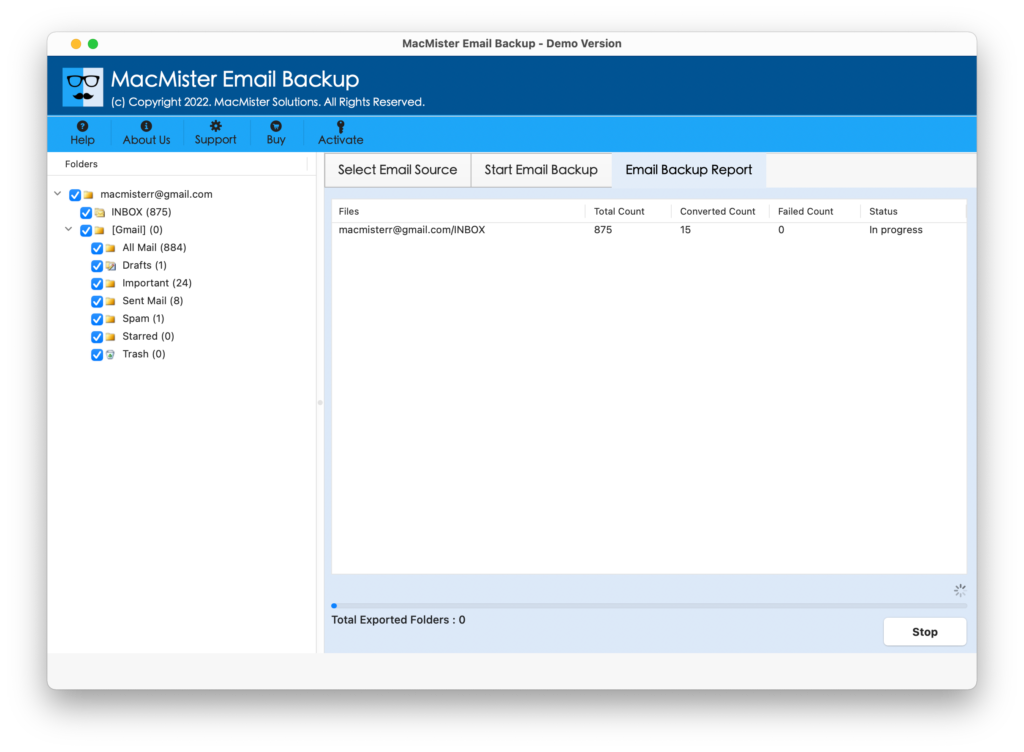
The entire process will finish in a few seconds and then users will receive a “Process Completed Successfully” message on the screen. Click OK and go to your Gmail account to check the resultant files. However, you will see that the imported files are accurate and unaltered.
Why to Choose Yandex to Gmail for Mac and Windows?
There are numerous reasons for choosing Yandex to Gmail for Mac and Windows and some of them are:
Direct Yandex Email to Gmail is Possible
The tool has a direct facility of importing Yandex email to Gmail on Mac and Windows. Just provide the credentials of Yandex and Gmail and the app will then import all emails from Yandex to Google Mail without data loss.
Offer Multiple Filters for Selective Process
The application is equipped with the Filters property that allows users to import necessary Yandex emails to Gmail with attachments. The section includes date range, to, from, subject, etc. Applying them as per requirements will give the desired outcome.
Easy GUI and Simplified Procedural Steps
The utility has a user-friendly interface and simplified procedural steps that any user can operate effortlessly to import Yandex emails to Gmail. Users do not require the support of skilled professionals to accomplish the desired task.
Import Yandex to Gmail on all Mac OS
The software has the ability to import all emails from Yandex to Gmail on all versions of Mac OS. With the help of the tool, users will be able to transfer Yandex emails and attachments to Mac OS Ventura, Monterey, Big Sur, etc.
Includes Email Backup Report Screen
The application will show the Email Backup Report screen after the user clicks on the Start Backup button to start the import process. The window will show the current migration status of Yandex email to Gmail through which users can track the ongoing backup status of Yandex emails.
Note. Get a FREE DEMO and know more software features for FREE.
Epilogue
The above write-up has mentioned an amazing and incomparable solution to import Yandex email to Gmail on Mac and Windows. The Yandex to Gmail Backup Tool for Mac and Windows is a 100% reliable and safe utility to use. You can check the process by downloading the free demo first. It will allow users to import the first 25 Yandex emails to Gmail with attachments free of cost.