Why can’t I download attachments from Outlook on Mac?
Outlook is one of the important email client apps of Mac OS. But at times Mac Outlook trigger unnecessary error due to why email communication get affected. These days, Outlook for Mac users frequently facing several issues such as unable to download attachments from Outlook Mac and constantly thinking why can’t I download attachments from Outlook on Mac. So, here we will go through some solutions that could help fixing the error ASAP!
Top Methods to resolve why can’t I download attachments from Outlook on Mac
Outlook is one of the widely used email applications among all MS Office programs. Moreover, it is available for Mac & Windows OS both but it uses different saving file types for saving users database. As everyone is aware that the main work of such email programs is sending/receiving of emails, so if Mac Outlook user unable to download attached files, then it becomes a sensitive issue that will be difficult to ignore. Therefore, in the further segment we will discuss a manual process that let users understand how to troubleshoot Mac Outlook unable download attachments error.
Quick Tip – Download MacMister PST Converter for Mac to download database from Windows PST file on Mac OS. It has the ability to save PST database into 15+ saving options such as PDF, OLM, EML, HTML, IMAP, Gmail, O365, and more saving options.
Different Reasons of Encountering Outlook Mac Not Downloading Attachment Error
If users are facing challenges while downloading attachments in Mac Outlook, then there are certain reasons behind the same. The problem is usually encountered by end users after they upgrade the version in Outlook Mac. There are compatibility issues that sometimes may result in such errors. The main problem is with the Outlook Mac and not the file format. Thereby, one can fix why can’t I download attachments from Outlook on Mac using manual tips discussed in the next segment.
Direct Way to Fix Why can’t I Download Attachments from Outlook Mac
At times users have urgent requirement of email attachments but frequently facing an error, unable to download attached files in Mac Outlook. Also, they do not have a lot of time in urgency to manual procedures. So, in such a situation users can take help of automated solution to download attachments from Mac Outlook. By utilizing MacMister OLM Converter for Mac application, users can download attached files with emails into multiple saving options. By utilizing the app, one can preserve Outlook for Mac database to PST, PDF, MSG, EML, HTML, DOC, IMAP, Yahoo, Gmail, Office 365, and more.
Moreover, the tool is programmed with exceptional features that allow users to implement the process according to their requirements. And in order to explore the same, it also provides freeware version that enable users to save first 25 data files from Outlook Mac free of cost.
Working Steps of the Tool to Save Mac Outlook Data Files on Mac OS
Step 1. Download and run the application on a Mac OS.
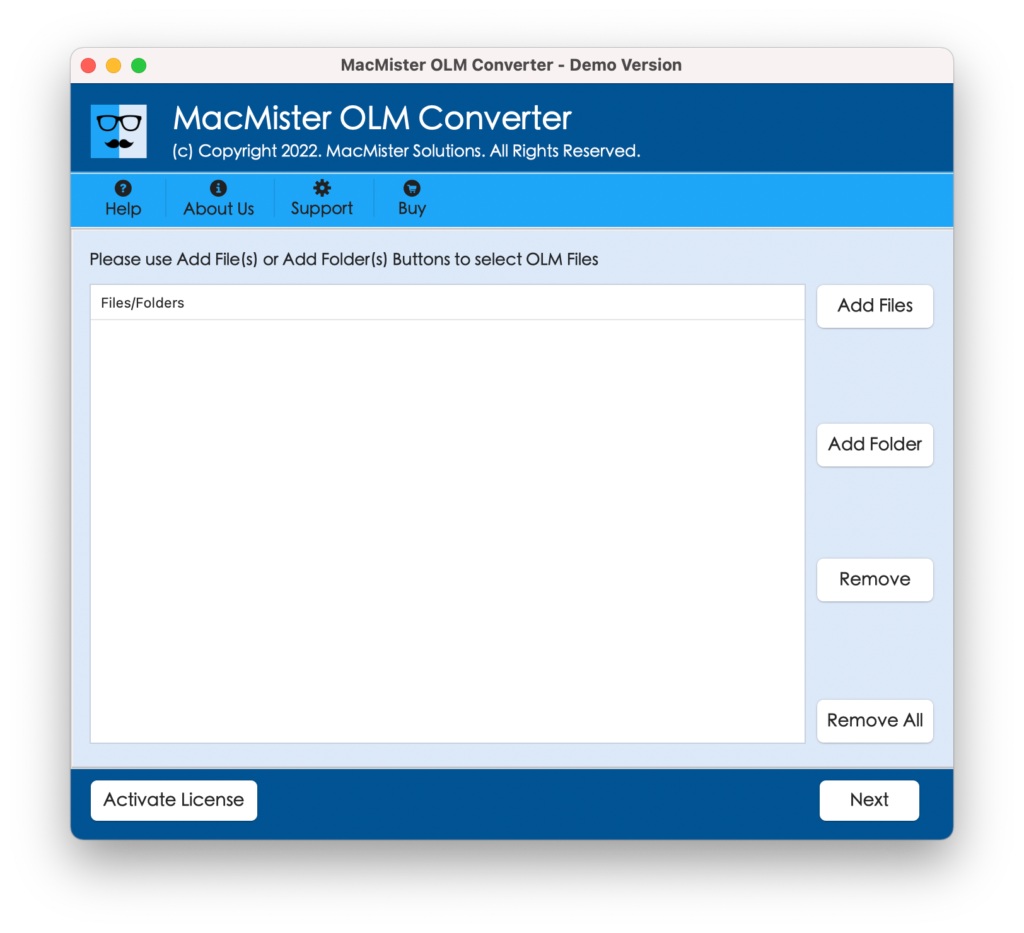
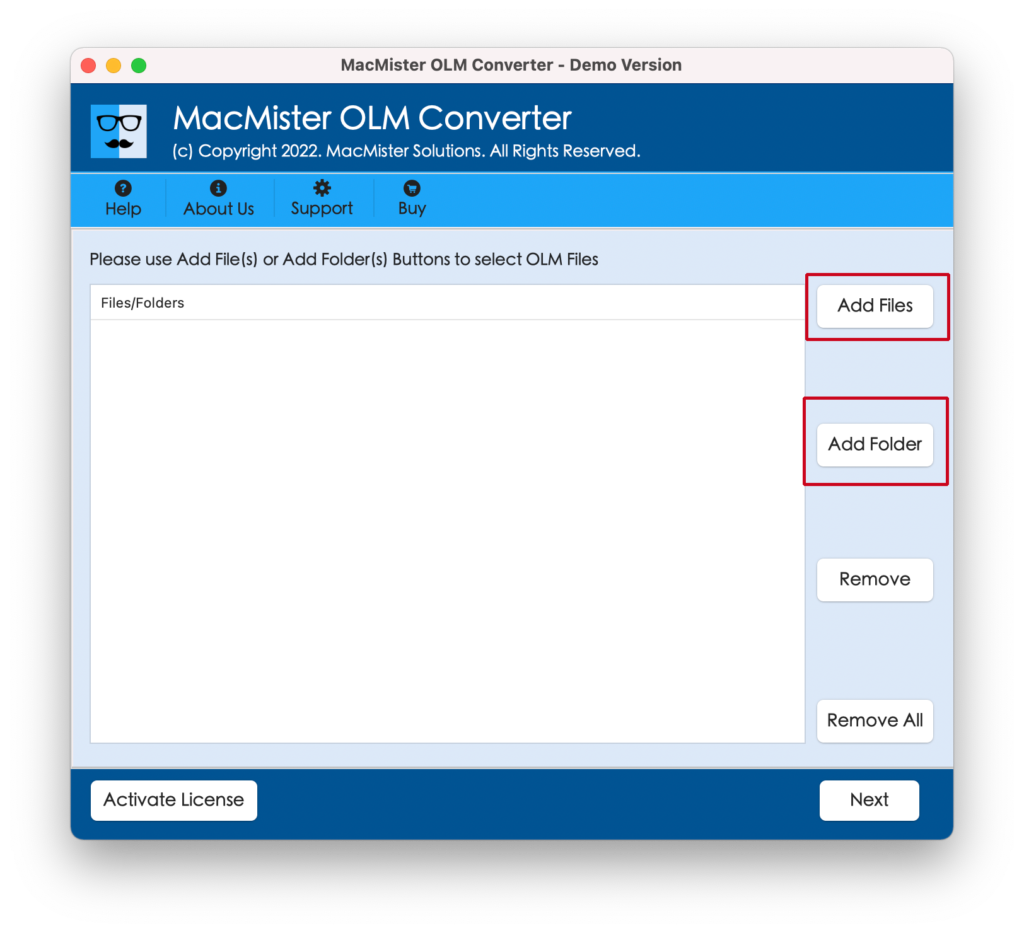
Step 2. Utilize dual buttons i.e. Add File(s)/Add Folder to load Mac Outlook data files on the application panel and click Next button.
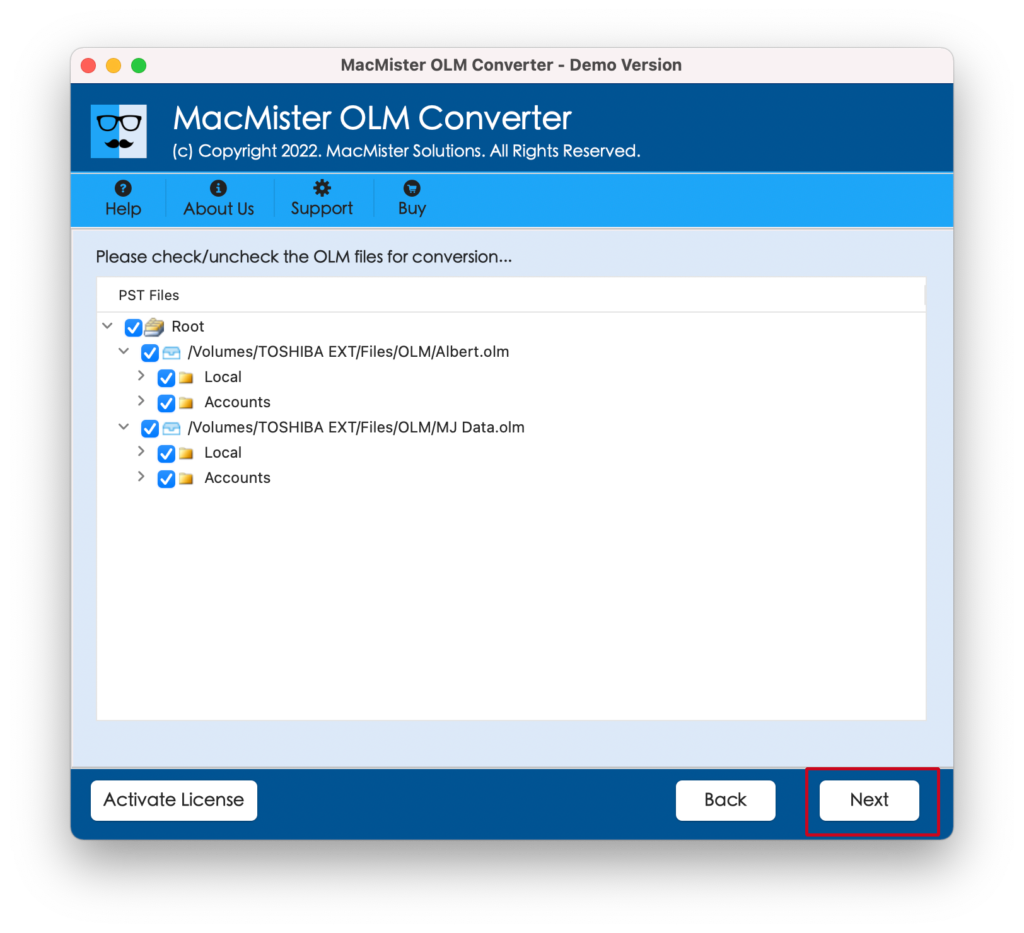
Step 3. Check the files listed. Use the checkboxes to execute selective process, if needed. Otherwise, proceed further by tapping Next.
Step 4. From Select Saving Options, pick the suitable saving type.
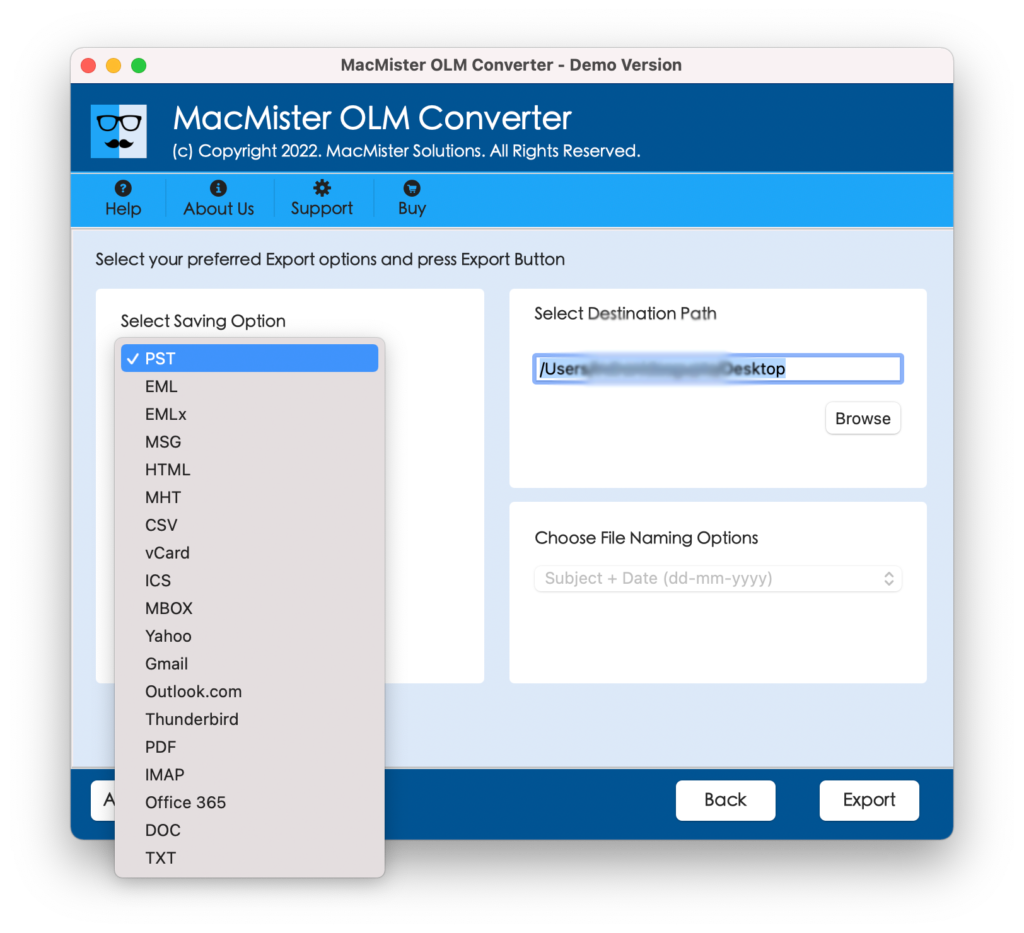
Step 5. Set sub-options according to the requirements and click Export button.
Step 6. A live report appears on the screen; check the live process of Outlook data files.
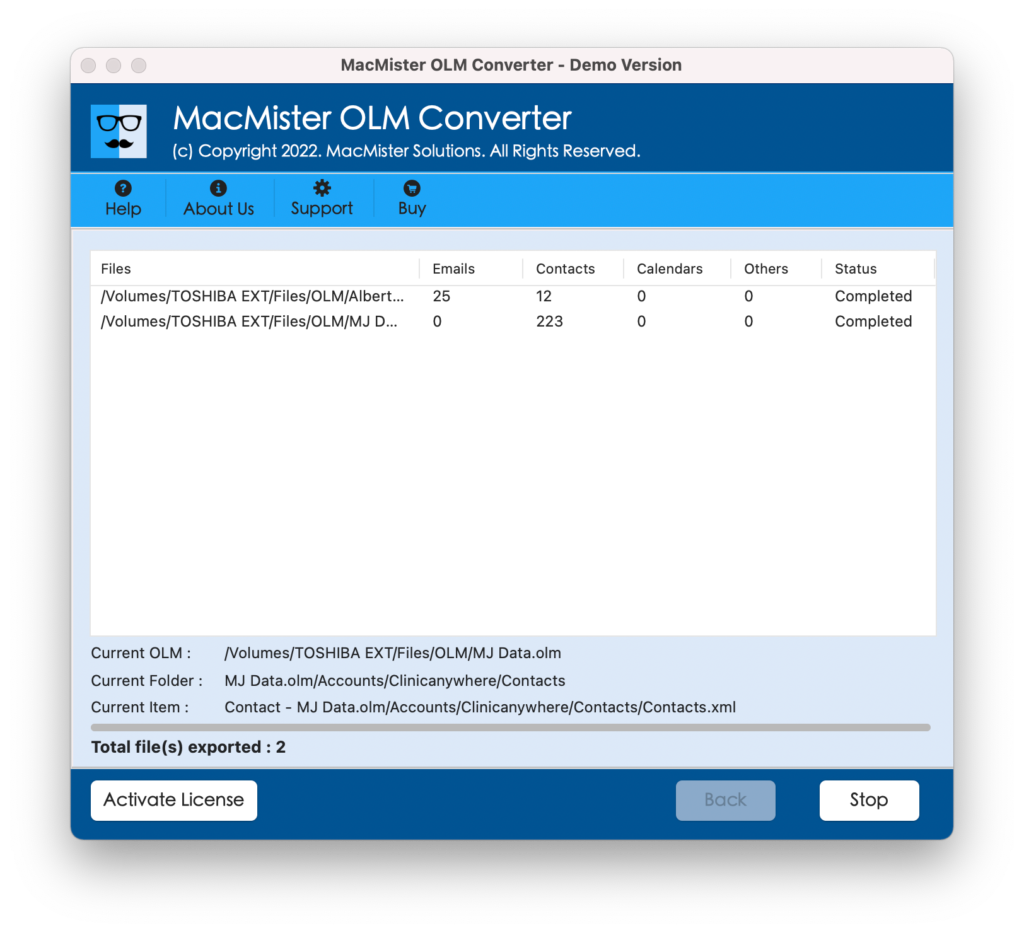
Within fraction of seconds, the task will finish and then a message will appear on the screen. Tap OK to close the dialogue box.
Benefits of using Direct Method
- The tool is completely safe and highly secure.
- Built with a friendly GUI that is easily accessible by professional and novice users.
- Protects the data integrity of Outlook Mac database throughout process.
- Multiple saving options are available such as PST, PDF, EML, CSV, HTML, DOC, IMAP, Yahoo, Gmail, Office 365, and more.
- Able to implement the bulk process at once with 100% accuracy.
- Displays live report to track the live conversion status of data files.
- Auto generates log report after conversion process for future use.
- Available for Windows and Mac OS both.
Top Three Manual Tricks to Download Attachments from Outlook on Mac
Besides direct approach, there are other manual tricks to download attachments from Outlook Mac. In the segment, we will go through top three techniques to resolve why can’t I download attachments from Outlook on Mac.
Method 1. Check for Updates
At first, try to check for updates, if available. Now, to implement the same, follow the below steps –
- Run Mac Outlook 2016 on a local system.
- Afterwards, navigate towards Help.
- Select Check for Updates option.
Simply go through the above steps in AutoUpdate app and try to resolve the error.
Method 2. Download Attached Files via Microsoft 365 Account
In case Outlook account is synced with Office 365 profile, then it will be very easier to view and download attachments. Also, it is one of the efficient way to save attachments from Mac Outlook in case of emergency. If it doesn’t work, then opt for the next approach.
Method 3. Empty or Erase the Cache
There could be a possibility that there is some synchronization issue in Microsoft Outlook and attachment getting trapped in a in the middle. Therefore, to resolve the error, follow the step-by-step instructions discussed below –
- Initially, go through the navigation pane and right-click on the account.
- In the next steps, go to Properties option.
- Afterwards, tap Empty Cache option.
- Right-click on a specific folder containing email attachments that are failed to download.
- Lastly, tap Synchronize New Option.
However, all the above-discussed manual tricks are useful to troubleshoot Outlook Mac download attachments error. You may go through all of them and choose the method that looks more suitable to overcome the error.
Epilogue
In the write-up we have provided different methods to fix why can’t I download attachments from Outlook on Mac! Also we have highlighted some reasons responsible behind getting the same error repeatedly. So, follow the process as discussed and instantly download attachments from Outlook Mac without losing data originality.