Why Are My EML Files Not Opening in Yahoo Mail? Proven Fixes
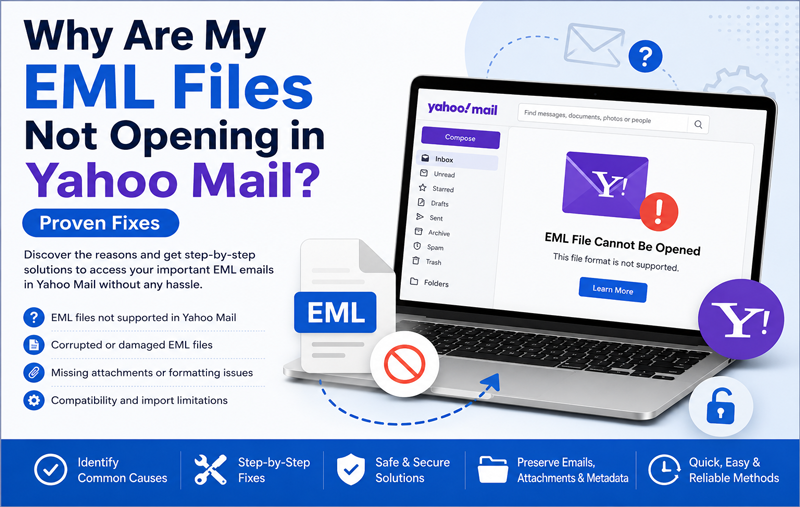
Have you tried opening your saved EML files in Yahoo Mail, only to discover that nothing happens? You’re not alone. Many users archive important emails in the EML format and later expect to access them through Yahoo Mail. Unfortunately, Yahoo Mail doesn’t natively support opening or importing standalone EML files, which often leaves users confused.
Whether you are switching from another email client, restoring archived emails, or trying to access old messages, this limitation can become frustrating. You may encounter blank emails, missing attachments, unsupported file errors, or simply no option to upload EML files into your Yahoo mailbox.
The good news is that there are several ways to identify the cause of the problem and resolve it. In this guide, we will explain why EML files don’t open in Yahoo Mail, explore the most common reasons behind the issue, and discuss practical solutions to access your archived emails without losing valuable data.
Having Trouble Opening EML Files in Yahoo Mail?
If your EML files won’t open in Yahoo Mail or you’re looking for a reliable way to access archived emails, the MacMister EML to Yahoo Mail for Mac Tool can simplify the process. It allows you to import EML files into Yahoo Mail while preserving email formatting, attachments, folder hierarchy, and metadata. Whether you’re migrating a few emails or an entire mailbox, the software offers a fast, secure, and hassle-free solution.
👉 Try the MacMister EML Converter for Mac and access your EML emails in Yahoo Mail without data loss or compatibility issues.
 |  |
What Is an EML File?
An EML file is a standard email file format used to store individual email messages. It contains the complete email, including –
- Sender and recipient information
- Subject line
- Email body
- Attachments
- Date and time
- Email headers
- Formatting information
- Popular email applications such as Windows Mail, Mozilla Thunderbird, Outlook Express, Apple Mail, and several other desktop email clients support EML files.
- Yahoo Mail, however, is a web-based email service and doesn’t provide a built-in option to open or import standalone EML files directly.
Why Won’t My EML Files Open in Yahoo Mail?
There isn’t just one reason behind this issue. Several technical and compatibility factors may prevent EML files from being accessed in Yahoo Mail. Below are the most common causes.
1. Yahoo Mail Doesn’t Support Direct EML Import
The primary reason is simple—Yahoo Mail was designed to manage emails stored on its own servers, not individual email files stored on your computer. Unlike desktop email clients, Yahoo Mail doesn’t include an Import EML option. As a result –
- Drag-and-drop doesn’t work.
- Uploading EML files isn’t supported.
- Double-clicking an EML file inside Yahoo Mail isn’t possible.
This is one of the biggest reasons users cannot open archived emails directly.
If you prefer another cloud email service, you can also import EML files to Gmail using a dedicated migration solution.
2. EML Files Are Associated with Desktop Email Clients
EML files are intended to be opened by applications such as –
Apple Mail, Thunderbird, Windows Mail, Outlook Express
Since Yahoo Mail runs inside a browser, it cannot interpret EML files in the same way these desktop applications do.
3. Corrupted EML Files
If the EML file becomes damaged during downloading, copying, or storage, Yahoo Mail won’t be able to display its contents even after conversion. Corrupted files may show symptoms such as –
- Blank email body
- Missing attachments
- Encoding errors
- Incomplete messages
4. Unsupported Attachments
Sometimes the email itself is intact, but one or more attachments are damaged or use an unsupported file type. This can prevent the email from displaying correctly after import or conversion.
5. Incorrect File Extension
Some files appear as .eml but are actually saved incorrectly. Examples include –
- Renamed TXT files
- Damaged exports
- Incomplete email downloads
These files cannot be interpreted as valid email messages.
6. Large EML File Size
Very large EML files containing multiple embedded attachments may exceed practical upload or processing limits. Large files often take longer to process and are more likely to fail during manual handling.
Signs That Your EML Files Cannot Be Opened Properly
You may notice one or more of these symptoms –
- Yahoo Mail doesn’t recognize the file.
- No upload option is available.
- Email body appears blank.
- Attachments are missing.
- Images don’t display correctly.
- Special characters replace normal text.
- HTML formatting is broken.
- Embedded content fails to load.
If you are seeing these issues, don’t worry—most can be resolved using the right approach.
Proven Fixes to Access EML Files
Fix 1: Verify the EML File
Before trying any advanced solution, make sure the EML file itself is valid. Check that –
- The extension is .eml
- The file opens in another email application
- The file size looks normal
- The email isn’t corrupted
If the file doesn’t open anywhere, the problem is likely with the file itself rather than Yahoo Mail.
Fix 2: Open the File in a Desktop Email Client
Because Yahoo Mail doesn’t support standalone EML files, first open the email in an application that supports the format. Examples include –
Apple Mail, Mozilla Thunderbird, Windows Mail
If the email opens successfully there, you know the EML file is healthy.
Fix 3: Check for File Corruption
If the email displays blank or shows unusual symbols, try restoring the original file from your backup. Avoid editing or renaming the extension, as this can make the file unreadable.
Fix 4: Ensure Attachments Are Intact
If only the attachments are missing, verify whether they were included when the EML file was originally exported. Sometimes attachments are stored separately or become corrupted during file transfer.
Fix 5: Use a Reliable Method to Access EML Files in Yahoo Mail
Since Yahoo Mail cannot directly read standalone EML files, the most practical solution is to use a reliable method that transfers EML emails into your Yahoo Mail account while preserving the original folder hierarchy, attachments, metadata, and formatting.
This approach eliminates compatibility issues and allows your archived emails to appear as regular messages inside your Yahoo mailbox, making them easy to search, organize, and access from any device.
Fix 6: Rename the File Extension Only If Necessary
Some users rename files from another extension to .eml and expect them to work. However, simply changing the file extension doesn’t convert the file into a valid EML email.
If the file was originally created in another format, renaming it won’t solve the problem. Always ensure the email is exported correctly from the original email client before trying to access it.
Fix 7: Check Internet Browser Compatibility
Since Yahoo Mail is web-based, browser-related issues can sometimes affect how emails or uploaded content is displayed. Try the following –
- Update your browser to the latest version.
- Clear cache and cookies.
- Disable unnecessary browser extensions.
- Open Yahoo Mail in a different browser.
Although this won’t enable direct EML support, it can resolve display-related issues after your emails have been migrated.
Fix 8: Reduce Large Email Size
If your EML file contains multiple large attachments, it may become difficult to process using manual methods. You can –
- Remove unnecessary attachments if they’re no longer required.
- Compress large files before storing them.
- Split extremely large email archives into smaller batches.
- Smaller email files are easier to manage and less likely to encounter processing issues.
Fix 9: Verify Your Yahoo Mail Storage
If your Yahoo Mail account is approaching its storage limit, newly imported emails may not appear as expected.
Before migrating emails, check that sufficient mailbox storage is available. Deleting unwanted messages or large attachments can help create enough space for new emails.
Fix 10: Use a Professional EML Migration Solution
If you have tried the above solutions and your EML files still aren’t accessible in Yahoo Mail, manual methods may no longer be the most efficient option.
A professional migration solution helps eliminate compatibility issues and securely transfers your EML files into Yahoo Mail while maintaining data integrity.
Limitations of Manual Methods
Although manual approaches may work for a few emails, they become impractical when dealing with large collections of EML files. Some common limitations include –
- Yahoo Mail doesn’t support direct EML import.
- Large numbers of files take considerable time to process.
- Attachments may fail to appear correctly.
- Folder hierarchy is often lost.
- Email formatting can change.
- Metadata such as sender, recipient, and timestamps may not remain intact.
- High risk of human error during manual handling.
- No batch processing support.
Because of these limitations, many users prefer an automated solution for important email archives.
Best Way to Access EML Files in Yahoo Mail
The simplest and most reliable approach is to use the MacMister EML Converter for Mac. The software is designed to transfer EML files directly into Yahoo Mail without requiring complicated manual procedures.
| |
Instead of opening each email individually, the tool imports complete EML folders while preserving the original mailbox structure. This saves time and ensures your emails remain organized after migration.
Whether you are restoring archived emails or moving data from another email client, the software offers a smooth and secure migration experience.
Why Choose the EML to Yahoo tool for Mac?
The software includes several features that simplify EML migration –
- Direct Yahoo Mail Migration – Import EML files directly into your Yahoo Mail account without relying on unsupported manual methods.
- Preserves Complete Email Properties – The tool maintains –
Email formatting, Attachments, Inline images, Sender and recipient details, Subject lines, Date and time information,Folder hierarchy
Your emails appear just as they did in the original email client.
- Batch Import Support – Instead of importing one file at a time, you can migrate thousands of EML files in a single operation, making it suitable for both personal and business users.
- Advanced Filtering Options – Transfer only the emails you need by applying filters based on –
Date range, Selected folders, Specific email items
This helps reduce migration time and keeps your Yahoo mailbox organized.
- Easy-to-Use Interface – The intuitive interface allows both technical and non-technical users to complete the migration with minimal effort.
Frequently Asked Questions
Can Yahoo Mail open EML files directly?
No. Yahoo Mail doesn’t provide a built-in feature to open or import standalone EML files.
Why do my EML files appear blank?
This may happen because the file is corrupted, improperly exported, or contains formatting that Yahoo Mail cannot interpret directly.
Will my attachments be preserved during migration?
Yes. A reliable EML migration tool preserves attachments along with email formatting and metadata.
Can I import multiple EML files at once?
Yes. Professional migration software supports batch importing, allowing you to transfer thousands of EML files in one process.
Is my folder structure maintained?
Yes. The MacMister EML Converter preserves the original folder hierarchy, making it easier to organize and locate your emails after migration.
Conclusion
If your EML files are not opening in Yahoo Mail, the issue is usually caused by the fact that Yahoo Mail doesn’t natively support standalone EML files. Other factors such as corrupted files, incorrect file extensions, large email sizes, or browser-related issues can also contribute to the problem.
While a few basic troubleshooting steps may help verify your EML files, manual methods have significant limitations, especially when handling large email archives. For a faster and more dependable solution, the MacMister EML Converter for Mac offers an efficient way to transfer EML files directly into Yahoo Mail. It preserves folder hierarchy, attachments, formatting, and metadata, helping you access your archived emails seamlessly without the complexities of manual import.
| |
Businesses moving to Microsoft services can also migrate EML files to Office 365 while maintaining complete mailbox integrity.