How to Import EML Files to cPanel Email Account Easily on Mac & Windows

Many users save their important emails in EML format because it is supported by several desktop email clients like Thunderbird, Windows Live Mail, Outlook Express, eM Client, Apple Mail, and others. However, when users switch to a web hosting email environment, they often look for a reliable method to import EML files to cPanel email account without losing data.
cPanel email accounts are widely used by businesses, website owners, and hosting users because they provide secure webmail access through Roundcube, Horde, and other webmail services. But manually uploading multiple EML files into cPanel mailbox can become complicated and time-consuming.
In this guide, we will explain both manual and professional ways to transfer EML files to cPanel email accounts on Mac and Windows systems.
Common Reasons to Import EML to cPanel
There are several situations where users need EML to cPanel migration –
- Moving old email archives to a hosting server
- Accessing EML emails through webmail
- Migrating emails from desktop email clients
- Creating centralized email storage
- Switching business communication to cPanel hosting
- Backing up local EML files into server mailboxes
Because cPanel email works online, users can access their emails from anywhere through browsers and mobile devices.
Problems with Manual EML to cPanel Migration
Many users first try manual methods to upload EML files to cPanel mailbox. But manual solutions usually come with limitations such as –
- No direct option to bulk import EML files
- Requires technical knowledge
- Time-consuming process
- Risk of missing attachments
- Email formatting issues
- Metadata changes during transfer
- Difficulties handling large EML folders
If you only have a few emails, manual methods may work. But for thousands of EML files, users generally prefer automated software.
Perfect Solution to Import EML Files to cPanel
One of the easiest ways to perform EML to cPanel migration is by using the MacMister EML Converter for Mac & Windows. The software is designed to directly upload EML files into cPanel webmail accounts without data loss. MacMister EML to cPanel Tool for Mac & Windows is a reliable and professionally designed utility that helps users directly import EML files into cPanel email accounts without facing data loss or technical complications. The software is suitable for both individual and business users who want to upload EML emails generated by Thunderbird, Windows Live Mail, Outlook Express, eM Client, Apple Mail, SeaMonkey, and other email applications into cPanel webmail services. One of the major advantages of the tool is its ability to perform bulk EML to cPanel migration, allowing users to transfer thousands of EML files at once while maintaining original email formatting and structure.

The tool supports importing single as well as multiple EML files together while maintaining complete email properties. During the migration process, the software preserves all important email properties including attachments, sender and receiver information, subject, hyperlinks, inline images, timestamps, and folder hierarchy. The application provides a simple and user-friendly interface so even non-technical users can easily complete the migration process without needing additional support. Users only need to add EML files, enter cPanel email login credentials, and start the transfer process. It is compatible with both Mac and Windows operating systems, the MacMister EML to cPanel Tool offers a fast, secure, and efficient solution for users looking to access their local EML emails directly through cPanel webmail accounts from anywhere.
Key Features of EML to cPanel Tool
- Bulk Import EML Files – The software allows users to upload unlimited EML files to cPanel accounts in a single process.
- Maintain Email Metadata – During migration, the tool preserves –
To, From, Subject
Attachments
Hyperlinks
Inline images
Date & Time
Folder hierarchy
- Supports Multiple EML Clients – Users can transfer EML files created by –
Thunderbird
Windows Live Mail
Outlook Express
eM Client
Apple Mail
SeaMonkey
Entourage
- Compatible with Mac & Windows – The utility works smoothly on both operating systems without compatibility issues.
- Secure Login Option – Users only need to enter –
cPanel email address
Password
IMAP host details
The software then securely uploads EML emails directly to the server.
- Selective Migration – Users can choose specific EML files or folders instead of uploading everything.
How to Save EML Files to cPanel Email Account?
Install and launch MacMister EML to cPanel Tool. Choose .eml files or folders in the tool.
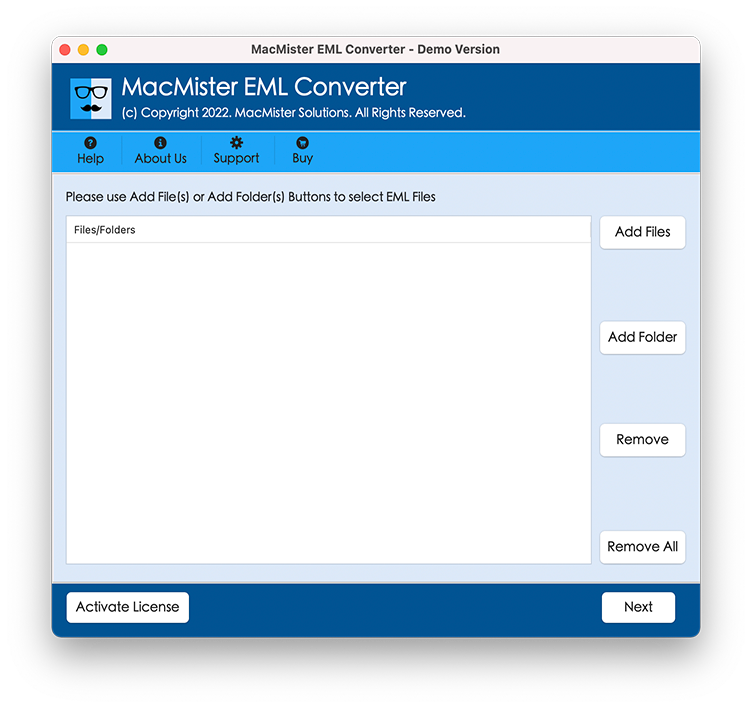
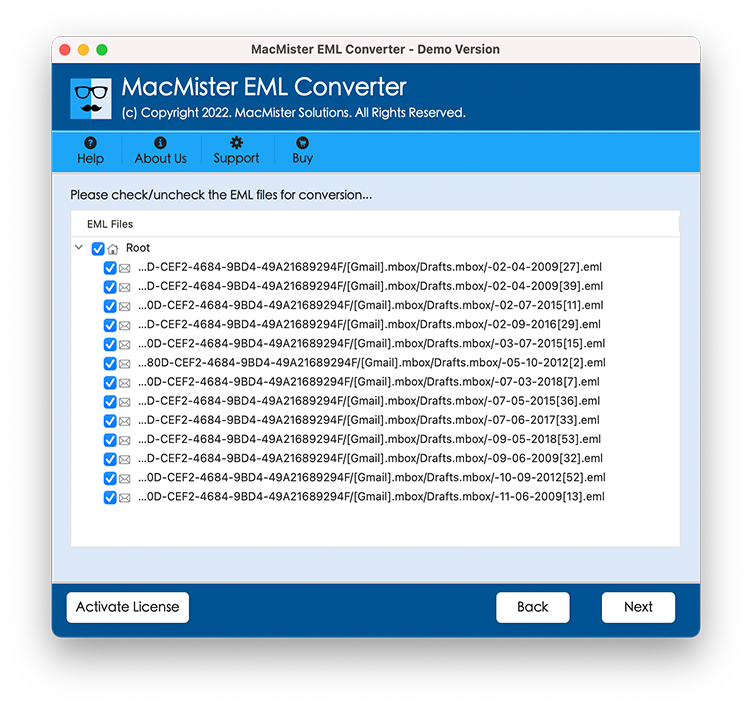
Preview emails before migration.
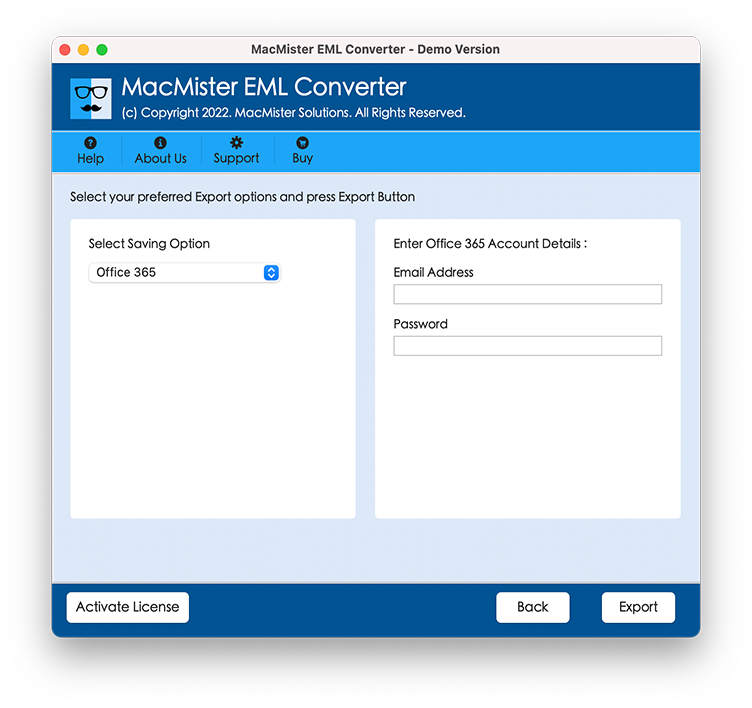
Choose IMAP as the saving option.

Enter cPanel email login credentials.
Click on the Export button.
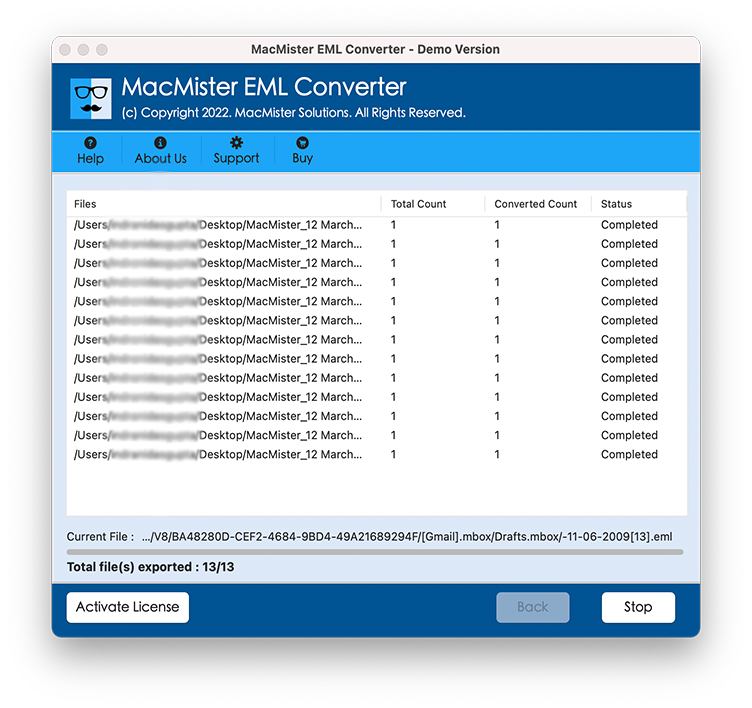
The software will start transferring EML files to cPanel mailbox safely.
Why Choose the EML to cPanel Software?
Professional software reduces the chances of errors and saves significant time. It also helps users who are not technically experienced. It has advantages include –
- Faster migration speed
- Direct server upload
- Safe transfer process
- No file size limitations
- Preserves email structure
- Easy graphical interface
- Works without external applications
Who Can Use This Tool?
The software is useful for –
- Business users
- Web hosting companies
- IT administrators
- Bloggers
- Small businesses
- Personal email users
- Migration professionals
Even beginners can use the tool without technical knowledge.
FAQs
Can I import multiple EML files into cPanel at once?
Yes, the software supports bulk EML to cPanel migration.
Does the tool maintain attachments?
Yes, all email attachments and properties remain preserved during migration.
Is the software compatible with Mac and Windows?
Yes, the utility works on both operating systems.
Can I transfer Thunderbird EML files to cPanel?
Yes, the software supports EML files generated from Thunderbird and many other email clients.
Do I need Outlook installation for migration?
No, the software works independently without requiring Outlook installation.
Conclusion
Importing EML files to cPanel email account manually can be difficult, especially when handling multiple email files. To simplify the process, many users prefer the MacMister EML to cPanel Tool for Mac & Windows. The EML to cPanel IMAP Migration for Mac & Windows software offers a direct, secure, and efficient solution to upload EML emails into cPanel webmail accounts while preserving attachments, metadata, formatting, and folder structure.
If you are looking for a reliable way to perform EML to cPanel migration without complications, the software provides one of the easiest methods for both technical and non-technical users.