Best Way to Preserve Email Evidence – Convert EML Files to PDF Without Losing Metadata
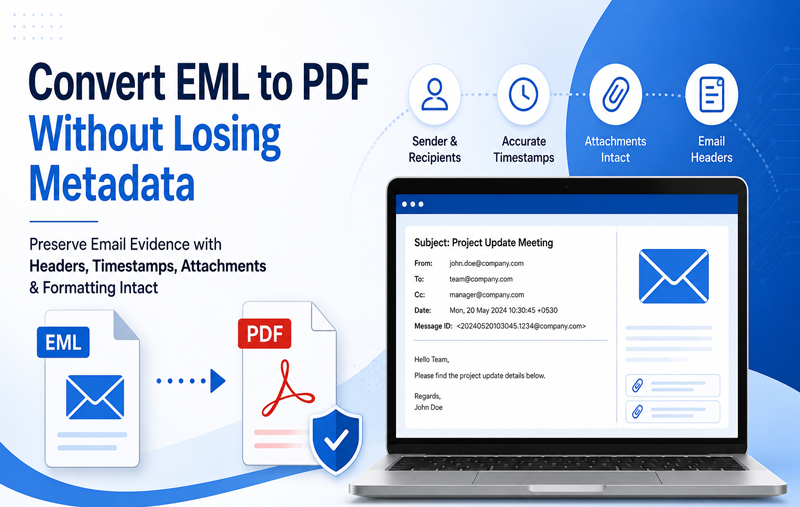
Email communication has become one of the most important forms of digital evidence in legal cases, corporate investigations, HR disputes, compliance audits, and business documentation. However, simply saving an email as a screenshot or printing it often removes critical information such as email headers, sender details, timestamps, and message structure.
If you need to preserve email evidence for future reference, converting EML files to PDF while retaining metadata is one of the safest and most reliable methods.
In this guide, you will learn why metadata matters, the risks of improper conversion, and the best way to convert EML files into PDF without losing valuable email information.
Why Email Metadata Is Important
Every EML file contains much more than the email message itself. It stores valuable metadata such as –
- Sender email address
- Recipient information
- CC and BCC details
- Subject line
- Date and time stamps
- Internet Message IDMIME version
- Email routing headers
- Attachment references
- HTML formatting
This information is often required during –
- Legal proceedings
- Digital forensics
- Corporate investigations
- Internal audits
- Regulatory compliance
- HR documentation
If this metadata is altered or removed, the authenticity of the email may be questioned.
Problems with Manual EML Files to PDF Conversion
Many users rely on free methods like opening an EML file in Outlook, Thunderbird, or Windows Mail and selecting Print > Save as PDF. Although this works for basic viewing, it comes with several limitations.
1. Email Headers May Be Hidden – Most email clients display only basic information such as –
From, To, Subject, Date
Technical headers often remain hidden unless viewed separately.
2. Bulk Conversion Is Time-Consuming – Converting hundreds or thousands of EML files manually can take several hours or even days.
3. Formatting Can Change – HTML emails may display differently after printing. Common issues include –
Broken layouts, Missing images, Incorrect fonts, Page breaks, Distorted tables
4. Attachments Are Not Included – The generated PDF usually contains only the email body. Attachments remain separate and can easily be misplaced.
5. Metadata May Be Lost – Manual printing does not always preserve complete technical information required for investigations or compliance.
Formatting changes are not limited to PDF conversion—they can also occur during email migration due to differences in rendering engines, MIME structure, CSS compatibility, and character encoding. If you want to understand the technical reasons behind these issues, read our detailed guide on Why EML Files Lose Formatting After Email Migration
Why PDF Is the Preferred Format for Email Evidence
PDF is considered one of the most reliable document formats because it –
- Prevents accidental editing
- Preserves formatting
- Can be digitally signed
- Is accepted by courts and organizations worldwide
- Is easy to archive
- Can be securely shared
- Works on every operating system
Unlike EML files that require compatible email clients, PDF files can be opened almost anywhere.
Best Practices to Preserve Email Evidence
When converting EML files, follow these best practices.
1. Preserve Original Email Structure – Choose a conversion method that maintains –
Email layout, Fonts, Colors, Images, Hyperlinks
2. Retain Email Headers – Headers provide important technical proof regarding the origin and delivery of an email. Never remove them if the emails are intended for legal or compliance purposes.
3. Keep Accurate Date & Time Information – Timestamps help establish communication timelines and should remain unchanged after conversion.
4. Maintain Folder Organization – If multiple EML files belong to a project or investigation, preserve the original folder hierarchy during export.
5. Avoid Editing Original EML Files – Always keep the original EML files as backup evidence before conversion.
Expert Solution to Convert EML Files to PDF Without Losing Metadata
For legal documentation, regulatory compliance, and long-term email archiving, it is essential to use a solution that accurately converts EML files to PDF without compromising important email information. MacMister EML to PDF Converter for Mac & Windows is designed to convert EML files into PDF while maintaining the integrity of the original email data.
 |  |
The software helps preserve important email information, including formatting and message properties, making it suitable for documentation, archiving, and professional record keeping.
Key Features
- Convert single or multiple EML files to PDF
- Batch conversion support
- Preserve email formatting
- Maintain sender and recipient information
- Keep subject and timestamps intact
- Save email attachments separately
- Retain folder hierarchy
- Supports both Mac and Windows
- Simple and user-friendly interface
- Fast conversion engine
The tool eliminates repetitive manual work and provides consistent results even when processing thousands of EML files.
Simple Steps to Convert EML files to PDF
Using the tool is straightforward.
Step 1 – Install and launch the software.
Step 2 – Add EML files or folders.
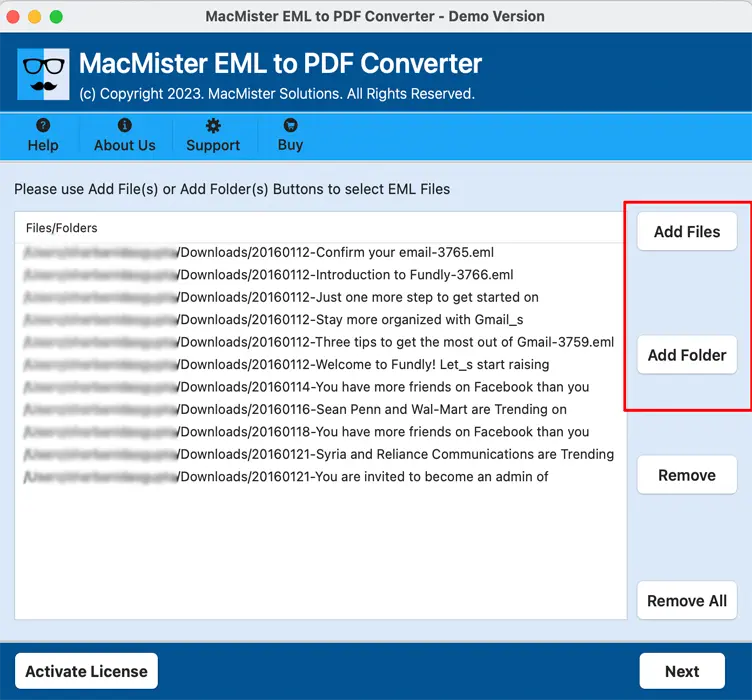
Step 3 – Select the loaded emails.
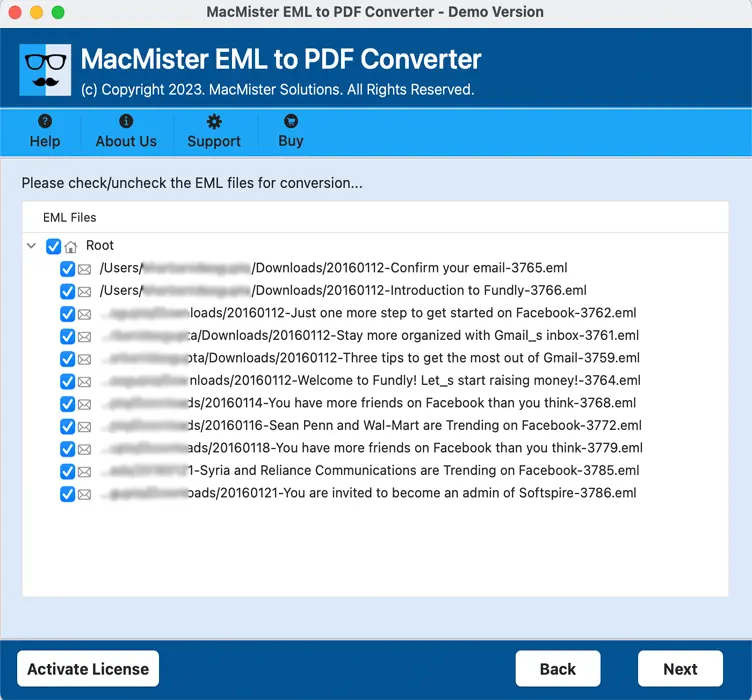
Step 4 – Now choose options to save files to PDF according to your need.

Step 5 – Now choose filters options (optional)

Step 6 – Start the conversion process.

Within a short time, all selected EML files are saved as PDF documents while preserving their original structure.
Who Can Benefit from This Solution?
The software is useful for –
- Lawyers
- Corporate compliance teams
- HR departments
- Digital forensic investigators
- Government organizations
- Educational institutions
- Financial companies
- IT administrators
- Individual users maintaining email archives
Tips for Long-Term Email Preservation
To keep your email records secure –
- Store original EML files separately.
- Create PDF copies for sharing and documentation.
- Keep multiple backups.
- Organize emails by project or year.
- Verify converted PDFs before deleting originals.
- Store archives on secure storage devices or cloud platforms.
Frequently Asked Questions
Q. Does converting EML files to PDF remove email metadata?
Ans. Basic printing methods may omit technical information. A dedicated converter is better suited for preserving important email properties during conversion.
Q. Can I convert multiple EML files to PDF at once?
Ans. Yes. Batch conversion allows you to process hundreds or even thousands of EML files in a single operation.
Q. Is PDF suitable for legal email evidence?
Ans. PDF is widely used for documentation and archiving because it preserves formatting and is easy to share and store securely.
Q. Will attachments be included in the PDF?
Ans. Attachments are typically saved separately by professional tools, while the PDF preserves the email content and structure.
Q. Is EML data to PDF tool available for both Mac and Windows?
Ans. Yes. The software supports both macOS and Windows, making it suitable for users across different platforms.
Conclusion
Email evidence is valuable only when its authenticity remains intact. Manual printing methods may alter formatting, omit important headers, or complicate large-scale conversions. For professionals handling legal records, compliance documentation, or business archives, preserving email metadata is essential.
A reliable utility Mac EML Converter simplifies the process by converting EML files into PDF while maintaining email structure, important message properties, and overall document integrity. Whether you’re archiving emails or preparing evidence for professional use, choosing the right conversion method ensures your records remain accurate, accessible, and trustworthy.
| |