How to Batch Import MBOX File into Yahoo Mail on Mac & Windows?
Are you planning to move to Yahoo webmail from MBOX-supported email program on Mac? Wondering how to import MBOX file into Yahoo Mail securely? Looking for a reliable technique to implement the desired task? No worries, just go through the MacMister blog for once and you will definitely be able to import MBOX to Yahoo Mail at the end of it. But, first, let’s discuss some reasons that are responsible behind the process.
Why to Import MBOX File into Yahoo Mail?
MBOX is a popular file type and is supported by several email applications such as Apple Mail, Thunderbird, Eudora, Entourage, etc. There are plenty of Mac users who use Apple Mail email app regularly to manage personal emails. It was first included by Apple Inc. with operating systems i.e. macOS, iPadOS, iOS, and watchOS. The current version of Apple Mail uses SMTP for message sending, Exchange, POP3, and IMAP to retrieve messages. And, S/MIME to encrypt end-to-end messages. Moreover, it can also be preconfigured to work with popular email providers like Yahoo Mail, Outlook, Gmail, AOL Mail, and iCloud. Not only this, it offers innumerable features such as it offers the ability to configure the software to receive all user’s email accounts in a single list. Also, allows to file emails into folders, advance search to search specific emails and the ability to automatically append signatures to outgoing emails.
Yahoo Mail is also an email service but it is cloud-based. It was launched on 8th October 1997 by an American company i.e. Yahoo Inc. The service is for personal use with a monthly fee for additional features. One can easily manage mailboxes using a webmail interface and access through a standard web browser. Some other accounts are also supported with the use of standard mail protocols i.e. POP3 and SMTP. Organizations and individuals feel comfortable using Yahoo because it is accessible directly online. Anyone can open their device, login to Yahoo and read all the emails from any location anytime.
Reasons to Import MBOX File into Yahoo Mail
There are plenty of reasons which users decide to move their email account to Yahoo Mail and some of them are:
- Easy and user-friendly interface that is easily manageable by beginners.
- Includes Advance Search engines like Google.
- Offers customization options that allow customizing inbox to highlight unwanted messages.
- Large Storage space helps to store data up to 1 TB.
- Attach files carrying size up to 100 MB.
- Many inbuilt apps like Yahoo Messenger allow voice and video calls with chat.
How to Import MBOX to Yahoo Mail on Mac & Windows?
MacMister MBOX to Yahoo Mail Mac and Windows is an application that is secure and capable to batch import MBOX file to Yahoo Mail directly at once. The software is verified, user-friendly, and equipped with instant processing. All professionals and novice users can operate the application effortlessly and import MBOX files to Yahoo Mail within seconds. Even, the steps are non-typical as well as three in total which will save time and perform the required task in minimum time.
Moreover, the application provides features that help users to import to Yahoo Mail according to particular preferences. And, one can check the complete software process by downloading the freeware version. It allows importing the first 25 MBOX emails & attachments to Yahoo Mail free of cost.
Working Steps to Import MBOX File to Yahoo Mail on Mac
Step 1. Download and open MBOX Converter for Mac Tool on macOS.
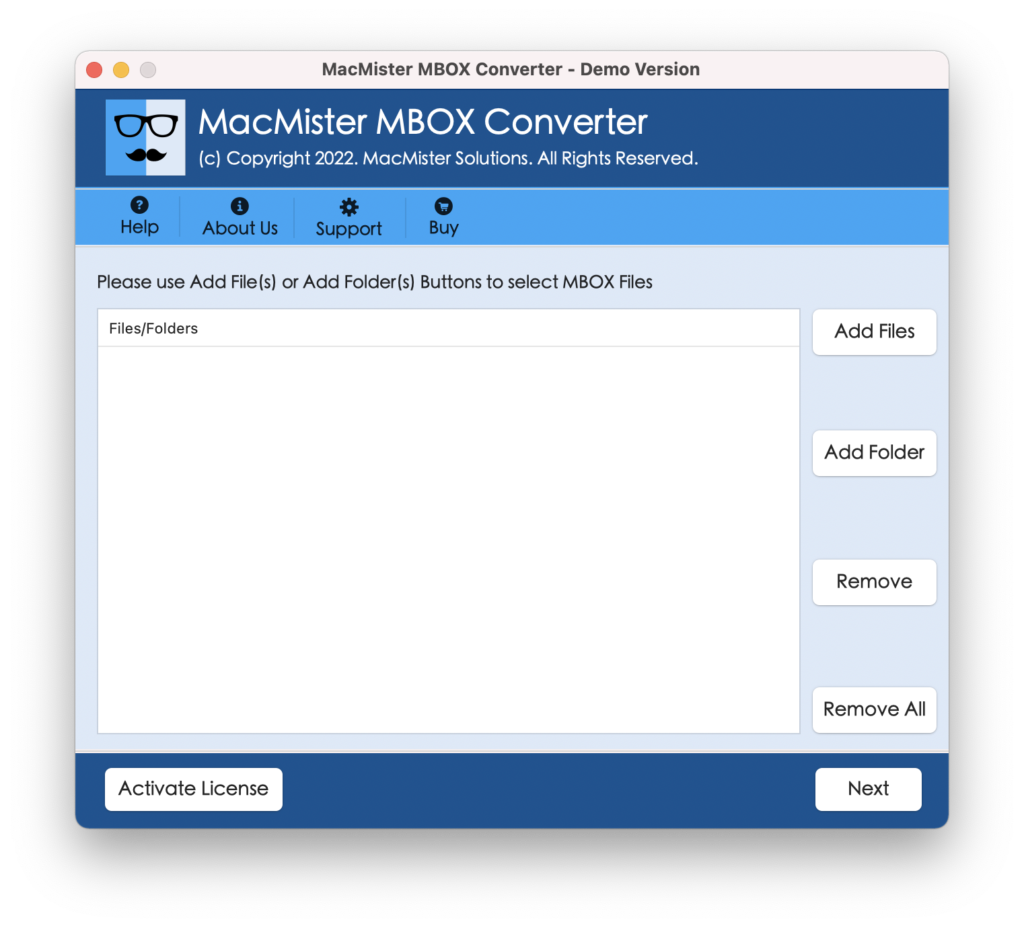
Step 2. Add MBOX files on the software by taking help of Add File(s)/Add Folder buttons. Click Next.
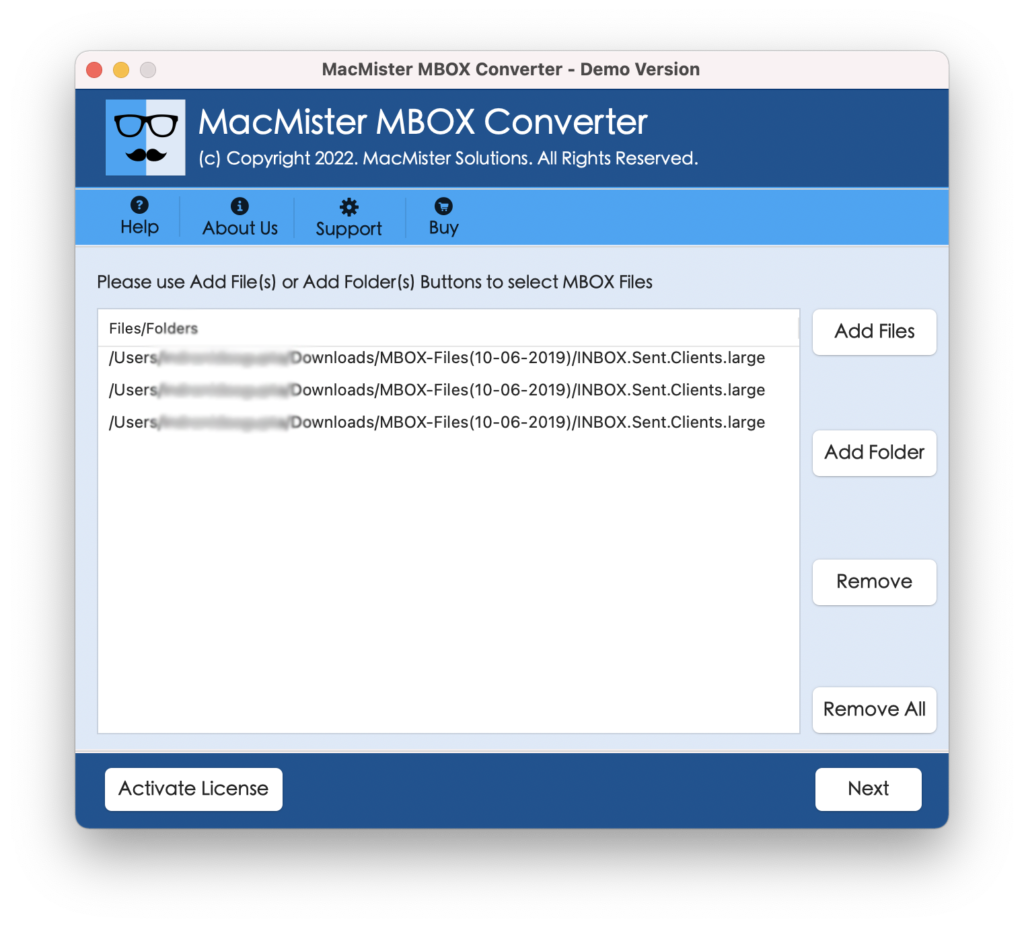
Step 3. The MBOX files will list on the software with checkboxes. Quick Note. The checkboxes will help you to import selective MBOX files to Yahoo Mail on macOS, if needed. Click Next.
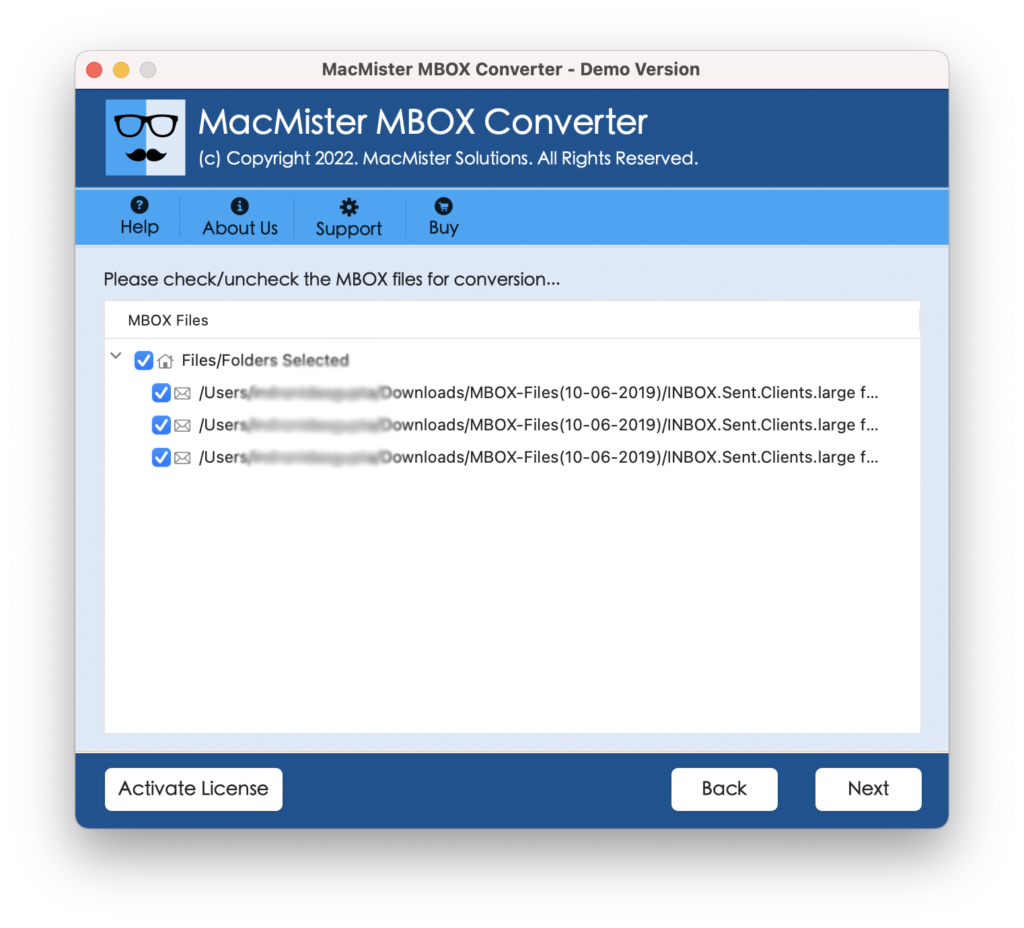
Step 4. Select the Yahoo Mail option by clicking Select Saving Options.
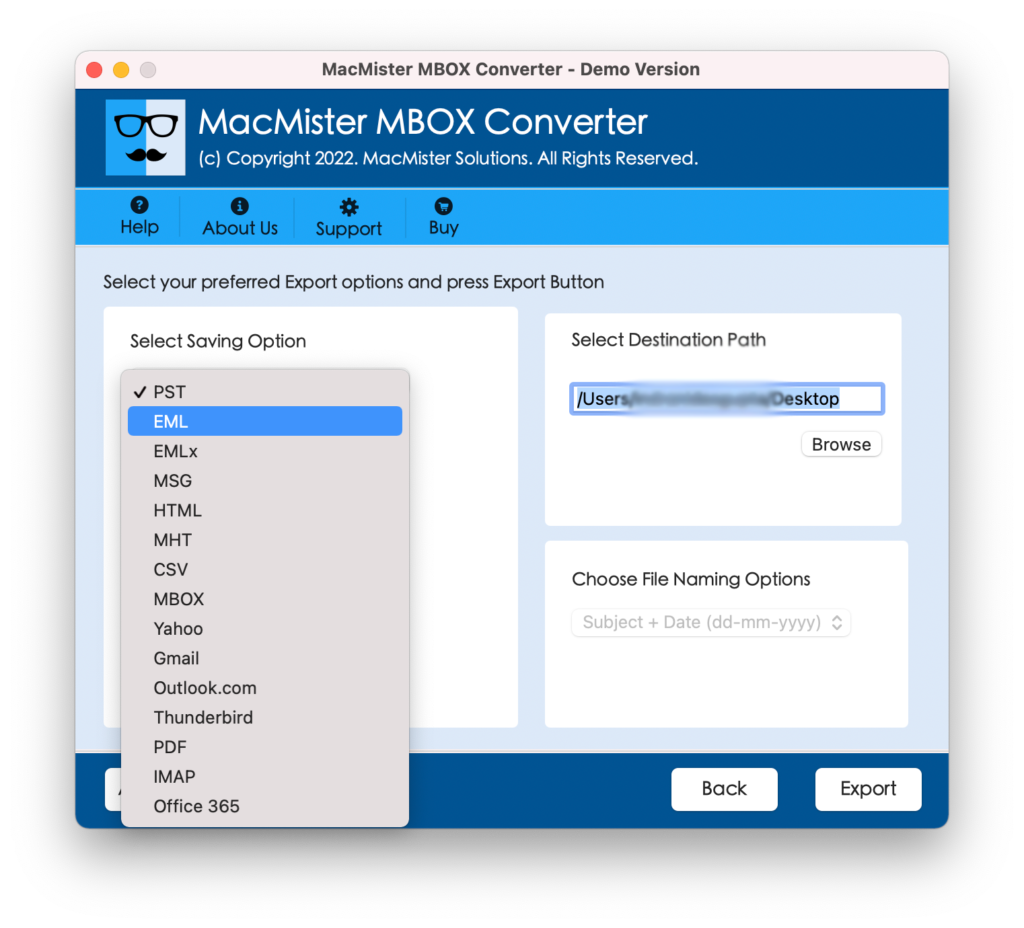
Step 5. Enter your Yahoo email ID and app password in the required fields and click on the Export button.
Step 6. Now, MBOX to Yahoo Mail process is live and the tool will show their current progress on Live Conversion Window.
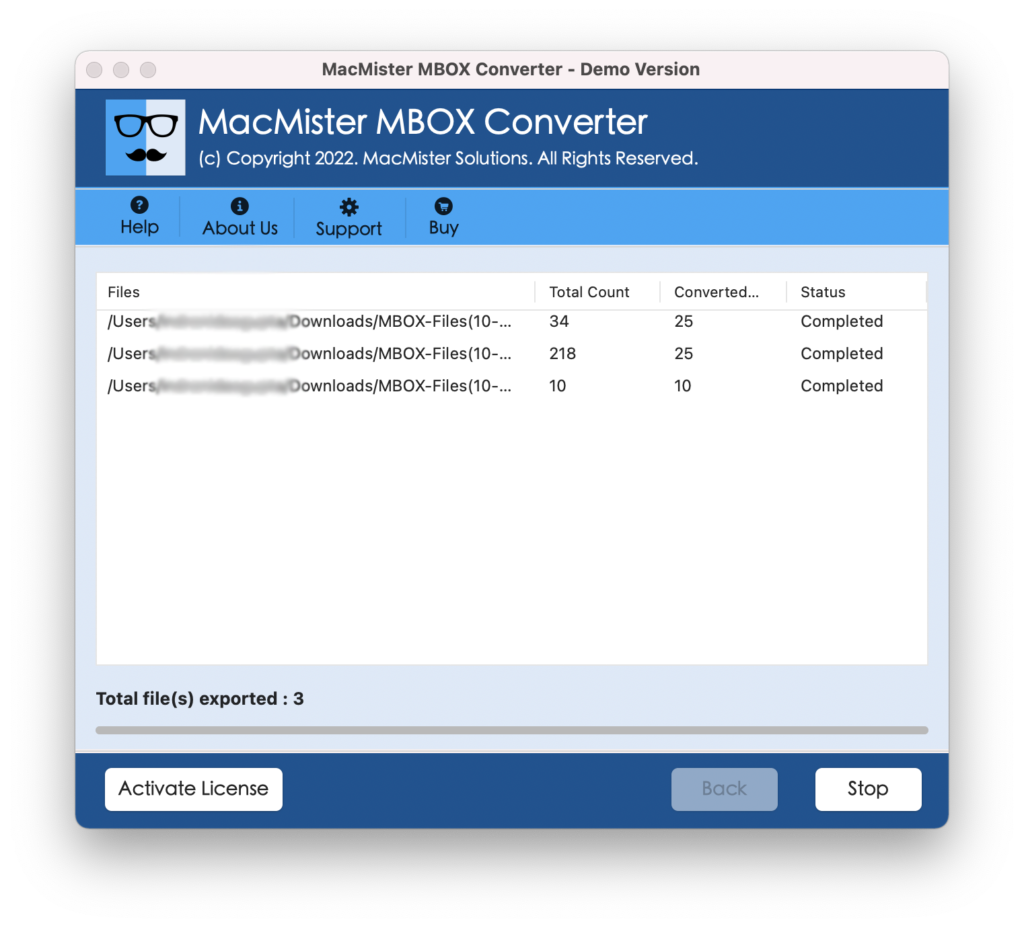
The procedure will finish with the message “Conversion Completed”. Click OK and now go to your Yahoo Mail account to check imported emails. However, you will see that the data of all the emails are accurate and the formatting properties are also correct.
Why to Choose MBOX to Yahoo Software for Mac?
There are a plethora of reasons for choosing the app and some of them are mentioned below-
Directly import MBOX file to Yahoo
The software provides Yahoo as a direct saving option in the Select Saving Options property. Once the option is selected, users can specify Yahoo account email ID and app password in the required fields. After this, click on Export to start the migration of MBOX files to Yahoo Mail.
Use Dual Options to add MBOX Files
The application has dual options to add MBOX files/folders to the software. By clicking Add File(s) button, users can load required MBOX files on the software, and by clicking Add Folder, users can add a folder containing unlimited MBOX files on the tool.
Protects Yahoo Account Credentials
Users do not need to worry when entering Yahoo account details. Because, the utility will ask to enter the app password instead of the main account password. This will help in protecting the users Yahoo account and safely perform the process to import MBOX file to Yahoo Mail.
Keeps the Data Preserved during Process
The tool has the ability to keep the original data safe and accurate during the process. So, once the process will finish, users will receive the output with 100% accuracy. The email content and the formatting properties will appear precise in Yahoo account after the migration.
Import MBOX File to Yahoo on all Mac OS
The software is downloadable on all versions of Mac OS. All Mac users can launch the app on macOS Ventura, Monterey, Big Sur, Catalina, High Sierra, and earlier versions and import MBOX file to Yahoo Mail without any difficulty.
Quick Note – Download FREE DEMO to understand the complete software steps & options for free.
Epilogue
The MacMister write-up has explained the direct procedure to import MBOX file to Yahoo Mail on macOS and Windows OS. The MacMister MBOX to Yahoo Migration Tool for Mac is experts recommended and guarantees quick as well as accurate migration in minimum time. Moreover, it comes with a free demo with the help of which Mac users can test the software performance for free.