How to Import MBOX to Amazon Mail? – Complete Tutorial [2024]

In the article, we have provided the straightforward approach to import MBOX to Amazon Mail account. Additionally, we have discussed the step-by-step instructions to open MBOX files in Amazon Workmail account.
MBOX stands for mailbox file, a standard format that stores the email messages and attachments of users account in a structure manner. It is compatible with numerous email applications such as Mozilla Thunderbird, Apple Mail, Eudora, Postbox, and more and is represented with .mbox extension.
Amazon WorkMail on the other hand delivers online email management service such as sending/receiving emails, organizing contacts, scheduling calendar events, etc. It allows users to access the emails on both desktop & mobile devices.
Unfortunately, it does not support .mbox files, therefore importing MBOX to Amazon Mail may be a troublesome procedure for some. Furthermore, there is no manual solution available to import MBOX to Amazon Mail, so we have used an automated methodology that will directly import MBOX emails emails and attachments to Amazon WorkMail with 100% accuracy.
How to Import MBOX to Amazon WorkMail?
The direct process to import MBOX to Amazon WorkMail is by using MacMister MBOX Converter for Mac & Windows. With the help of the tool, users can add required .mbox files/folder on its panel and allow users to import them into Amazon Mail with correct content and layout. Its interface is easily manageable, thus technical and non-technical users can utilize the application effortlessly. Even, the three-operational steps will take only few seconds of users to finish the entire process.
Moreover, the tool is designed with many features which can be used by users to receive the desired results. Also, a free demo of the software is available with the help of users can understand the operational steps of the application for free.
Working Steps to Import MBOX to Amazon Mail on Mac
Step 1. Download and run MacMister MBOX to IMAP Migration Tool for Mac on Mac OS.
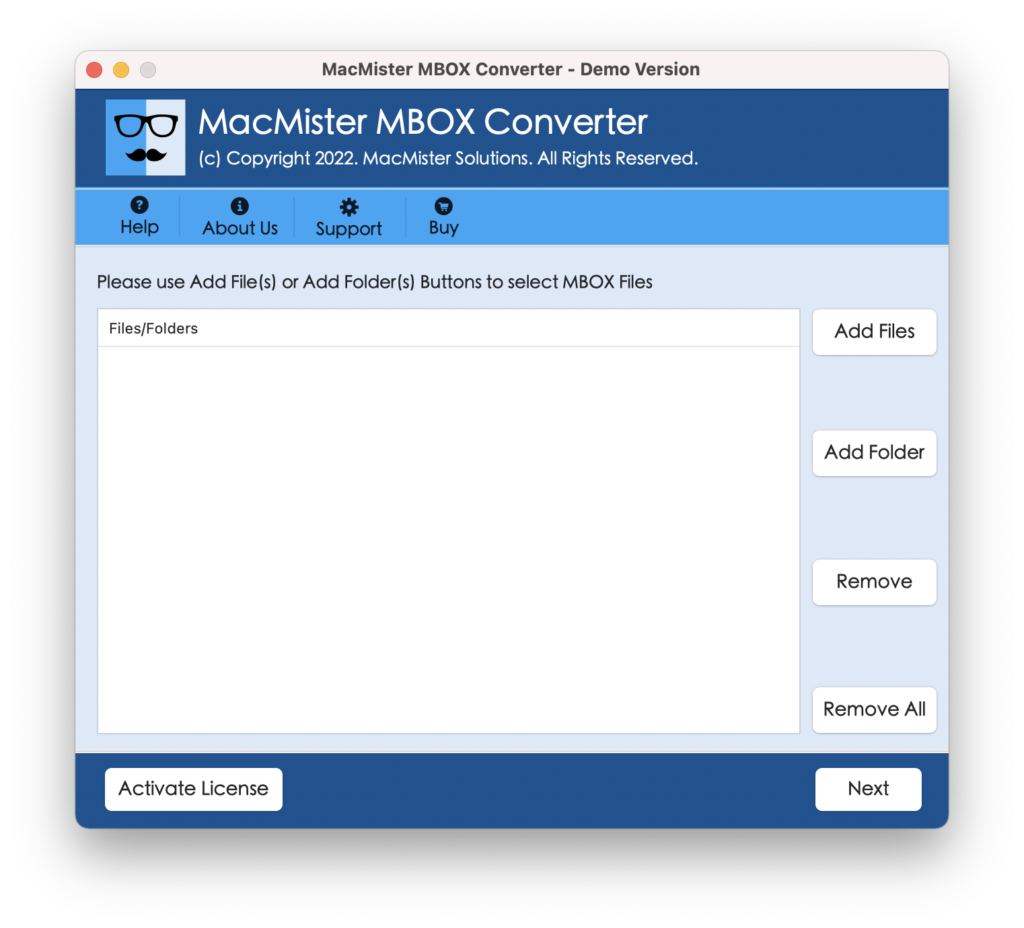
Step 2. Use the dual buttons to add .mbox files/folder on the tool. Click Add File(s) button to add specific .mbox files on the software or use Add Folder button to upload .mbox files folder on the software pane to execute batch conversion. Click Next to proceed.
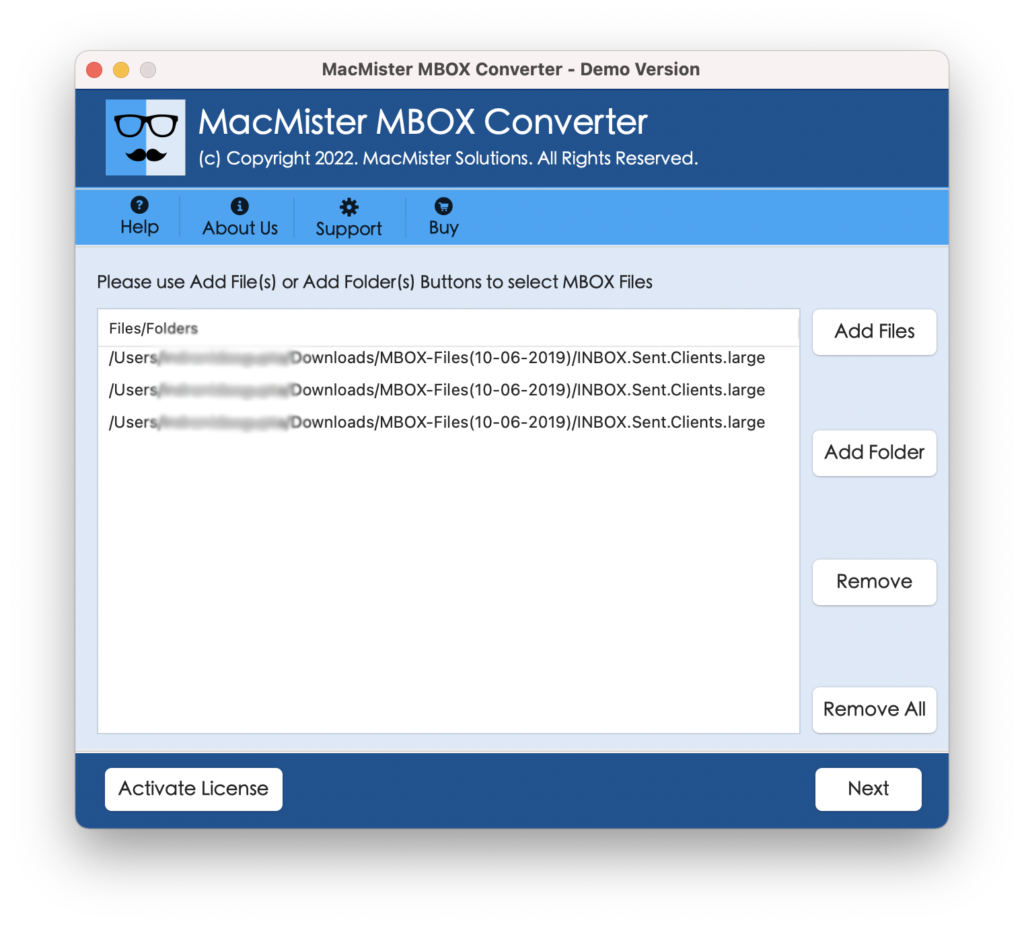
Step 3. The software now start showing .mbox files with selected checkboxes one-by-one. By default these all will be selected but users can deselect them and select the checkboxes again to import selective MBOX files to Amazon Mail (if needed). Otherwise, press the Next button to proceed.
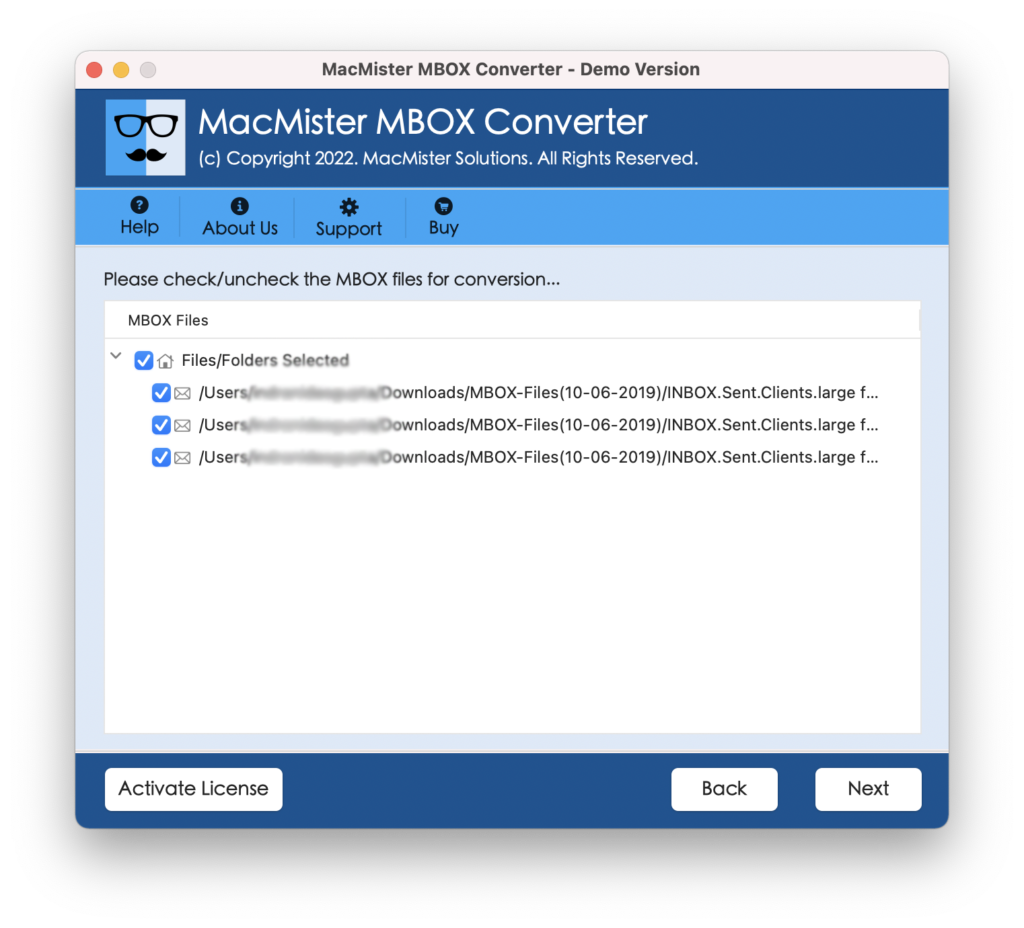
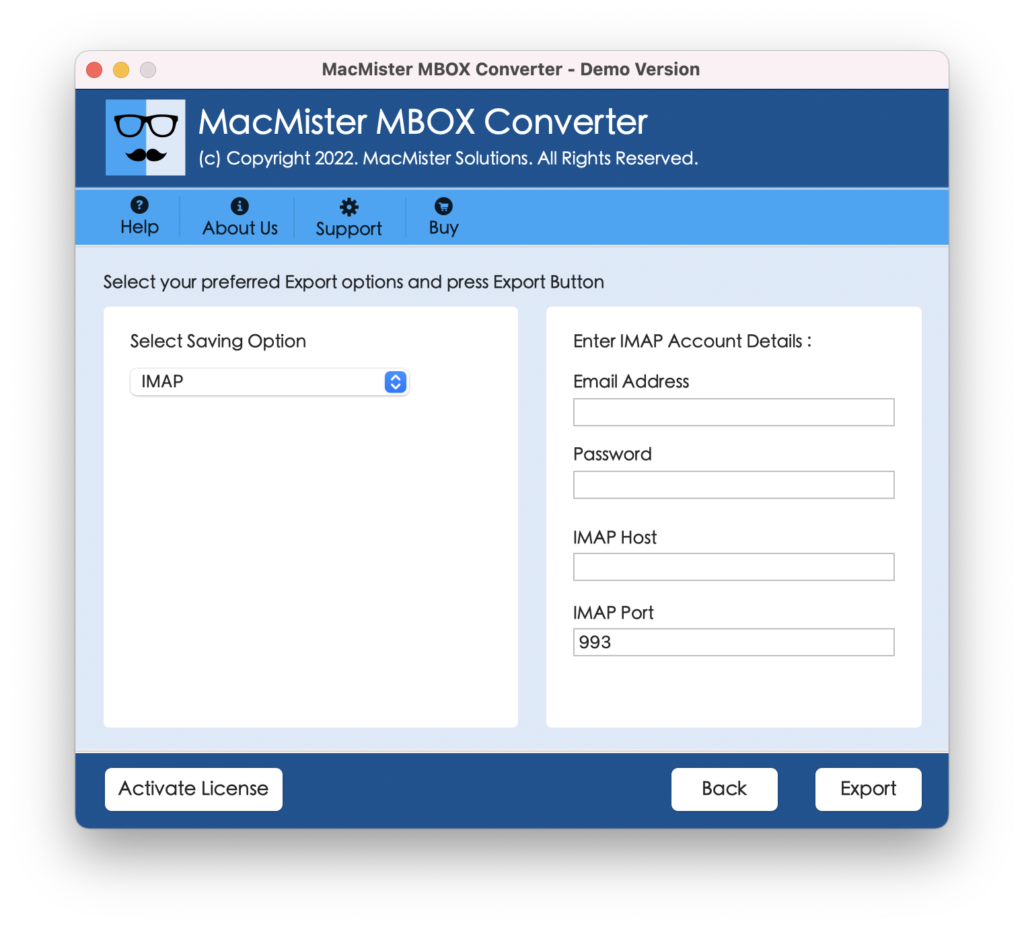
Step 4. Go to Select Saving Options to choose IMAP from the drop-down list.
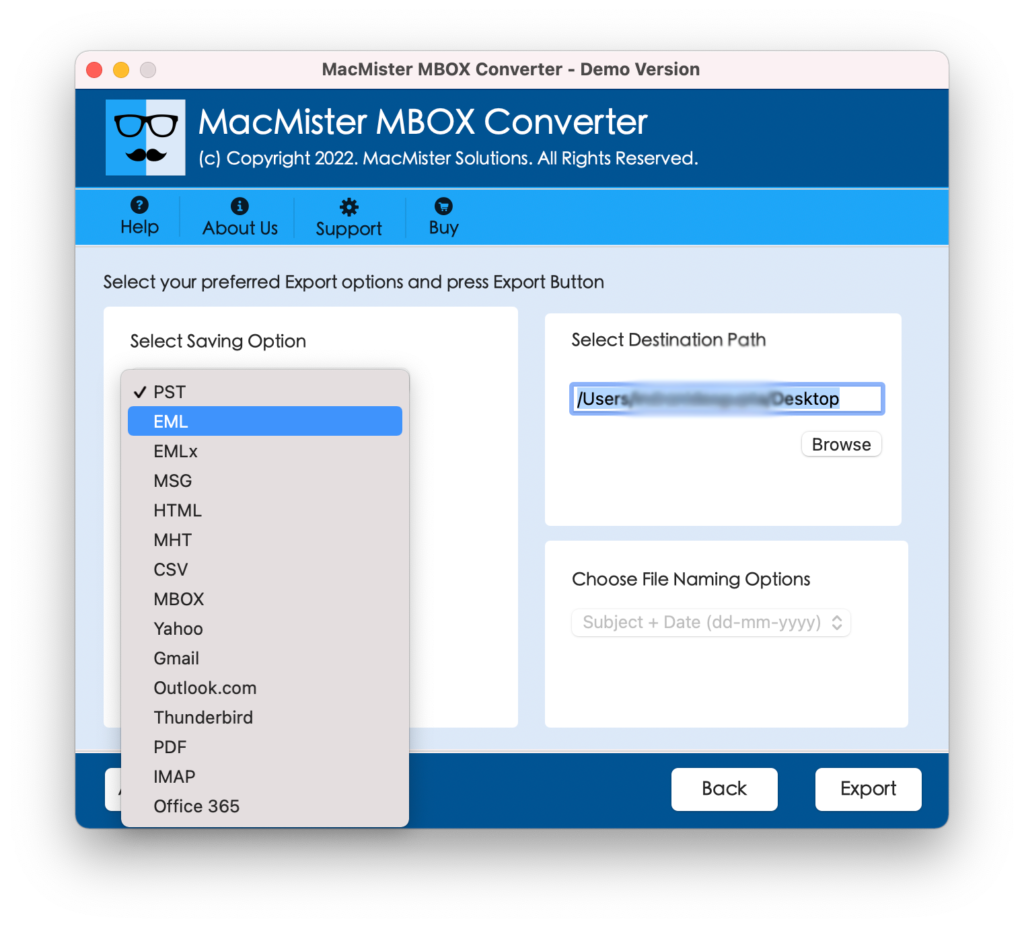
Step 5. Add the details of Amazon WorkMail in the required fields with IMAP host and port number.
Step 6. The Live Conversion Report will appear on the screen which shows the ongoing export process of MBOX files.
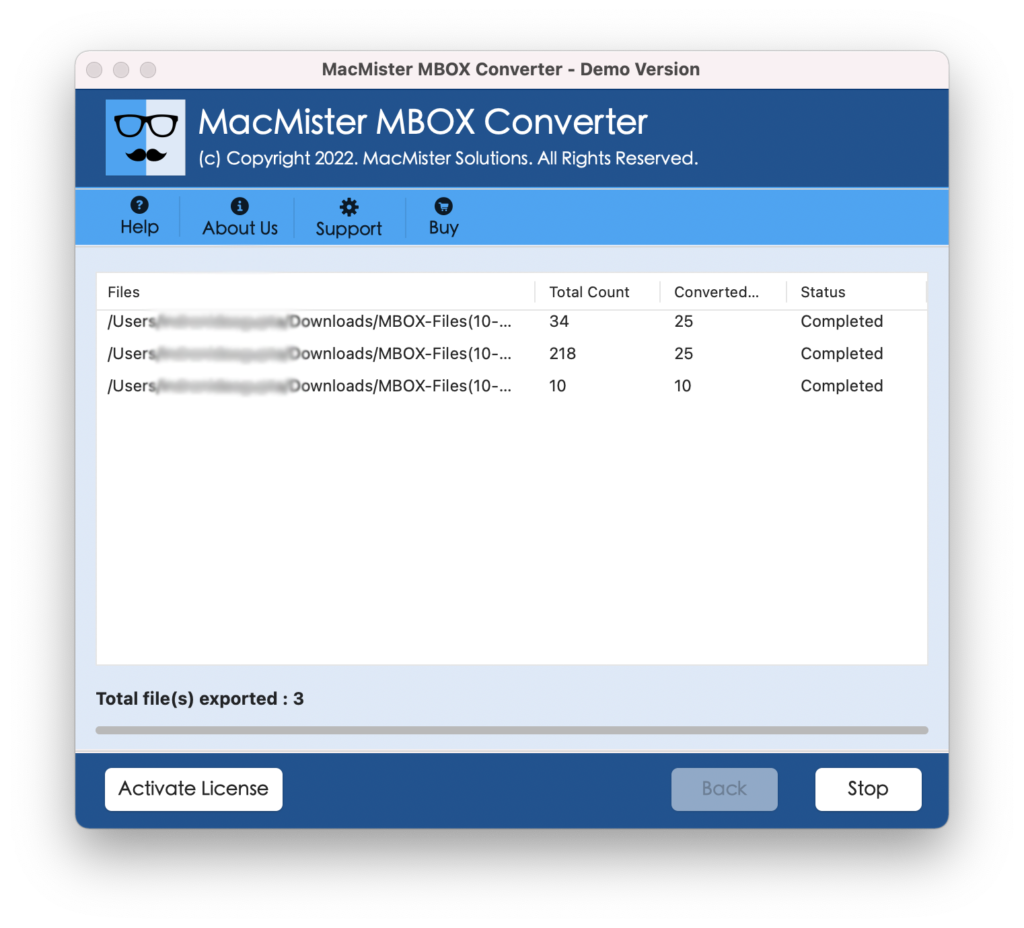
In few seconds, the application will end the process by showing “Conversion Completed” pop-up on the screen. Click on the OK button and go to specified Amazon WorkMail account to check the results. You will see that the tool has successfully exported MBOX files into Amazon Mail account. All the emails will display with accurate content, layout, and formatting properties.
Overall, MBOX to Amazon WorkMail is definitely a must try tool as it directly import MBOX files into Amazon Mail account without disturbing the data originality.
Why to Choose MacMister MBOX to Amazon Mail Tool?
There are number of reasons for choosing MacMister MBOX to Amazon Mail Tool. One of them is the features it possesses to import MBOX emails into Amazon Workmail environment. Some of them are –
Directly import MBOX to Amazon WorkMail
The tool has the ability to import MBOX to Amazon WorkMail directly on Mac & Windows. And to do the task – simply use the Add File(s)/Add Folder buttons to add .mbox files/folder on the panel, choose IMAP from Select Saving Options, and click Start Backup button. In fraction of seconds, all the required MBOX files will be successfully transferred to Amazon Mail.
Provides Friendly Interface for Easy Processing
The software is programmed with a user-friendly environment so that all types of users can operate the tool effortlessly and perform the migration of MBOX to Amazon Mail easily. Additionally, the operational steps of the application are minimum that will save the time and efforts of users.
Equipped with Dual Buttons to add MBOX Files
The application offers dual buttons such as Add File(s)/Add Folder to add .mbox files/folder on the software for carrying out the import process. The Add File(s) option will help users to add necessary .mbox files on the tool and the Add Folder button enable users to add .mbox files folder on the tool for bulk conversion.
Batch Import MBOX Files to Amazon Mail at Once
The tool is designed with a batch mode property that eases the process for those who have numerous MBOX files for import into Amazon WorkMail. The process can be accomplished by utilizing the Add Folder button. Just create a new folder and add all the MBOX files in the same. After this, use the Add Folder button to upload a recently created folder and import it entirely into Amazon Mail without losing data integrity.
Able to Import MBOX to Amazon Mail on Mac & Win
The application includes software versions for Mac & Windows OS. Mac users can operate the process on the entire range of Mac OS versions including Mac OS Sequoia whereas Windows users can utilize the app on Windows 11 and earlier Windows OS editions.
Epilogue
In the blog, we have provided the advanced solution to fix “how to import MBOX to Amazon Mail” with emails and attachments. The tool is simple, cost-effective, and advanced. Its user-friendly interface makes the application easily operable by all types of users. Furthermore, the features of the application enable users to import MBOX emails to Amazon WorkMail according to the specific requirements. And besides IMAP, the software can be used to import MBOX into 15+ other saving option. In other words, users can use the same app to import MBOX to PST Mac/Windows, PDF, MSG, EML, Yahoo, Gmail, Office 365, CSV, DOC, and more. Download its free demo now and check the conversion steps of the application in detail for free. It also allows to import first 25 MBOX emails to Amazon Mail free of cost.