How to Import OLM Files to Feishu Mail? – [2024 Tutorial]
If you are wondering how to import OLM files to Feishu Mail, then not to take anymore worries. Because in the segment we have discussed different approaches that will help you to import OLM files to Feishu Mail with ease.
Feishu Mail is basically designed for business to manage day-to-day emails in a simpler way while enhancing the productivity within the organization. It include options – search bar, email list, email details, navigation bar, folders, compose, and more. Moreover, team members can easily handle their own business emails on Feishu without downloading another application that makes the team communication and collaboration more convenient.
Note. OLM is Outlook for Mac archive file, it is created when a user export essential emails, contacts, calendars, and other items from Outlook for Mac email account.
However, OLM files cannot directly import to OLM but one can sync such emails by using the steps mentioned here.
Method to Import OLM Files into Feishu Mail Manually
Step 1. Login to Feishu Mail in Outlook for Mac.
Step 2. Import OLM files into Outlook for Mac.
Step 3. Migrate Files from My Computer to email account.
Note. If the necessary emails are already in My Computer on Outlook, then start from this step.
Step 4. View Emails in Feishu Mail.
Step 1. Login to Feishu Mail in Outlook Mac
Navigate to Feishu admin console >> go to Mail >> click Security >> choose Permission Control to turn on third-party email client login.
Choose whether to apply this to the entire organization or set range. When this is done, tap Confirm.
Move to Email Settings and find third-party email application login. Click Enter Settings.
Tap Mac and click Generate. The password will be generated which can be used during login.
Copy the dedicated password as well as the address of both sending/receiving servers below it.
Receiving Server (IMAP) address: imap.feishu.cn
Port Number: 993
Sending Server (SMTP) address: smtp.feishu.cn
Port Number: 465
Note. The password is useful to login to third-party email application. Each time the password is generated, it can be used for login. And there is no need to note it and make sure not to share it with others. Additionally, login to any third-party application requires IMAP and SMTP details with port number.
Open Outlook email client on Mac. Specify email address, click Continue, go to Select Provider and choose IMAP/POP.
Choose IMAP and mention the password generated in Feishu Mail. Specify the addresses of both sending/receiving servers with port numbers. Select Use SSL link, and tap Add Account.
Once the account is added, tap Complete to use Feishu Mail in Microsoft Outlook on Mac.
Step 2. Import OLM Files into Outlook Mac
Open Outlook on Mac. Go to Tools and select Import. Choose Outlook for Mac archive file (.olm) option. Locate OLM files and select them to import and tap Import button. In few seconds, OLM files will import to Outlook for Mac.
The files will appear under On My Computer on the left navigation pane of Outlook Mac email account.
Step 3. Move Files to Email Account from My Computer
Choose the files from My Computer in Outlook Mac that you wish to sync with Feishu Mail. However, it is suggested to create a new folder to contain them and drag the same to email account.
Step 4. View OLM Files in Feishu Mail
Login to Feishu Mail and check the imported files.
However, after discussing the steps manually, let us understand the same procedure using easy approach.
Method to Import OLM Files into Feishu Mail Directly
The safe and easy way to import OLM files into Feishu Mail is MacMister OLM Converter for Mac & Windows. The application is simple, friendly, and reliable solution. With the help of the software, any user can batch import OLM files into Feishu Mail at once with emails and attachments. Also, the software includes 15+ saving options and IMAP is one of them. You just need to add the IMAP details of Feishu Mail with its email address and password. After this, the tool will straightaway import OLM files into Feishu Mail with accurate results.
Moreover, the application includes several features and options with the help of users can import OLM files into Feishu Mail according to their requirements. Download its free demo now and import first 25 OLM files into Feishu Mail free of cost.
Working Steps to Import OLM Files into Feishu Mail on Mac
Step 1. Download and open MacMister OLM to IMAP Migrator for Mac on Mac OS
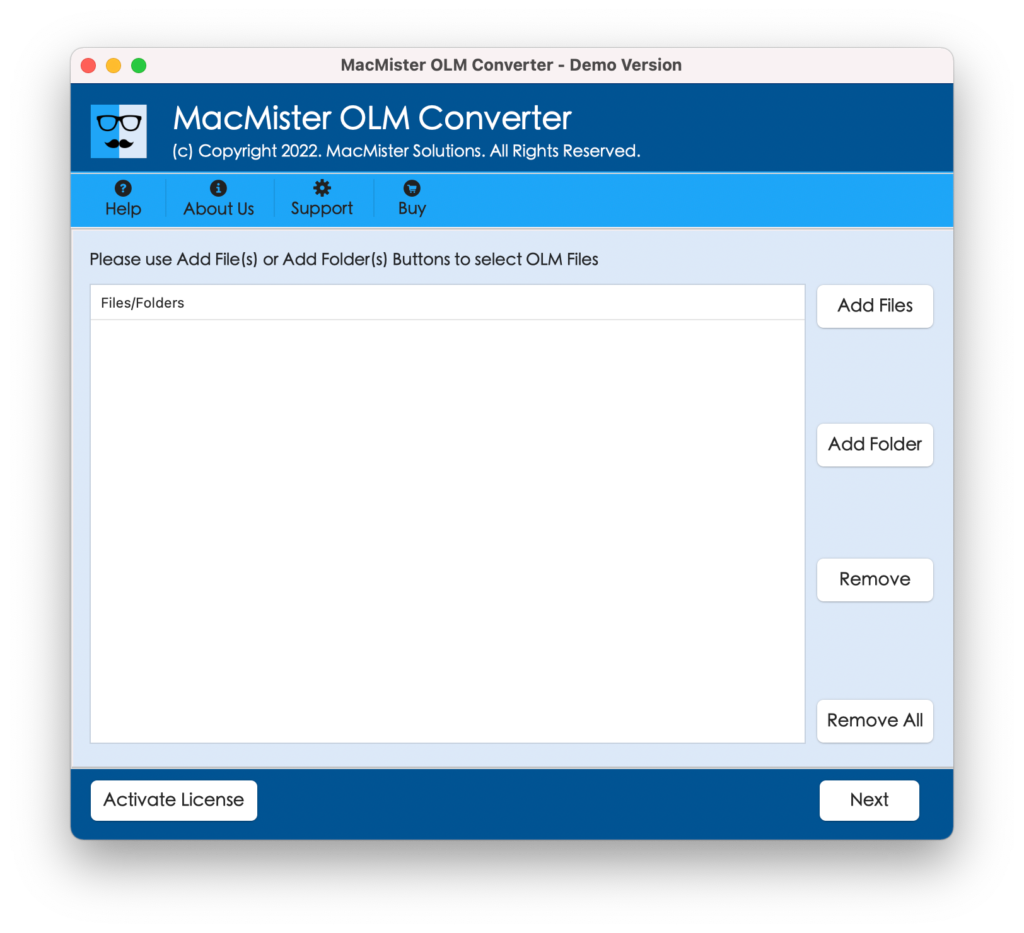
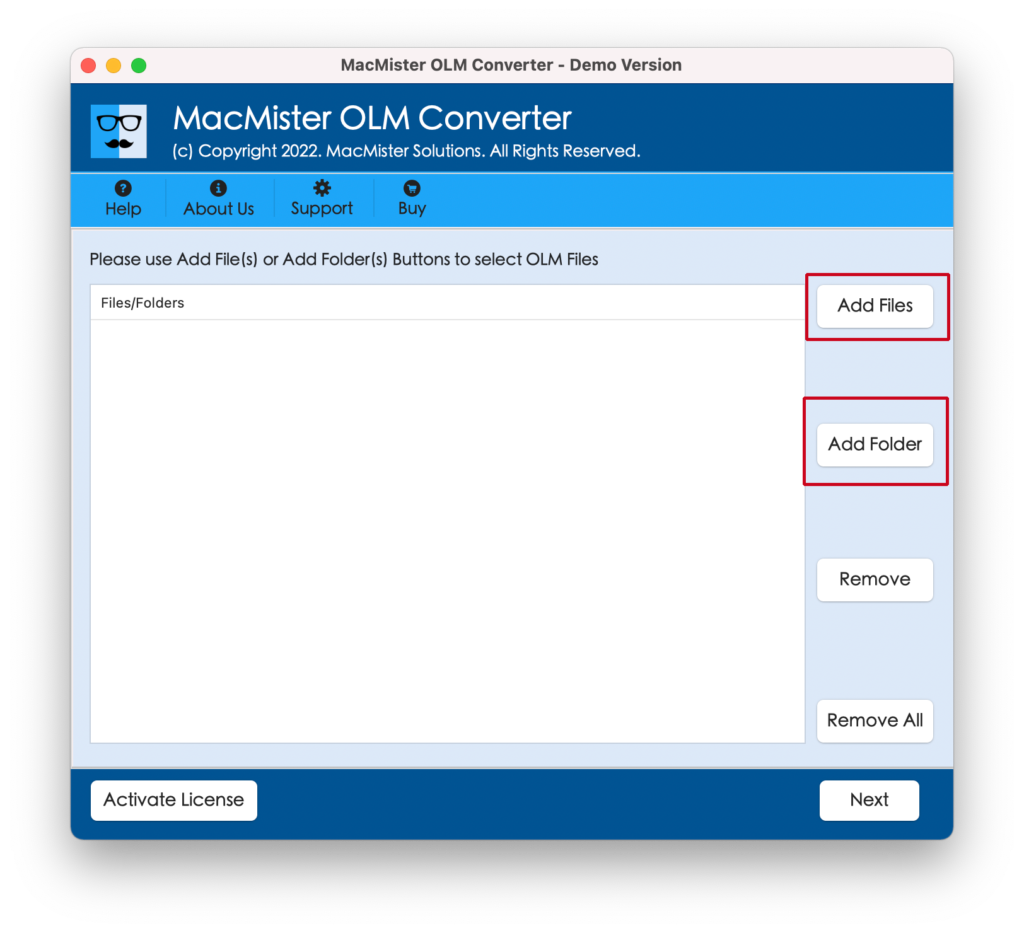
Step 2. Add necessary OLM files folder on the software by using dual options i.e. Add file(s)/Add Folder.
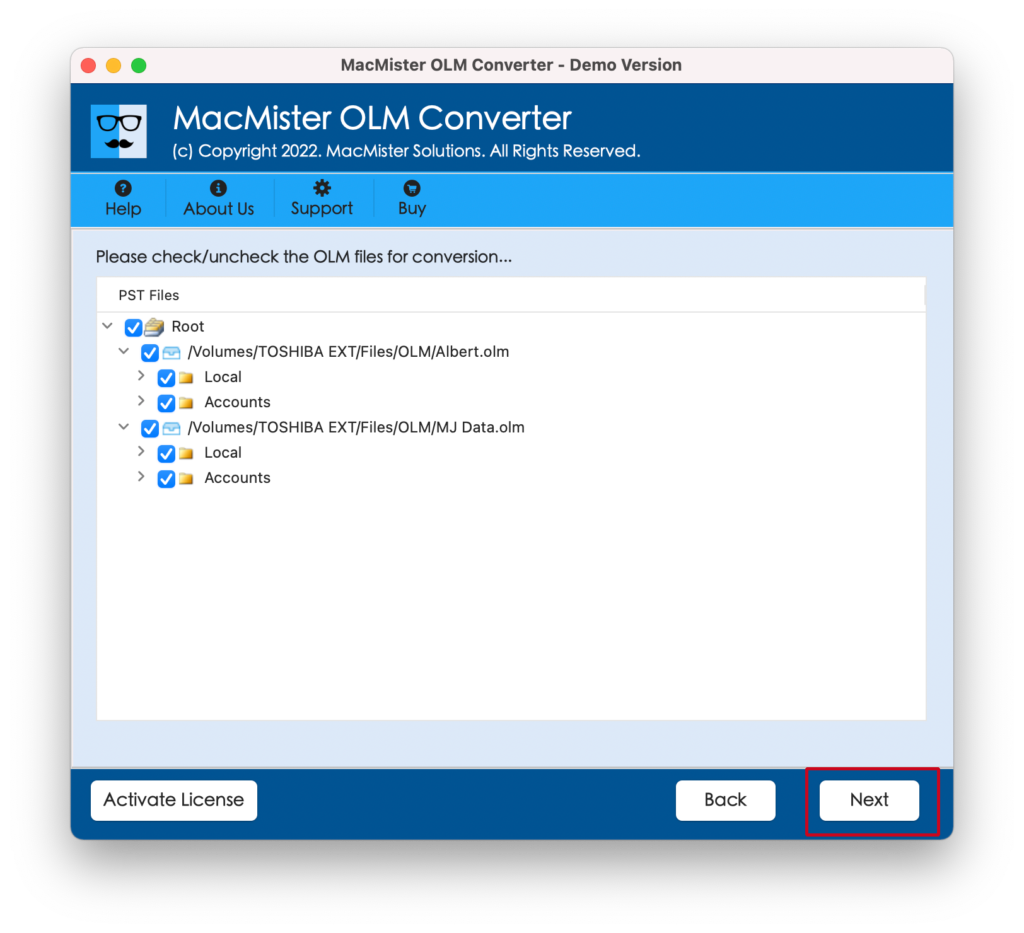
Step 3. The application start adding OLM files with selected checkboxes one-by-one. You can deselect the checkboxes and select them again as per your requirements to import selected OLM files into Feishu Mail. Click Next to continue.
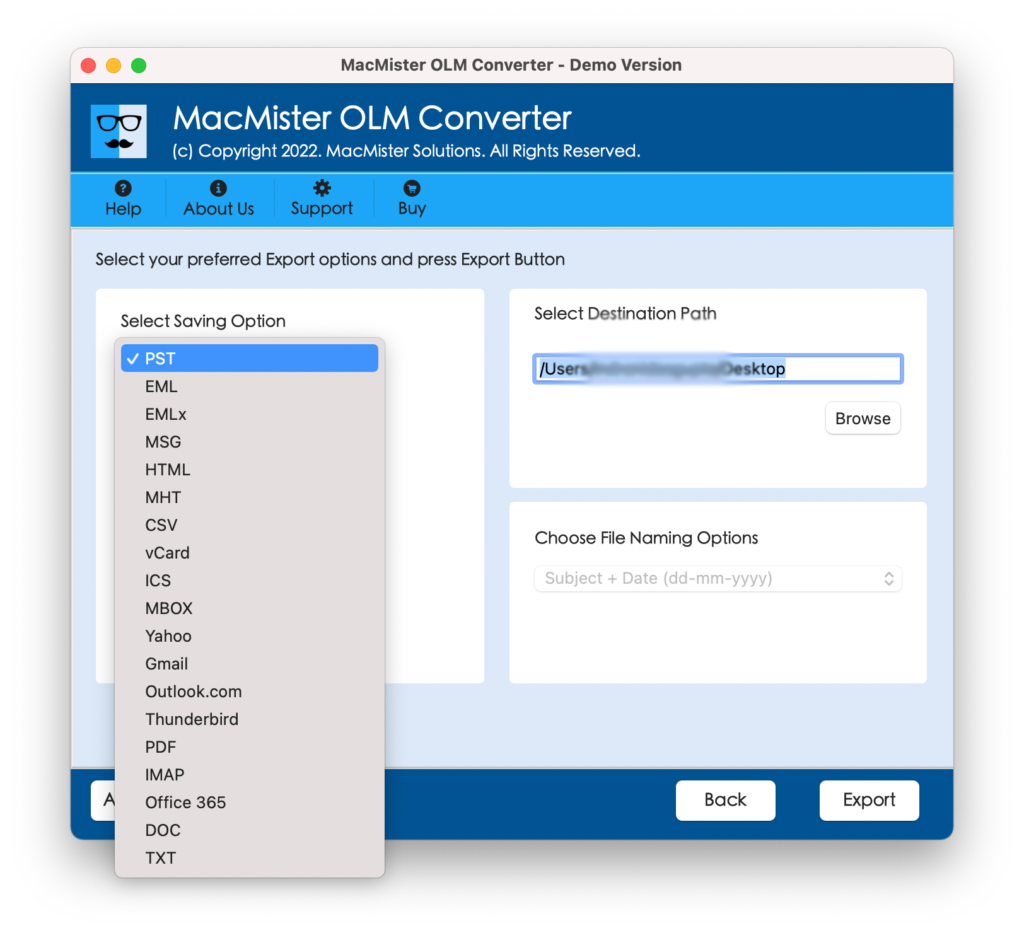
Step 4. Click Select Saving Options and select IMAP option from the list.
Step 5. Mention Feishu Mail credentials with IMAP Host and Port Number and tap Export.
Step 6. The application start the process and a Live Conversion Report will be generated which will show the running conversion progress of OLM files.
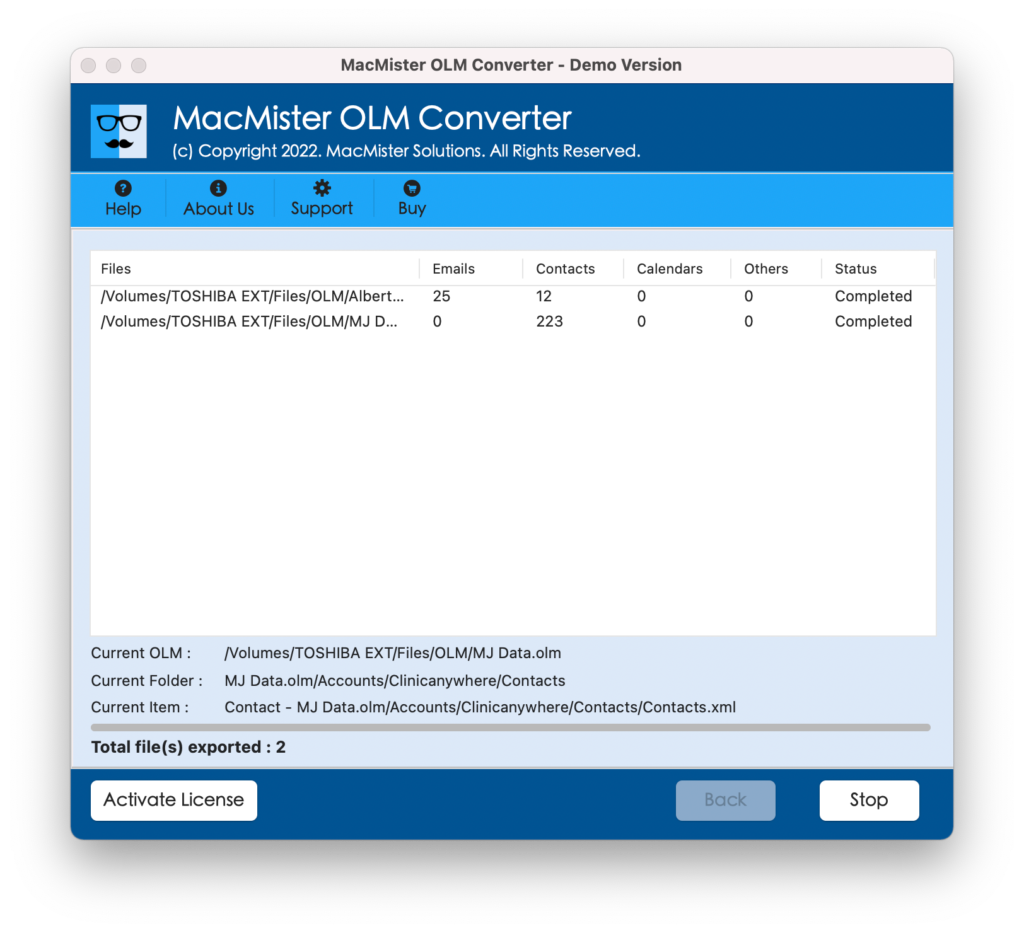
In few seconds, the application will finish the procedure and show “Conversion Completed” pop-up on the screen. Click OK button and login to Feishu Mail to check the results. The data will be accurately converted. Each and every email will appear with correct layout, content, and formatting properties.
The main benefit of using the application is its simplified approach and a guarantee of accurate process. Therefore, it is recommended to use a method which is secure and makes sure to deliver the desired output in minimum time.
Epilogue
In the write-up we have discussed an impeccable technique to fix “how to import OLM files to Feishu Mail”. The first method is free but possesses complicated and lengthy steps. Moreover, it is not suitable for non-technical users. Whereas, the second method is cost-effective but provides reliability, safety, and time-saving steps. Anyone can utilize it and perform the process without any difficulties. Also, it is available with a trial edition so that users can check the import process of OLM files to Feishu Mail for free. They can also import first 25 OLM emails and attachments to Feishu Mail free of cost.