How to Migrate Email from Rackspace to Gmail Account on Mac?

Looking for a secure and easy approach to migrate Rackspace to Gmail account! Finding hard getting the right solution for the process? If yes, then simply read further and you will surely get the suitable approach to forward Rackspace email to Gmail.
There are several users who wants to migrate from Rackspace to Google Mail for many reasons. However, some of them are:
- Vertical scaling is complicated.
- Option is not available for external instance storage.
- Offers limited features in cloud environment.
- Account is associated or tied to a single region only.
- Unhelpful technical support service.
- Lacking in different types of templates.
Rackspace is quite filled with lot of complications that disturbs the workflow of a particular organization. Thus, to avoid such circumstances, organizations and individuals are moving to Gmail environment.
Why Gmail is Better than Rackspace?
There are various reasons which clarifies why Gmail is better than a Rackspace account. Some popular benefits of creating an account in Gmail are:
- Easy to customize and allow users to modify chafe colours, type of font, font size etc. accordingly.
- Gmail enable users to add almost 5 POP email accounts so that users do not need to sign in to each email account. For e.g. users can add Hotmail and Yahoo accounts as well. They can receive messages from these accounts in Gmail directly. In other words, users can access multiple accounts in a single Gmail profile.
- Delivers many productivity apps to users like Google Play, Pinterest, Google Drive, Google Docs, Google+, Shopping, Blogger, Ads etc.
- Newly added keyboard shortcuts will help users to speed up mail replying and reading.
- Email backup directly on computer is easily possible through Google Gears, Mozilla Thunderbird or even Outlook.
- Users can include special pictures and formatting in signatures.
Once users create a Gmail account, they will get many more features which will ease their work and help in managing the large amount of data appropriately.
How to Forward Rackspace Email to Gmail Instantly?
Rackspace Backup for Mac is a solid application for those who wants to directly migrate Rackspace email to Gmail account. The software has an effective and simplified interface with easy working steps that any professional and non-professional users can smartly use to migrate from Rackspace to Gmail account. Even, the uncomplicated steps will help users to complete the entire migration within seconds.

Also, the features that are built in an application will help users saving the Rackspace emails in Gmail as per need. However, in order to check the same, users can download the trial edition immediately and test the process to export Rackspace emails to Gmail.
Steps to Export Rackspace Email to Google Mail Account
Step 1. Run Rackspace to Gmail Backup for Mac on macOS.
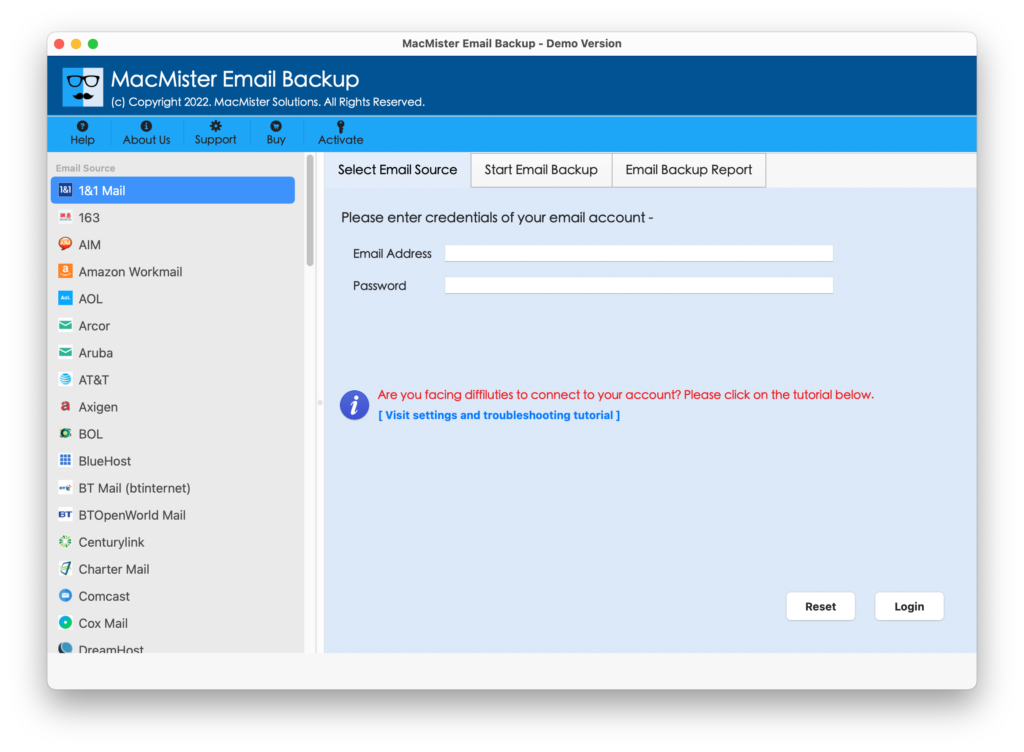
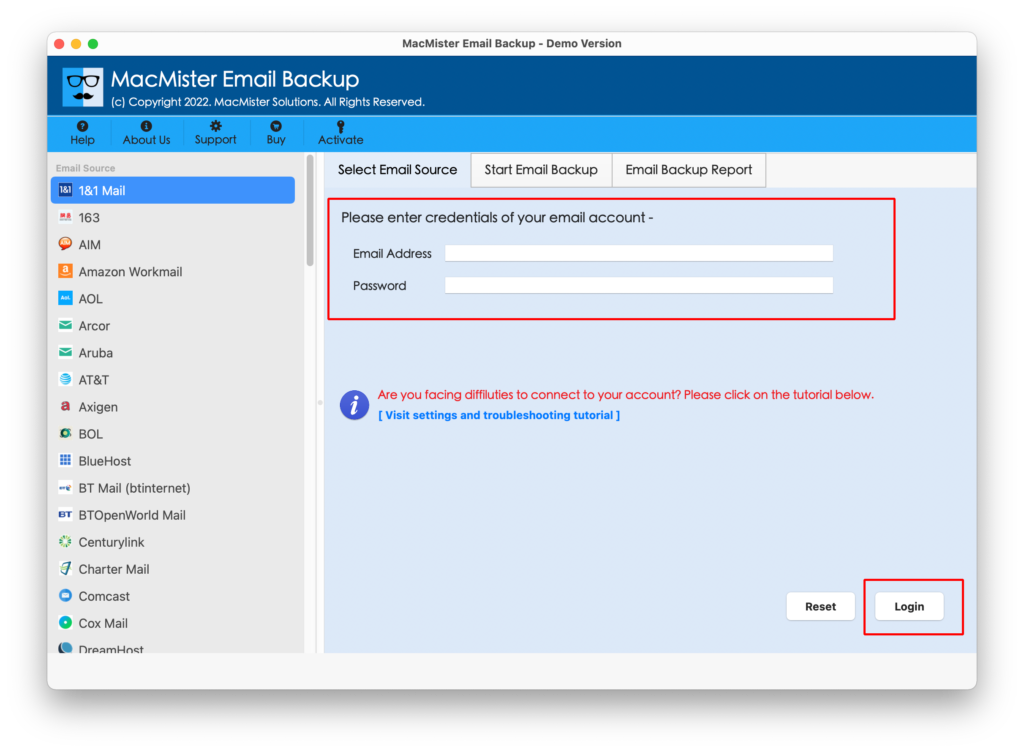
Step 2. Select Rackspace option by going to the webmail’s list appearing on the left. Enter Rackspace login details and continue by clicking on Login button.
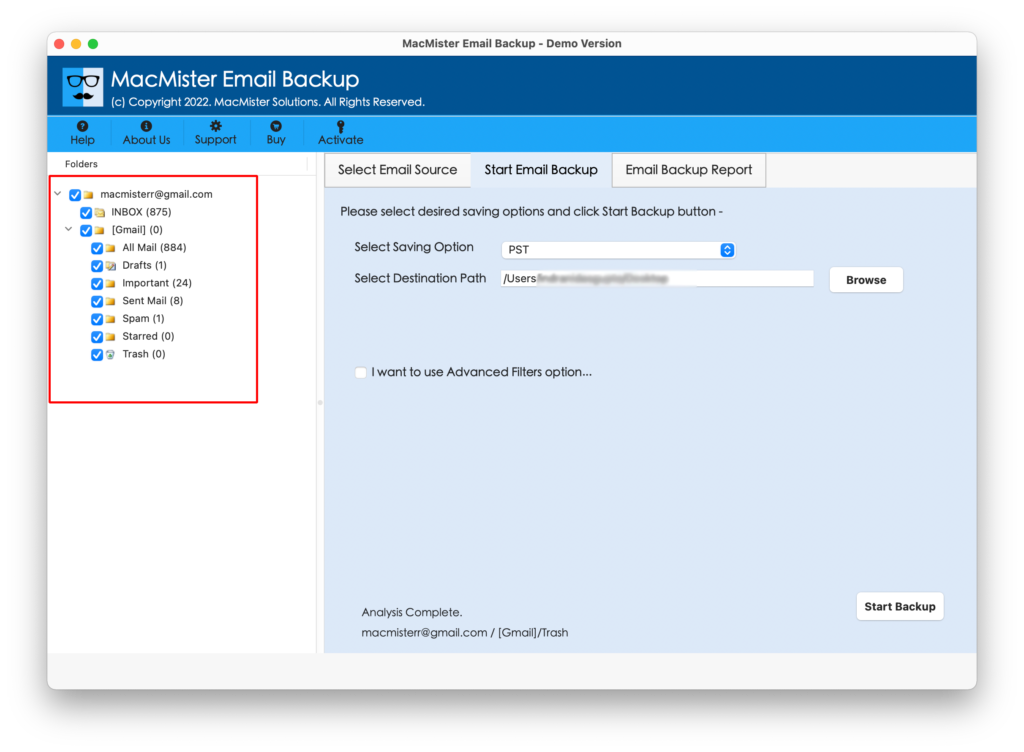
Step 3. Tool will authorize specified Rackspace account and start showing Rackspace account items one by one.
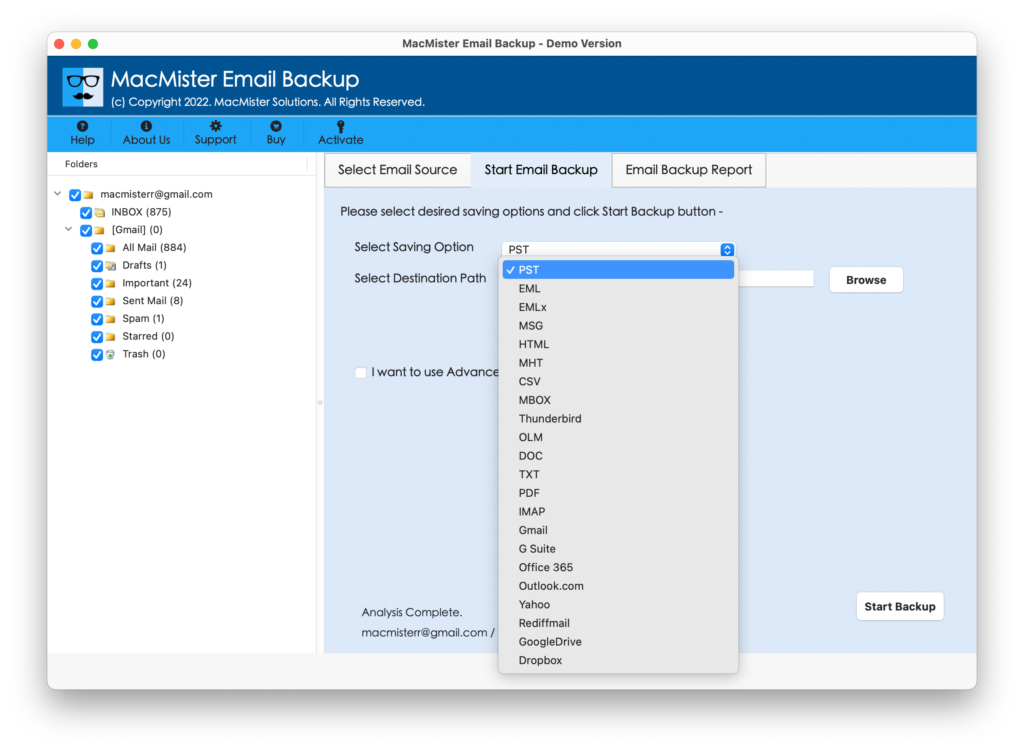
Step 4. Select Gmail saving type by clicking Select Saving Option drop-down menu.
Step 5. Enter the Gmail login details in which Rackspace email are required. Apply filters to export specific Rackspace emails and then click on Start Backup button.
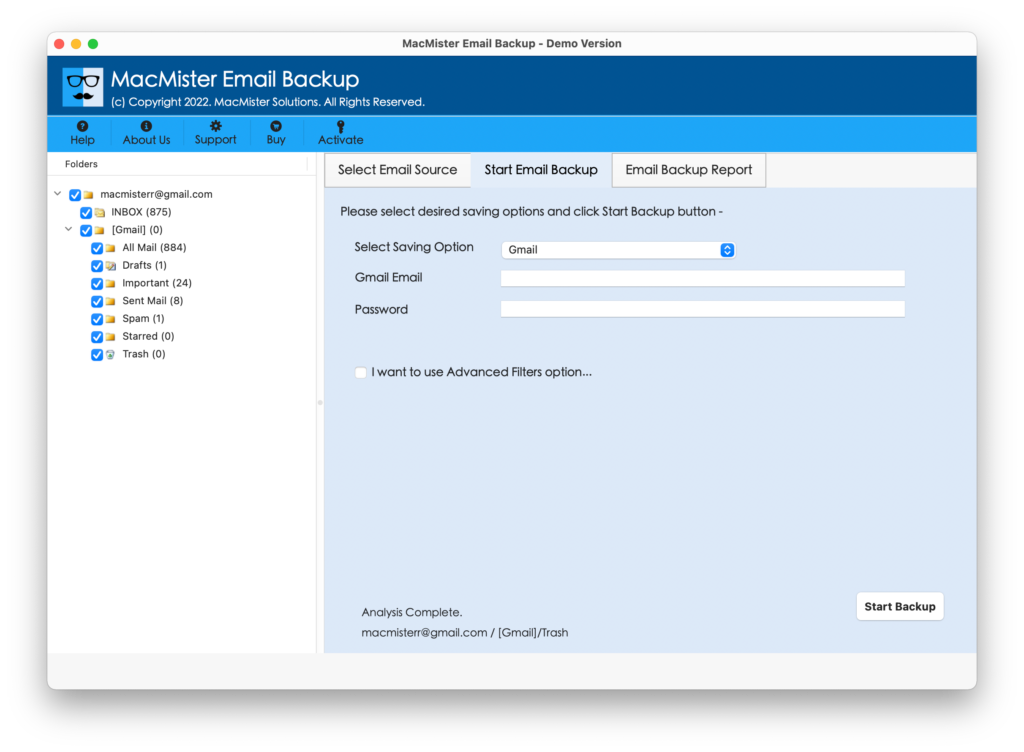
Step 6. Check Rackspace to Gmail live status using Email Backup Report as shown-
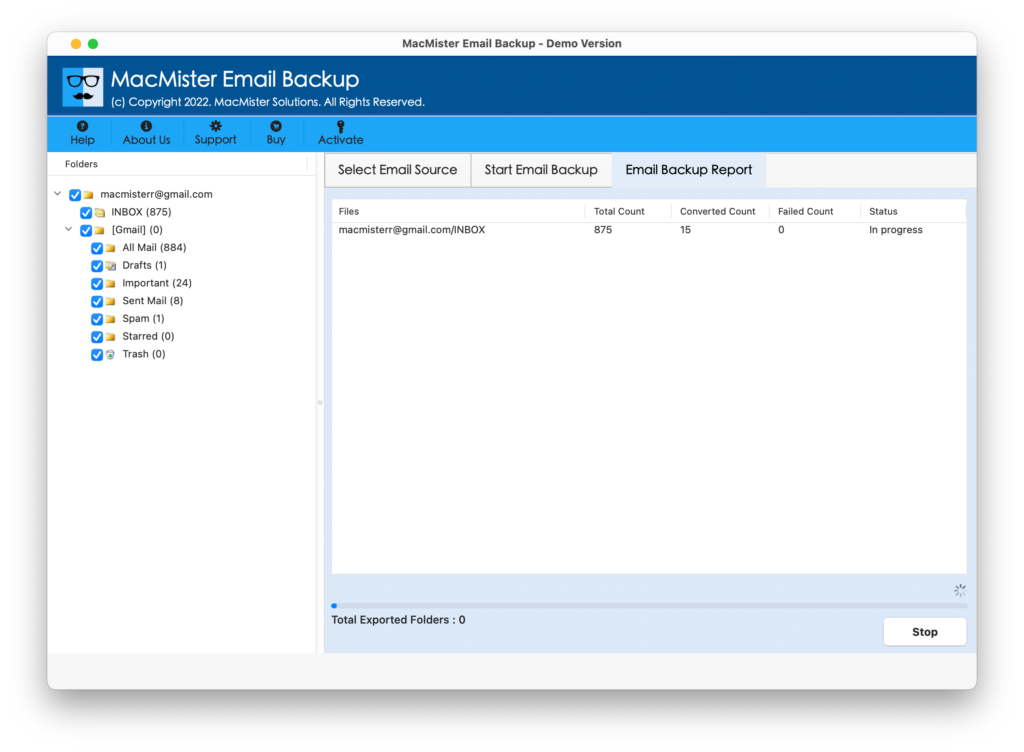
Tool will confirm the completion by displaying “Process Completed” message on the screen. Now, go to the Gmail account in which Rackspace emails are saved. The email formatting properties such as header, hyperlinks, images, videos etc. will be 100% accurate.
Features of Rackspace to Gmail Tool
Directly Export Rackspace Email to Gmail
Rackspace to Gmail Tool has a facility of exporting Rackspace emails to Gmail account directly. And, this has become possible with direct migration feature. The application allow users to provide the Rackspace login details as a webmail and ask to enter Gmail login details when selected as a saving option. After this, the tool enable users to simply click on Start Backup button. Now, tool will start forwarding all Rackspace emails to Google Mail.
Forward Specific Rackspace Emails using Filters
Rackspace to Google Mail application has an Advance Filters facility. By choosing the option, users will be able to send Rackspace emails with attachments to Google Mail as per requirements. This means in spite of migrating the complete list of Rackspace emails, users will be able to forward Rackspace emails of a particular date, month, subject, email address, etc.
Includes Friendly GUI with Easy & Intuitive Steps
Rackspace to Gmail application possesses friendly GUI with easy and intuitive steps. Users with technical and non-technical skills will be able to use the software effortlessly and quickly transfer Rackspace emails to Google Mail account. And, to perform the process, users does not need any assistance from external sources as the tool is very easy to manage and handle.
Keeps the Rackspace Emails Data Integrity Intact
Rackspace to Google Mail application will take care of the entire Rackspace email file. The data integrity and content structure of Rackspace email will be 100% accurate after migration process. So, users do not need to worry about any type of data loss because it’s not going to happen with MacMister Rackspace Backup solution.
Migrate from Rackspace to Gmail on all Mac OS
Users and organization can download the software on any macOS editions. The application will give the freedom to users who wants to forward Rackspace Mail to Google Mail on macOS Monterey, Big Sur, Catalina, High Sierra, etc.
Track the Live Rackspace Email Transfer Process
Rackspace to Gmail application offers Email Backup Report screen when a user clicks on Start Backup button. The window will show the live migration details and allows to track the backup progress as well. It includes status of process, items left and total emails migrated.
Final Words
The MacMister blog has offered one of the most secure and reliable technique to export Rackspace email to Google Mail account. The Email Backup Software Mac has many beneficial options that allow users to forward Rackspace email to Google Mail according to their particular needs. However, the free demo version is available which will help users exploring the functioning of the tool and its well-built features. It enables to transfer 25 Rackspace emails to Gmail free of cost.