How to Transfer Outlook email from Mac to Windows?
Overview
In this article, we will talk about how to transfer Outlook email from Mac to Outlook Windows. So, if you are facing any issue transferring or accessing Outlook email files in Windows OS, then you must read this article till the end. If you are willing switching from Mac OS to a Windows PC, one of the key tasks during this migration is moving your crucial data, and your Outlook emails are likely at the top of the list. So today we will describe the solution of it in detail.
Hey, I am Chris, I recently joined an IT organisation. And here we use Outlook email client for Windows. And I am supposed to export my Outlook email data from my Mac machine to Windows machine. But the problem is that there are huge numbers of Outlook email files. Hence I am looking for a direct solution to resolve the issue. Can anyone suggest to me any genuine method in order to execute such a task in a simpler manner. Thanks in advance.
Hello, Is there any simple solution available that can help in transferring Outlook email from Mac to Outlook Windows. As I want to switch from Mac OS to Windows OS. Please suggest an effortless method as I belong from a non-technical background. Thanks.
Go with a Simple and Precise Solution to Transfer Outlook email from Mac to Outlook Windows
MacArmy OLM Converter for Mac – the ultimate solution for transferring multiple OLM files to Outlook Windows supported PST files in single processing, so that users can access such files on Windows simply. This app comes with advanced functionalities that help to execute migration from in the simplest manner without any technical skill. Download a free demo of this tool to test the efficiency. The app is trustworthy enough to opt for as it maintains the data integrity of Outlook email files in its authentic form. It gives convenience to choose the desired destination path for the resultant files accordingly. Also, it instantly provides a log-report of the file migration in Notepad. To analyse all its working one can opt for a free demo. Download this app on Mac Operating System to gain practical knowledge of the app via free demo.
How to Transfer Outlook email from Mac to Outlook Windows – Follow Simple Working Steps
Step1: At first launch Outlook for Mac to PST Converter on Mac PC.
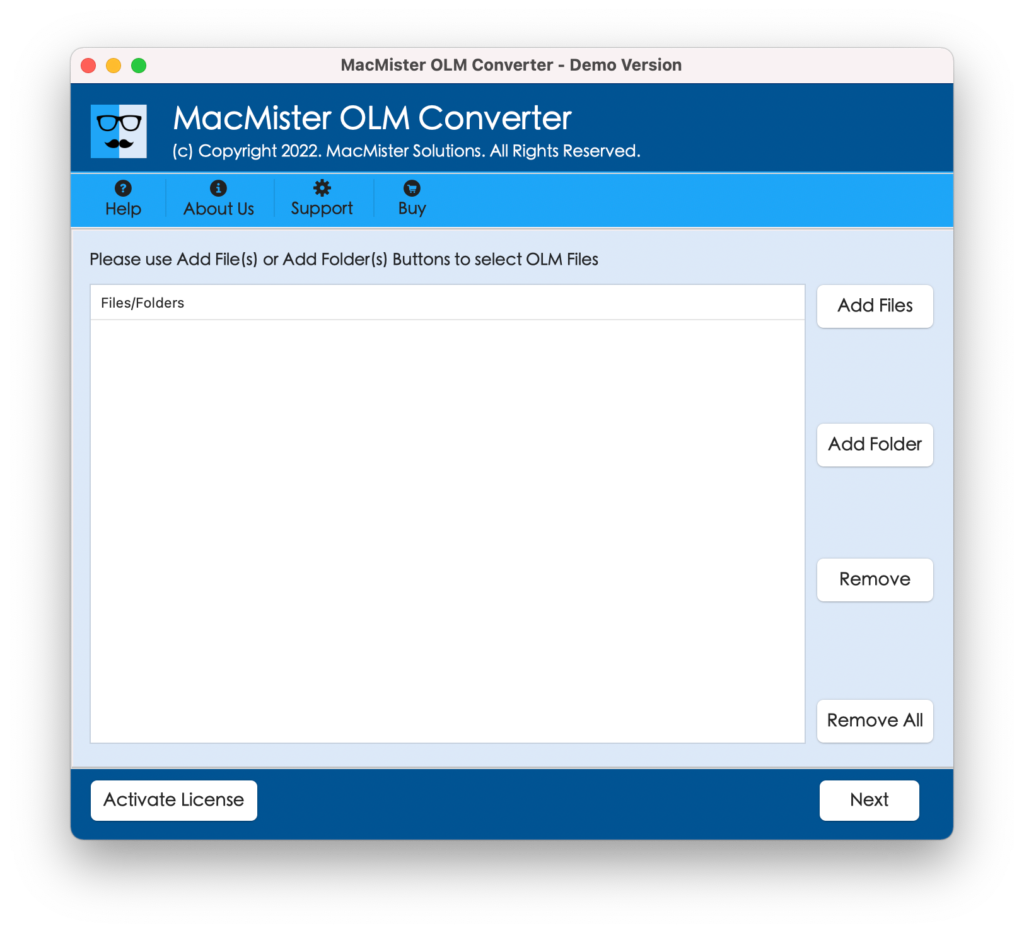
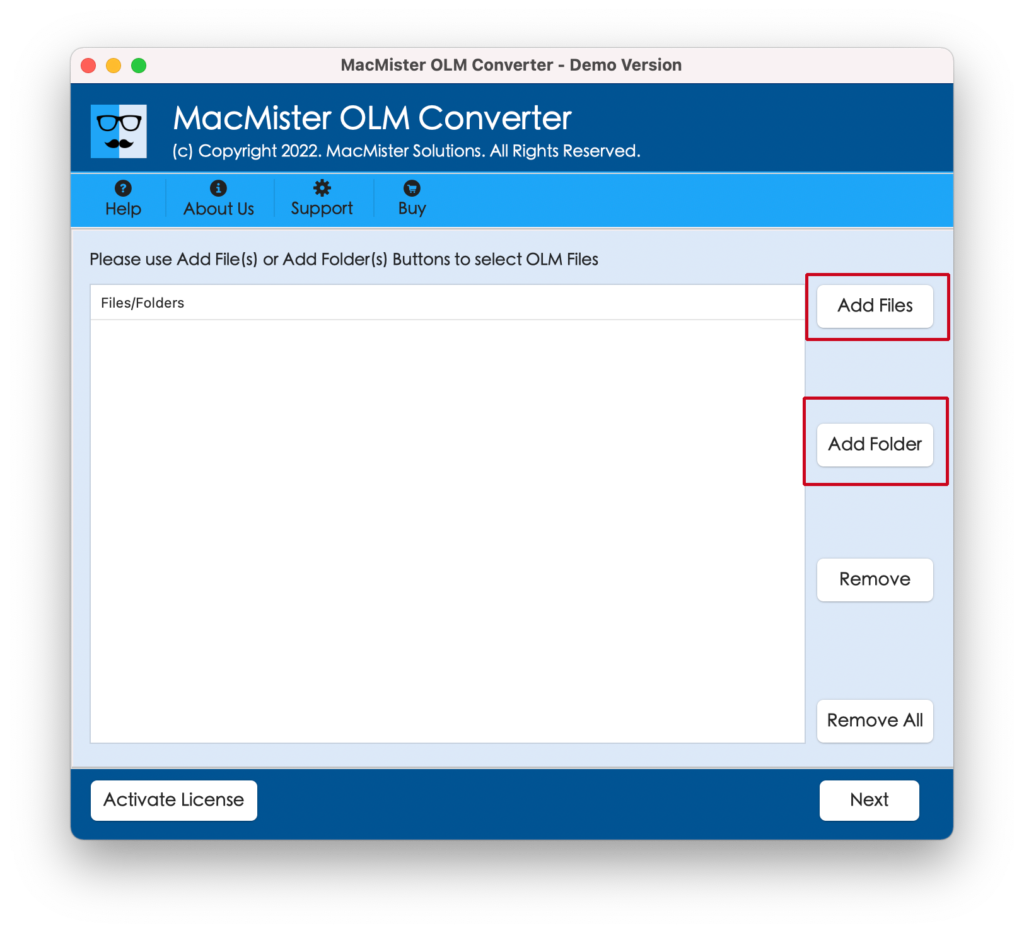
Step2: Now add those data you wish to export by Add Files and Add Folder options.
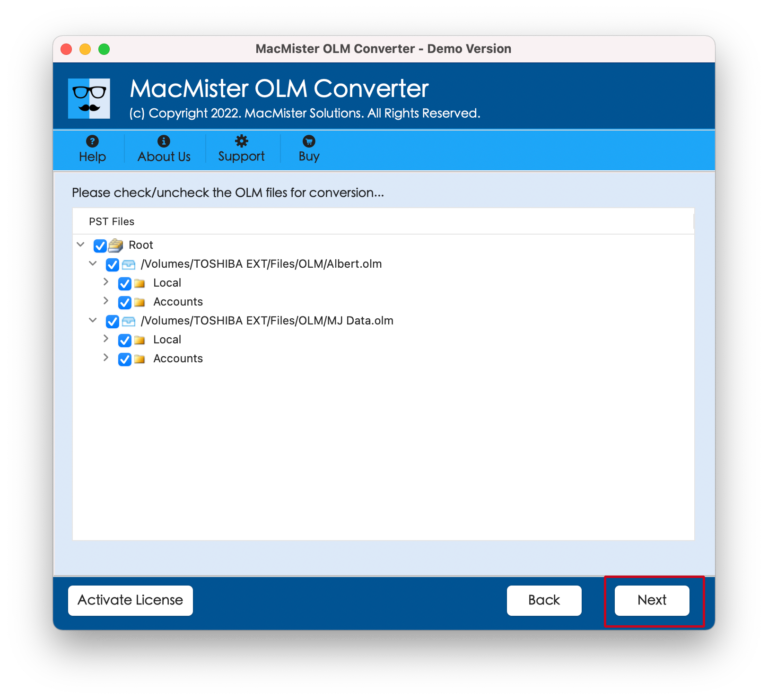
Step3: Select required Mac Outlook email files clicking on the checkboxes.
Step4: Select the desired saving option i.e PST.
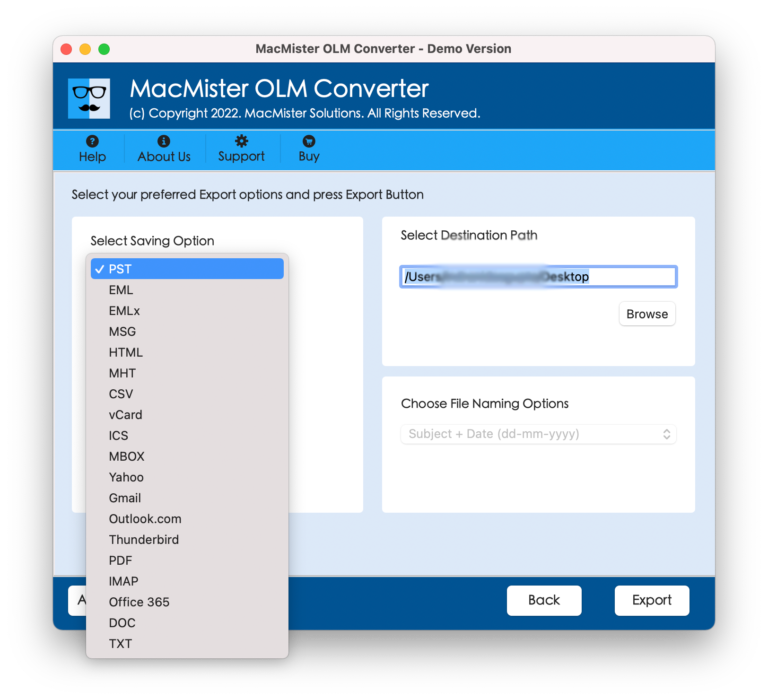
Step5: Now, choose the desired saving path for the results. Lastly click on the “Export” tab to initialize conversion processing.

How to Import PST Files into Windows Outlook? –Move Output Files to Windows
The last step is to import your Outlook for Mac (OLM) files into Outlook for Windows after they have been successfully converted to PST format. Follow the actions listed below:
- Open Microsoft Outlook on Windows machine.
- Navigate to the top menu’s File tab.
- Choose Import/Export after clicking Open & Export.
- Select: Import from another program or file in the Import and Export Wizard window.
- To continue, click Next.
- Choose Outlook Data File (.pst) on the following screen. Next, click.
- To find and load the converted PST file from your external drive or storage, use the Browse option.
- Select whether you want duplicates to be replaced, allowed, or not imported.
- Choose the Outlook folder that you wish to import the data into.
- To begin the import, click Finish.
All of your Outlook for Mac data, including emails, contacts, calendars, and other items, will be visible in Windows Outlook once the import is finished, all while maintaining the original formatting and folder structure.
Frequently Asked Question
How many OLM files are able to convert in single processing?
Answer: There is no such limitation, one can transfer multiple files in one round.
Is there any file size imitation? Or will I be able to convert any size Outlook email files?
Answer: This app does not impose limits on file size, so that it is feasible to export large as well as small size file with ease.
Is it required to take some technical lessons to know how this app works?
Answer: No, One can easily use this application even if they have no knowledge of technicalities.
Read more
End Note
We have attained a solution for the query of how to transfer outlook email from Mac to Outlook Windows. Now users will not face any hurdle resolving it. The complete working guidance has been presented in this article in a simpler way. The suggested application is Mac OS compatible users and now users can access Outlook Mac files on Windows Operating Systems versions – 11, 8, 10, 8.1, XP, Vista, etc. It provides the facility of a free demo by which it is permissible to transfer 25 Outlook for Mac files to PST format without any charges.