How to Convert MBOX Files to MHT on Mac OS?
Are you continuously searching a method to convert MBOX files to MHT on Mac OS? If yes, not to worry because MacMister Solutions is here to help you out!
MHT is simply a webpage archive, created by web browsers, especially by Internet Explorer. If a user saves file from a browser, then it will be saved with .mht extension. The page contain all type of resources such as audio, images, animations etc. And, at times, due to personal or official circumstances, users need to convert MBOX files into MHT format.
Also Read
So, in the following blog, we will be focusing on how to convert MBOX to MHT on Mac. The solution should be reliable because Mac is one of the most secure application and it is important to get a secure conversion solution to convert MBOX files to MHT.
Now, let’s move ahead and see how the conversion process will take place!
Error-Free Method to Convert MBOX to MHT in Seconds
To implement the desired process, users can make use of MBOX Converter for Mac Tool. One of the safest and recommended utility to batch convert MBOX files into MHT at once. The solution carries trouble-free steps and GUI that one can use without any worries. By appropriately implementing few simplified steps, users will be able to perform the conversion successfully.

The MBOX to MHT Tool include features which allow users to convert MBOX files to MHT according to their needs. The free demo version will help you in this. With the help of the trial edition, you can check the process of MBOX to MHT conversion by converting 25 emails files free of cost.
Steps to Save MBOX Files in MHT using MBOX to MHT for Mac Tool
Step 1. Start MBOX to MHT Tool on Mac OS.
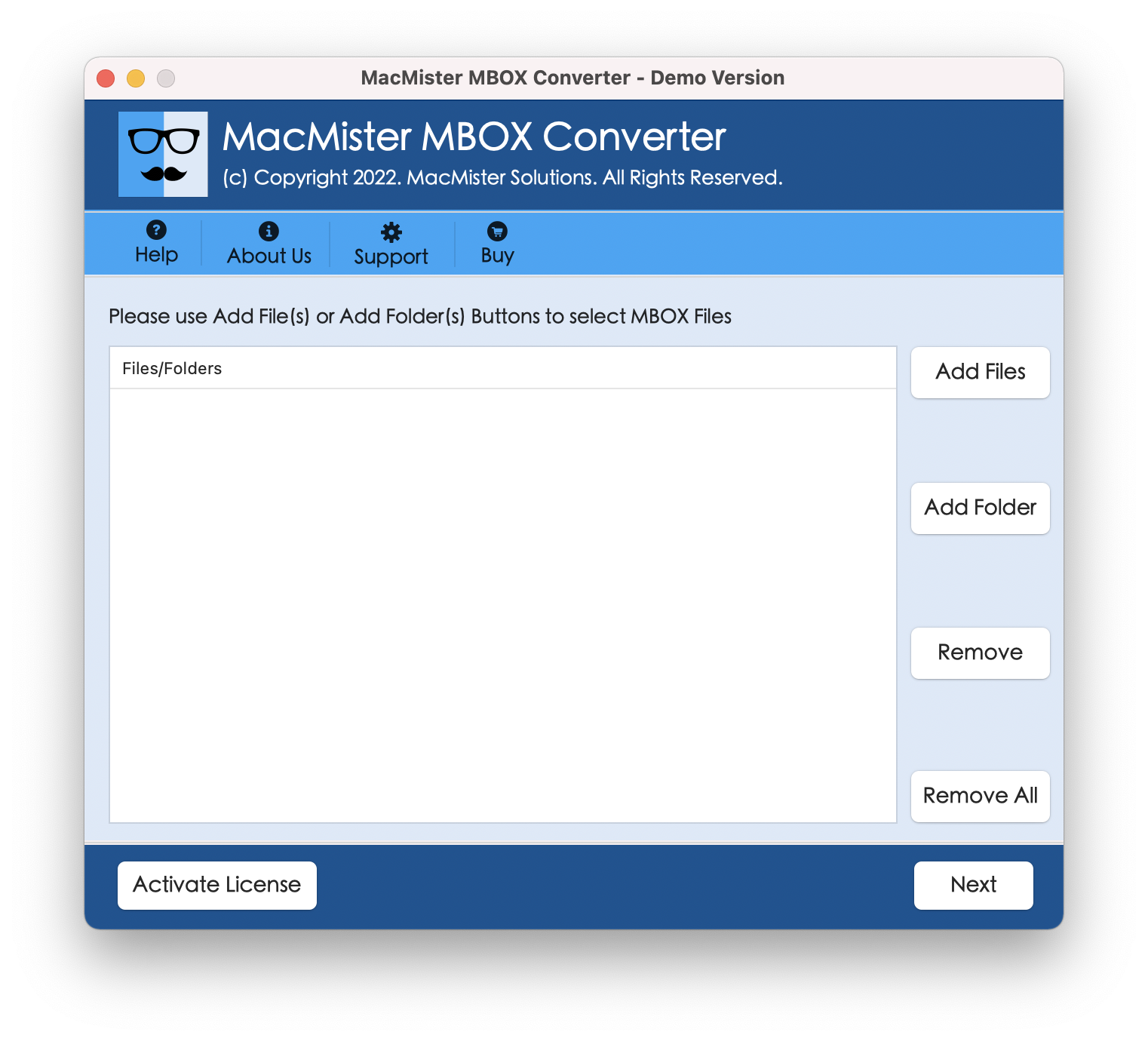
Step 2. Take help of Add Files/Add Folder buttons to load MBOX files or folder on the software and click Next.
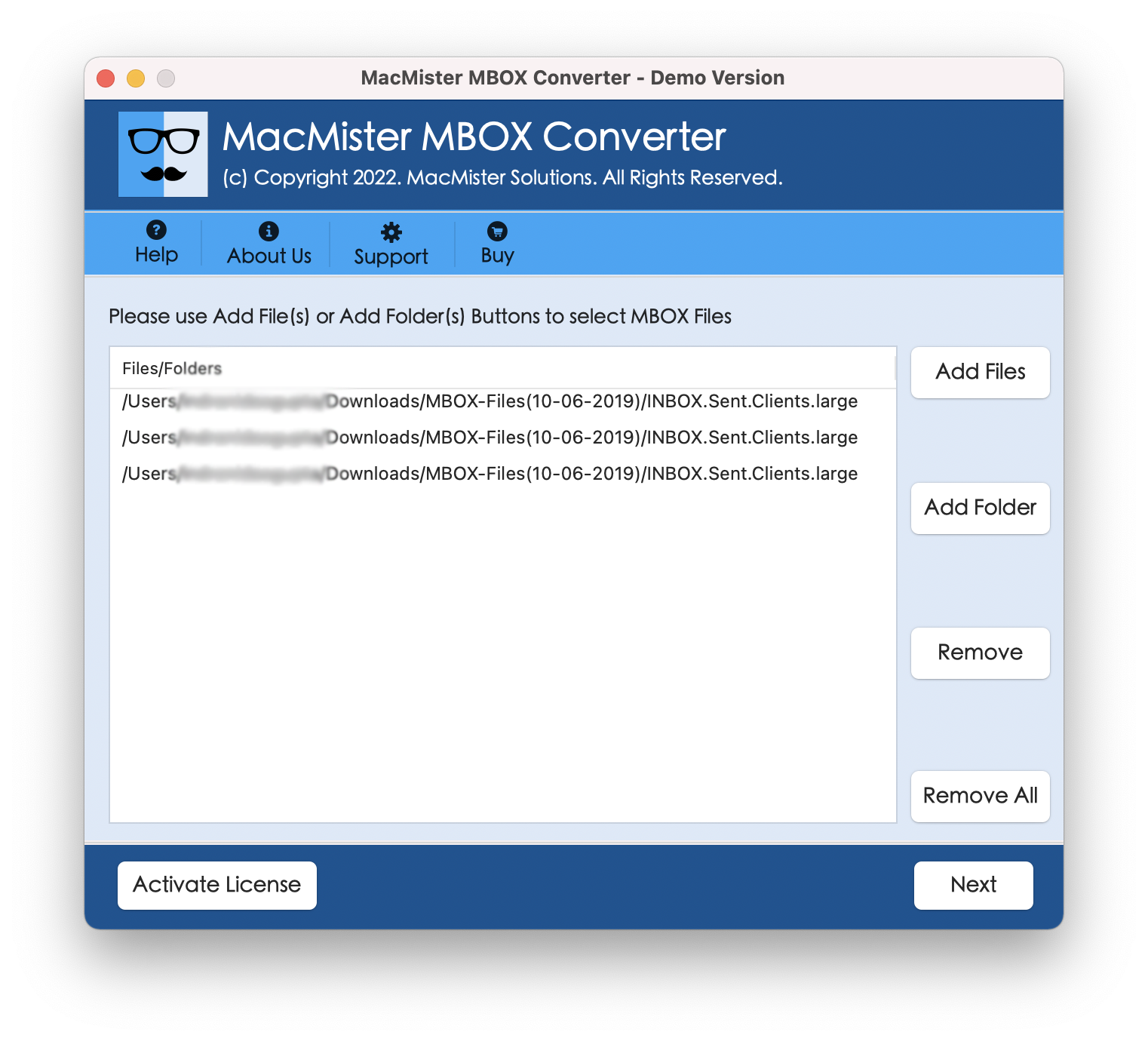
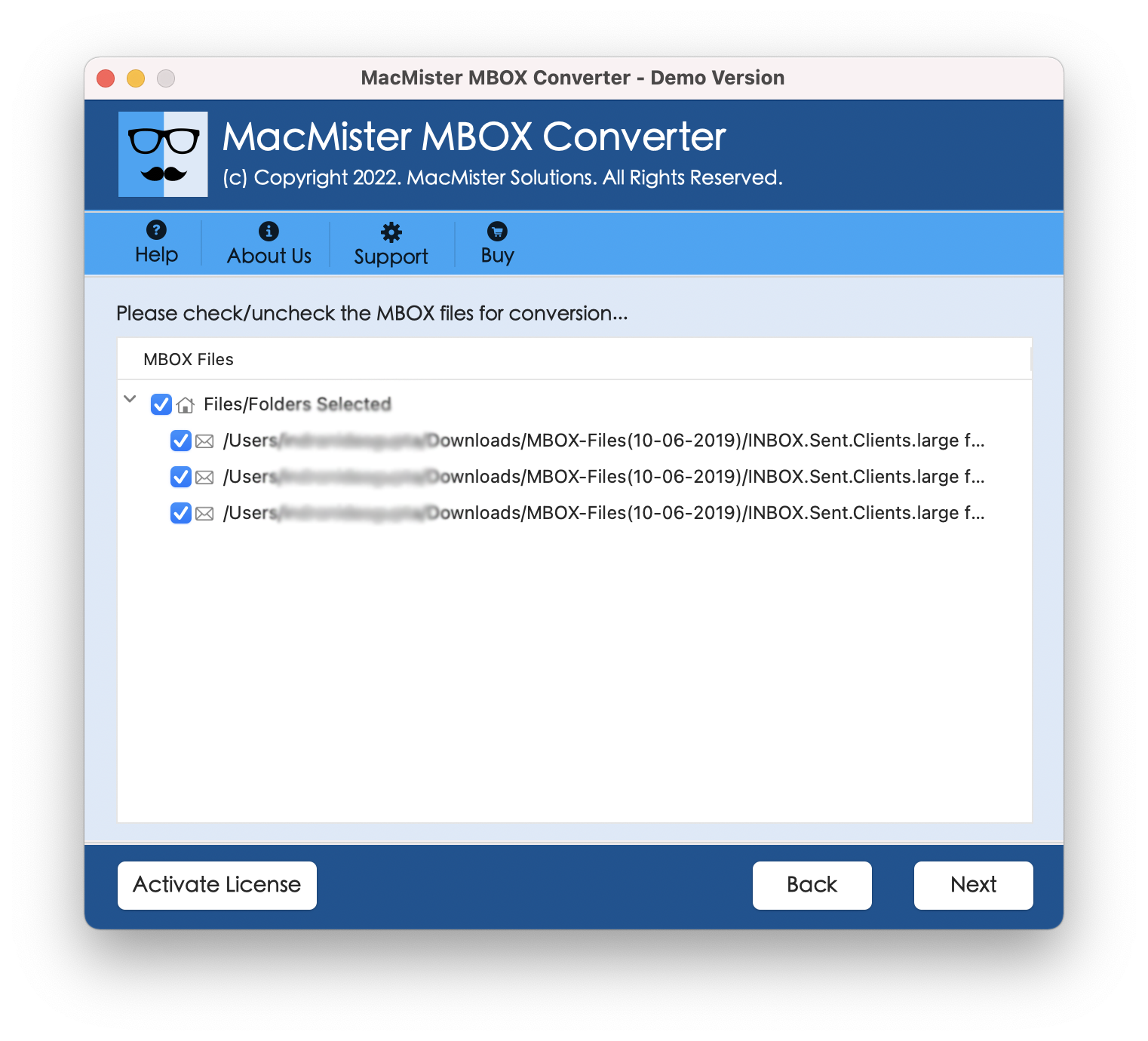
Step 3. MBOX files will list one-by-one and organized in hierarchical structure. Each file will be shown with checkboxes that are added so that users can perform selective migration, if needed by them. Otherwise, press Next.
Step 4. Choose MHT from Select Saving Option.
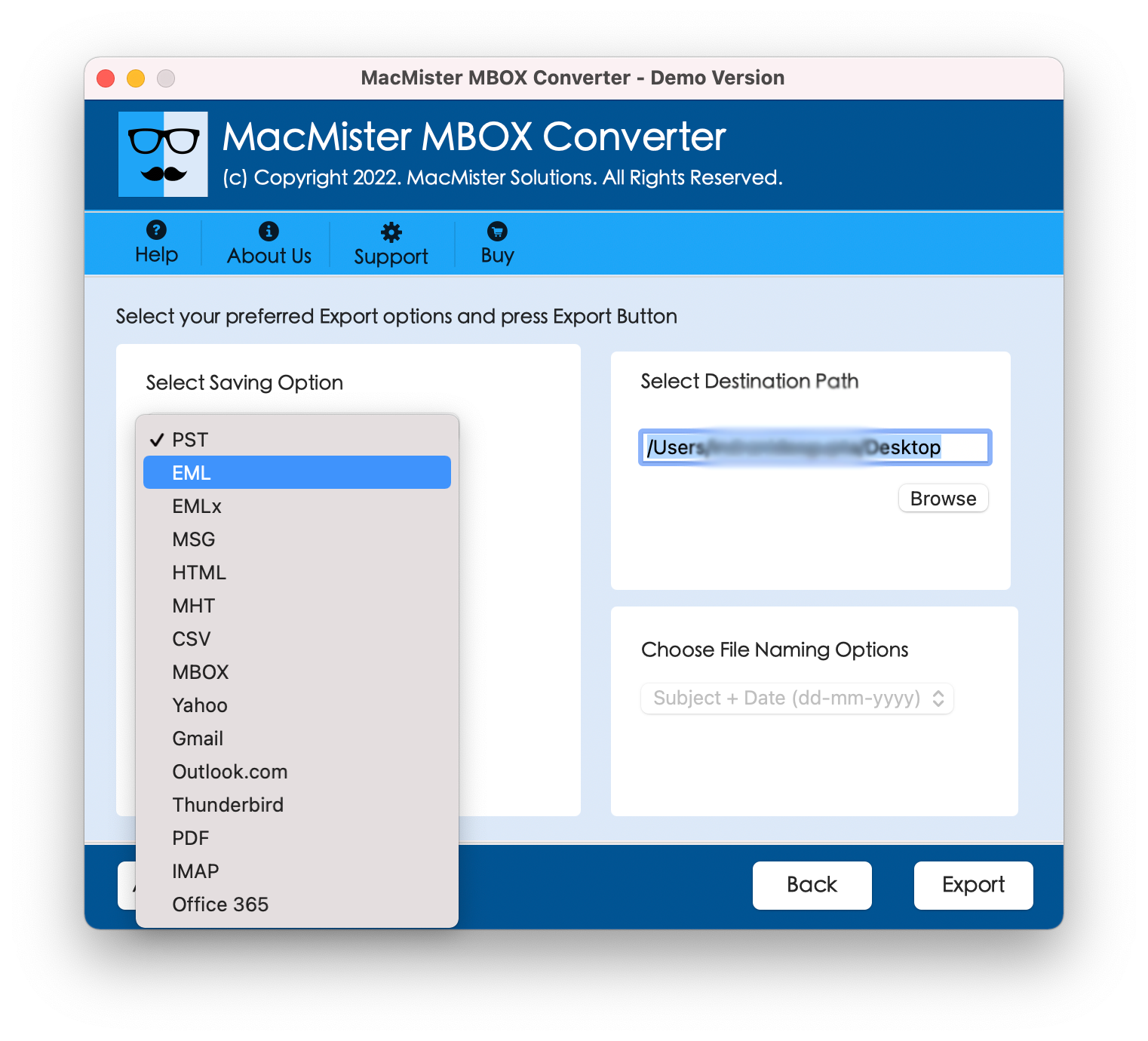
Step 5. Apply options according to requirement such as destination path, file naming options etc. and click Export.
Step 6. MBOX to MHT Live Conversion process will be shown by the tool. Users can track the total items converted, total items left and status.
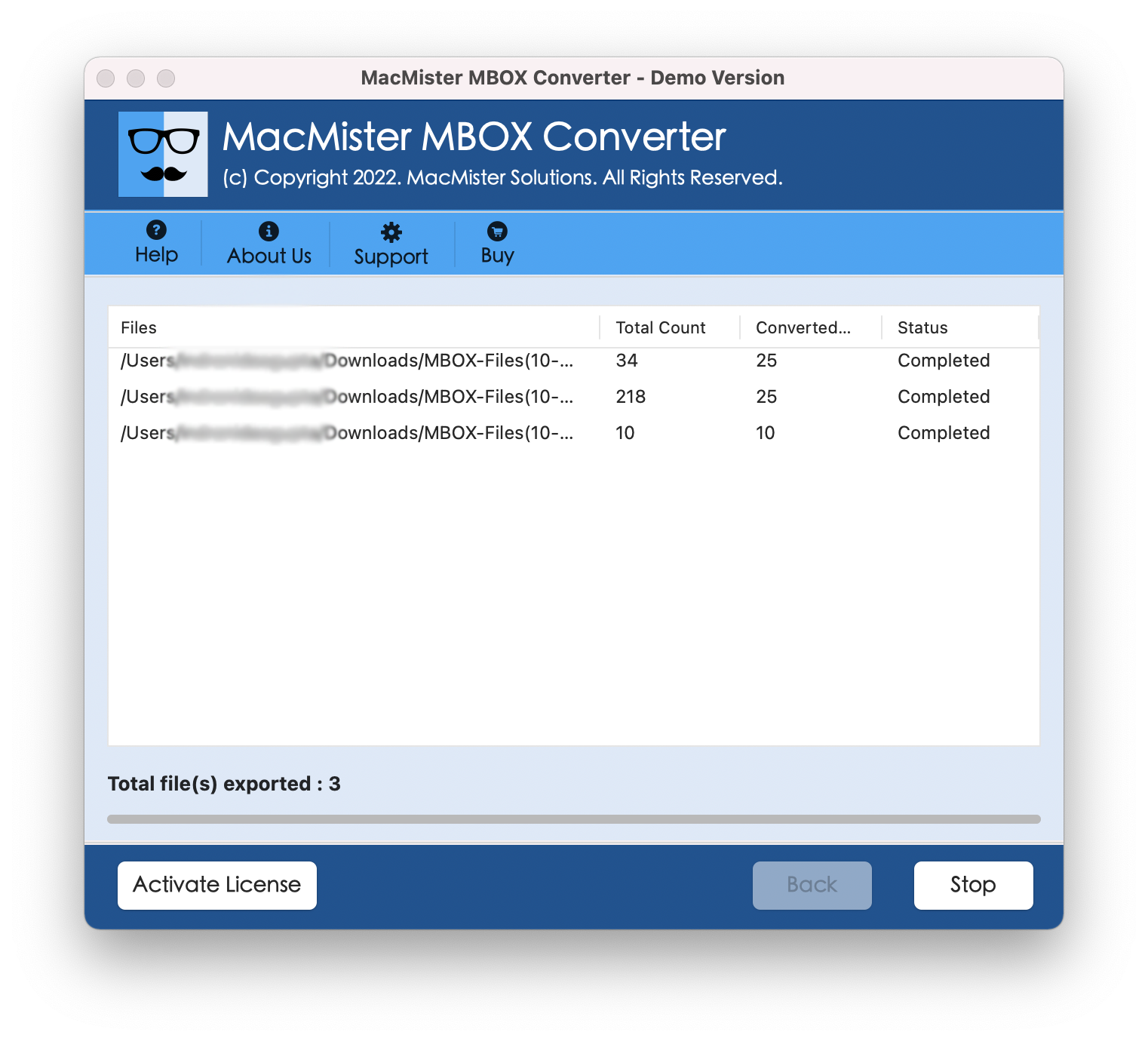
Now, navigate to specified destination path where resultant file is saved and check the file content and other properties. The data integrity of MBOX file will be preserved throughout the process.
Note. In case you face any issues while converting MBOX files to MHT, contact our support team any time. They will guide you properly and help you in converting MBOX files to MHT step-by-step.
Effective Features of MBOX to MHT Converter Tool for Mac
- Batch convert MBOX files to MHT at once on Mac.
- Able to precisely export MBOX files with mails and attachments.
- Preserves MBOX file data originality after conversion process.
- Includes File Naming options to manage resultant files.
- Choose any desired location to save resultant files on Mac.
- Dual Options will help to load required MBOX files or folders.
- In-built functionality to convert selective MBOX files to MHT.
- Allows to convert all Mac-supported email apps MBOX files.
- Execute MBOX conversion on Mac Monterey and other Mac OS versions
Conclusion
The complete MacMister post provided an instant and effective solution to convert MBOX to MHT on Mac OS. The application discussed here is very simple to use and any user can use it effortlessly without affecting the original data. Users can use the solution to convert MBOX to HTML, PDF, MSG, IMAP Server, G Suite, Gmail, Office 365 and more.