How do I Transfer my GoDaddy Emails to Office 365 on Mac?

Are you finding a solution of “how do I transfer my GoDaddy email to Office 365 on Mac? If yes, then not to look for it anymore, the segment has provided perfect Email Backup Software Mac for error-free GoDaddy to Office 365 migration. By using the tool appropriately, a user can not only migrate GoDaddy emails to Office 365 but also move GoDaddy to IMAP, AWS, Yahoo Mail, Gmail, G Suite and more. Let us start further by knowing few facts about GoDaddy and Office 365.
GoDaddy v/s Office 365
GoDaddy is a popular web hosting company and internet domain registrar that provides multiple services for web hosting, domain name registration, WP site hosting, professional email, SSL security and more.
GoDaddy also provide different domain tools that includes domain transfer, name search, WHOIS database search, privacy protection, domain action, domain backorders, domain name value appraisal and domain investing. A wide range of domain extensions available – from classic.com and .net to modernized .xyz, .io and .cloud extensions. More than 50 subdomains and 400 email aliases can be created for very purchased domain. Business protection, privacy protection and domain certification options are provided keeping the personal detail of users secure and making sure that one cannot transfer domain maliciously or accidentally.
Office 365, on the other side is a cloud collaboration server, a cloud edition of desktop MS Office Suite. It delivers secure and reliable apps to store, share, edit files and documents, to connect dispersed team by using messaging, shared calendars and conferencing tools and enhance the experience of brand by using branded emails and online websites.
However, there are numerous benefits of using Office 365 application and due to this many IT users wants to transfer data from their current webmail server into Office 365 environment.
How to Transfer GoDaddy to Office 365 on Mac?
Users can make use of all-in-one Email Migrator application which is specifically designed for Mac users. It allow users to transfer unlimited GoDaddy emails to Office 365 account at once. The process will save their time and help them in acquiring the desired output without data loss. Moreover, the GUI of the program is very simple and kind of impressive as well. Because the steps included in the software is not complicated and help users in carrying out the entire migration within seconds.

Also, the features of the application gives users the flexibility in carrying out the required migration process. And, one can check and explore the same by downloading the trial edition of the software.
Steps to Migrate GoDaddy Email to Microsoft 365 on Mac directly –
Step 1. Run Email Extractor Tool on Mac OS.
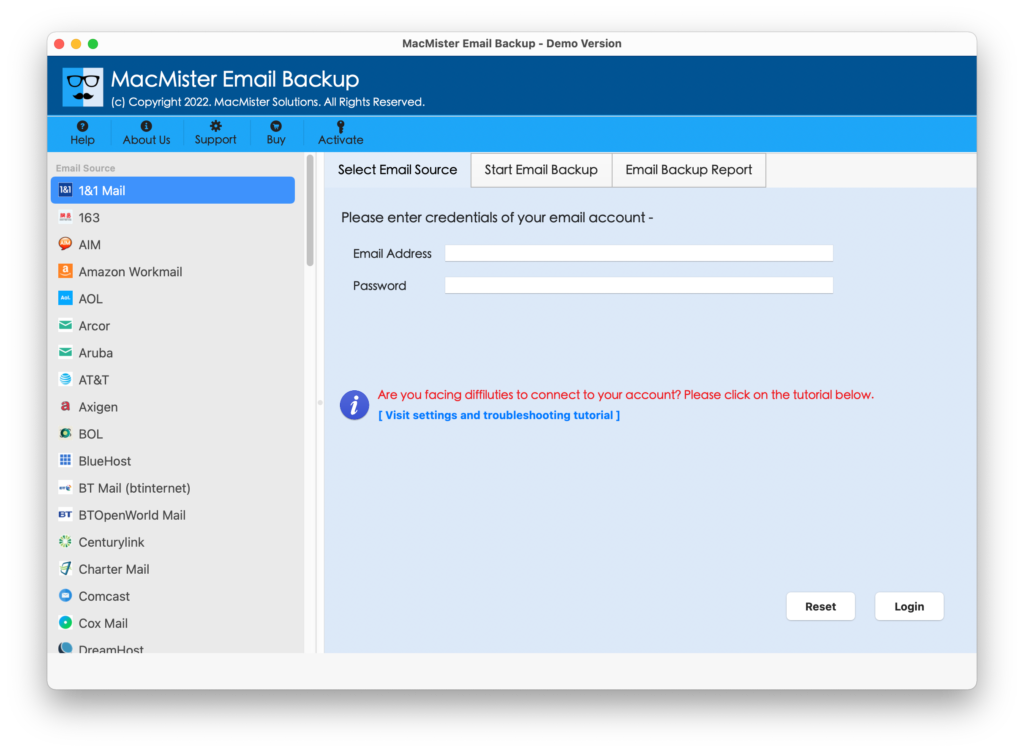
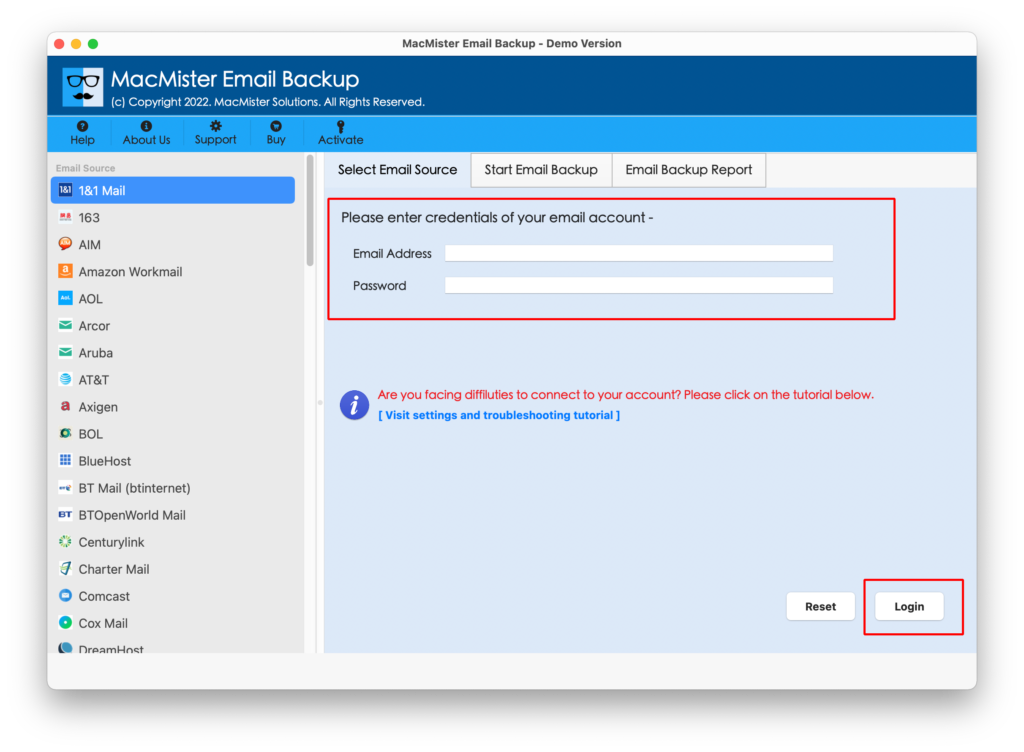
Step 2. Select GoDaddy from the left webmail source options that are appearing. Enter GoDaddy login details and click on Login button.
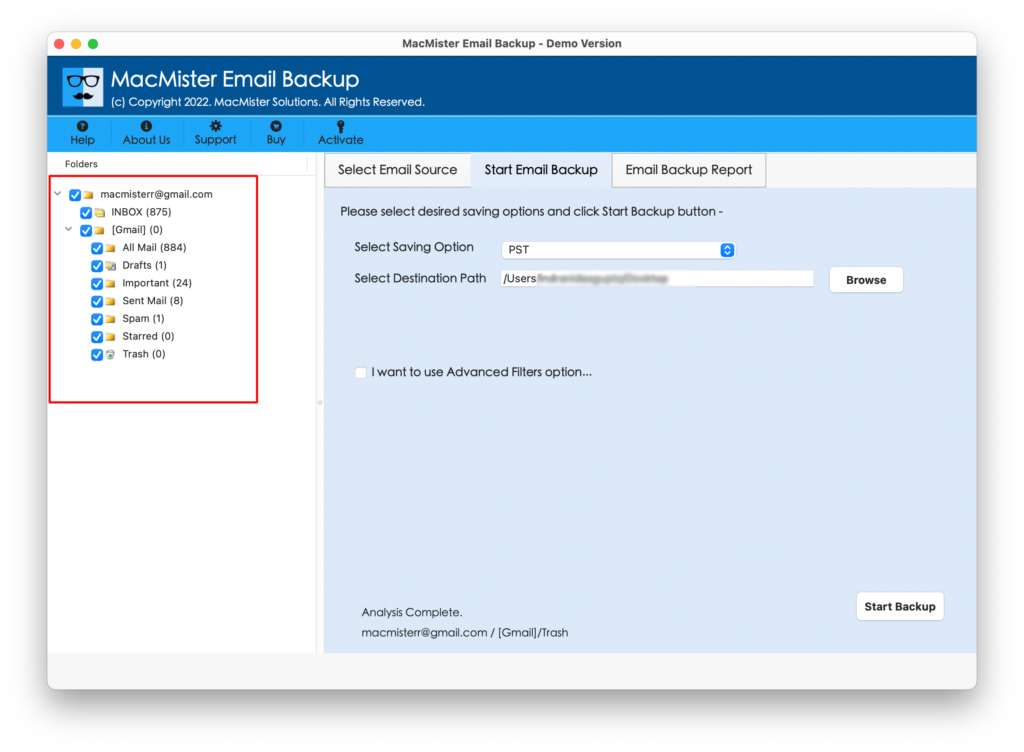
Step 3. GoDaddy account will smoothly get connected with the software and start showing its related folder items one-by-one with default selected check boxes.
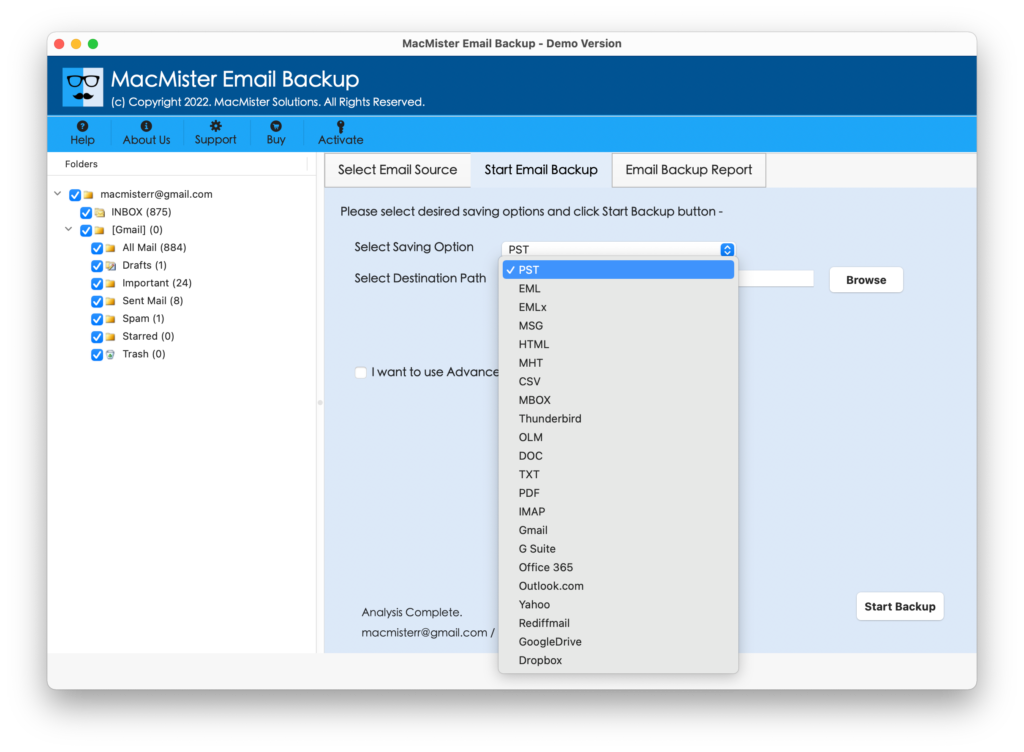
Step 4. Go to Select Saving Option button and choose Office 365 from the menu.
Step 5. Provide Office 365 login details. Users can also apply filters if they want to export specific GoDaddy emails to Office 365. After this, press Start Backup button.
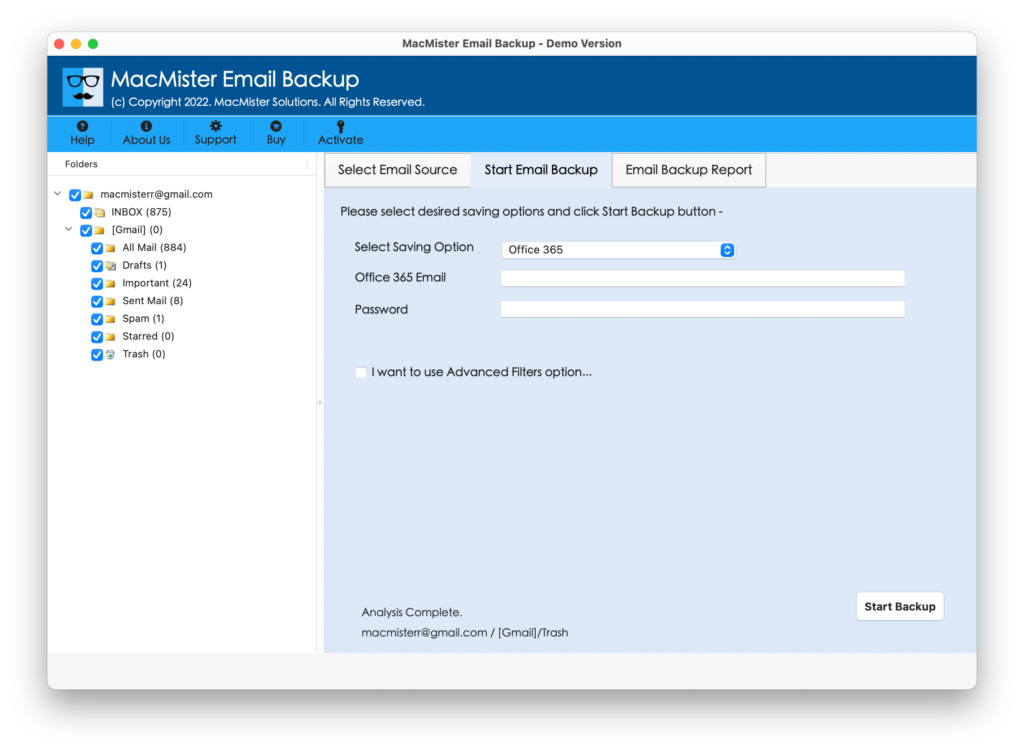
Step 6. GoDaddy to Office 365 process will start suddenly. Users can check the live process through Email Backup Report that will show the current export status.
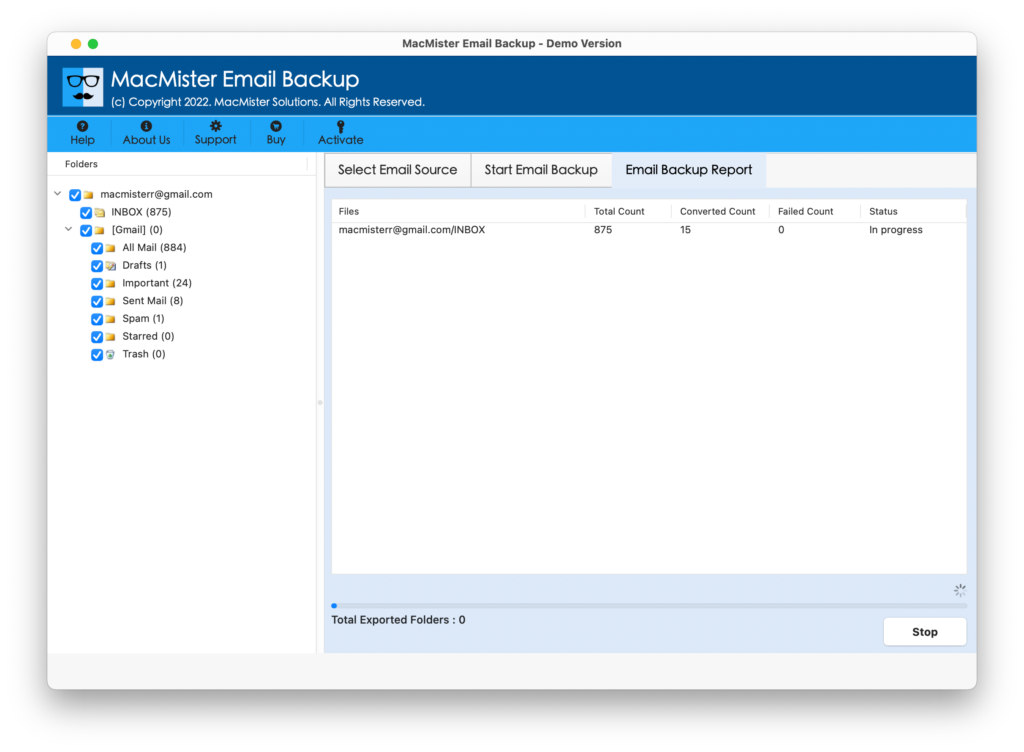
Now, GoDaddy to Office 365 process will finish with a message “Conversion Completed”. The pop-up will be shown with OK button. Click on it and the report will get generated by the tool automatically. It will display the entire details of the process such as saving option, total items converted and more. Moreover, the resultant data remain accurate and also its formatting properties remain unchanged during the process.
Features of Top-Rated GoDaddy to Office 365 Solution
Export GoDaddy to Microsoft 365 in Batch
GoDaddy to O365 application is programmed with the advance batch export facility. With the help of the software, users who are having numerous GoDaddy emails can use the option to perform the unlimited GoDaddy mail migration to Office 365 at once. The option will save the time for those users who wants to transfer complete email lists in Office 365 environment.
Simple & Intelligible User-Interface
GoDaddy to MS Office 365 tool has an intuitive and easy to manage user-interface. The technical and novice users can easily handle the process of migrating GoDaddy emails to Office 365 by utilizing few simple clicks and friendly environment.
Filters Option for Specific Email Files Export
GoDaddy to Microsoft 365 utility has the option of Advance Filters that will help users to save only the required files from GoDaddy account to Office 365. The option includes date range, subject, to, from and etc. By applying them accordingly, users will be able to download GoDaddy emails as per particular date, email ID, subject etc.
GoDaddy Mails to Office 365 with Attachments
The GoDaddy to M365 tool has the ability to protect the attachments associated with GoDaddy emails during the process. Thus, users do not need to worry about their attached documents as the tool will take care of the entire migration in an appropriate way. In other words, the tool will smoothly migrate GoDaddy emails and its related attachments without data loss.
Preserves Data Integrity of GoDaddy Emails
The GoDaddy to Office 365 application preserves the data integrity of GoDaddy emails when performing the backup process. All the email header information as well the entire content of Yahoo email data such as bcc, to, subject, from, to, hyperlinks, email body & other details will totally accurate and safe by the application throughout the process.
Operate the Tool on All Versions of Mac OS
GoDaddy to Microsoft 365 Tool is capable to run on Mac Monterey, Big Sur, Catalina, High Sierra and on other versions of Mac OS. Users with any Mac platform can instantly download the tool and effortlessly transfer all GoDaddy emails with attachments into Office 365 account in seconds.
Final Thoughts
The article has offered the ultimate solution for exporting GoDaddy emails to Office 365 with attachments on Mac directly. The tool is secure to use and protects the user confidential information when performing the migration process. However, users who wants to test the process can use the freeware version of the software. It allows to transfer 25 GoDaddy emails to Office 365 free of cost.