How to View Legacy ANSI PST Files on macOS Sequoia?
The macOS environment of Apple has undergone many changes over the years and boasts an enhanced security structure, improved user interface, and performance optimization. The macOS Sequoia is one such version that offers advanced multi-tasking capabilities and seamless integration within Apple hardware and software. The only issue faced when using more modern operating systems is compatibility problems with old file formats.
Handling the old ANSI PST files is one of the biggest challenges that have been faced by the professionals, system administrators, or even digital archivists who move or review historical data using a Mac. The ANSI PST files were created by older Microsoft Outlook (Outlook 97 to 2002) software in a Windows environment, using the 32-bit architecture and a different code page than the current Unicode PST file format. Since the natural environment does not contain the built-in capability of working with the Outlook data files, the ANSI PST file access on macOS Sequoia is not an easy task.
Luckily, you do not have to go back in time and use an old Windows system or find some untested workaround to make things work. By using a specialized tool, you can easily gain access to your old ANSI PST files in macOS Sequoia. This article discusses the problems that you will face when working with ANSI PST files and introduces the best tool for the job – MacMister PST Converter.
Understanding ANSI vs. Unicode PST Files
Prior to discussing how to solve the problem, it is necessary to explain why legacy ANSI PST files need special attention when working with macOS Sequoia. In its turn, Microsoft Outlook applied two different file formats for mailbox objects (emails, calendar, contacts, tasks):
ANSI PST Format: Applied to Outlook 2002 and previous versions. The maximum file size of such files is 2 GB, and it uses American National Standards Institute character encoding. Due to its outdated format, current email programs and converters usually cannot open such files without being designed for legacy files.
Unicode PST Format: Used in Outlook 2003 and later versions. Unicode PST can be very large (more than 20 GB), and it uses several character encodings for different languages.
If you are trying to access an old company archive or personal backup from the early 2000s, chances are that you have an ANSI PST file on your hands. Native email programs on macOS, such as Apple Mail, cannot access these files, while even the most recent version of Microsoft Outlook for Mac does not support import of ANSI PST format.
Why Manual Procedures and Free Viewers do not work?
When somebody gets an ANSI PST file not accessible in their macOS Sequoia system, chances are high that they will try to find some ways to solve this problem or read their documents using some free viewers. However, it will mostly cause problems like:
- Nonspecific Free Viewers: Most free PST viewers available on the internet have been developed for Windows systems, and hence, will need some Windows registry keys or Unicode support.
- Issues Related to Information Security: The provision of personal and confidential information or corporate history archives to conversion websites will inevitably lead to a leakage of all confidential communication.
- Corruption of Data: Any actions connected with importing legacy PST files through conversion tools will inevitably lead to deletion of all metadata, folders, and inline attachments.
If you want to preserve your historic data and guarantee yourself complete confidentiality, you need a powerful offline tool for macOS supporting ANSI/Unicode PST formats.
How to View Legacy ANSI PST File on macOS Sequoia using Premium Solution?
In situations where such aspects as reliability, integrity, and format compatibility start playing a particularly crucial role, the MacMister PST Converter for Mac & Windows turns out to be the industry standard application for Mac. Since being specifically designed for the Apple platform, the MacMister PST conversion tool boasts native compatibility with Mac Sequoia and optimized support for Mac computers with Apple Silicon (M1, M2, M3, M4) and Intel processors.
Working Steps of the App to Access Legacy ANSI PST File on macOS Sequoia
Step 1. Download the software package for macOS installation. Install the converter on your Mac and launch it.
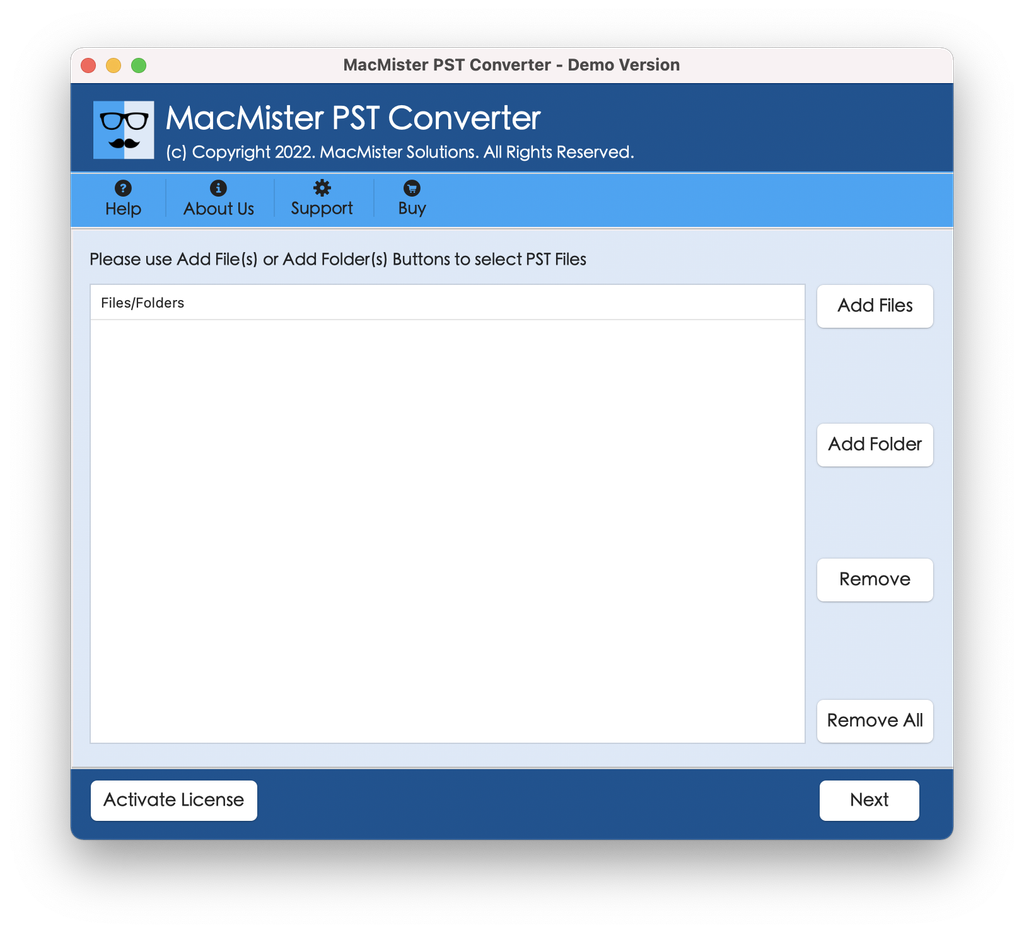
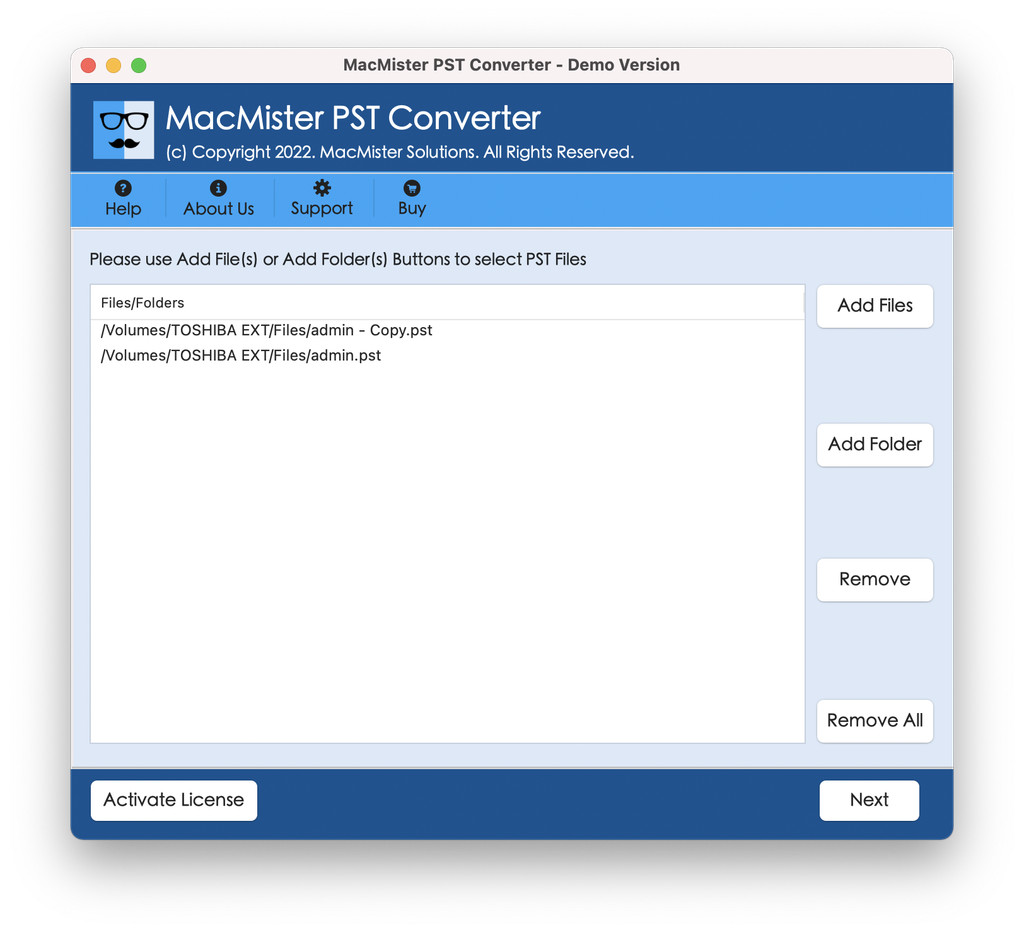
Step 2. Choose either the Add File(s) or Add Folder(s) option available in its easy-to-use interface. Locate your legacy ANSI PST file which you would like to view or convert and click to select it. The program will automatically scan and open the file showing a preview of your historical mailbox items.
Step 3: From the detailed list of export options menu, choose a compatible format depending on your viewing requirement:
- PDF (Portable Document Format): Best for archiving and viewing emails with a professional outlook using PDF readers on the macOS system.
- EML or MBOX: Best if you wish to import the old email files into Apple Mail, Mozilla Thunderbird, or any other compatible macOS mail client.
- HTML: Lets you open and view the old emails in Safari or any other web browser without requiring any mail client.
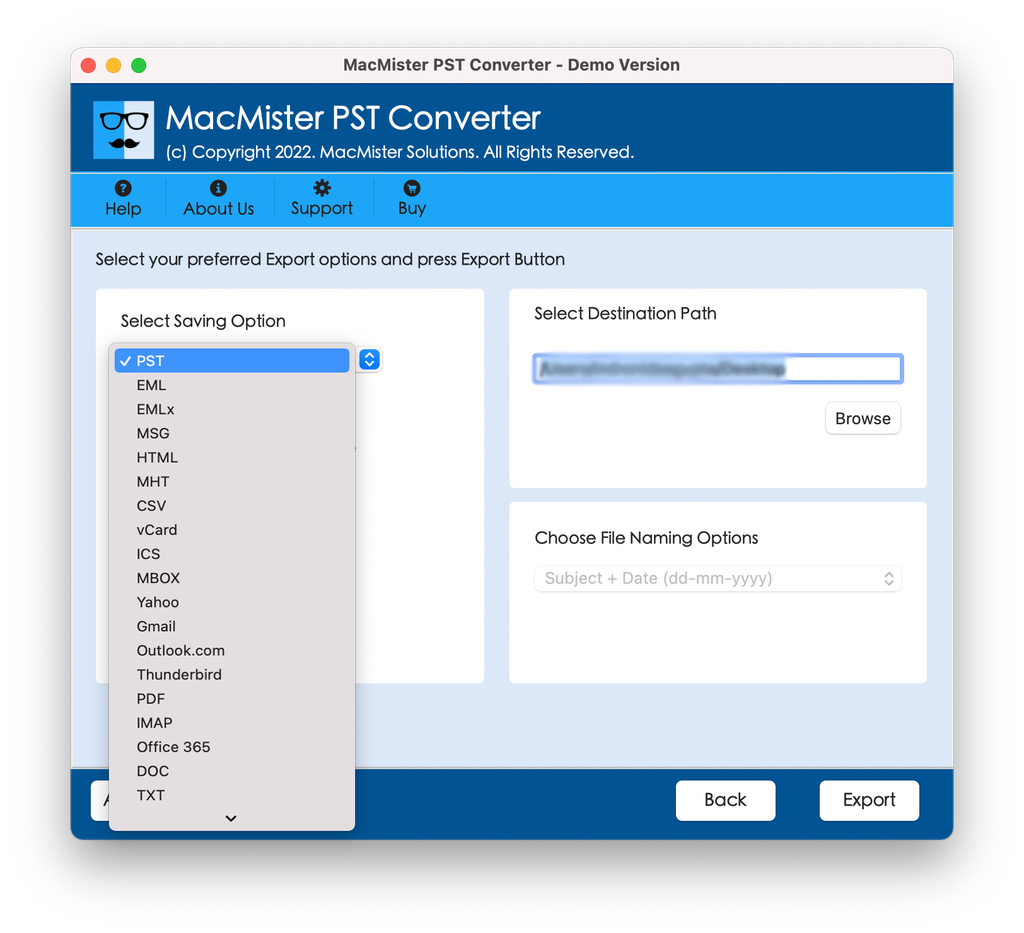
Step 4: Choose your destination folder to store the exported files. Press the Export button to start the quick process engine.
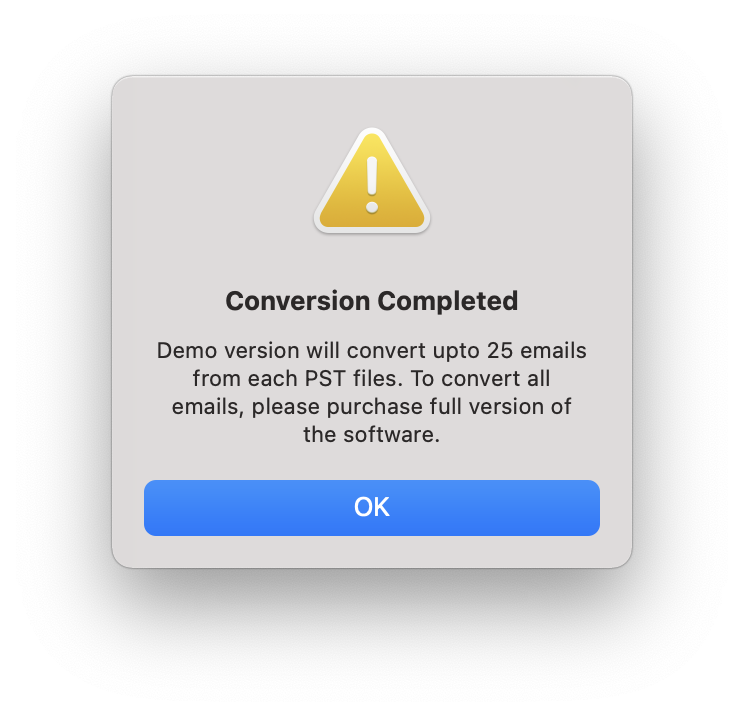
Step 5. In no time, your legacy ANSI PST files will be converted into easy-to-view files on macOS Sequoia.
Moreover, the application has been specifically designed to convert Windows-based formats of old Outlook files to new macOS format. This is why the tool proves to be the most appropriate solution to viewing ANSI PST files:
- Automatically detects and analyzes legacy ANSI PST files as well as new Unicode PST/OST files without the presence of Microsoft Outlook on the local system.
- Enables the importing of individual files or even whole directories of legacy PST files at once, eliminating manual effort for days together.
- Equally preserves the complete folder hierarchy and structure of your original Outlook mailbox.
- Ensures the security of essential metadata like To, From, Cc, Bcc, sent/received date stamps, read/unread flags, and even embedded attachment files.
- Works entirely within your local Macintosh system without ever using third-party cloud systems.
Conversion of your legacy ANSI PST file into usable format (for example, PDF, MBOX, EML, HTML, etc.) using the app on your macOS Sequoia can be done very easily and quickly. Here are the steps:
re the exported files. Press the Export button to start the quick process engine. In no time, your legacy ANSI PST files will be converted into easy-to-view files on macOS Sequoia.
Epilogue
But dealing with old-fashioned ANSI PST files coming from an earlier version of Windows Outlook may seem impossible at first sight while working in the advanced environment of macOS Sequoia. Nonetheless, the data stored in these files is highly valuable both for personal and professional needs.
By avoiding online tools and makeshift tricks that may compromise your data or take much time and effort, you will be able to achieve full control over your legacy archives. MacMister PST File Conversion Tool is the key to safe, superfast, and very reliable conversion of old-fashioned Windows files into the format used by modern macOS. You can either convert your ANSI PST file into the universal PDF format which is easy to browse or import these files directly into Apple Mail.