How to Transfer Cox Email to Thunderbird on Mac?
Cox email users may want to access their mailbox through Mozilla Thunderbird for a more convenient desktop email experience. Thunderbird allows users to manage email messages from a desktop application while keeping different mailbox folders organized in one place. When moving Cox emails to Thunderbird on a Mac, users may look for a suitable way to transfer messages, attachments, and folder data without affecting the original email structure.
This guide discusses different approaches to transfer Cox email to Thunderbird on Mac, including a manual option and the perfect Cox Email to Thunderbird solution for users handling larger or more complex mailbox transfers.
Overview of Cox Email to Thunderbird Migration
Cox email and Thunderbird work differently as email services and desktop applications. To access Cox messages in Thunderbird, users generally need to configure the Cox account or move existing mailbox data into a Thunderbird-supported format.
The suitable approach depends on whether the requirement is simply to access an active Cox account or to transfer existing mailbox data. For larger mailboxes, users may also need to consider attachments, folder organization, and the overall volume of emails before choosing a migration method.
Why Move Cox Emails to Thunderbird?
There can be several reasons for transferring or accessing Cox emails through Thunderbird –
- Thunderbird provides a desktop-based environment for managing emails.
- Multiple email accounts can be handled from one application.
- Users can organize messages into folders for easier management.
- Existing email attachments can remain accessible with the messages.
- Thunderbird can be useful for users who prefer a dedicated desktop email client.
- It can provide an alternative way to manage mailbox data outside a web browser.
Manual Method to Transfer Cox Email to Thunderbird
One common approach is to configure the Cox email account in Thunderbird using the appropriate account settings. After successful configuration, Thunderbird can synchronize the available mailbox data according to the account and server settings.
This method can be suitable when the Cox account is active and the required messages are available through the mail server. However, the experience may vary depending on account settings, server availability, mailbox size, and the amount of data that needs to be accessed.
Limitations of the Manual Method
- Large mailboxes may take considerable time to synchronize.
- Incorrect server settings can prevent successful account configuration.
- Folder synchronization may not always work as expected.
- Internet connectivity is required for server-based synchronization.
- Large numbers of attachments can increase the transfer time.
- Managing multiple accounts manually can become repetitive.
- Troubleshooting account or synchronization issues may require additional effort.
Solution of Cox Email to Thunderbird for Mac
For users who need a more convenient way to handle Cox mailbox to Thunderbird migration, MacMister Cox Mail Migration for Mac tool provides a dedicated solution. It supports transferring Cox mailbox data into Thunderbird directly, so users do not have to depend on a separate intermediate conversion process. This can be useful when working with a large number of emails or when maintaining the existing mailbox organization is important.
|
|
|


The software can transfer emails along with attachments and preserve important email details such as sender, recipient, subject, date, and message content. It also helps maintain the folder structure, allowing migrated messages to remain organized rather than appearing as one mixed collection of emails. This is particularly useful when the mailbox contains folders such as Inbox, Sent, Drafts, and other custom folders.
Using bulk email migration, users can transfer multiple Cox email accounts to Thunderbird at once. Instead of handling messages individually, users can process a larger set of Cox emails together. This can save time when dealing with extensive mailbox data. The software is also designed for Mac users and supports all macOS editions, making it suitable for users who want to manage their email migration directly from a Mac computer.
The Cox Email to Thunderbird for Mac focuses on keeping the migration straightforward. It can handle email data, attachments, folder organization, and other important mailbox information while transferring the data to Thunderbird. The software can save emails from Cox Webmail account to Thunderbird (if configured) or MBOX (supported by Thunderbird) format without any error.
How to Transfer Cox Email to Thunderbird in Simple Steps
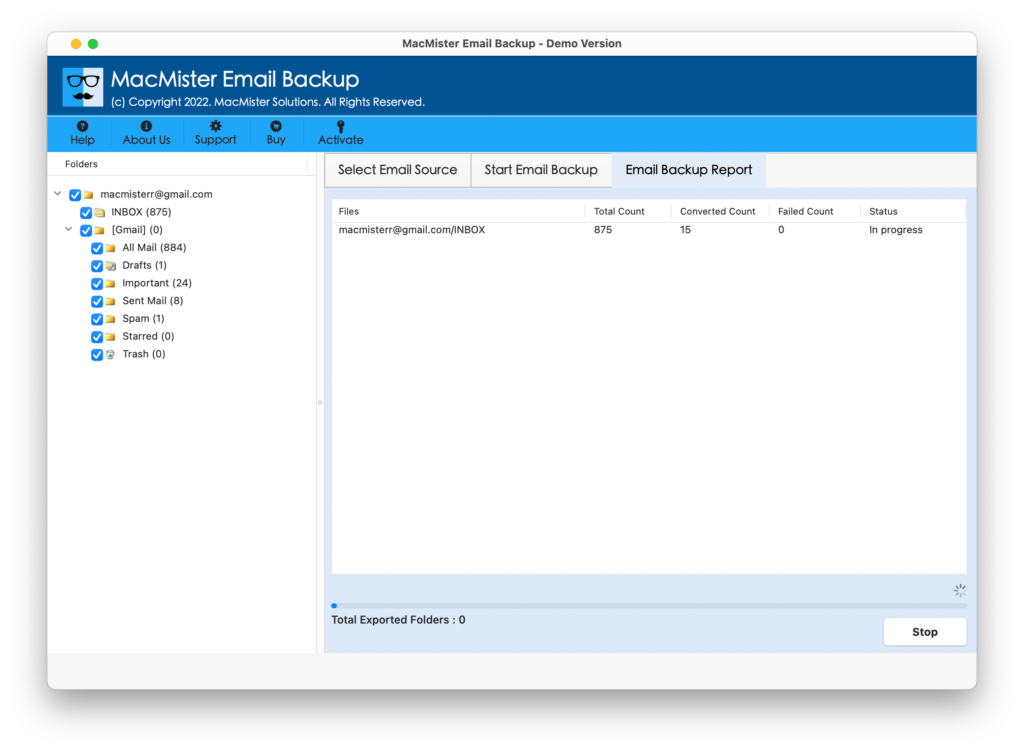
Launch the Software – Open MacMister Email Backup tool for Mac.
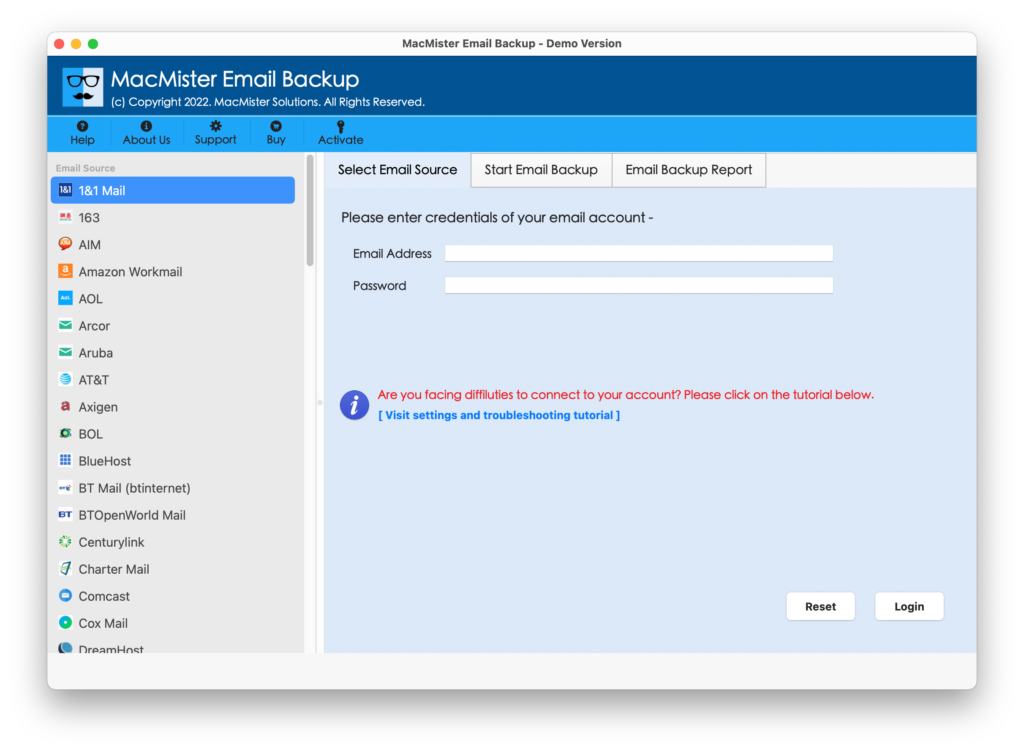
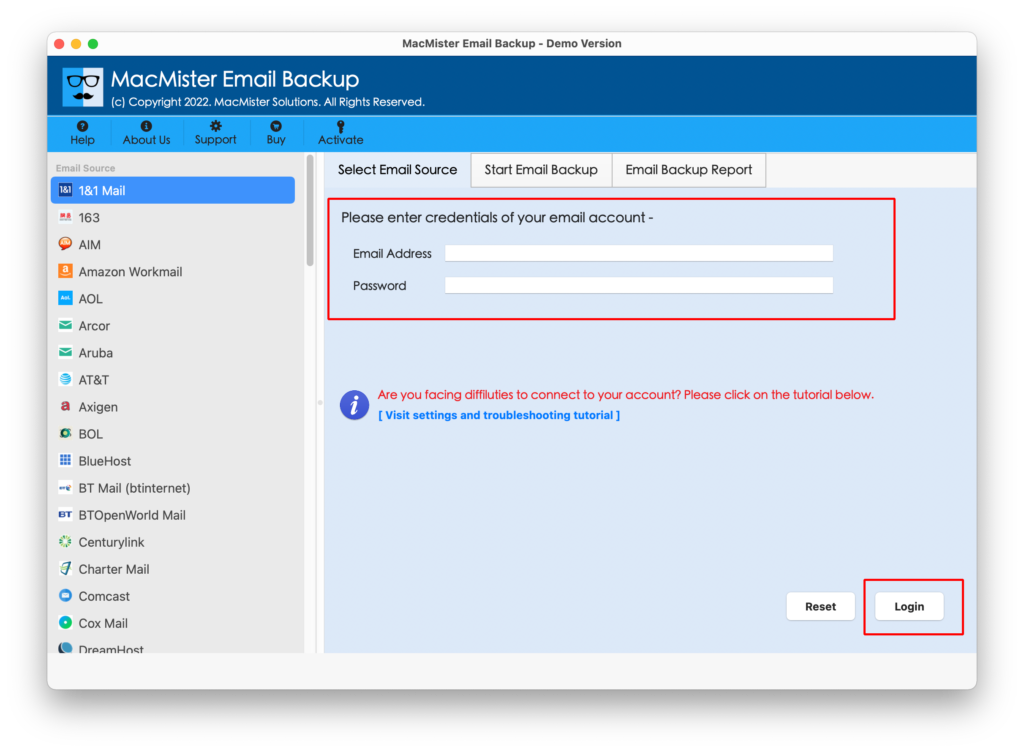
Enter Cox Mail Details – Select Cox Mail Option from the given multiple webmail options. Provide the required Cox Mail account credentials to access the mailbox.
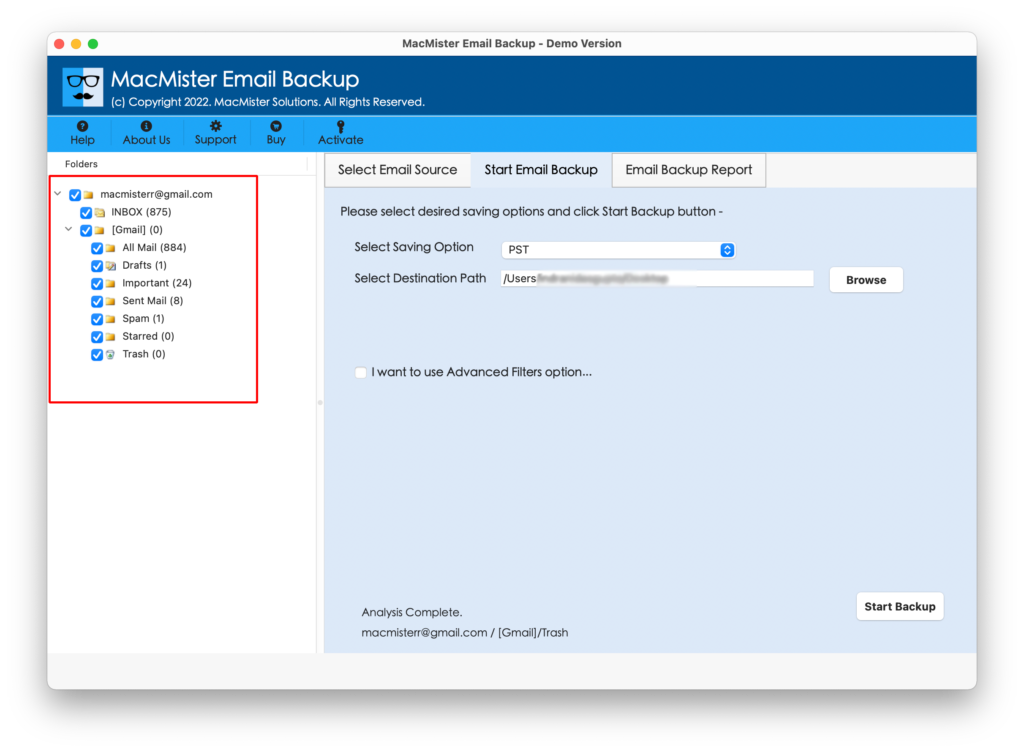
Select Mailbox Data: Choose the required emails, folders, or mailbox data for migration.
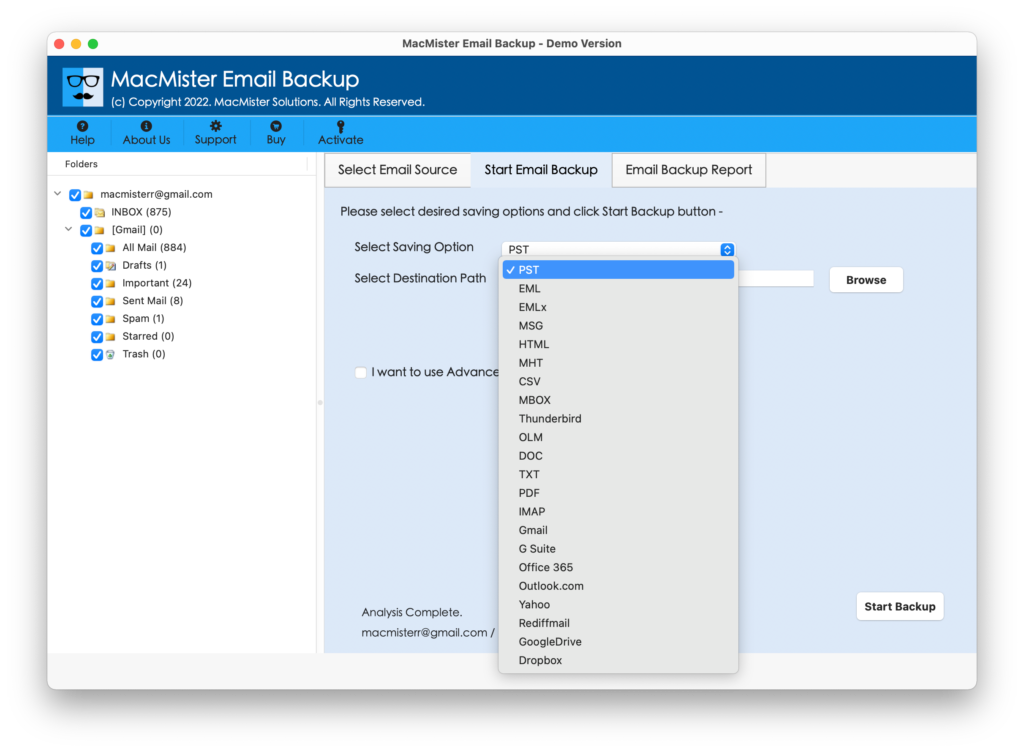
Choose Thunderbird: Select Thunderbird (if you have installed it in your system) or choose MBOX as saving option.
Start Migration: Begin the migration process and allow the software to transfer the selected emails.
Key Skills of Cox Email to Thunderbird Tool
- Direct Migration – Transfer Cox Mail emails directly to Thunderbird.
- Bulk Email Transfer – Migrate multiple emails in a single process.
- Folder Structure – Preserve Inbox, Sent, Drafts, and custom folder organization.
- Attachment Support – Transfer emails along with their attachments.
- Email Formatting – Maintain the original formatting of email messages.
- Metadata Preservation – Retain sender, recipient, subject, date, and other email details.
- Selective Migration – Select the required mailbox data for migration.
- Multiple macOS Support – Supports all macOS editions – Tahoe, Sequoia, Sonoma, Ventura, Monterey, Big Sur, Catalina, Mojave, and High Sierra.
- User-Friendly Interface: Provides a simple and easy-to-use interface for email migration.
Final Thoughts
Transferring Cox emails to Thunderbird on Mac can be simple when the mailbox is small and the account can be configured without issues. However, larger mailboxes, multiple folders, and attachment-heavy messages can make the process more demanding. The manual approach may work for basic requirements, while a dedicated migration tool can provide additional support for users dealing with a larger amount of mailbox data.
The Cox Email to Thunderbird for Mac tool offers features for handling emails, attachments, folder structure, and bulk migration in a more organized manner. Users can choose the approach that best matches their mailbox size, migration requirements, and preferred way of managing email data on Mac.
|
|
|