How to Transfer Emails from Yahoo to ProtonMail on Mac & Windows?

Are you moving to ProtonMail from Yahoo Mail webmail server? Looking for a solution to transfer emails from Yahoo to ProtonMail on Mac & Windows! If yes, then read further because here MacMister is delivering multiple approaches that will help in transferring emails from Yahoo to ProtonMail in an easy and desirable way.
Why to Move from Yahoo Mail to Proton Mail?
Switching from one email provider to another is quite difficult just like moving to a new home or changing the name. There is a lot to do i.e. managing the contacts, email update for all the online accounts, exporting old emails, etc. But, the reality behind this is that it is quite simple and users do not need to do anything. Many times, users think about changing their email service providers either to avoid hacking an email account, being profiled for advertising, sudden data theft and server shutdown, etc.
ProtonMail is a webmail service that protects privacy by encrypting messages and attachments that only the sender and recipient can access. Because transparency is important and ProtonMail is open-source webmail that is independently audited. The headquarters resides in Switzerland and so user’s account is protected by powerful & strong privacy laws.
ProtonMail is very advance and possesses many benefits and thus these days’ organizations are transferring their accounts from Yahoo Mail to ProtonMail. Therefore, in the following blog, we have discussed both manual and direct procedures that one can choose as per their requirements to transfer Yahoo emails to ProtonMail with attachments on Mac OS.
Method 1. Manual Way to Transfer Yahoo Mail to ProtonMail
The process can be implemented by using the Easy-Switch app available in the ProtonMail account. The application will help to import the complete mailbox from Yahoo Mail to ProtonMail. And, in order to launch Easy Switch, sign in to ProtonMail by navigating to account.proton.me & move to Settings, then click Go to Settings, select Import via Easy Switch option and choose Yahoo Mail.
Set up Email Forwarding
As of update 2020, a Yahoo Mail pro account is needed to enable automatic email forwarding in Yahoo.
After existing messages are imported, continue with the automatic forwarding setup. This ensures that the list of new messages sent to the old Yahoo account also gets updated in the ProtonMail inbox. Once the senders remember the new Proton address, then they can reach directly at the same
Note. The messages forwarded from the Yahoo account will first go through the server of the Yahoo account. It means they are TLS encrypted but not end-to-end encrypted and Yahoo can access them easily.
Manual Steps to forwarding Yahoo Mail Emails to ProtonMail
- Open ProtonMail and go to Settings and then navigate to More Settings.
- Go to Mailboxes.
- Choose the mailbox account to whom email messages one needs to forward emails.
- Enter the Proton Mail address appearing under Forwarding.
- Tap Verify.
Method 2. Direct Way to Transfer Yahoo Mail to ProtonMail
If you want a solution to transfer Yahoo emails to ProtonMail directly, then you can adapt MacMister Yahoo Backup Tool for Mac & Windows. An ultimate solution for transferring unlimited Yahoo Mail emails to ProtonMail with attachments. The GUI is easy and carries a friendly environment that any technical and novice users can access to transfer Yahoo Mail emails to ProtonMail directly. Just provide the login credentials of both accounts and then leave everything on the tool. The migration will be accurate and the output will be precise.


The software is programmed with a list of powerful features which users can set according to their needs to get the desired result. However, if you want, you can check the process by downloading the trial edition as it will allow you to test each and every option for free.
Steps to Transfer Yahoo Emails to Proton Mail on Mac
Step 1. Run Yahoo Mail to IMAP Migration Tool on Mac OS.
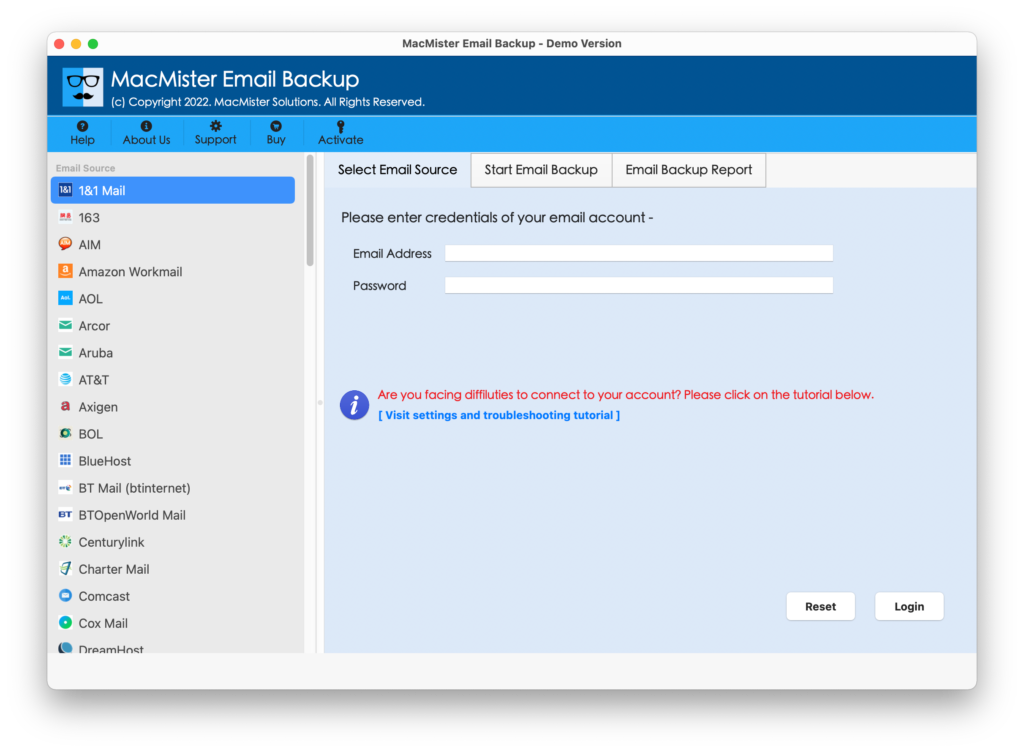
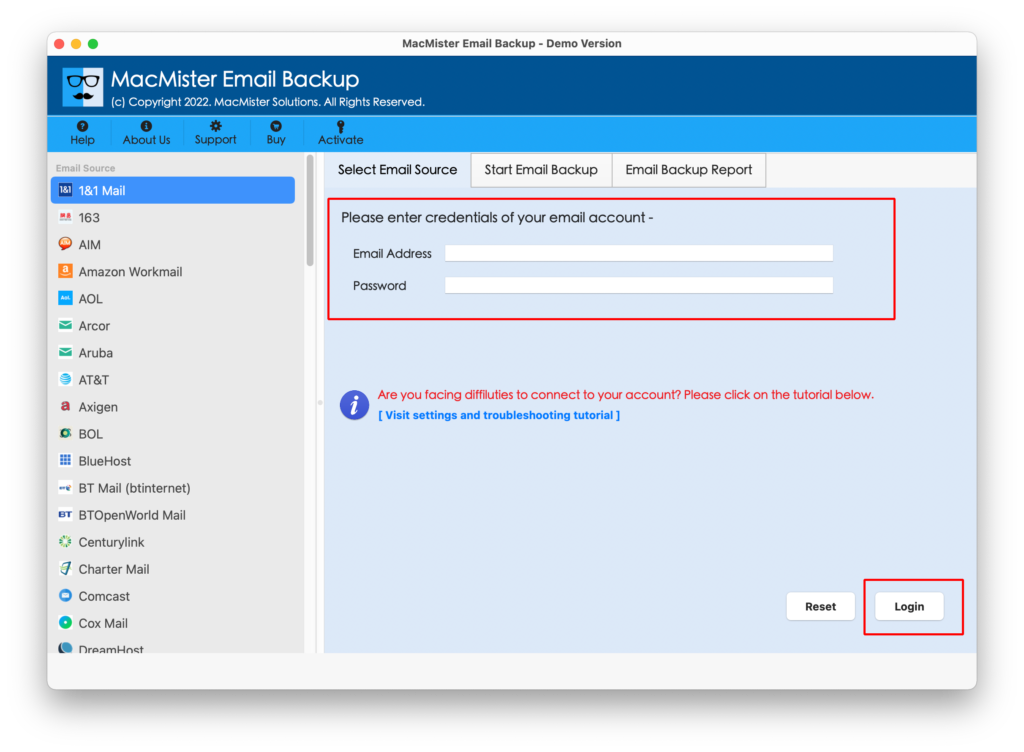
Step 2. Choose Yahoo Mail from a webmail list appearing on the left. Provide the Yahoo Mail credentials – Email ID and App Password and click Login.
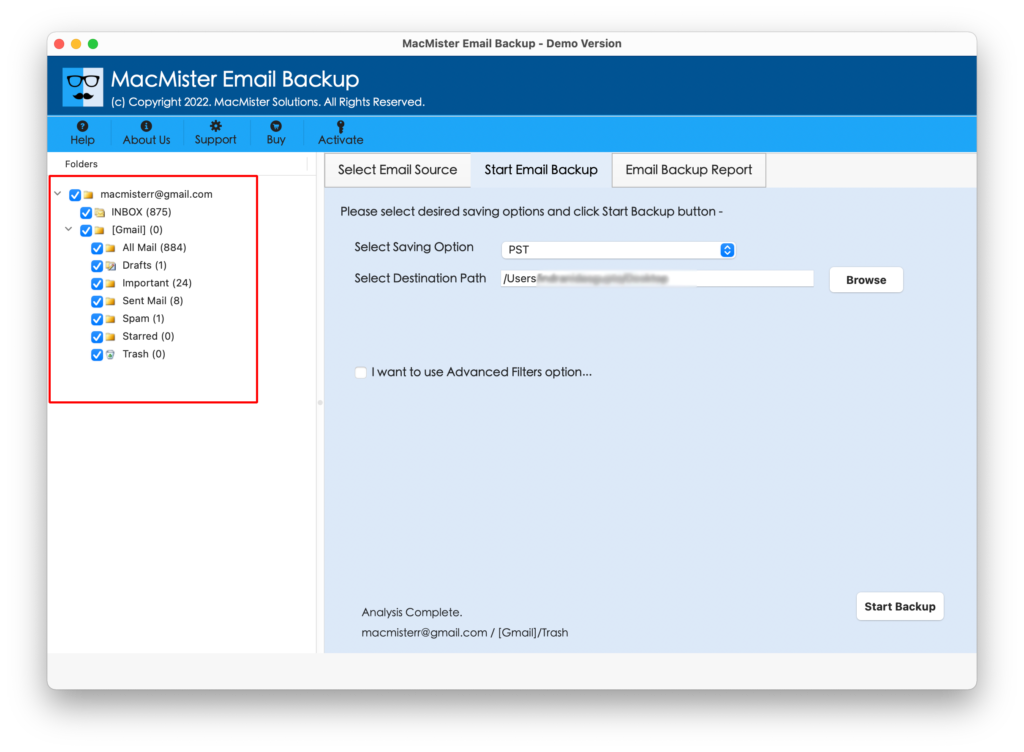
Step 3. The specified Yahoo Mail account will connect with the software and its entire list of mailbox items will start to appear on the software.
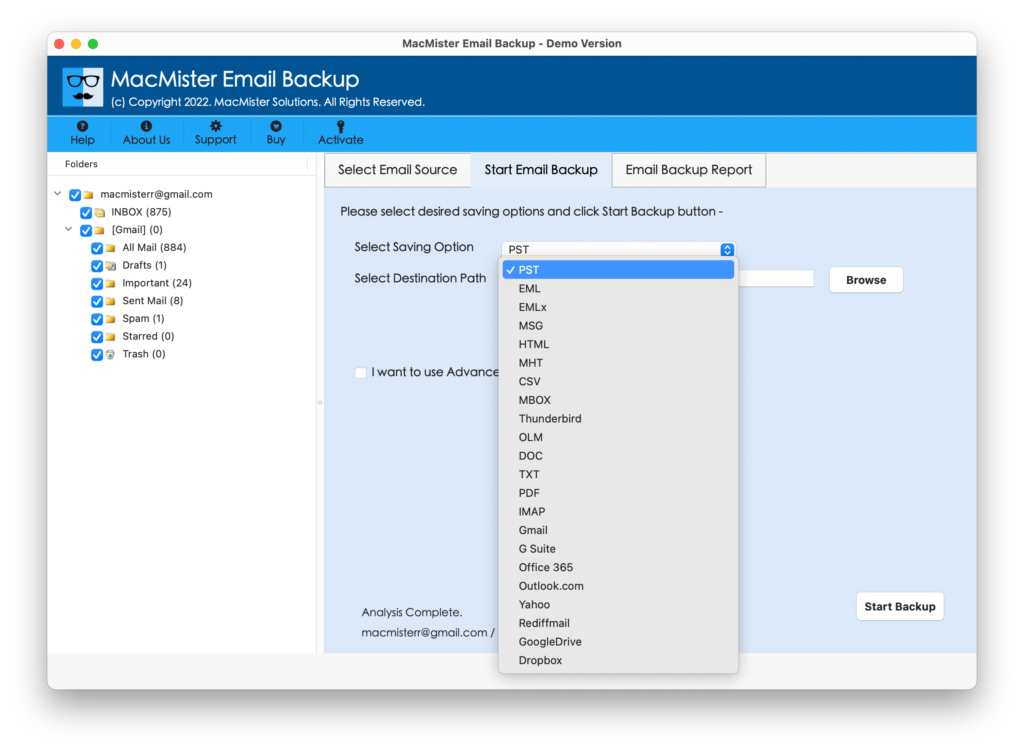
Step 4. Select the IMAP Server option by tapping Select Saving Option.
Step 5. Enter IMAP Server details of ProtonMail in Email ID and Password. Also, provide the IMAP Host and Port Number of the same. Once done, click the Start Backup button.
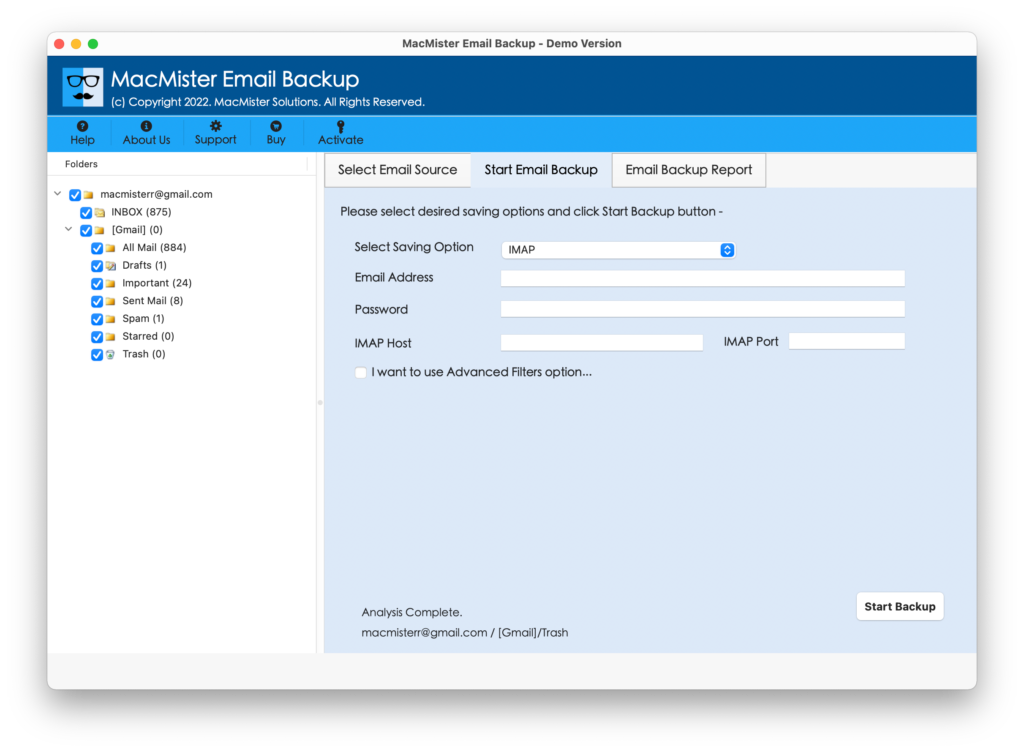
Step 6. Yahoo Mail to ProtonMail process is now live and users can track the backup status as well from Email Backup Report screen.
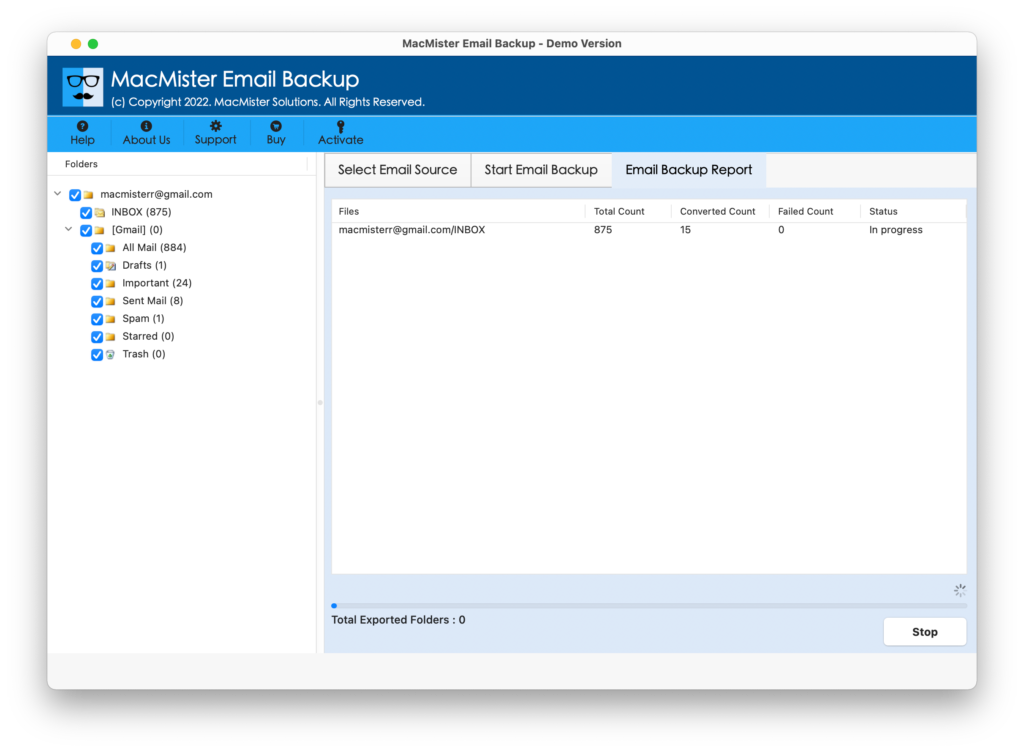
The process will finish after displaying the notification of “Process Completed Successfully”. Now, log in to the ProtonMail account to check the resultant emails. You will see that files are transferred with 100% accurate content and formatting properties.
Why to Choose MacMister’s Yahoo Mail to ProtonMail Application?
There are many reasons that clarify why choosing Yahoo Mail over ProtonMail software will be beneficial for users:
Precise Yahoo Mail to ProtonMail Export
Yahoo to Proton Mail Tool has the ability to export multiple Yahoo emails to ProtonMail with exact attached files and formatting. The application is designed with a simple GUI so that both technical and non-technical users can use the tool to move the Yahoo mail folder to ProtonMail webmail account.
Move Unlimited Yahoo Emails to ProtonMail
In order to transfer the entire Yahoo Mail emails list, select the checkbox of INBOX item from the Yahoo Mail folder list, regardless of how many emails it is carrying. Because the task of the tool is to move all the necessary emails from Yahoo to the required Proton Mail account without delivering a mail limitation error message.
Selective Yahoo Mail to Live Mail Migration
The process of performing Yahoo to ProtonMail is now easy with Yahoo Mail to Proton Mail Tool. It is programmed after analyzing the needs of users. So, the application carries one amazing property, which will ease the process and save users time. If any user wants to move Yahoo emails of a particular month, then it can be done by utilizing the Filters property which includes the option of Date Filter, To, From and Subject, etc.
Save Email Components in an Exact Way
If on one side you want to export Yahoo emails to Proton Mail in batch and on the other side you are worrying about your data, then not to worry about it anymore. Because it is the application, which will not only move mail from one location to another but, also maintains the entire mail content of Yahoo Mail emails and its related rich-text formatting properties during the process.
Login Details of Yahoo Mail App required
After installing Yahoo to ProtonMail software, users will see the list of email sources appearing on the left. Select the Yahoo Mail option from the same. Now, the tool will ask you to enter the Email ID & App Password of Yahoo in the required fields. Once it gets approved by the tool, its account items list will start to appear on the software. Now, you can continue with the task of Yahoo emails to ProtonMail transfer process without any trouble.
Direct Yahoo to ProtonMail is Possible
The Yahoo Mail to ProtonMail application provides the IMAP Server as a saving option. Once, the Yahoo Mail mailboxes get listed on the software, users can go to the Select Saving Option property to select the IMAP Server option. Now, provide the ProtonMail IMAP Server details i.e. IMAP Host and Port Number with Proton Mail email ID and Password. Once the entire essential details are provided, set the necessary options and click Start Backup. The process will quickly start and the tool will start the direct transfer of Yahoo account emails to ProtonMail.
Note. To know more about software options, download the free demo now.
Final Thoughts
In the article, we have mentioned multiple techniques to transfer emails from Yahoo to ProtonMail on Mac & Windows. However, if you are choosing the manual approach, then make sure you are implementing the steps under an expert’s guidance. Because users will require help of technical support when applying the settings. On the other hand, the direct approach i.e. Yahoo Mail Email Backup Software Mac is secure, simple, and user-friendly. Moreover, the tool is 100% safe to download. And, the best thing is anyone can operate the solution. You can download the freeware version and test the process by transferring the first 25 emails from Yahoo to Proton Mail account free of cost.