How to Add BTOpenworld Email to Outlook on Mac?
BTOpenworld email accounts are used for personal and professional communication, and many users prefer Outlook for managing messages in one centralized interface. Outlook provides features for organizing emails, managing folders, searching messages, and working with multiple accounts from a single application.
However, adding a BTOpenworld account to Outlook may require the correct incoming and outgoing mail server information. Incorrect account settings can prevent Outlook from synchronizing messages or sending emails properly.
Mac users who want to connect BTOpenworld email with Outlook can use the account’s supported mail settings and configure the account manually. For users handling multiple accounts or looking for a more automated approach, reliable BTOpenworld Email to Outlook for Mac Tool can provide smart workflow.
Overview of Adding BTOpenworld Email to Outlook
Adding BTOpenworld email to Outlook means configuring the BTOpenworld account within the Outlook application so that emails can be accessed and managed from Outlook.
The process generally requires information such as the email address, password, incoming mail server, outgoing mail server, and appropriate port or security settings. Depending on the configuration, users may use IMAP to synchronize mailbox data between the server and Outlook.
With a properly configured account, users can access incoming messages through Outlook and send outgoing emails using the configured BTOpenworld account.
The main advantage is convenience. Instead of opening BTOpenworld webmail separately, users can manage the account from Outlook alongside other configured email accounts.
Why Add BTOpenworld Email to Outlook?
- Centralized email management – Manage BTOpenworld and other accounts from one application.
- Familiar Outlook interface – Users already working with Outlook can continue using the same environment.
- Mailbox synchronization – IMAP-based configuration can keep supported folders and messages synchronized.
- Better organization – Outlook provides folders, search, sorting, and other email management features.
- Multiple account support – Several email accounts can be managed within the same Outlook profile.
- Convenient access – Users can access email without repeatedly signing in to webmail.
- Desktop-based management – Emails can be accessed through the Outlook application on Mac.
Manual Method to Add BTOpenworld Email to Outlook
- Open Outlook on your Mac.
- Go to Settings/Accounts and choose the option to add a new email account.
- Enter your BTOpenworld email address and continue.
- Select the option for manual account configuration if Outlook does not automatically detect the settings.
- Enter the required incoming and outgoing server details provided for BTOpenworld email.
- Add the appropriate ports and security settings for the selected mail protocol.
- Enter the account password when requested.
- Save the configuration and allow Outlook to test the connection.
- Once synchronization is completed, check the mailbox and send a test email.
The exact Outlook interface and available configuration options can vary between Outlook versions, so users should use the current BT/Outlook-supported server settings for their account.
Risks and Limitations of the Manual Method
- Server settings must be correct – Incorrect ports or security settings can cause connection failures.
- Configuration can be confusing – Users unfamiliar with email protocols may find the setup difficult.
- Synchronization problems – Incorrect IMAP settings may prevent folders or messages from appearing properly.
- Password issues – Authentication errors can stop the account from connecting.
- Version differences – Outlook for Mac versions may display different account configuration screens.
- Multiple accounts require repetition – Each additional account may need to be configured separately.
- Troubleshooting takes time – Connection errors may require checking several settings.
For users who need to configure or transfer BTOpenworld email data efficiently, a specialized tool can provide a more structured approach.
Advanced Add BTOpenWorld Email to Outlook for Mac Tool
The Advanced BTOpenworld Email Backup for Mac Tool is designed for Mac users who want perfect solution to repeatedly configuring email accounts through traditional Outlook settings. It can help users process BTOpenWorld mailbox data and move the required email content into an Outlook-compatible environment.
|
|
|


The BTOpenWorld to Outlook Migration Tool for Mac provides a simple way to add BTOpenWorld emails to Outlook. It supports bulk migration, helping users transfer multiple emails to Outlook in a single process while retaining important email properties and attachments. The guided interface makes it easier for Mac users to move BTOpenWorld mailbox data to Outlook without handling every message manually.
Direct BTOpenworld to Outlook Migration
A dedicated migration tool can simplify the movement of BTOpenworld mailbox data toward Outlook. This is particularly useful when users have a large amount of email data that needs to be transferred rather than simply viewing a few messages.
The software provides a centralized workflow for selecting the source mailbox, choosing Outlook as the destination, and starting the migration.
Bulk Email Transfer
Moving emails individually is impractical when a mailbox contains hundreds or thousands of messages. The tool can support bulk processing so users can transfer multiple emails together.
Bulk migration can reduce repetitive operations and make the overall process more convenient for larger mailboxes.
Preserve Email Properties
Email migration is not limited to the message body. Important properties such as sender, recipient, subject, date, attachments, and other available message attributes may need to remain associated with the emails.
A dedicated migration workflow is useful when maintaining the original email information is important for future reference.
Attachments and Email Content
Attachments are often essential part users. When migrating BTOpenworld emails to Outlook, users may want associated attachments to remain available with their respective messages.
The tool is designed to process email content along with supported attachments so that the resulting Outlook mailbox remains useful after migration.
Selective Migration
Users may not always need to transfer their entire BTOpenworld mailbox. Selective migration options can help users choose specific folders or email data according to their requirements.
This can be helpful when only recent correspondence, particular folders, or selected mailbox data needs to be moved.
Folder Organization
Maintaining mailbox organization can make migrated data easier to manage. A dedicated migration application can process selected folders and transfer the corresponding email data rather than requiring users to manually recreate the entire mailbox structure.
This can reduce the amount of post-migration organization required in Outlook.
Simple Interface for Mac Users
The tool provides a graphical workflow intended for Mac users. Instead of dealing with multiple technical procedures, users can follow the application’s on-screen options to add the source account, select the destination, apply available filters, and start the migration.
This can be useful for users who prefer a guided approach instead of manually handling every email configuration or transfer step.
Steps to Add BTOpenworld Email to Outlook Using the Mac Tool
Install and launch the BTOpenworld to Outlook migration tool on your Mac.
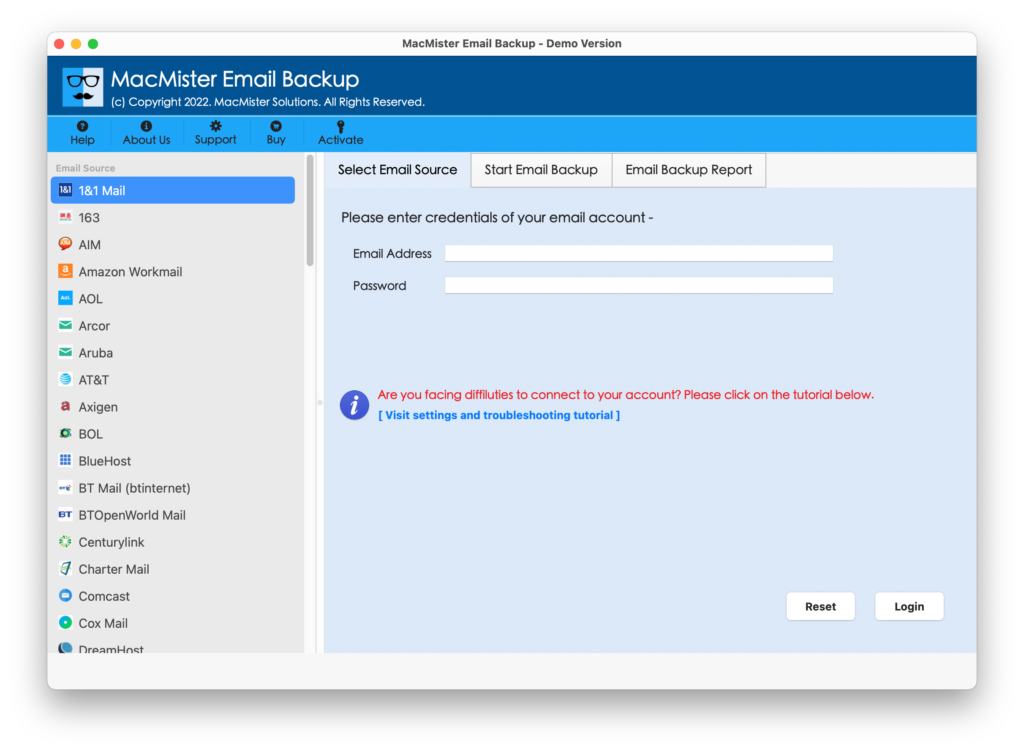
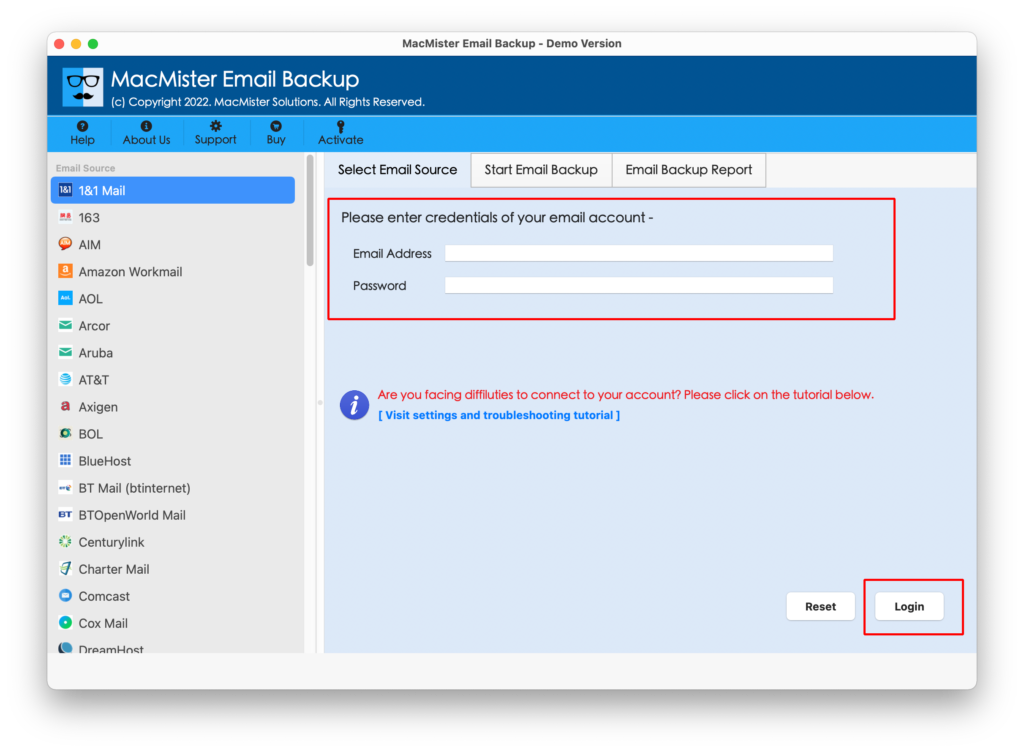
Select BTOpenWorld from the given webmail list and Enter the BTOpenworld account details required by the application.
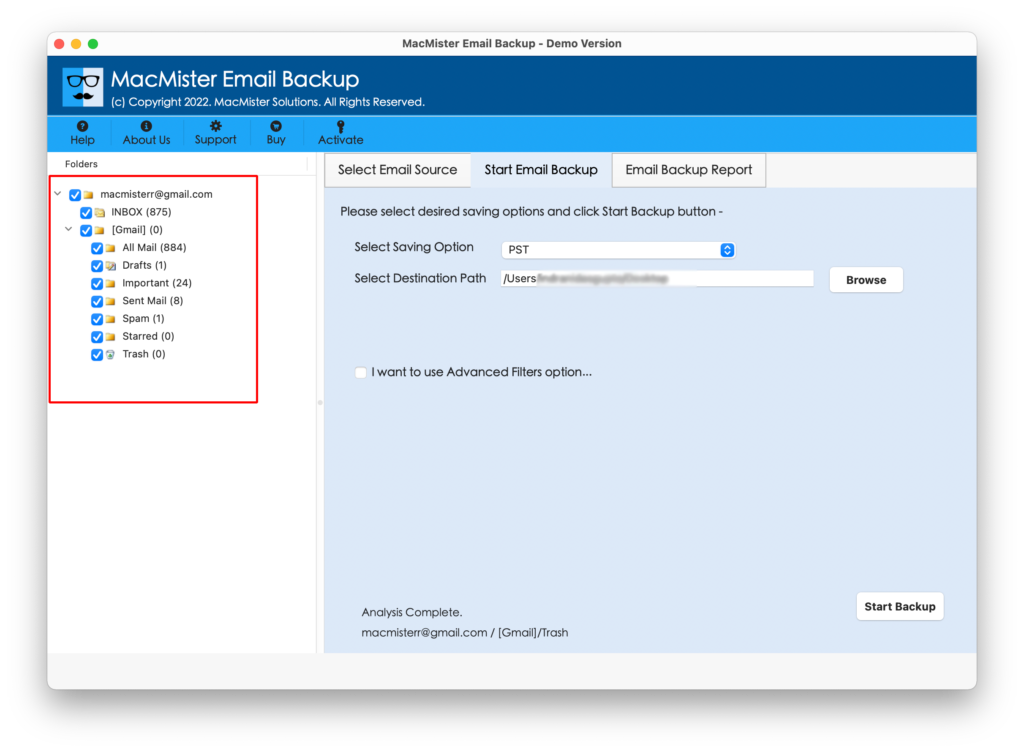
Select the required folders or emails for migration.
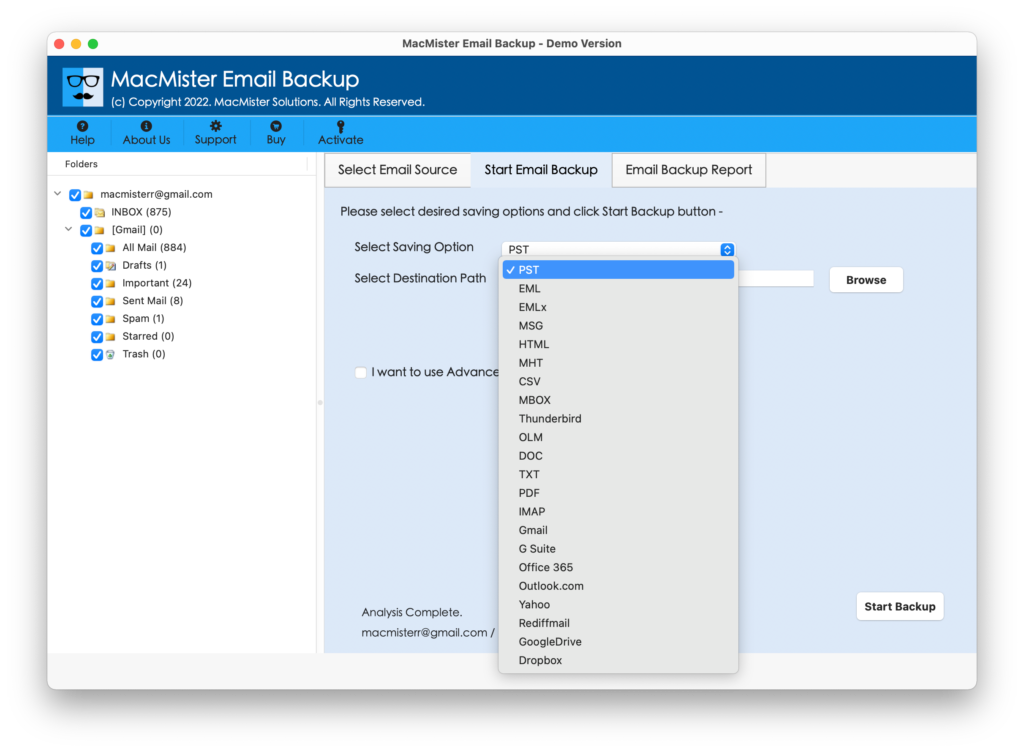
Choose PST for Outlook Windows or Choose OLM for Mac Outlook as the destination.
Select the destination location or Outlook profile as applicable.
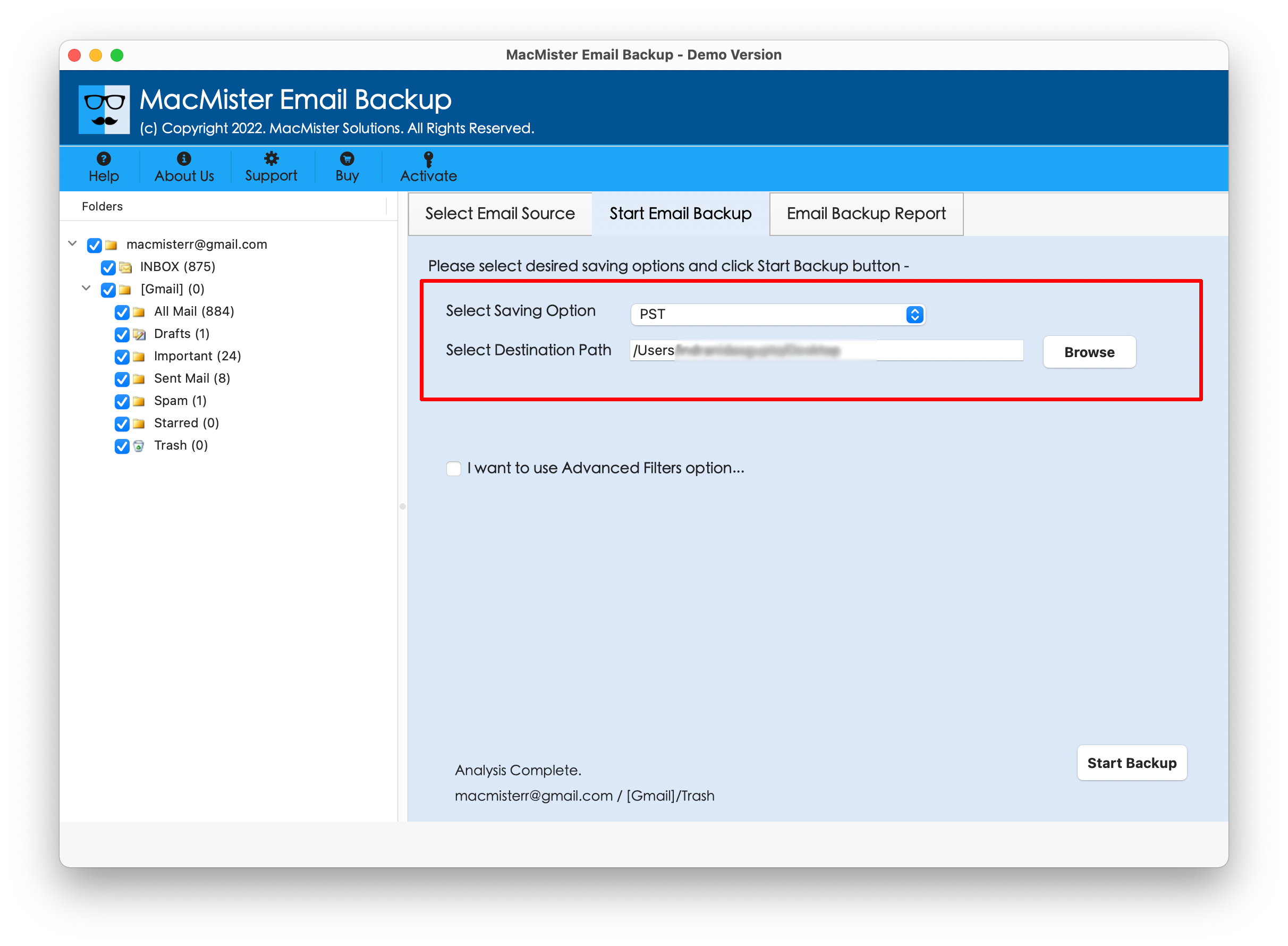
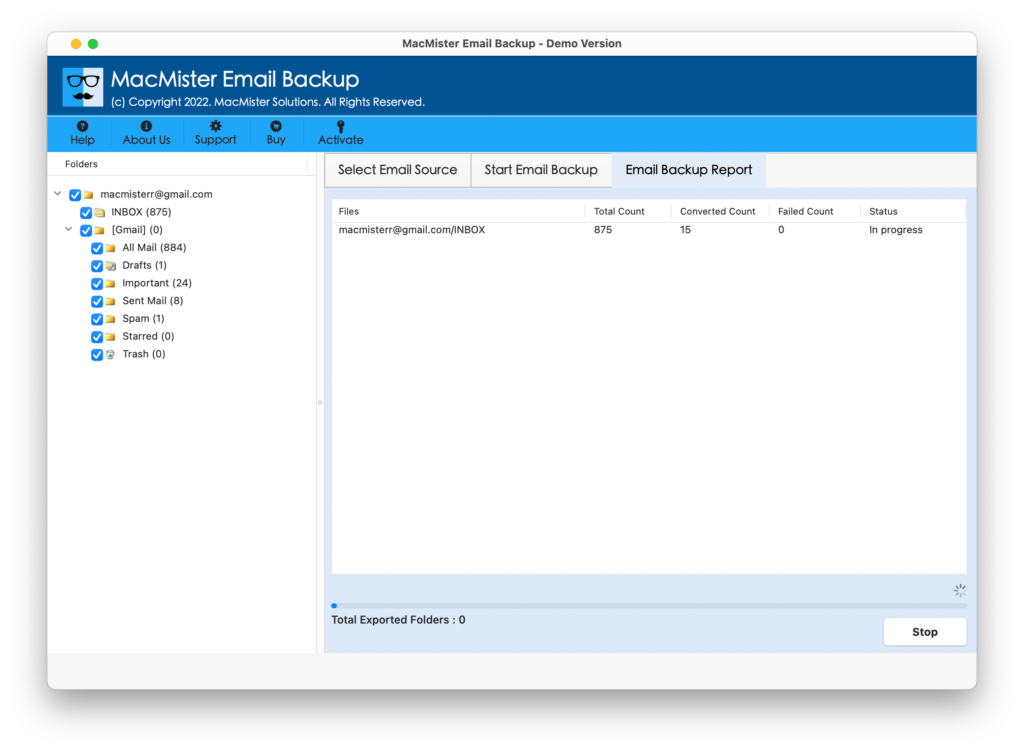
Click the migration/start option to begin processing.
Conclusion
Adding BTOpenworld email to Outlook can make daily email management more convenient by bringing messages into a familiar desktop application. Manual configuration is suitable for users who only need to set up an account and have the correct server information available. However, configuration errors, synchronization issues, and repetitive steps can make the process more challenging for larger requirements.
An Add BTOpenworld Email to Outlook PST Converter for Mac Tool provides an alternative for users who need a guided migration workflow. Features such as bulk processing, selective migration, folder handling, email-property preservation, and attachment support can help simplify the transfer of BTOpenworld email data into an Outlook environment.