How to Export Comcast Email to CSV on Mac?
Comcast email accounts may contain important messages related to personal communication, business discussions, invoices, customer details, and other records. As the mailbox grows, users may need to save email information in a structured format that can be accessed outside the mailbox.
CSV (Comma-Separated Values) is a commonly used file format for storing tabular information. Exporting Comcast emails to CSV can be useful when users want to organize email records, analyze message details, or keep a separate copy of important mailbox data.
Mac users looking for a way to export Comcast emails to CSV may consider manual approaches, but these methods can become difficult when handling a large number of messages. A dedicated Comcast Email to CSV converter for Mac can simplify the process and provide options for selective and bulk conversion.
Overview of Comcast Email and CSV
Comcast email is a web-based email service used for sending, receiving, and storing messages. Depending on the account setup, users can access their Comcast mailbox through supported email applications or webmail interfaces.
CSV is a text-based format in which information is arranged in rows and columns. Unlike an email-specific format, CSV can be opened with applications such as Microsoft Excel, Apple Numbers, and other spreadsheet programs.
When Comcast emails are exported to CSV, selected email information can be arranged in a structured format. This can make it easier to review message records, maintain email-related data, or process the information using spreadsheet applications.
Why Export Comcast Email to CSV?
- Structured data management – CSV organizes email information into rows and columns.
- Spreadsheet compatibility – CSV files can be opened with Excel, Numbers, and similar applications.
- Email record maintenance – Users can maintain a separate copy of important email information.
- Data analysis – Structured data can be sorted, filtered, and reviewed more easily.
- Selective export – Users may need specific emails rather than an entire mailbox.
- Backup and archiving – CSV can provide an additional format for maintaining email-related records.
- Large mailbox handling – Converting multiple emails at once can reduce repetitive manual work.
Manual Method to Export Comcast Emails to CSV
Comcast webmail does not generally provide a direct one-click option to export an entire mailbox as CSV. Users may therefore need to use an intermediate email application or another supported export workflow.
- Configure Comcast account – Add the Comcast email account to a compatible desktop email application using the appropriate account settings.
- Download messages – Allow the application to synchronize the required emails.
- Select required emails – Choose the messages that need to be preserved or processed.
- Export email data – Use the application’s available export options to save the required information.
- Create CSV data – If CSV export is not directly available, use a compatible conversion or spreadsheet-based workflow to arrange the email information into CSV format.
- Verify the output – Open the generated CSV file and check whether the required email details are present.
The exact steps can vary depending on the email application and account configuration.
Risks and Limitations of the Manual Method
- Time-consuming – Processing emails individually can require considerable effort.
- Limited automation – Manual workflows may not provide convenient bulk conversion.
- Data inconsistencies – Email fields may not always be arranged uniformly.
- Missing information – Some message attributes may not transfer as expected.
- Duplicate records – Repeated processing can result in duplicate entries.
- Folder handling issues – Maintaining the original mailbox organization may require additional work.
- Technical configuration – Account setup and synchronization may require correct server settings.
- Large mailbox difficulty – Handling thousands of emails manually can become impractical.
For users who need to convert Comcast emails in bulk, a dedicated conversion application can provide a more streamlined workflow.
Smart Comcast Email to CSV Migration for Mac Tool
For Mac users who need a more direct way to convert Comcast email data into CSV, MacMister Comcast Backup for Mac tool can be used as an alternative to a lengthy manual workflow. The application is designed to process email data and export it into CSV format from a Mac environment.
|
|
|


Instead of depending entirely on repeated manual operations, users can load the required email data into the application, select the desired conversion settings, and generate CSV output.
Convert Comcast Emails in Bulk
One of the main advantages of using a dedicated converter is bulk processing. When a Comcast mailbox contains a large number of emails, converting messages one at a time can be inconvenient. The software allows users to process multiple emails together, reducing repetitive steps.
This can be useful for users working with large email collections or maintaining records from multiple folders.
Selective Email Conversion
Users may not always want to convert their complete mailbox. The tool provides options for selecting specific email data for processing. This helps users focus on the messages they actually need instead of creating unnecessary output files.
Selective processing can also make the resulting CSV data easier to manage.
Preserve Important Email Details
During conversion, retaining useful email information is important. Depending on the source data and selected options, the software can maintain relevant message properties while generating the CSV output.
This can include details such as sender, recipient, subject, date, and other available email information. Maintaining these fields helps keep the exported data useful for later reference and analysis.
Maintain Organized Output
CSV files are particularly useful when email information needs to be reviewed in a spreadsheet environment. Once the conversion is completed, the resulting data can be opened in applications such as Microsoft Excel or Apple Numbers.
Users can then sort records, apply filters, search for particular entries, or organize the information according to their requirements.
Simple Mac-Based Workflow
The application is designed for Mac users who want to perform email conversion without relying on complicated command-line procedures. The workflow generally involves loading the required email data, selecting CSV as the output format, applying the available settings, and starting the conversion.
This makes the process easier to manage for users who are not comfortable with technical email-export procedures.
Supports Selective Filtering
When dealing with a large collection of emails, filters can help narrow down the data before conversion. Depending on the available filtering options, users can process relevant messages based on criteria such as folders, dates, or other email properties.
Filtering can help reduce unnecessary data and keep the resulting CSV file focused.
Useful for Email Data Management
The converted CSV files can be useful in several situations. Businesses may use structured email information for record management, while individual users may want to maintain searchable copies of important correspondence.
Since CSV is widely supported, the exported information can also be used with spreadsheet applications and other programs that support tabular data.
How to Convert Comcast Email to CSV Using MacMister
Install and launch the Comcast Email to CSV Converter on your Mac.
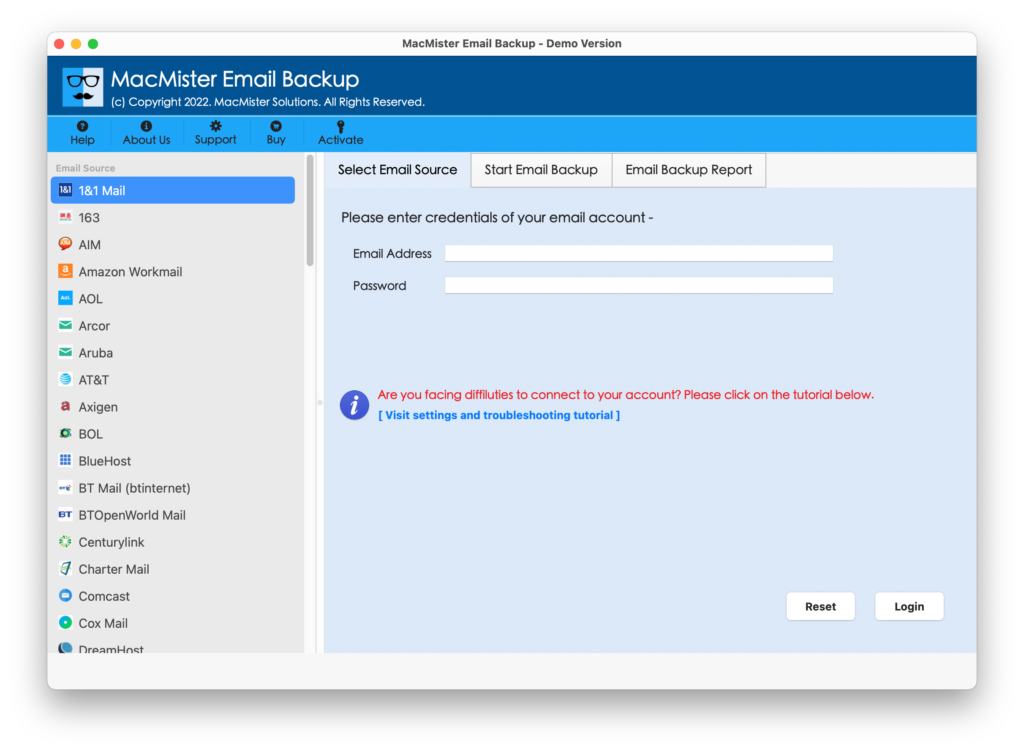
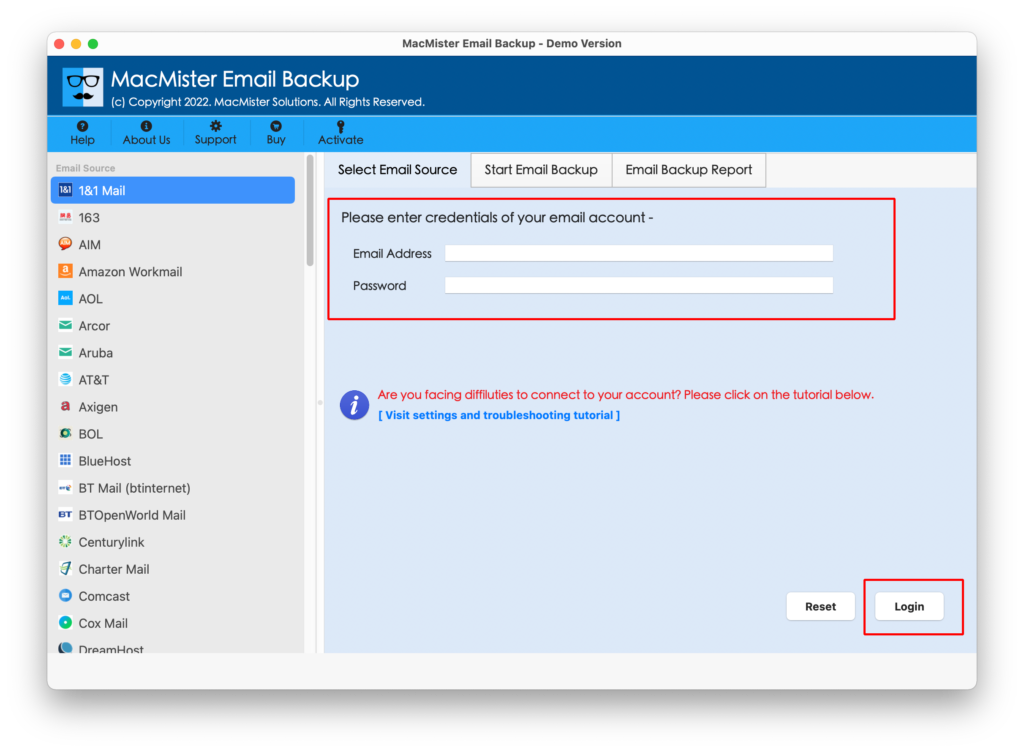
Select Comcast from the webmail list and Add the required Comcast email data to the application.
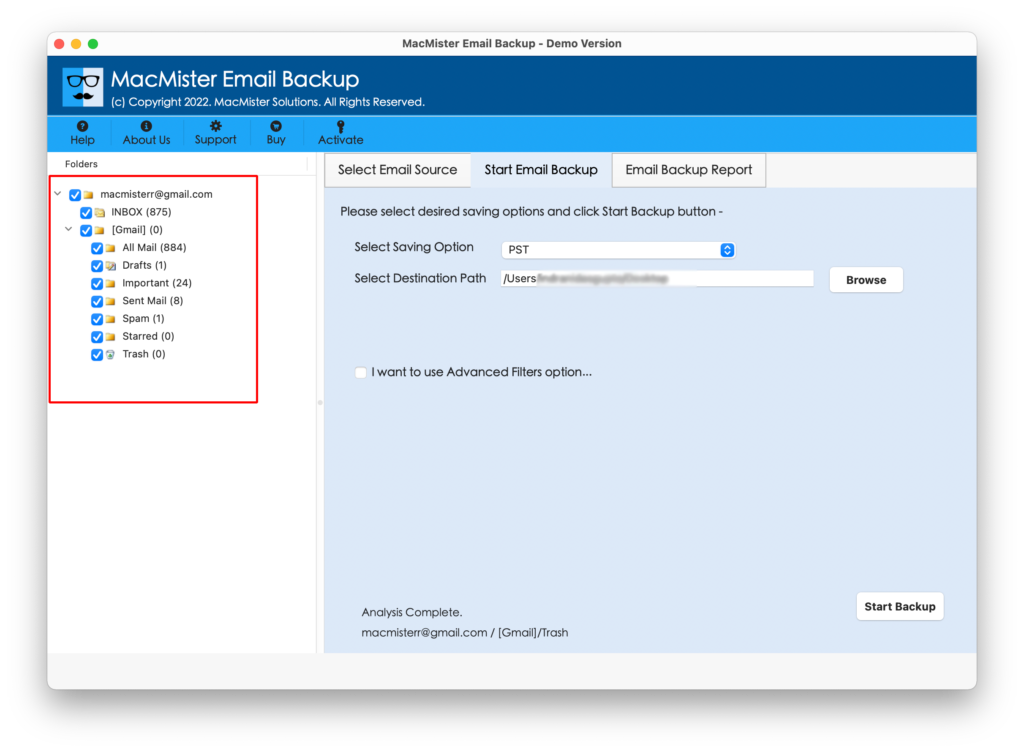
Select the emails or folders that you want to convert.
Choose CSV as the target export format.
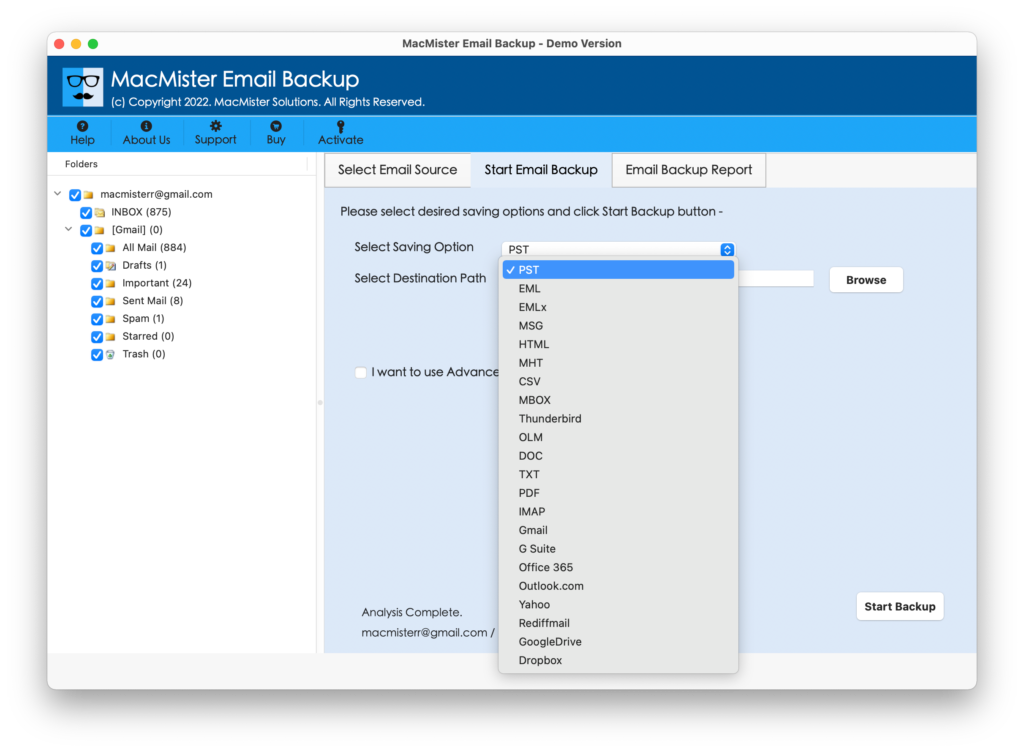
Select the destination folder for saving the output.
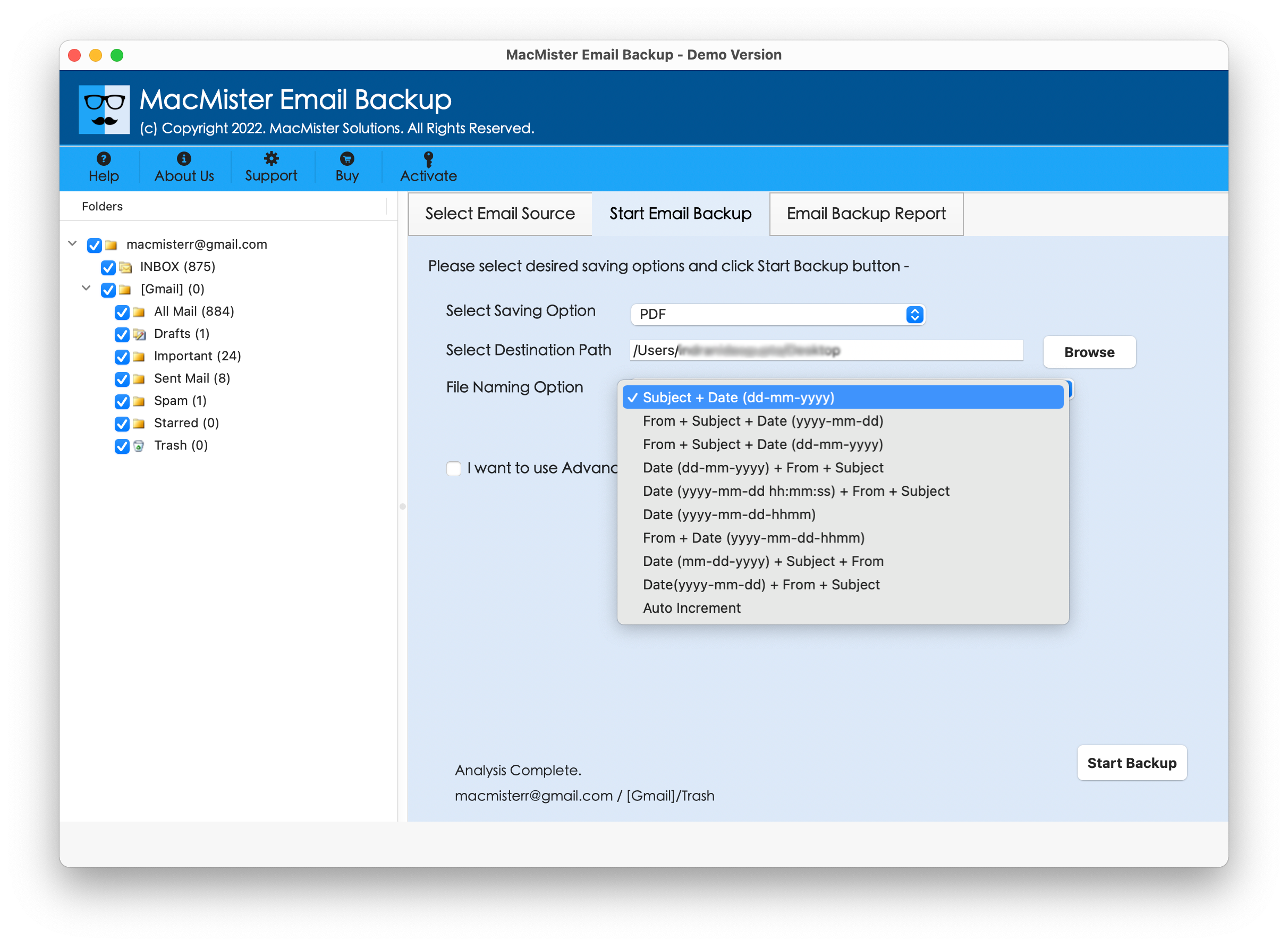
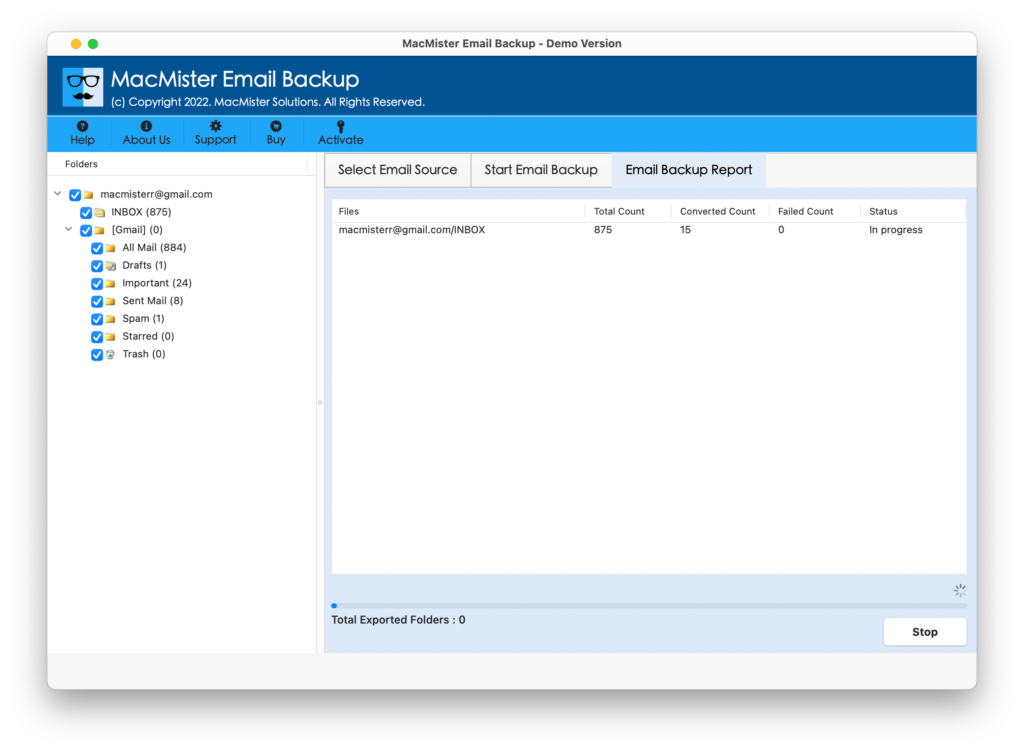
Start the conversion and allow the software to generate the CSV files.
Conclusion
Exporting Comcast emails to CSV can be useful when email information needs to be maintained in a structured, spreadsheet-friendly format. While manual approaches can work for a small number of messages, they may become complicated when dealing with large mailboxes or repeated conversions.
A dedicated Comcast Email Backup Tool for Mac provides an alternative workflow for users who need bulk processing, selective conversion, filtering, and organized CSV output. By using a specialized application, Mac users can manage Comcast email data in a more structured way and make the resulting information easier to review, sort, and maintain.