How to Export Axigen Emails to CSV on Mac?
Are searching for solution to export Axigen mailbox data to CSV format? Then this platform is for you. In this blog, provides information for Axigen to CSV on Mac migration completely.
Axigen is a mail server and collaboration platform used by organizations to manage business emails, contacts, calendars, and other mailbox information. Over time, Axigen mailboxes can accumulate a large volume of messages containing important business communication and structured email data. When users need to analyze, archive, or process this information in spreadsheet applications, CSV (Comma-Separated Values) is a convenient format.
However, exporting Axigen emails to CSV on Mac can be technically challenging when the mailbox data is stored in a proprietary or server-based structure. Mac users may need a dedicated solution that can extract email information and convert it into a structured CSV file without depending on the Axigen mail server.
This guide explains the technical process of exporting Axigen emails to CSV on Mac and how the Axigen to CSV for Mac tool can simplify the conversion.
Why Export Axigen Emails to CSV?
CSV is a lightweight, structured file format that can be opened using spreadsheet and database applications. Converting Axigen email data to CSV can be useful in several situations –
- Email data analysis – CSV files can be imported into spreadsheet applications for sorting and filtering.
- Data organization – Email records can be arranged according to sender, recipient, subject, date, and other available fields.
- Business record management – Organizations can maintain structured records of important email communication.
- Migration preparation – CSV data can be used as an intermediate format during certain data-management workflows.
- Long-term accessibility CSV files are supported by many applications and platforms.
- Selective data processing – Users can work with structured email information without managing an entire mailbox server.
For users working on macOS, the main requirement is to convert Axigen mailbox data into a readable CSV structure while maintaining the available email properties.
Technical Challenges of Axigen to CSV Conversion on Mac
Axigen emails generally manages through the Axigen mail server rather than as individual files that can simply drag into a CSV application. This makes direct conversion more complicated. The conversion process may involve several technical considerations, including –
- Server-Based Mailbox Structure – Axigen stores mailbox information within its server environment. Therefore, users may not always have direct access to individual email files in a format that can process by standard Mac applications.
- Large Mailbox Size – Business mailboxes can contain thousands of messages. Processing such data manually can consume significant time and may increase the possibility of missing records.
- Structured CSV Output – CSV is not an email format. It organizes data into a tabular structure using individual rows and columns. Therefore, email properties need to be mapped into appropriate CSV fields during conversion.
- Multiple Email Folders – An Axigen mailbox may contain Inbox, Sent, Drafts, Deleted, Archive, and custom folders. A conversion solution should be capable of processing the required mailbox data systematically.
- Mac Compatibility – Mac users need a conversion utility designed to operate on macOS without depending on Windows-only applications or complex technical configurations.
How to Export Axigen Emails to CSV on Mac?
If you are searching for solution to save Axigen emails to CSV then make use of the MacMister Axigen Email Backup Tool for Mac that can export Axigen emails to CSV format. A dedicated conversion utility provides a more practical approach when direct manual extraction is not suitable. The general workflow involves obtaining the required Axigen mailbox data, loading it into the Mac-based converter, selecting CSV as the output format, and saving the resulting files.
 |  |
Follow the given steps –
Step 1: Install the Axigen to CSV Tool
Download and install the Axigen to CSV for Mac tool on your macOS system. The application provides a dedicated environment for converting Axigen email data into CSV format. After installation, launch the software.
Step 2: Add Axigen Mailbox Data
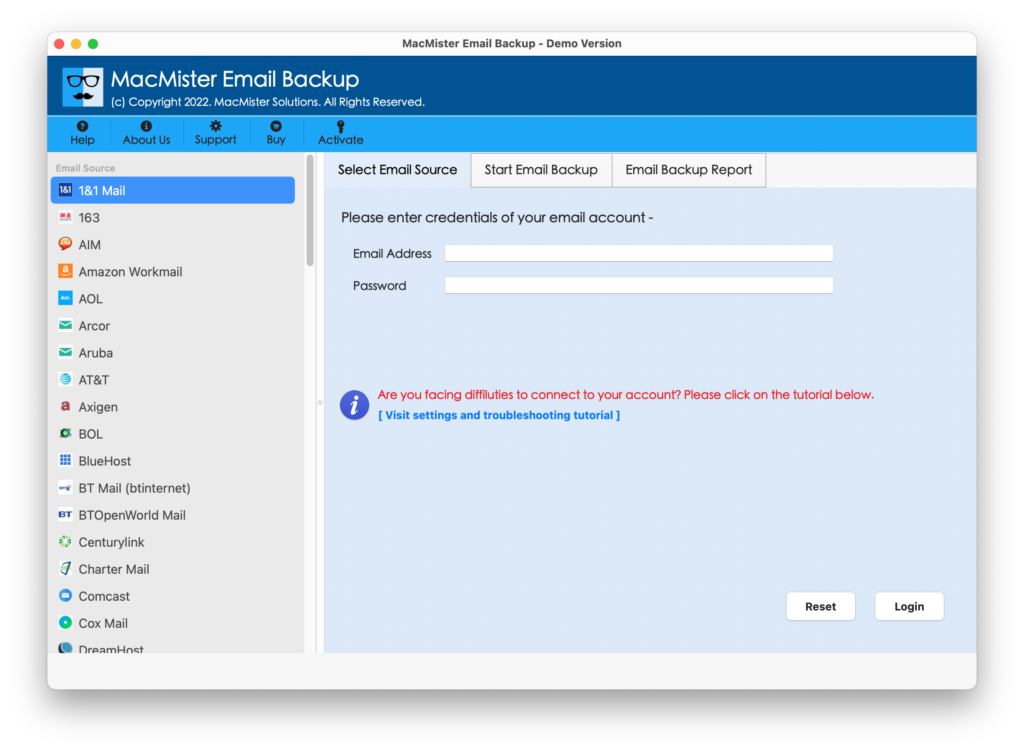
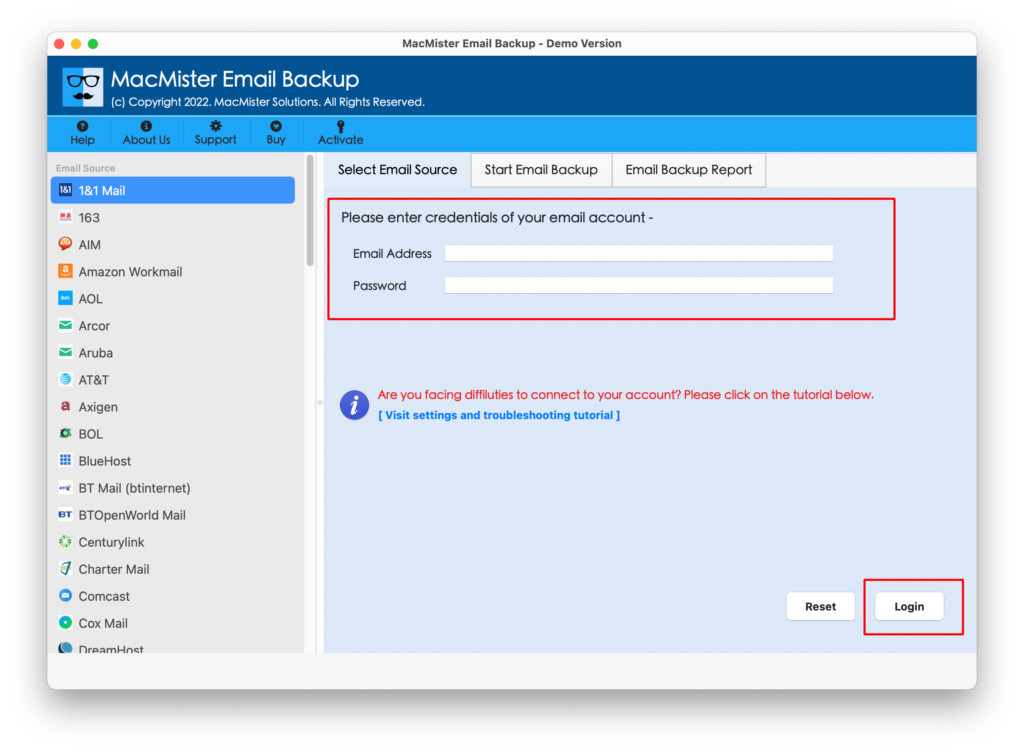
Select Axigen from the given Webmail list. Then Add the Axigen login details and click on login button.
Step 3: Select the Required Email Data
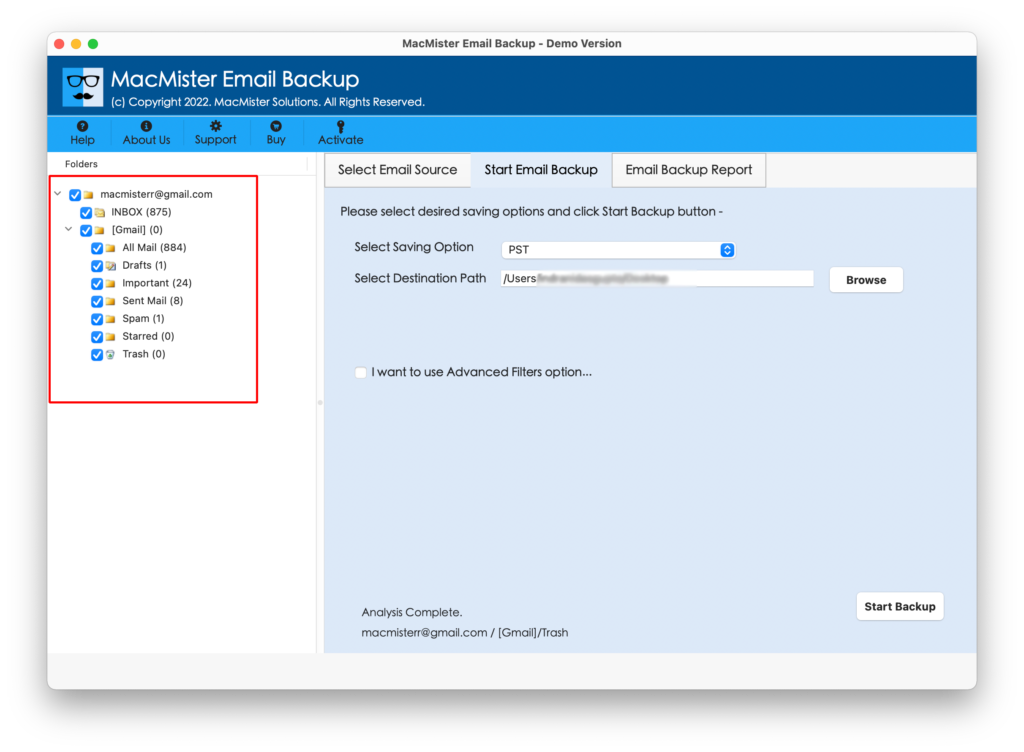
After adding the source data, select the mailbox folders or email records that need to be exported.
Step 4: Choose CSV as the Export Format
Now Select CSV from the available output formats. The software will prepare the selected Axigen email data for CSV conversion.
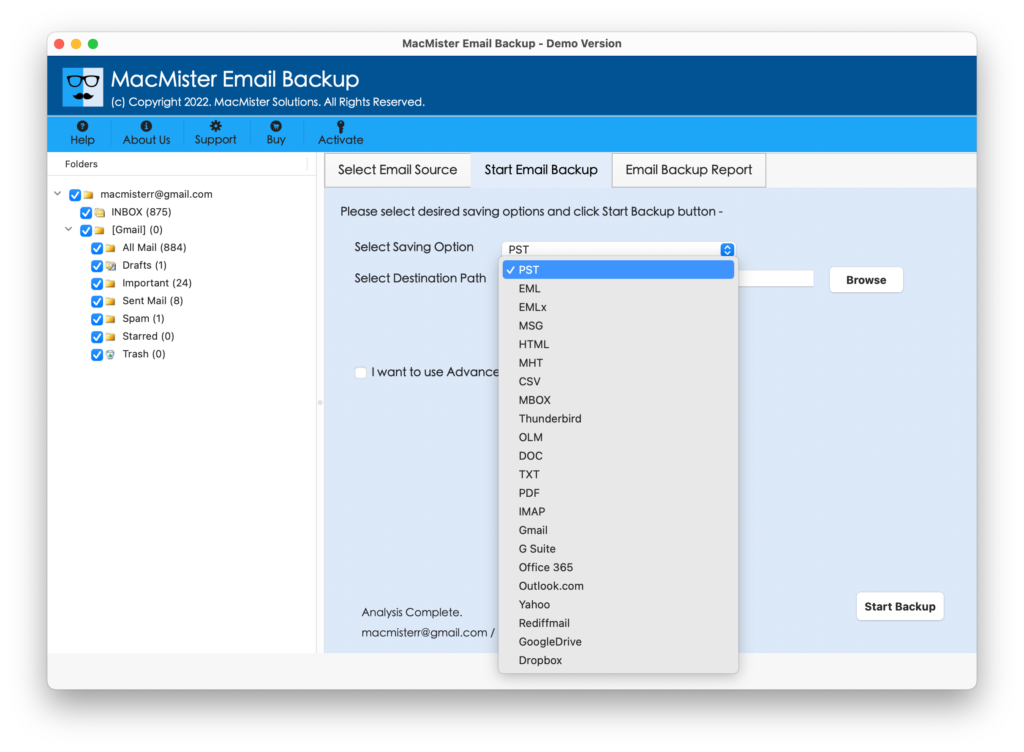
CSV is a suitable choice for users who need email details in a structured format for use with spreadsheets or database software.
Step 5: Select the Destination Location
Choose a destination folder on your Mac where the converted CSV files should be stored.
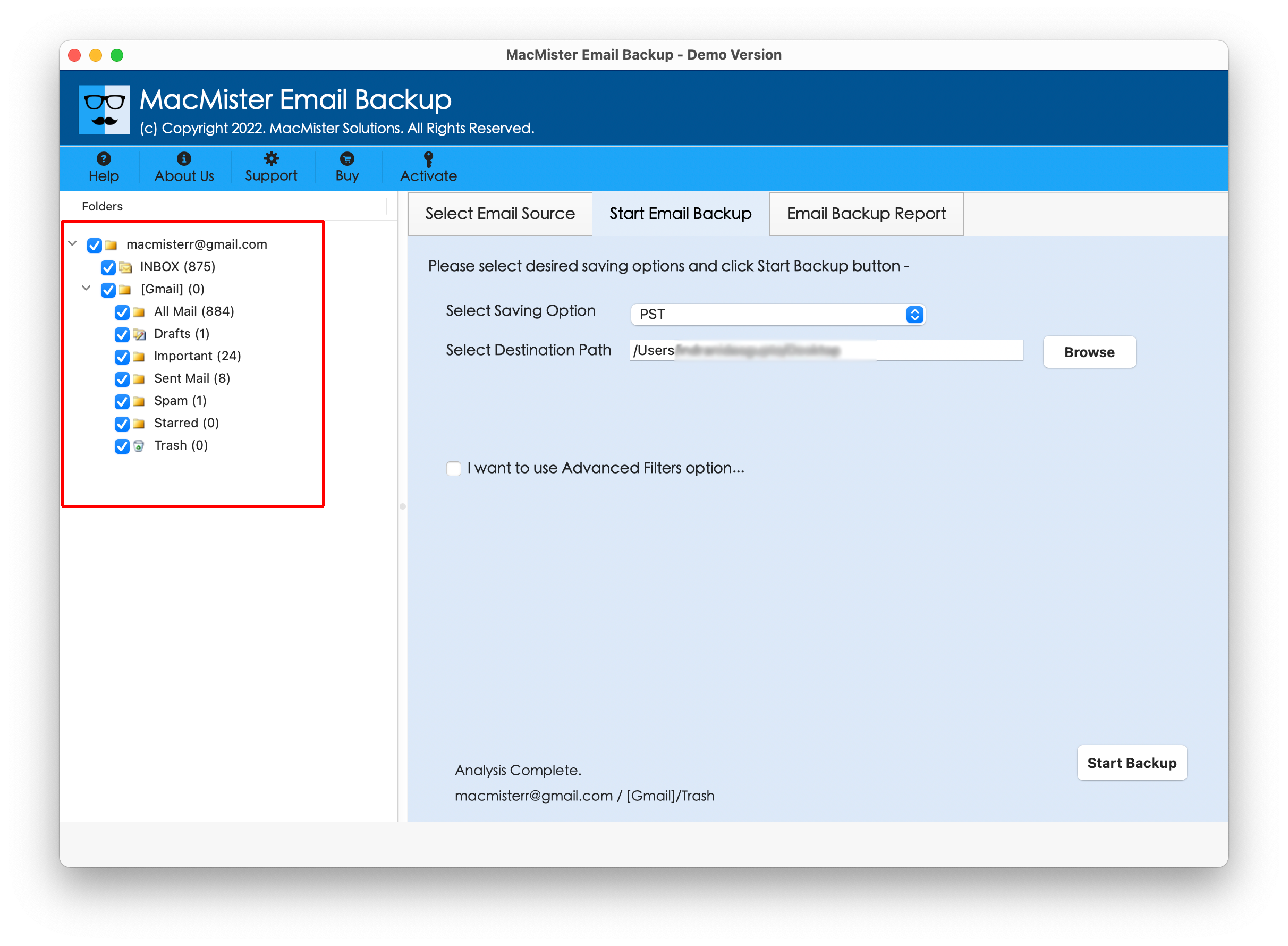
It is recommended to select a location with sufficient free storage, especially when processing a large mailbox.
Step 6: Start the Conversion
Select the Convert or Export button to initiate the data processing.
MacMister will process the selected Axigen email data and generate the output in CSV format. Depending on the amount of data, the conversion time may vary.
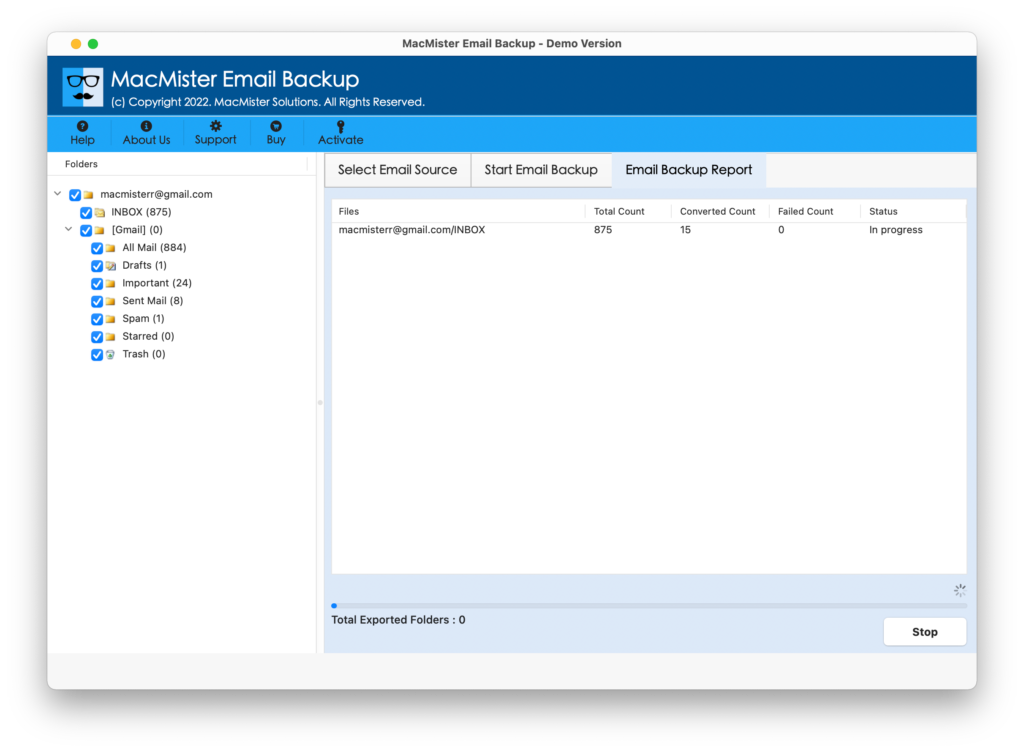
Once the process is completed, navigate to the selected destination folder and access the generated CSV files.
What Email Information Can Be Exported to CSV?
The purpose of converting emails to CSV is generally to obtain structured information rather than preserve the original visual appearance of an email.
Depending on the source data and software-supported fields, CSV output may contain information such as –
- Sender details
- Recipient details
- Email subject
- Date and time
- Email-related metadata
- Message information
- Folder-related information
The exact fields available in the resulting CSV depend on the source data and conversion configuration.
Since CSV is a tabular format, email information is represented as rows and columns rather than as individual email messages.
Key Features of Axigen Email to CSV Tool
The Axigen to CSV Converter is designed for Mac users who need to extract and convert Axigen email information into CSV format without performing a complicated manual process.
- Direct CSV Conversion – The utility provides a dedicated conversion workflow for exporting Axigen email data into CSV format.
- Batch Processing – When working with large mailboxes, processing email data individually can be inefficient. Batch conversion helps users process multiple email records or folders in a single operation.
- Folder-Based Selection – Users can select the required mailbox folders before starting the conversion. This is useful when only specific Axigen folders need to be exported.
- Maintains Structured Email Information – The software focuses on transferring available email properties into a structured CSV representation so the output can be used for further analysis and processing.
- Designed for macOS – The application is built specifically for Mac users, providing a conversion workflow within the macOS environment.
- Simple Conversion Workflow – The process is designed around a straightforward sequence: add source data, select the required emails or folders, choose CSV, specify the destination, and start conversion.
For technical users and administrators, this approach can be useful when Axigen data needs to be transformed into a format that can be handled by spreadsheet, database, reporting, or data-analysis applications.
Why Use the Axigen to CSV Tool?
A manual conversion workflow can become difficult when dealing with a large Axigen mailbox. CSV does not natively represent email messages, so users need a mechanism that can read the source email data and map its available properties into a structured output. The software supports to save Axigen emails to lots of file formats & Webmail Apps like –
Axigen data to MBOX, PDF, EML, TXT, ICS, Thunderbird, IMAP, Outlook.com, yahoo, and many more.
A dedicated converter can reduce the number of manual steps involved in this process. It can also make large-scale conversion more manageable by allowing users to process multiple records and folders systematically.
Conclusion
Exporting Axigen emails to CSV on Mac can be useful when email information needs to be organized, analyzed, archived, or processed through spreadsheet and database applications. However, Axigen’s server-oriented mailbox structure and the tabular nature of CSV can make direct conversion technically challenging.
The Axigen to CSV tool for Mac provides a dedicated way to convert Axigen email data into CSV format. Users can add their source data, select the required folders or email records, choose CSV as the output format, specify a destination, and start the conversion.
For users who need a structured and accessible representation of Axigen email information on macOS, converting the mailbox data to CSV can provide a practical way to work with email records outside the original Axigen environment.
| |