Complete Guide – How to Export iCloud Mailbox Data to CSV on Mac?
iCloud Mail is widely used by Apple users to manage personal and professional email communication. Over time, an iCloud mailbox can accumulate a large amount of email data, including messages, sender and recipient details, subjects, dates, and other mailbox information. When users need this data in a structured format for analysis, record keeping, reporting, or further processing, exporting iCloud mailbox data to CSV can be a practical solution.
CSV (Comma-Separated Values) is a lightweight and widely supported file format that stores data in rows and columns. It can be opened with applications such as Microsoft Excel, Apple Numbers, and other spreadsheet programs. However, iCloud does not provide a direct built-in option to export an entire mailbox to CSV.
In this guide, we will discuss a manual approach and a more convenient solution using iCloud to CSV for Mac tool that can save iCloud emails to CSV file format in batch.
Overview of iCloud Export to CSV
Exporting iCloud mailbox data to CSV involves extracting email information from the account and saving it in a structured CSV file. Depending on the tool or method used, the exported file may contain details such as –
- Email subject
- Sender and recipient information
- Email date and time
- Message-related details
- Folder or mailbox information
- Other available email metadata
A CSV file is particularly useful when users want to organize, filter, sort, or analyze email information in spreadsheet applications.
For users with a large iCloud mailbox, however, exporting emails individually or through multiple intermediate steps can become inconvenient. A dedicated iCloud to CSV solution can simplify the process by allowing users to export mailbox data directly into CSV format.
Why Export iCloud Data to CSV?
There are several reasons why users may want to export iCloud mailbox data to CSV on Mac.
1. Organize Email Data – CSV stores information in a tabular structure, making it easier to sort and organize large amounts of email data.
2. Analyze Mailbox Information – Users can open CSV files in spreadsheet applications and filter or analyze email-related information according to their requirements.
3. Maintain an Accessible Record – Saving important mailbox information in CSV provides an additional copy that can be accessed independently of the iCloud web interface.
4. Process Large Amounts of Data – When dealing with numerous emails, a structured CSV file can make email information easier to manage compared with reviewing individual messages.
5. Use Data in Other Applications – CSV is supported by many database, spreadsheet, reporting, and data-management applications, making it a flexible format for further processing.
How to Export iCloud Email to CSV Manually?
iCloud Mail does not offer a dedicated Export to CSV button for directly saving an entire mailbox. Therefore, users generally need to rely on an email client or intermediate export process.
A basic approach is to first connect the iCloud email account with a compatible email application using the required account credentials and server settings. After the mailbox becomes accessible, users can export or process the available email data through the application’s supported options. The extracted information may then need to be arranged and saved in CSV format using a spreadsheet application.
This approach can work for limited data, but it is not ideal when the mailbox contains a large number of emails or multiple folders.
Limitations of the Manual Method
The manual approach can involve several additional steps and may not be suitable for users who want a direct export.
- Time-Consuming Process – Moving between an email client and spreadsheet application can take considerable time when processing a large mailbox.
- No Direct iCloud-to-CSV Option – iCloud Mail does not provide a native feature that directly converts an entire mailbox into CSV format.
- Multiple Steps – Users may need to configure the account, access mailbox folders, extract information, and organize the resulting data before creating a usable CSV file.
- Difficult for Bulk Data – Handling hundreds or thousands of emails manually is inefficient and increases the effort required for the export.
- Folder Management Challenges – Processing multiple mailbox folders individually can make the overall export more complicated.
- Technical Configuration – Connecting iCloud Mail to a third-party email client may require correct account and server configuration, which can be confusing for some Mac users.
Because of these limitations, users looking for a direct and convenient conversion method can consider the dedicated converter.
Alternative Solution to Export iCloud Emails to CSV for Mac
For users who want a more straightforward way to export iCloud mailbox data, MacMister iCloud Backup for Mac tool provides a direct solution.
|
|
|


Instead of depending on multiple intermediate applications, the software is designed to directly export iCloud mailbox data to CSV format on Mac. Users can connect their iCloud mailbox, select the required email data, choose CSV as the destination format, and start the export process.
The direct conversion approach makes it easier to handle mailbox data without manually transferring emails between different applications.
Smart Skills of iCloud to CSV Converter for Mac
- Direct iCloud to CSV Migration – One of the key advantages of MacMister is its direct iCloud to CSV migration capability. Users do not have to first convert iCloud emails into another intermediate format and then convert them to CSV. The software works as a dedicated conversion solution, helping users save mailbox information directly in CSV format.
- Bulk Export of iCloud Mailbox Data – When a mailbox contains a large number of emails, processing messages individually can be impractical. MacMister supports bulk processing, allowing users to handle multiple email items more conveniently instead of exporting them one by one. This makes the software suitable for users who need to process larger iCloud mailbox datasets.
- Simple and User-Friendly Interface – It is designed with a straightforward interface so that users can complete the export without dealing with complicated conversion procedures. The general workflow involves connecting the iCloud mailbox, selecting the required data, choosing CSV as the output format, and starting the conversion.
- Preserve Important Email Information – During the conversion process, the software is designed to retain relevant email information in the resulting CSV output. This allows users to work with their mailbox data in a structured tabular format.
- Export Selected Mailbox Data – Users may not always need to export their complete iCloud mailbox. A dedicated conversion tool can provide greater control over the data that needs to be processed, helping users avoid unnecessary exports.
- Convenient CSV Output – Once the conversion is completed, the resulting CSV files can be opened with commonly used spreadsheet applications such as Microsoft Excel or Apple Numbers. Users can then sort, filter, review, or process the exported information according to their requirements.
Steps to Export iCloud Mailbox Data Folder to CSV Using the migration Tool
The conversion process is straightforward –
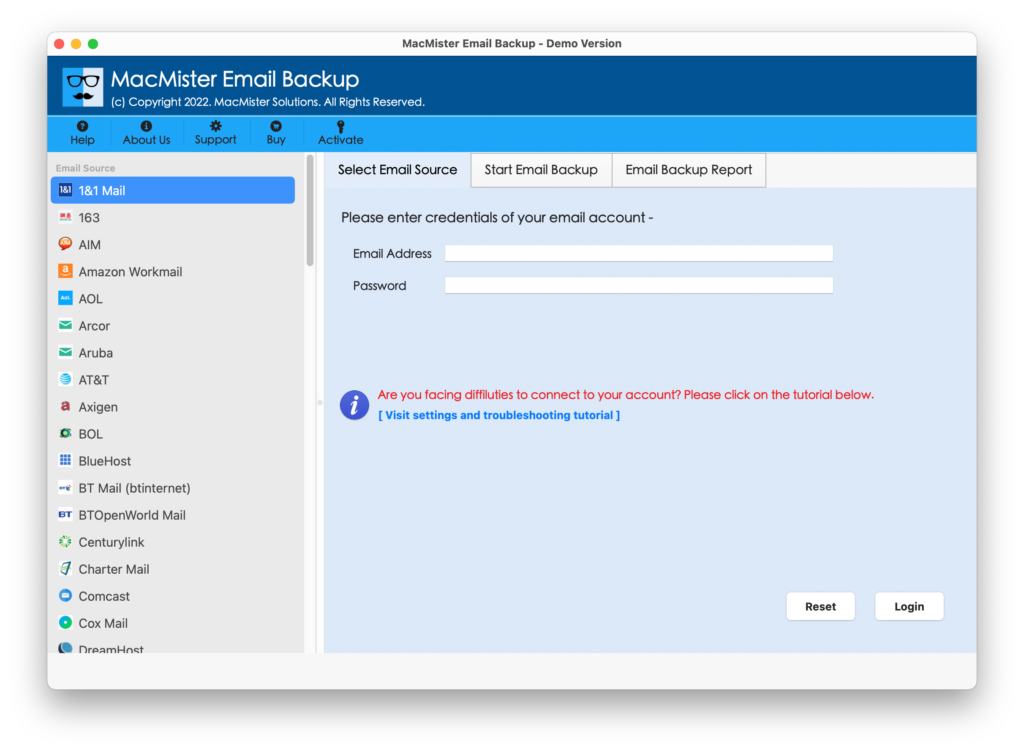
Step 1: Launch the Converter on Mac
Install and open the Converter on your Mac. Select iCloud from webmail list.
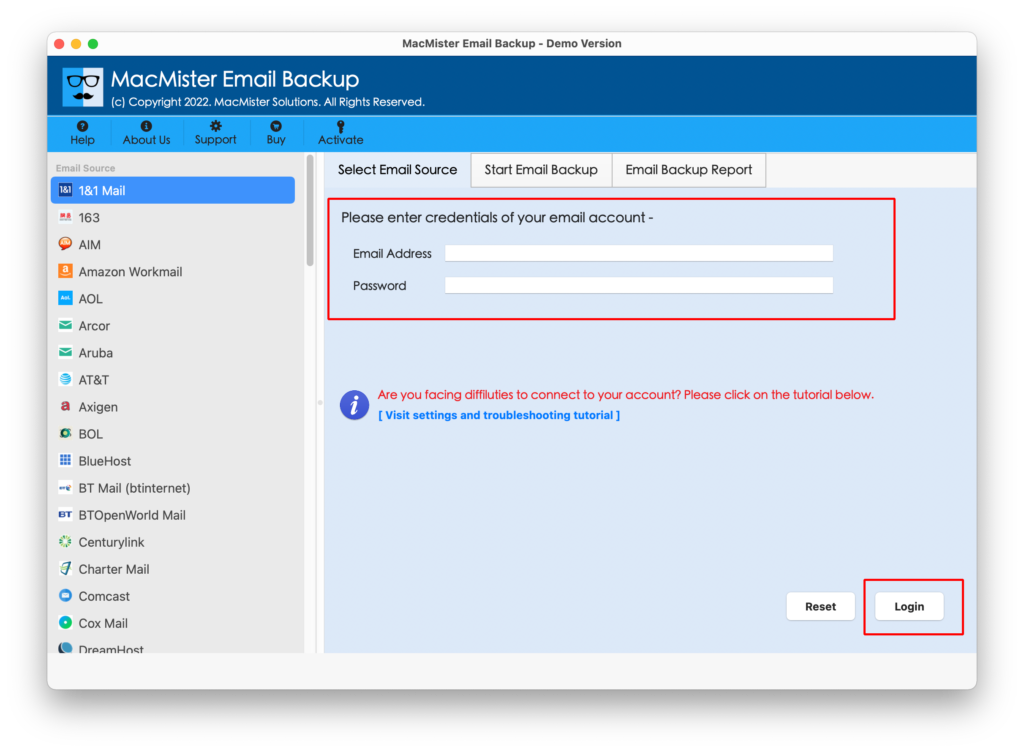
Step 2: Connect the iCloud Mailbox
Provide the required iCloud account details and connect the mailbox with the software.
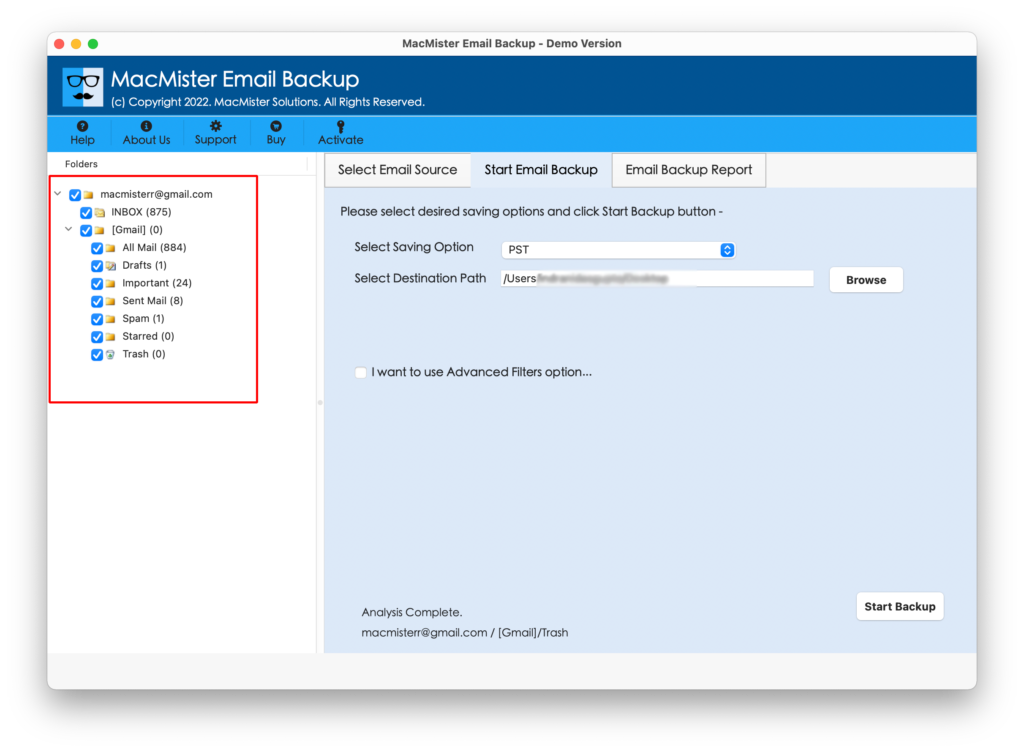
Step 3: Select Mailbox Data
Choose the required mailbox, folders, or email data that you want to export.
Step 4: Select CSV as the Output Format
From the available export options, select CSV as the destination format.
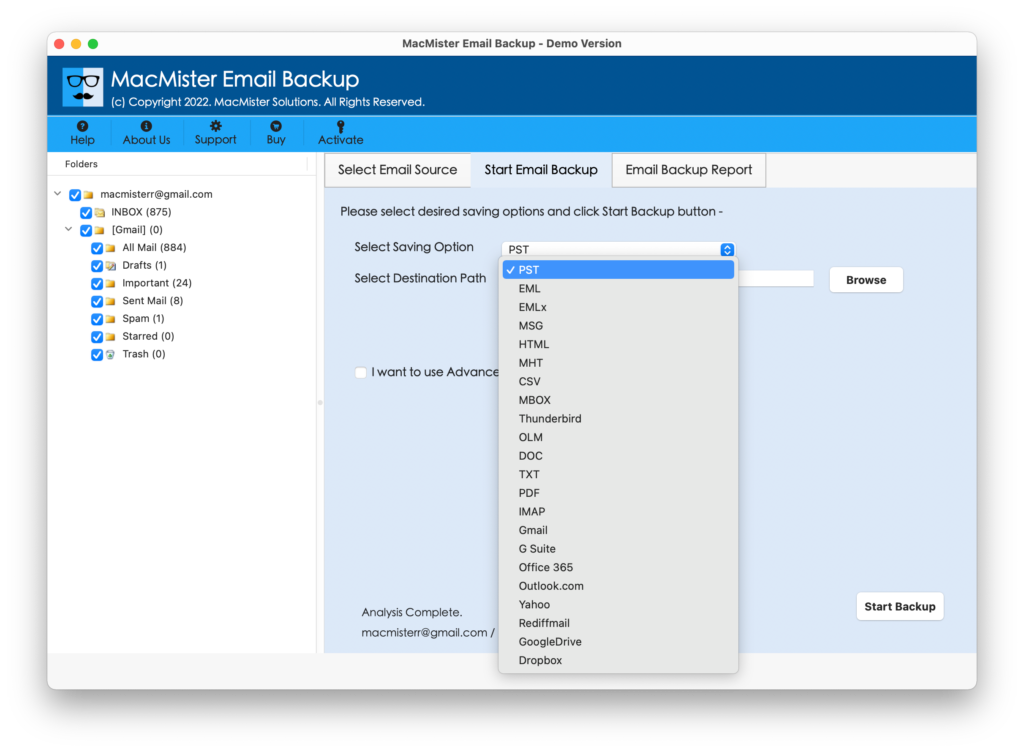
Step 5: Choose the Destination Location
Select a suitable location on your Mac where the converted CSV files should be saved.
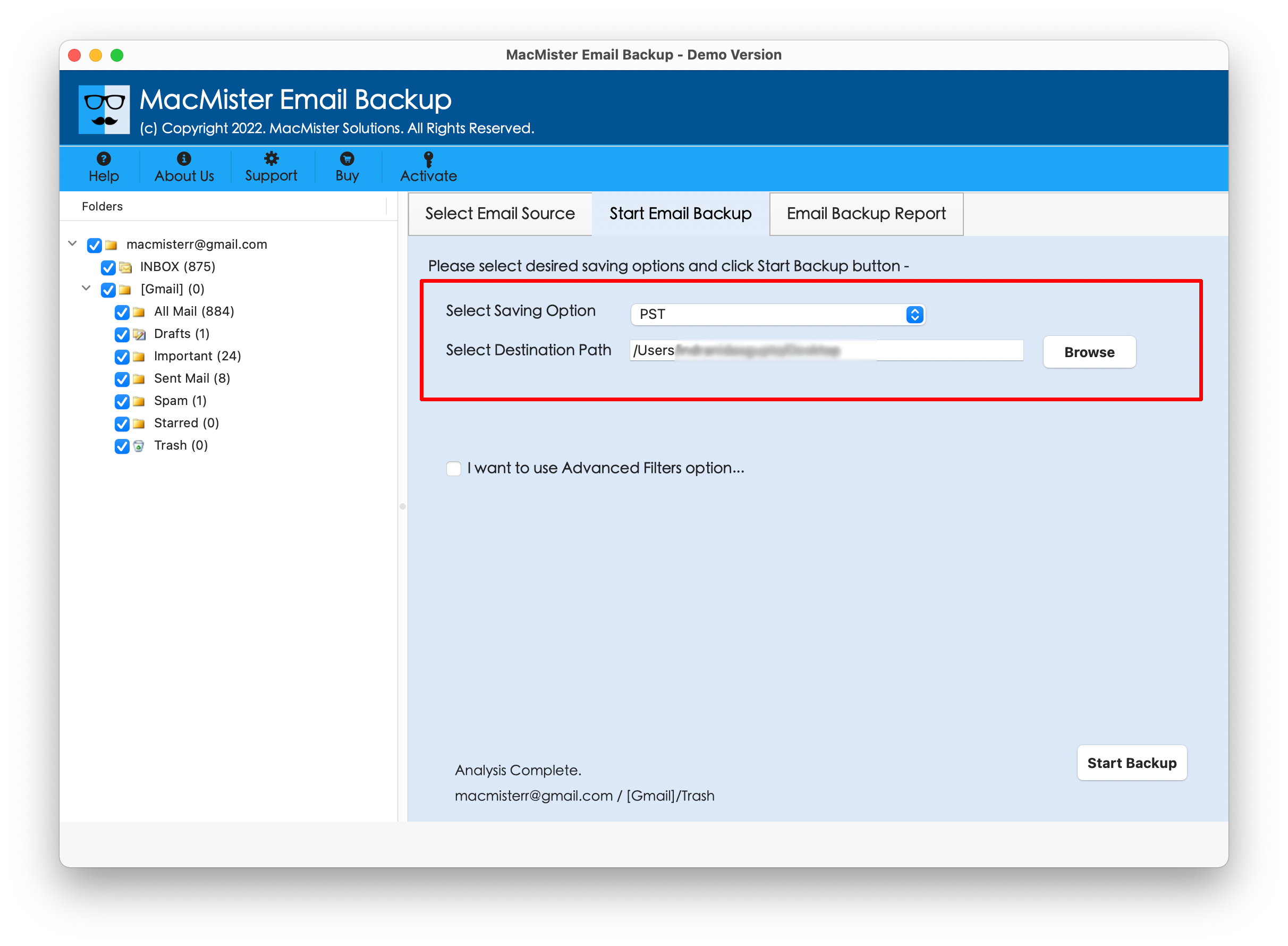
Step 6: Start Conversion
Click the Start backup option to begin the process. It directly processes the selected mailbox data and saves it in CSV format.
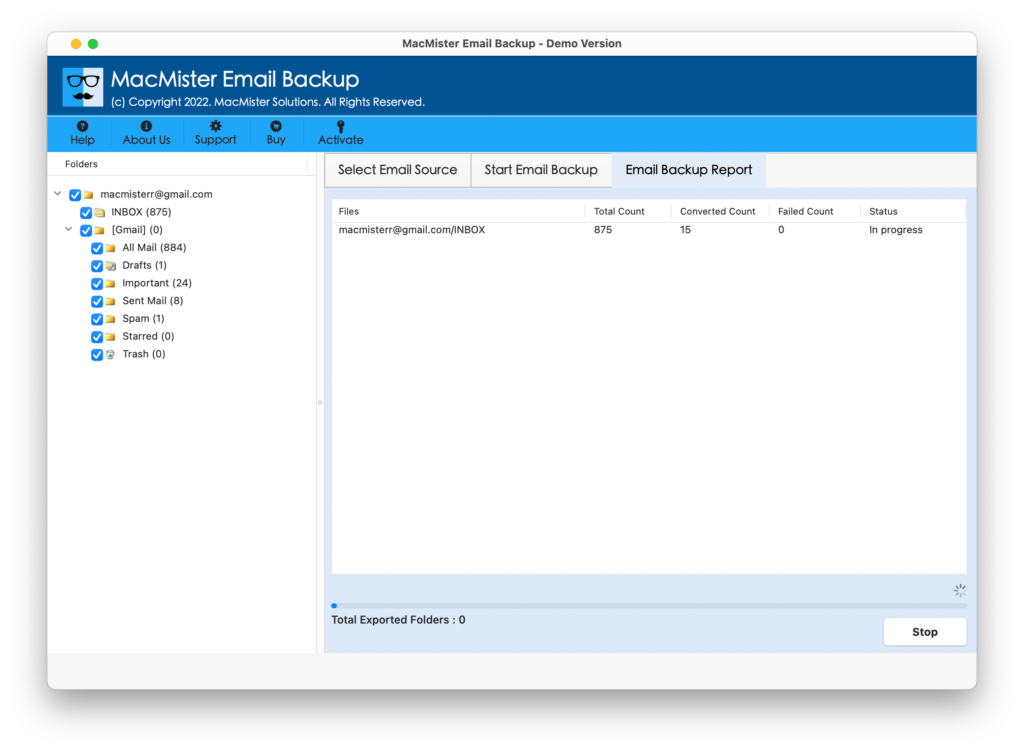
After completion, open the destination folder and access the generated CSV files.
Why Choose or iCloud Export to CSV?
The tool provides a practical alternative for users who want to avoid complicated manual procedures. Its direct conversion workflow eliminates the need for unnecessary intermediate formats and makes bulk mailbox processing more manageable. Key benefits include –
- Direct iCloud to CSV conversion
- Bulk mailbox data export
- Simple conversion workflow
- Support for selected mailbox data
- Structured CSV output
- Convenient processing on Mac
- Reduced dependency on intermediate applications
- Suitable for handling large mailbox datasets
Final Words
Exporting iCloud mailbox data to CSV can be useful for organizing email information, maintaining records, analyzing mailbox data, and working with email details in spreadsheet applications. Although a manual approach may work for a small amount of data, it can become time-consuming when dealing with large mailboxes and multiple folders.
The iCloud to CSV Converter for Mac offers a more convenient alternative by providing direct iCloud to CSV migration. Users can connect their iCloud mailbox, select the required data, choose CSV as the output format, and export the mailbox data without relying on multiple intermediate conversion steps.
For Mac users looking for a direct and efficient way to convert iCloud mailbox data into CSV format, The tool can simplify the overall export process.
|
|
|