How to Export Thunderbird Emails to DOC on Mac – A Complete Step-by-Step Guide
Managing email records is important for both personal and professional users. Many Mac users prefer saving important Thunderbird emails as Microsoft Word documents because DOC files are easy to read, edit, print, and share. Whether you’re creating reports, maintaining business records, or archiving legal communications, converting Thunderbird emails to DOC format can simplify document management.
Read More: How to Save Thunderbird Emails to iCloud Mail on Mac?
If you’re searching for how to Export Thunderbird Emails to DOC on Mac, you’ve come to the right place. This guide explains why users export Thunderbird emails to DOC, the manual options available, their limitations, and a professional solution that makes the process quick and reliable.
Why Export Thunderbird Emails to DOC on Mac?
Thunderbird stores emails in MBOX files, which are not directly editable in Microsoft Word. On the other hand, DOC files are widely supported and allow users to modify content whenever needed.
Some common reasons to export Thunderbird emails to DOC include:
- Create editable copies of important emails.
- Prepare documentation for meetings or presentations.
- Print emails in a professional document format.
- Share email content with users who don’t have Thunderbird.
- Maintain legal or compliance records.
- Organize important conversations in Word documents.
- Archive business communications for future reference.
Knowing How to Export Thunderbird Emails to DOC on Mac can save time and improve document accessibility.
Can Thunderbird Export Emails Directly to DOC?
No. Thunderbird does not provide a built-in option to export emails directly to Microsoft Word (.doc) format. While you can save individual emails in formats like EML or HTML, converting an entire mailbox into DOC requires extra steps or a dedicated conversion tool.
Manual Method to Export Thunderbird Emails to DOC on Mac
Although there is no direct DOC export option, you can manually copy email content into Microsoft Word. This method works best when you only need a few emails.
- Launch Thunderbird on your Mac and open the mailbox containing the email you want to export.
- Double-click the desired email so it opens in a separate window. This makes copying the content easier.
- Select the email text using your mouse or press Command + A to highlight all the content. Next, press Command + C to copy it.
- Launch Microsoft Word or another application that supports DOC documents.
- Create a new blank document. And press Command + V to paste the copied email into the document
- Review the formatting and make any necessary adjustments.
- Click File > Save As. And choose DOC or DOCX
- Select the destination folder and save the document.
Repeat these steps for every email you wish to export.
Explore More: How to Transfer Thunderbird to New Computer Mac?
Limitations of the Manual Method
The manual approach is suitable only for a handful of emails. It becomes inefficient for larger mailboxes.
Some common limitations include:
- Time-consuming for bulk exports.
- Requires repeating the process for each email.
- Formatting may change after pasting.
- Attachments are not included.
- Email metadata such as sender, recipient, and timestamps may require manual editing.
- Folder hierarchy is not preserved.
- Not suitable for business or enterprise environments.
If you have hundreds or thousands of emails, a professional solution is a much better choice.
Professional Solution to Export Thunderbird Emails to DOC on Mac
For users who need to convert multiple emails without losing formatting, MacMister Thunderbird Converter for Mac is a reliable option. The software is designed specifically for macOS and supports exporting Thunderbird emails into multiple document and email formats directly and securely. It helps users export emails, attachments, and related information while preserving important details such as formatting, headers, and metadata. The software provides a simple interface that allows both technical and non-technical users to perform conversions efficiently. It supports batch conversion, maintains data integrity, and helps in creating easily accessible Word documents for storage, sharing, or documentation purposes. The tool is useful for users who need to archive or migrate Thunderbird emails into a widely supported document format.

Get your free demo today and test all advanced conversion capabilities.
Key Features of Thunderbird Email Converter
Export Thunderbird emails to DOC and other formats: Easily convert Thunderbird emails into DOC and other popular file formats for better accessibility and storage.
Convert single or multiple mailboxes: Supports converting individual or multiple Thunderbird mailboxes in a single process for efficient email management.
Preserve email formatting and metadata: Keeps original email structure, formatting, headers, and essential details like sender, subject, and date intact.
Maintain folder hierarchy: Preserves the original folder structure, including subfolders, for organized email access.
Keep attachments intact: Retains email attachments during conversion to ensure important files remain available.
Preview mailbox data: Allows users to preview emails and mailbox content before starting the conversion.
Support large Thunderbird mailboxes: Handles large mailbox files smoothly without performance issues.
Simple user-friendly interface: Provides an easy-to-use design suitable for both beginners and professionals.
Compatible with latest macOS versions: Works seamlessly with modern macOS systems for reliable conversion.
Steps to Export Thunderbird Emails to DOC on Mac
Follow these steps to complete the conversion:
Download and Launch the Thunderbird to MBOX Converter for Mac on your Mac.
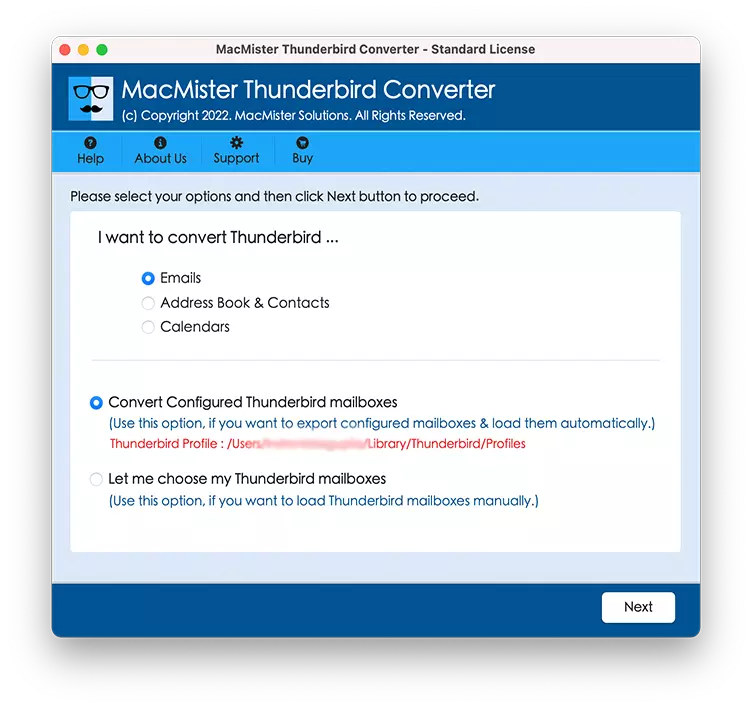
2. It can automatically detect your Thunderbird profile, or you can manually browse to the mailbox location if needed.
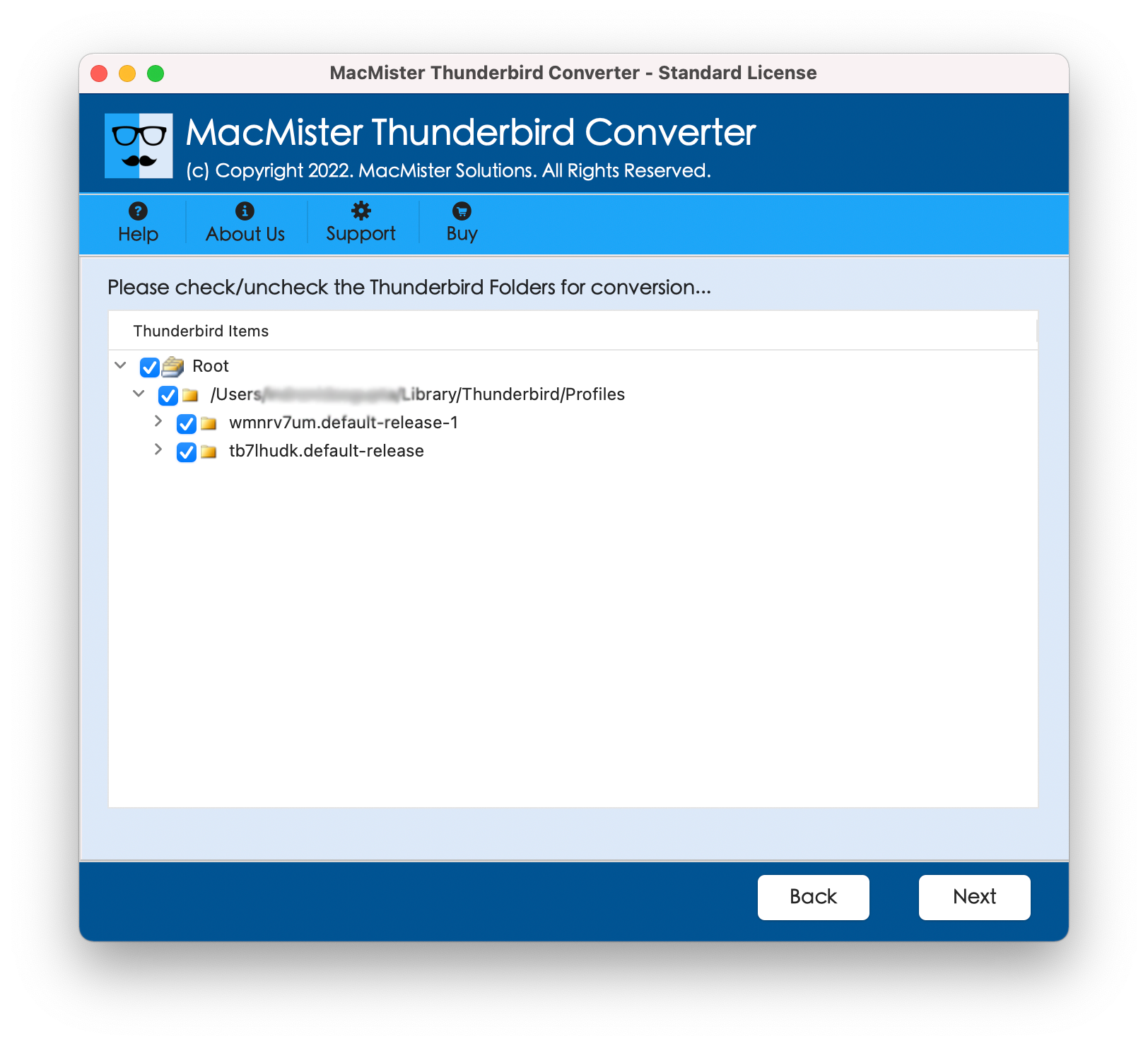
3. The software displays all mailbox folders review the emails before exporting to verify the required data. And choose the folders or individual emails you want to convert. You can export the entire mailbox or only selected folders.
4. Select DOC as the desired output format from the available export options.
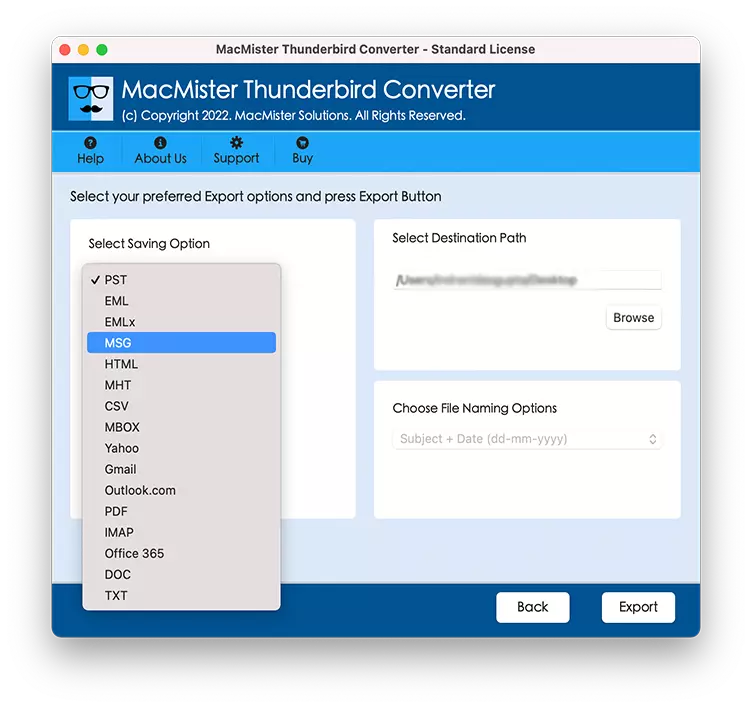
5. Choose the folder where you want the converted Word documents to be saved. Click the Export button.
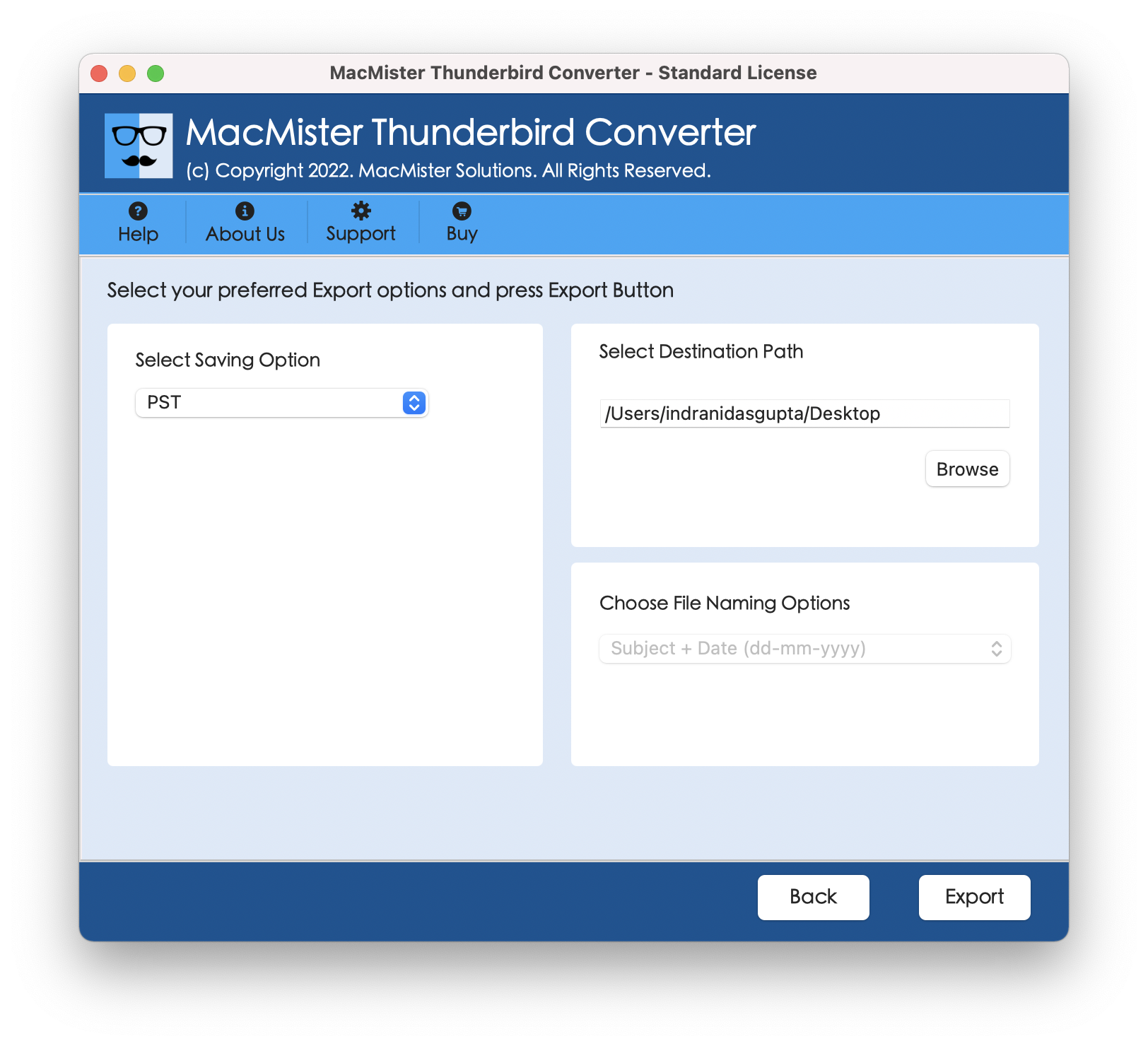
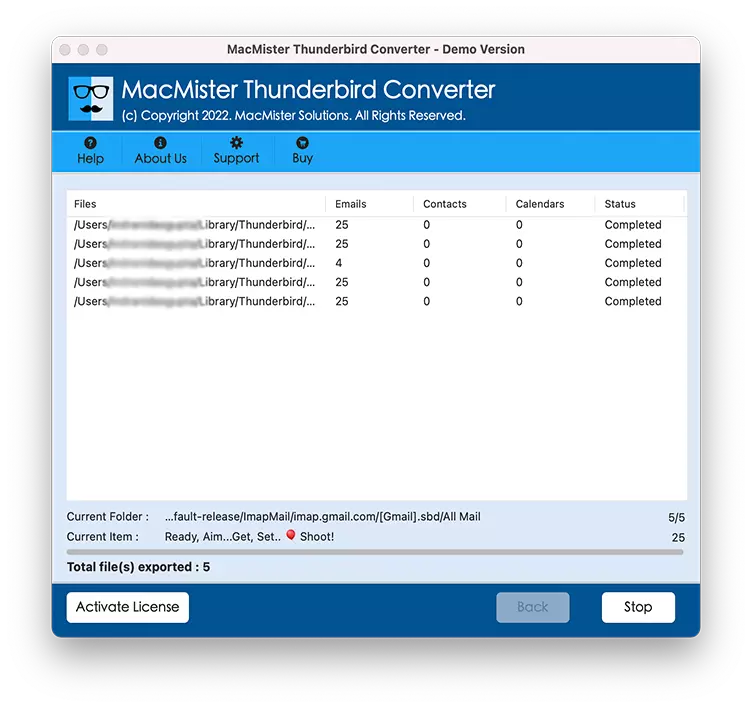
6 .The software exports Thunderbird emails to DOC while preserving formatting and important email information.
Benefits of Exporting Thunderbird Emails to DOC
There are several advantages to converting Thunderbird emails into DOC documents:
- Easy editing in Microsoft Word.
- Professional formatting for reports.
- Better compatibility across devices.
- Convenient printing.
- Simplified document sharing.
- Improved long-term record management.
- Easy inclusion in business documentation.
- Support for annotations and comments.
Because DOC is one of the most widely used document formats, it remains a practical choice for preserving important email content.
Conclusion
Understanding How to Export Thunderbird Emails to DOC on Mac is valuable for users who need editable, printable, and easily shareable copies of their emails. While Thunderbird doesn’t provide a direct DOC export feature, manually copying individual emails into Microsoft Word is a workable option for occasional use.
However, if you need to export multiple emails while preserving formatting, metadata, and folder organization, a professional solution the Specialized Mac Thunderbird to PDF Converter offers a faster and more reliable approach. It simplifies the entire process, supports bulk conversion, and helps ensure that your important email data is accurately converted into DOC format. By following the methods described in this guide, you can confidently convert Thunderbird to DOC on Mac and keep your email information accessible in one of the world’s most widely used document formats.
Related Topics: How to Backup & Save Thunderbird Emails to External Hard Drive on Mac?
Frequently Asked Questions
Q1. Can Thunderbird export emails directly to DOC?
No. Thunderbird does not include a native feature to export emails as DOC files.
Q2. Will the email formatting remain intact?
Using the professional conversion tool helps preserve the original formatting much more accurately than the manual copy-and-paste method.
Q3. Can I export multiple emails at once?
Yes. Dedicated Mac Thunderbird to PST Export software supports bulk exporting, saving significant time compared to manual methods export Thunderbird emails to DOC on Mac.
Q4. Is the exported DOC file editable?
Yes. Once converted, the DOC file can be edited, formatted, printed, and shared using Microsoft Word or other compatible applications.