Superb Way to Import MBOX to Airmail on Mac & Windows

Want a solution to import MBOX to Airmail? But unable to find any appropriate technique for the same. No worries, just read the segment carefully and at the end, you will be able to successfully import all MBOX files into Airmail client without any challenges encountered.
Several users have millions of reasons to save MBOX emails into the Airmail application. But, what is most important is to opt for a reliable procedure to import MBOX files to Airmail. Therefore, no need to go anywhere, We have explained a solution here that is expert’s recommended and guarantees the accurate & desired result in a short time.
Why to Import MBOX to Airmail?
MBOX files are one of the widely used files that store the collection of emails of a user’s account in ASCII text. They are easily accessible via any basic text editor but create a problem for those who want to access its email messages in a particular email application that does not support files with .mbox extension like Airmail.
Airmail is a desktop-based email application that was specially programmed for iOS, macOS, and watchOS. It is a powerful mail client that allows users to customize the program to meet their requirements. Also, it supports integration with the preferred applications and creates custom actions that make life quite easier. Not only this, users can access Airmail service on Mac, iPad, and iPhone and even on Apple Watch.
That is why Airmail is getting more popular day by day and many Mac users prefer to switch to it because it can work easily with any Mac device.
However, Airmail supports EML and EMLx formats. Thus, to access MBOX files into Airmail platform, one needs to perform the conversion of MBOX to EML.
How to Import MBOX to Airmail on Mac & Windows?
One of the powerful and trouble-free ways to import MBOX to Airmail is MacMister MBOX Converter for Mac & Windows. The application is safe, easy to use, and advanced. Thus, users do not require expert support to operate the tool as it can be implemented by anyone independently and effortlessly. The best feature of the tool is that it has a batch mode function with the help users can batch import MBOX files into Airmail at once. The process will be performed in a minimum time as the app has a three-step process which will save the time and energy of users.
Apart from the batch mode function, users will also get plenty of other benefits that they can use to receive the desired result. However, the software is also designed with a free demo version with the help of users can explore all the options as well as experience the complete processing of the tool for free.
Working Steps to Import MBOX to Airmail on Mac
Step 1. Download and run MacMister MBOX to Airmail Converter on a macOS platform.
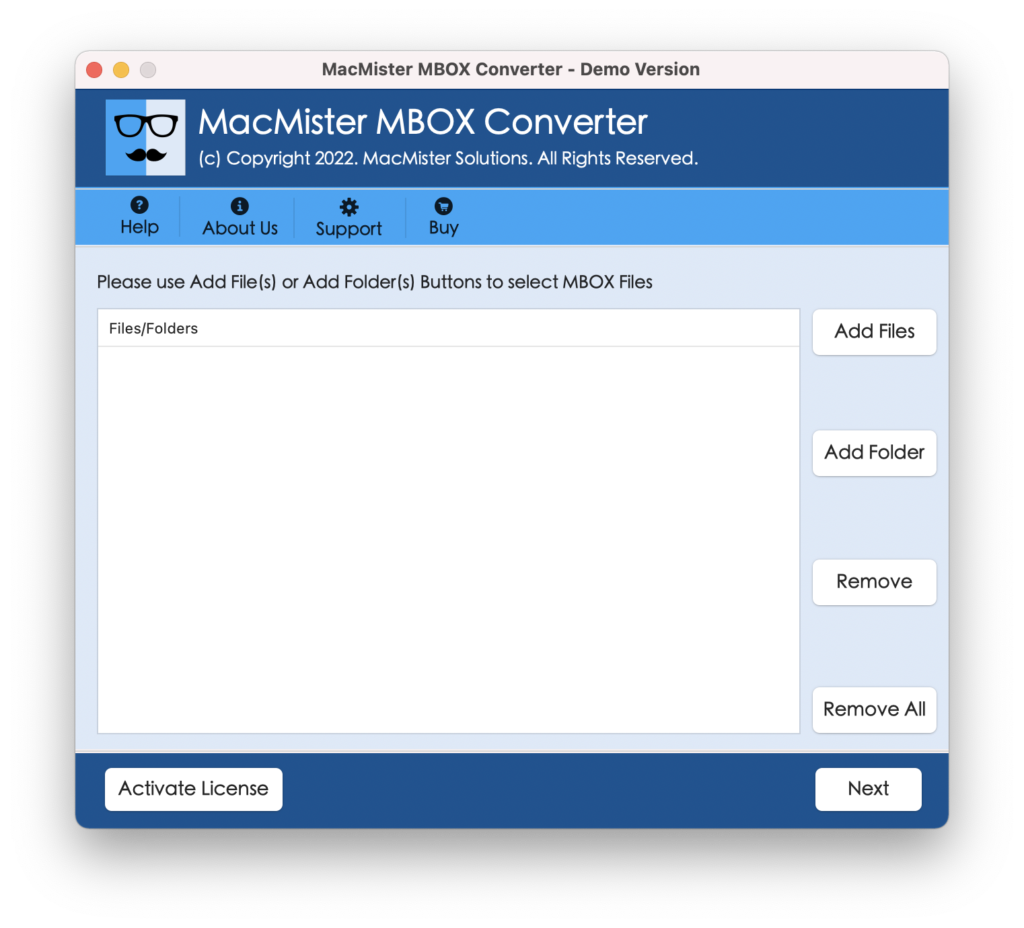
Step 2. Add MBOX files on the application by using Add File(s)/Add Folders button. The Add file(s) button allows users to add MBOX files that are important. The Add Folder button allows users to add a folder containing the list of unlimited MBOX files. Pick the necessary option and click on the Next button.
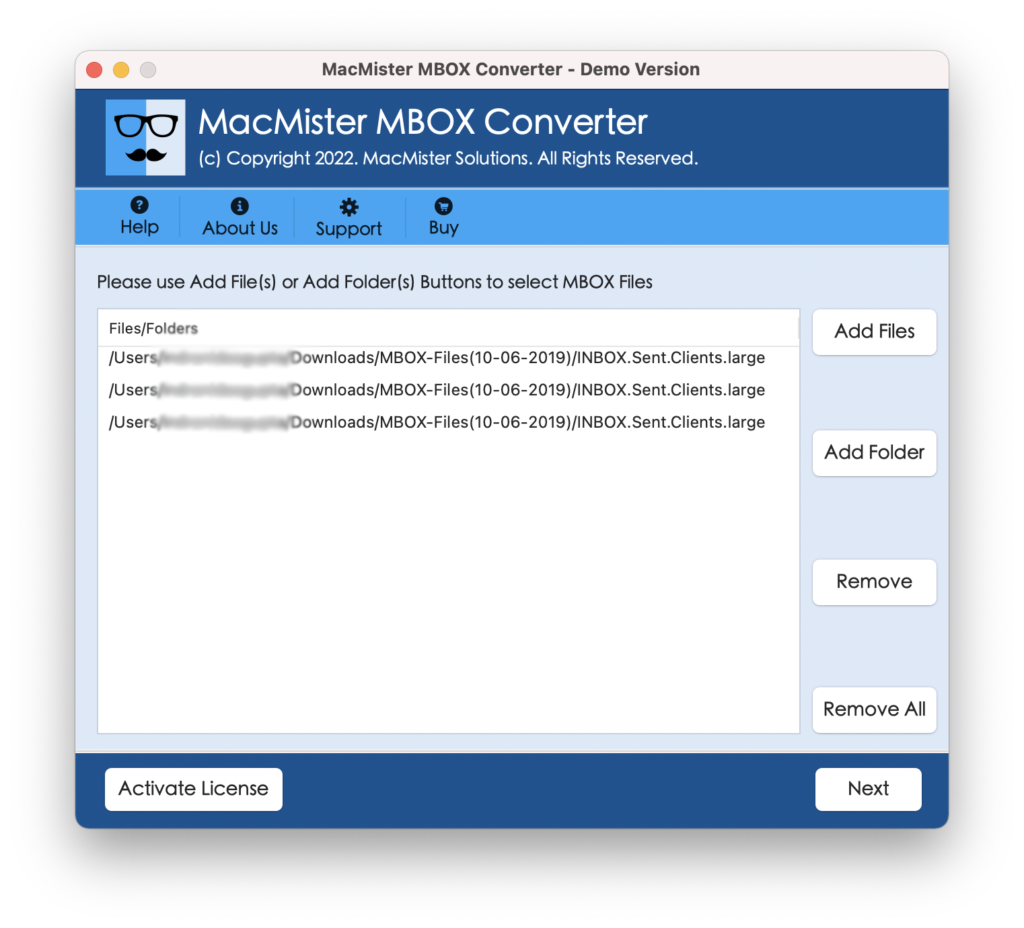
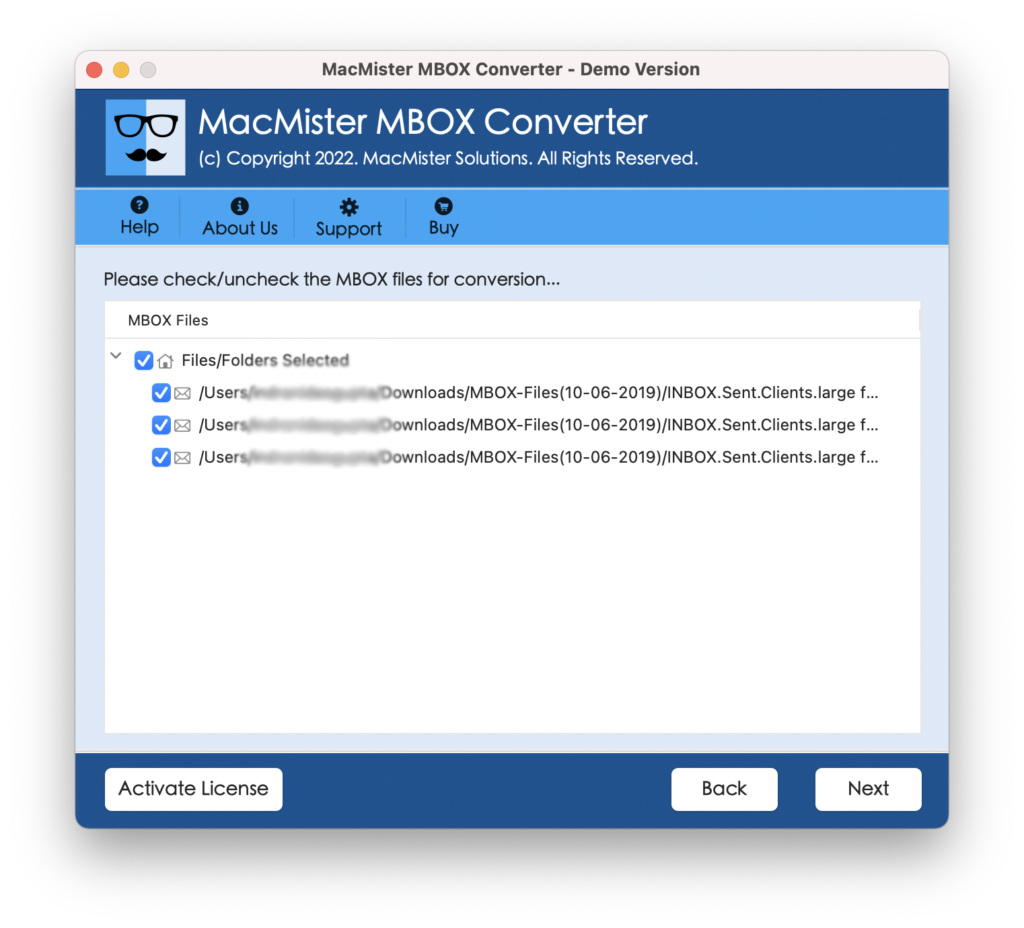
Step 3. The software will analyze the chosen files and list them with checkboxes one by one on the application pane. Note. However, the checkboxes are added so that users can do the selective conversion of MBOX files if needed. Click on Next and proceed.
Step 4. Click the Select Saving Options and select EML format from the menu.
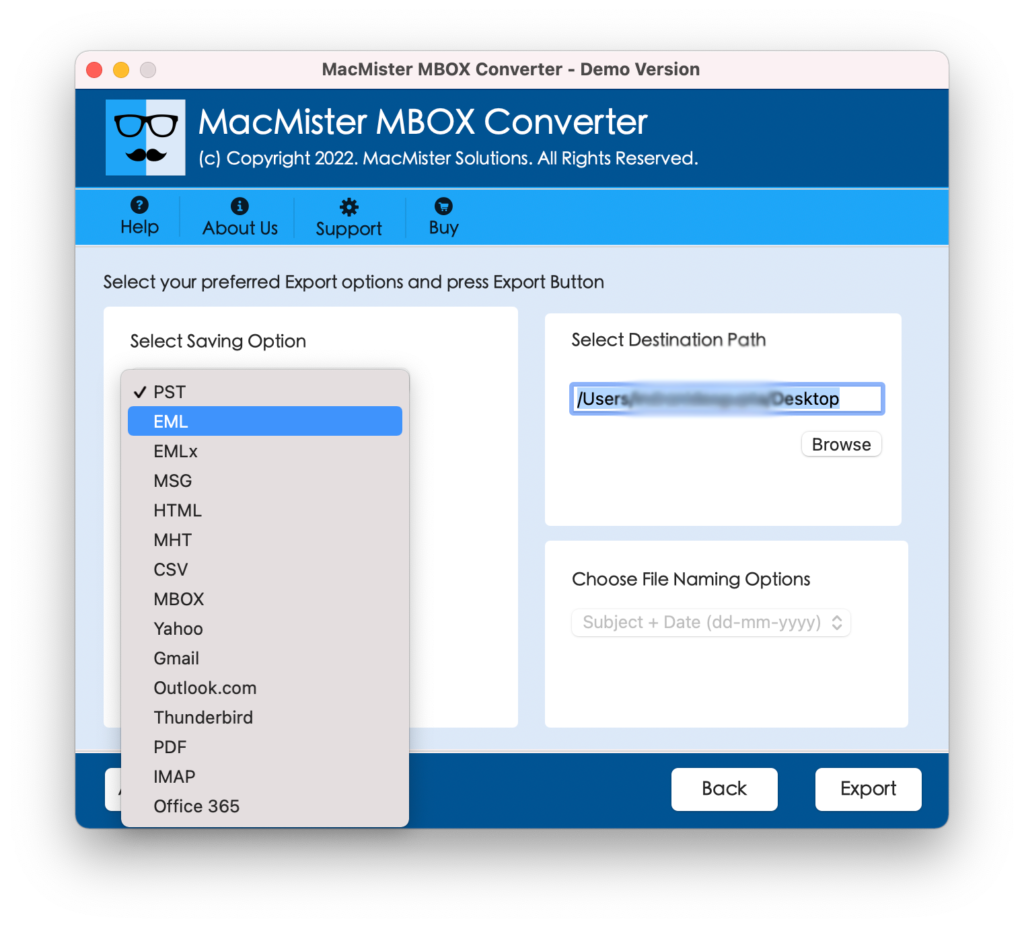
Step 5. Apply the EML options according to your requirements and start the conversion by clicking the Export button.
Step 6. Now, the application will display a Live Conversion Window that will show the ongoing conversion progress of MBOX files.
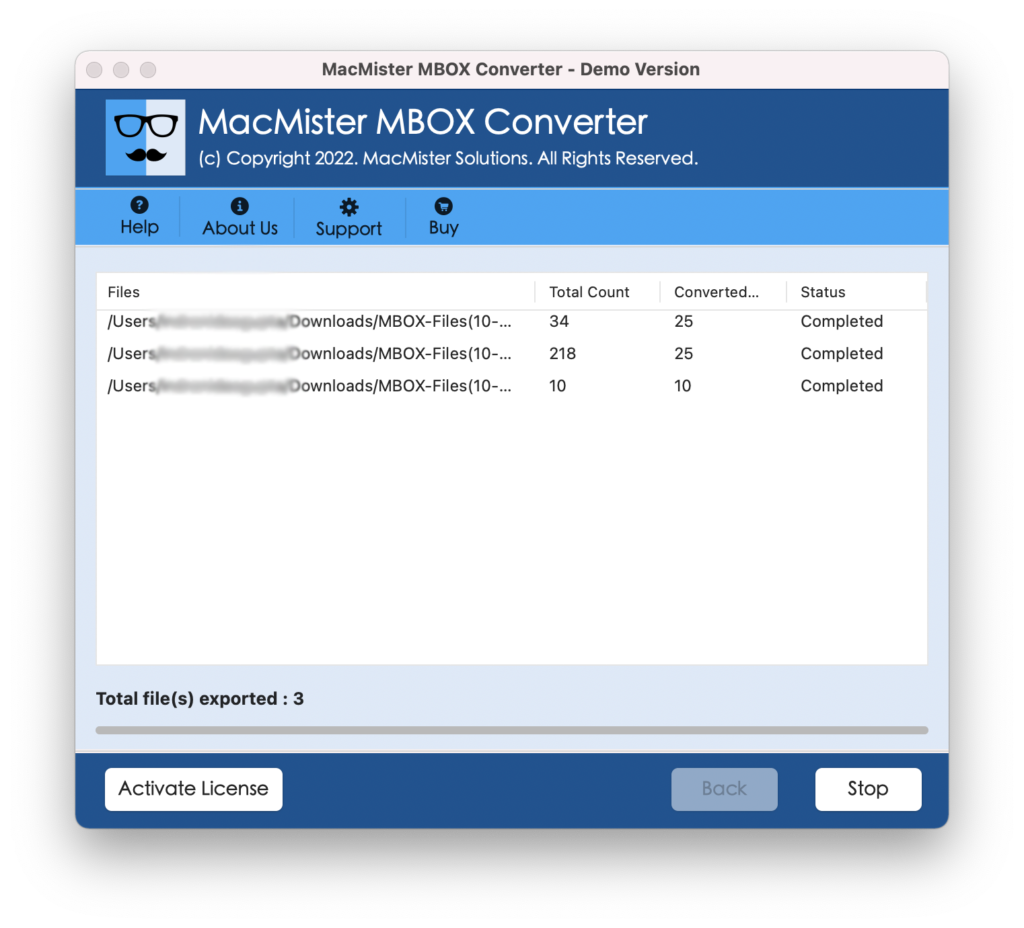
The tool will take only a few seconds to complete the entire process and after that, it will show the Conversion Completed message with the OK button. Click on it to end the process and then go to the location where the resultant EML files are saved.
Why MacMister MBOX to Airmail Converter is a Preferred Solution?
MacMister MBOX to Airmail Converter has numerous beneficial options and features that will help in gaining the desired output in a short amount of time. Some of them are explained here:
Supports Batch Mode Property
The software is built-up with the Add Folder button which is useful in accomplishing the batch conversion process in a minimum time. By clicking on it, one can add the entire folder carrying unlimited MBOX files and perform the conversion of the same at once.
Designed with a Simple Interface
MBOX to Airmail solution is programmed with a friendly GUI. And so, both professional and non-professional users can operate the application effortlessly and access MBOX files in Airmail account without data loss.
Use Dual Modes to add MBOX Files
The application has dual options to add required MBOX files to the software. The Add File(s) button will help users in adding the required MBOX files on the tool. The Add Folder allows users to load a complete folder on the tool carrying unlimited MBOX files for conversion.
Save EML Files at Desired Location
The MBOX to Airmail Converter Tool is equipped with the Set Destination Path property. It has a Browse button that users can use to set the location to save the resultant file. By doing this, users can access the files instantly and read them in Airmail account.
Transfer MBOX Files on any macOS
The utility has the ability to import MBOX files into an Airmail account on any macOS version. With the help of the software, users can perform the necessary processes on macOS Ventura, Monterey, Big Sur, Catalina, High Sierra, etc.
Quick Note. Download the FREE DEMO to Explore Software Features in Detail.
Epilogue
The write-up has explained an advanced and robust technique to import MBOX to Airmail on Mac & Windows. The MacMister MBOX to EML Converter for Mac is a safe methodology that any user can opt for and implement the conversion in seconds. It has numerous features that will help in attaining the required result. Download the trial edition of the software and import 25 MBOX files into Airmail free of cost.