Easy Way to Transfer EML Files to Roundcube Webmail on Mac & Windows
Discover how to move EML files into Roundcube webmail using MacMister EML Converter for Mac & Windows. Safely migrate bulk EML emails with complete attachments and original folder structure.
Managing email files across different platforms has become an important requirement for both personal and business users. Many users save their emails in EML format and later look for a reliable way to import EML files to Roundcube webmail for better accessibility and online email management. Since Roundcube is a browser-based email client, users often face difficulties while transferring EML emails directly into their Roundcube accounts.
If you are also searching for a simple and secure solution for the migration, then this guide is for you. This guide explains an effective solution to import EML emails into Roundcube webmail with the help of MacMister EML Converter for Mac & Windows. The application securely migrates EML files while preserving attachments, email layout, and other important properties.
Why Users Want to Import EML Files to Roundcube?
EML files are commonly used by several email clients such as Windows Live Mail, Thunderbird, Apple Mail, Outlook Express, eM Client, and many others. However, accessing multiple EML files individually can be time-consuming and difficult. This is why users prefer moving their EML emails into Roundcube webmail. Here are some major reasons why users choose Roundcube migration –
- Access emails from anywhere through a web browser
- Better email management and organization
- No dependency on desktop email applications
- Secure email storage on hosting servers
- Easy sharing and backup management
- Supports IMAP-based email synchronization
- User-friendly interface with advanced features
Because of these benefits, many individuals and organizations now prefer importing EML emails to Roundcube webmail accounts.
Challenges Faced During EML to Roundcube Migration
- Importing multiple EML files at once
- Maintaining folder hierarchy
- Preserving email attachments
- Keeping metadata intact
- Avoiding data corruption during migration
- Handling large EML databases
To overcome these issues, using a professional EML to Roundcube Converter becomes the best solution.
Smart Solution to Import EML Files to Roundcube
MacMister EML Converter for Mac & Windows is a advanced solution that helps users seamlessly transfer and convert EML files into various email services and file formats without data loss. The software helps users directly transfer EML emails to Roundcube webmail accounts with complete accuracy.

Whether you have a few EML files or thousands of emails, the tool performs the migration process smoothly without affecting email structure or formatting. The software supports all major EML-based email clients and provides direct migration into Roundcube-enabled IMAP accounts.
Skilled Features of EML to Roundcube Tool for Mac & Windows
- Bulk Upload EML Files to Roundcube – The application enables users to import multiple EML emails into Roundcube webmail simultaneously with complete accuracy.
- Preserve Complete Email Formatting – During the migration process, the utility keeps – Email subject, Sender and receiver details, Date and time, Hyperlinks, Inline images, Email formatting, Internet headers, completely safe.
- Maintain Folder Hierarchy – The software preserves the original folder structure while importing EML files into Roundcube webmail.
- Supports Large EML Files – Users can easily migrate large-sized EML databases without facing file corruption or performance issues.
- Supports Both Mac and Windows Platforms – The software is fully compatible with all major macOS and Windows versions for smooth email migration.
- Easy-to-Use Interface – The tool comes with a simple and user-friendly interface that allows even non-technical users to perform migration easily.
- Selective Email Migration – Users can choose specific EML files or folders for migration instead of uploading unnecessary data.
- Secure Migration Process – The software ensures a safe and risk-free migration without altering original email content.
How to Import EML Files to Roundcube Webmail?
Install and launch the MacMister EML to Roundcube Converter on your Mac or Windows computer. Launch the software on your system.
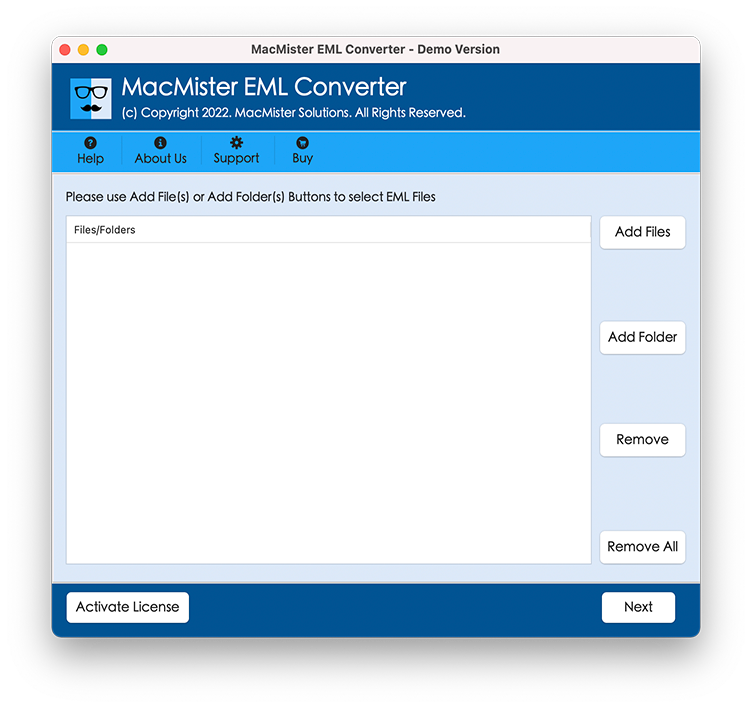
Add EML files or folders into the application.
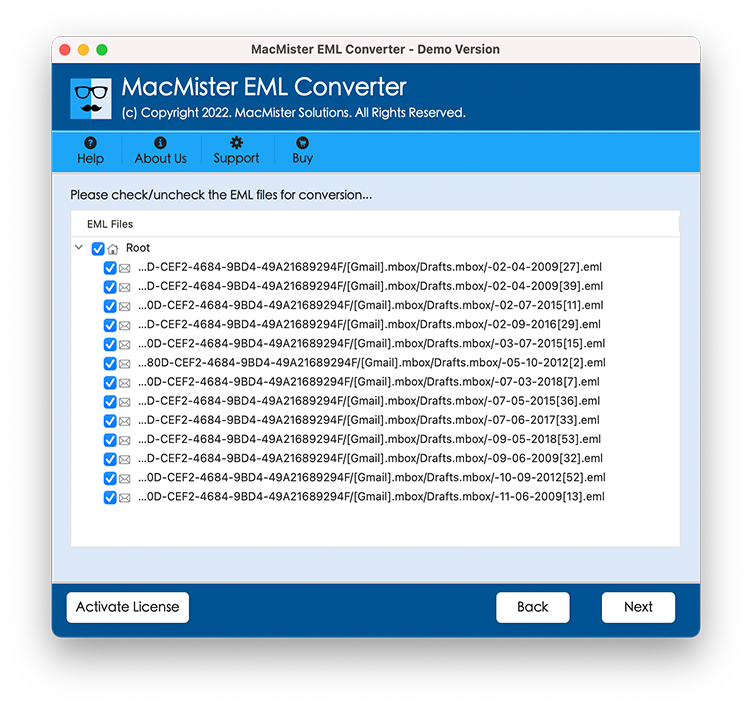
Preview loaded EML emails before migration.
Choose IMAP as the saving option.

Enter your Roundcube IMAP account credentials.
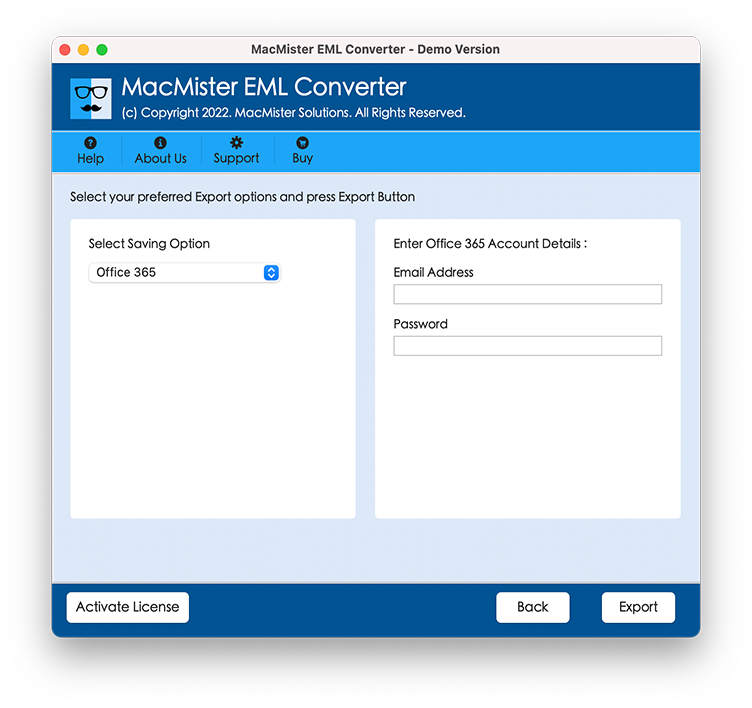
Click on the Convert button to start the migration process.
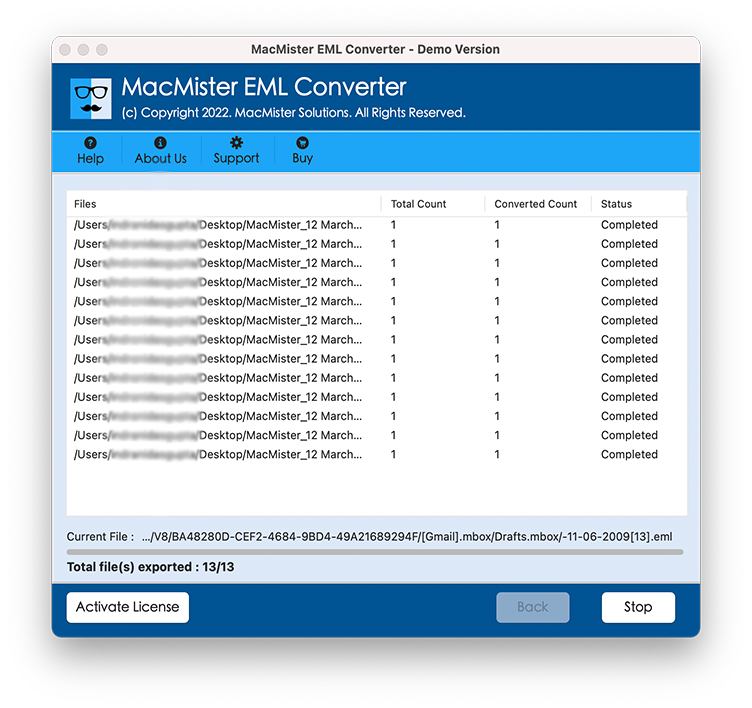
After completion, all EML emails will successfully appear in your Roundcube webmail account.
Why Choose the EML to Roundcube Tool?
There are several EML conversion tools available online, but the EML to Roundcube Tool stands out because of its advanced functionality and reliable performance.
- Faster Migration Speed – The software quickly uploads EML emails into Roundcube without delays.
- No File Size Restrictions – Users can import unlimited EML files without any limitations.
- Supports Multiple File Formats – Apart from Roundcube migration, the tool also supports conversion into – PST, PDF, MBOX, MSG, HTML, Gmail, Office 365, Yahoo Mail, Thunderbird, Outlook, and many other platforms.
- Advanced Filter Options – Users can filter emails based on – Date range, Subject, Sender, Receiver for selective migration.
- 100% Accurate Results – The software maintains complete email integrity throughout the migration process.
Benefits of Moving EML Emails to Roundcube
- Web-Based Accessibility – Roundcube allows users to access emails from any location using a browser.
- Better Email Organization – Users can manage emails efficiently using folders and labels.
- Secure Email Management – Roundcube provides secure access and server-based email storage.
- Centralized Email Access – All EML emails can be managed in one place instead of scattered across local folders.
- Easy Backup Handling – Webmail storage makes email backup and restoration more convenient.
Who Can Use This Tool?
The MacMister EML to Roundcube Converter is suitable for –
- Home users
- Business professionals
- IT administrators
- Email migration experts
- Hosting providers
- Organizations managing bulk emails
Whether you are switching email platforms or creating centralized webmail access, the software simplifies the entire process.
Final Words
If you are searching for a reliable and efficient solution to import EML files to Roundcube webmail, then MacMister’s EML to Roundcube migration tool for Mac & Windows is an excellent choice. The software simplifies the complete EML to Roundcube migration process while preserving all email properties, attachments, and folder hierarchy.
With its advanced features, user-friendly interface, and secure migration capability, the tool helps users upload EML emails into Roundcube quickly and accurately. Whether you want to migrate a few emails or bulk EML files, this software provides smooth and hassle-free results.
Download the software today and transfer EML files to Roundcube webmail account without any data loss.